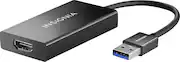
Rating 4.5 out of 5 stars with 919 reviews
4.5- HDMI (198)
- Ease of use (172)
- Compatibility (80)
- Performance (41)
- Picture Quality (31)
- Price (30)
- Driver (3)
Customer Images
The vast majority of our reviews come from verified purchases. Reviews from customers may include My Best Buy members, employees, and Tech Insider Network members (as tagged). Select reviewers may receive discounted products, promotional considerations or entries into drawings for honest, helpful reviews.
- Rated 5 out of 5 stars
Works Great!
Purchased after trying and returning several different items to Amazon. Set up process was as follows: 1) Download drivers from the Insignia website 2) Plug device into SSD USB 3.0 port on laptop 3) Plug HDMI cord into device and into monitor of choice 4) Update drivers per Windows update promp That's about it!
Posted by PastorJ
- Rated 5 out of 5 stars
Great interface adapter
I bought this product to aid in setting up an interface between my laptop and my large screen monitor. It works great
Posted by JPAMD
- Rated 5 out of 5 stars
Worked great to connect computer with TV
My PC is old enough that it does not have HDMI and my new TV did not have RGB. This allowed me to use USB from the computer to connect with the HDMI on the TV.
Posted by Owen
- Rated 5 out of 5 stars
It Works
My wife needs two monitors for her work and uses two different computers. One computer is connected to her monitors via the video inputs. Her second computer is connected to one monitor via HDMI. Her only remaining connection was HDMI to USB 3. I did no prior research on this. I wanted a quick fix for my wife. I asked if this adapter was available and an associate from the computer department brought me this. I thought the price seemed a little steep. I could have searched to for something less expensive, but we generally buy from Best Buy. They match any lower price (here, Insignia is a house brand). More important, if you follow their rules relating to returns, they take items back or replace them without question. We took this home, connected it, installed the driver, rebooted and immediately had two monitors running. Works perfectly. Problem solved. No driver nightmares. No hours spent adjusting windows settings. End of story.
Posted by EddieJay
- Rated 4 out of 5 stars
It does the job
We all know these are rough times, and a lot of companies allowed people to take equipment home for work. Unfortunately I wasn’t paying attention and brought a hub home, but not my monitor cables. The hub had one hdmi and one hdmi DisplayPort for my monitors, which left me up the creek without a paddle since we weren’t allowed back in the office. I guess a lot of people had a similar issue because I couldn’t find a hdmi to hdmi DisplayPort adapter anywhere. Thankfully I had a spare usb connection available on my hub and found this usb to hdmi adapter. Would I rather have paid like $20 for something else, abso-freaking-lutely.. but this was all they had within 200 miles, and I think it was the last one or two in stock, so I had to suck it up and spend $60 on this thing so I could do my job. Anyways, it works, but I would have rather spent less money for something else
Posted by RobbHimself