Rating 4.4 out of 5 stars with 61 reviews
4.4Customer Images
The vast majority of our reviews come from verified purchases. Reviews from customers may include My Best Buy members, employees, and Tech Insider Network members (as tagged). Select reviewers may receive discounted products, promotional considerations or entries into drawings for honest, helpful reviews.
- Rated 4 out of 5 stars
Great alternative to Apple Studio Display
Personally, I am VERY picky about the resolution coming from a 5k iMac. I tried other non 5k2k’s and even with 2X resolution they just didn’t cut it. So I was nervous and not sure it was even worth it for $1800… and I don’t think it is unless you really want or need the extra screen space as opposed to the Apple Studio Display. For that reason it’s great. Text clarity is great. I have Mac Studio and set it to 3840 and sometimes 3360 if I want the text to be a little bigger. Colors are great. It does seem dim at first, but I have gotten use to it. The brightness controls 50-100% have no change. So if you want to dim it, it really starts under 50%. So I run at 80-100% most of the time. I wish it could go a bit brighter for times during the day. But it’s alright. If I had to pick a value I’d pay for it and not feel like it’s too much. I’d put it at $1200 instead of $1800 MSRP. Anything under $1000 would be an absolute steal. However, if money is no object for you and you want the real estate. It’s probably the only choice we have that comes close to the clarity of the Apple Studio display. I don’t find myself feeling like I am missing out. It wakes up quickly. Using Monitor Control (GitHub version) and EasyRes(App Store) I can control volume and brightness from keyboard just the same.
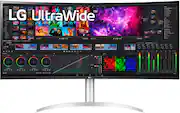
This review is from LG - 40” IPS LED Curved UltraWide WHUD 71Hz Monitor with HDR (HDMI, DisplayPort, USB) - Silver/White
Posted by DanD
- Rated 5 out of 5 stars
Expensive but Stunning (Decadent???)
The image is big and amazing. Apart from that obvious comment, I'm thrilled with the added features. With T-bolt 4 a single cable powers my laptop and provides a data connection to the monitor eliminating the need for a docking station to connect mouse, keyboard, camera, etc. It's connected to an HP Elite Dragonfly Chromebook and works perfectly extending the desktop.
This review is from LG - 40” IPS LED Curved UltraWide WHUD 71Hz Monitor with HDR (HDMI, DisplayPort, USB) - Silver/White
Posted by photoTed
- Rated 5 out of 5 stars
Great for MacBook Pro; glorious low refresh gaming
To call this simply a monitor is like calling the Grand Canyon a hole in the ground. Its 40" of curved beauty is perfect for simultaneously displaying multiple open windows. I had been worried it would be too big, but I've quickly gotten used to the size and now wouldn't want anything smaller. I use this with a 2019 MacBook Pro and it displays marvelously while also acting as a superb docking station. I did have concerns that the low refresh rate wouldn't work well for gaming, but for the types of games I play (Civilization VI, Europa Universalis, Victoria 3, etc.) I haven't had any issues. Other games requiring higher refresh rates may get dicey, though. I also would recommend pairing this with Logitech's MX Keys Advanced wireless keyboard.
This review is from LG - 40” IPS LED Curved UltraWide WHUD 71Hz Monitor with HDR (HDMI, DisplayPort, USB) - Silver/White
Posted by HEES
- Rated 5 out of 5 stars
Worth every penny!
This is a fantastic monitor. It will take some getting used to as you will need to adjust the icons at the higher resolutions. But you can see how beautiful it is... just wish my desk was as clean looking.
This review is from LG - 40” IPS LED Curved UltraWide WHUD 71Hz Monitor with HDR (HDMI, DisplayPort, USB) - Silver/White
Posted by Muggsy
- Rated 5 out of 5 stars
Fantastic Display!!
This display is in my opinion the best option on the market right now for a lot of different types of users, but especially for mac owners. The display is large, bright, clear and works flawlessly. I really like the design with the white back, a detachable power cord! (NOT a horrible power brick) beautiful and functional stand but it's also out of the box VESA mountable! This display gets an A+ in a lot of areas for me. I really like the controls which are very easy to engage with and understand using the joystick that is in the middle of the display at the bottom. I also appreciate the designers giving the option to enable or disable the power LED on the display but I especially like that it's positioned on the bottom of the display and shines downward - it's not on the front of the display to shine in your face. This is an attention to detail that shows just how much thought was put into the design of this display. Ports galore! Thunderbolt 4 for the display, and if your device supports it there's a 2nd Thunderbolt port that will allow you to daisy chain a second display, DisplayPort, 2 HDMI ports. There are 2 USB Ports that are on the right side of the display (another attention to detail that I appreciate). The refresh rate is 72Hz (a bit better than the 60Hz on most monitors), Color is spot on. I work from home and this is my everything display! Plenty of room for spreadsheets, 300nits of brightness for photo editing and a wide screen movie fits the screen beautifully with the 21:9 aspect ratio. I think the price point is really a good bargain for everything that you get in this display.
This review is from LG - 40” IPS LED Curved UltraWide WHUD 71Hz Monitor with HDR (HDMI, DisplayPort, USB) - Silver/White
Posted by MaxedMac