Rating 4.7 out of 5 stars with 6320 reviews
4.7- Ease of use (2100)
- Wireless (492)
- Ergonomics (454)
- Trackball (351)
- Battery Life (339)
- Wrist Pain (62)
- Space (37)
- Button Quality (22)
Customer Images
The vast majority of our reviews come from verified purchases. Reviews from customers may include My Best Buy members, employees, and Tech Insider Network members (as tagged). Select reviewers may receive discounted products, promotional considerations or entries into drawings for honest, helpful reviews.
- Rated 5 out of 5 stars
Best mouse out there.
It's surprisingly hard to find thumb trackball mice, so there aren't a lot of competitors for this design - but this is an excellent mouse. In my opinion, the best. I use the computer daily, and often for long periods of time. This mouse design keeps my wrist from becoming fatigued or sore, or developing carpal tunnel. Its design is fully ergonomic. The fact it remains stationary also makes it extremely convenient for using with a laptop anywhere you like. The trackball ball is very easy to pop out (there's a small hole at the bottom of the mouse through which to do so) and clean with a microfiber cloth, along with the sensors in its bed which can easily become gunked up (no matter how clean your hands seem). A few months ago my cat knocked the mouse off the desk and one of the buttons popped out of alignment and wasn't clicking right. I dismantled the mouse's casing using a single small screwdriver and popped the plastic bits back into place and put the mouse back together without any issue. It's worked flawlessly again since. I just changed the battery for only the second time ever in Aug 2020, when I've owned the mouse since about Dec 2018. This is an unpopular opinion I guess, but I can't imagine gaming with any other mouse. No wrist fatigue, finite movement, and wireless to boot. Never had issue with lag or anything. The wireless USB dongle supports other Logitech wireless devices, so you only need the one dongle if you use a Logitech wireless keyboard or other peripheral. Super convenient. There is also a spot inside the battery compartment to store the USB dongle for convenient storage or for transit. The dongle is so small, however, I'm always able to get my laptop's case on with the dongle still plugged in. (How many times can I say "dongle"?) The Logitech software allows you to customize its sensitivity and button functions along with a ton of other settings. Super handy. If and when this one stops working, I will be buying another one.
Posted by A883Y
- Rated 5 out of 5 stars
Easy on the wrist
I teach, and have a lot of papers to grade, all of which is done on the computer. When I developed a very painful bout of carpal tunnel syndrome, I analyzed the situation and decided that the problem was the angle of my wrist when I was moving the mouse. I had used a trackball in the past, so I researched and bought this one. It allows my hand to have an upward angle with respect to my wrist and within days I had significant improvement in the carpal tunnel issues, which are now, completely gone. I did take a bit of time to get used to moving the trackball with my thumb, but now that's fine. The device is wireless, with a small dongle that plugs into a USB port on my computer, and it works flawlessly. Because it is stationary, I can put it and my tablet on the same surface (see photo). I also have the option of removing the dongle and using the trackball with my laptop when I travel. Good Product!
Posted by moonbird1
- Rated 5 out of 5 stars
Logitech Trackball ! Yes!
Logitech Trackball is THE way to go! Don’t need a lot of real estate to operate, like a mouse. Waaay better than any mouse! We are using this on a HP Windows 10 pc. It comes with a little dongle to stick in a USB port & every works. Great price. More accurate than a mouse to operate. the dongle can be stored IN the battery compartment. Battery life is UNBELIEVABLY long! Has a scroll wheel and forward and back buttons.
Posted by ArlondoBeyondo
- Rated 4 out of 5 stars
Liking the new way...
I tried this trackball mouse at home and it worked so well that I have since requested one from my employer. I am a technical programmer and with utilizing three monitors to do my job I no longer have to pick up my mouse when I run out of mouse pad to get to one side or another. I could increase the pointer speed but I would loose the accuracy I need to have but the track ball takes care of all of that. Would have been a 5 star but the software installation on my Windows 10 machine had a few bumps installing, Windows 7 at work had no problems at all. My actual rating is 4.75 stars
Posted by BossRock
- Rated 5 out of 5 stars
Great for arthritic Geeks!
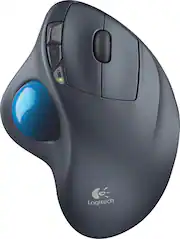
The golf-ball sized trackball is on the side, and the other large finger switches are where you’d expect them to be. A scroll wheel sits between the pointer and middle finger, Two smaller buttons permit forward and backward navigation. Every action is modifiable using the downloadable app for either platform. Odd that the packaging doesn’t tell you to get the download. Arthritic fingers in this 70+ user likes this device which replaces a trackman center-ball corded Logitech of many years.
Posted by 88colors