FREE shipping to
Lightweight and ergonomic with a redesigned tip, the reimagined Kobo Stylus 2 makes marking up your eBooks and PDFs smoother and more comfortable. Mark up eBooks or documents and take notes in Kobo Elipsa 2E's built-in notebook feature. Make highlights with the intuitive highlighter button and wipe away mistakes using the eraser on the back of Kobo Stylus 2. Plus, easily recharge your stylus through a USB-C power source. Includes 2 spare Kobo Stylus 2 Replacement Tips.
This product doesn't have any reviews yet.

Lightweight and ergonomic with a redesigned tip, the reimagined Kobo Stylus 2 makes marking up your eBooks and PDFs smoother and more comfortable. Mark up eBooks or documents and take notes in Kobo Elipsa 2E's built-in notebook feature. Make highlights with the intuitive highlighter button and wipe away mistakes using the eraser on the back of Kobo Stylus 2. Plus, easily recharge your stylus through a USB-C power source. Includes 2 spare Kobo Stylus 2 Replacement Tips.

Write, sketch, navigate, and recharge. Take handwritten notes and draw with the same feeling you get with pen on paper, with exceptional accuracy and a new storable design. Surface Slim Pen (2nd Edition) also delivers incredible shading and exceptional pressure sensitivity.¹

Annotate and take notes the modern way with this Wacom Bamboo Ink stylus pen for Windows Ink. The sensitive fine tip supports up to 4,096 pressure levels and enables writing precision, while the lightweight cylindrical design, durable aluminum material and long battery life let you focus on note-taking with no distractions. This Wacom Bamboo Ink stylus pen lets you use a soft, medium or firm nib (not included) based on your writing preference.

Experience modern writing with this SaharaBasics Styles silver pen for Microsoft Surface. The 1024 pressure levels sensitivity offers a precise response for natural writing and erasing. Get one-click access to OneNote and Cortana and convert notes to text instantly with this durable aluminum alloy SaharaBasics Styles silver pen for Microsoft Surface.
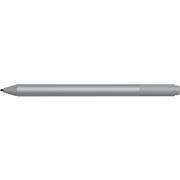
| Pros for Microsoft - Surface Pen Platinum - Tilt the tip to shade your drawings - Writes like pen on paper - Sketch, shade, and - Gray | |||
|---|---|---|---|
| There were no pros for this product— | Ease of use, Overall Performance, Weight, Compatibility, Design | Ease of use, Overall Performance, Compatibility, Weight, Price | There were no pros for this product— |
| Cons for Microsoft - Surface Pen Platinum - Tilt the tip to shade your drawings - Writes like pen on paper - Sketch, shade, and - Gray | |||
| There were no cons for this product— | Lag, Charger, Price, Magnet Strength, Tip | Lag, Battery Life, Connectivity, Button Placement, Pressure Sensitivity | There were no cons for this product— |