Save up to 50% on 3-Day Sale deals.Ends 12/14.Shop now

Main Content
Specifications
  • Lighting Type
    None
    Form Factor
    Compact (60%)
    Keyboard Technology
    Mechanical
    Key Switch Behavior
    Clicky
    Connection Type
    Wireless
  • Key Specs
    • Lighting Type: None
    • Form Factor: Compact (60%) (The size, arrangement, and physical configuration of the product.)
    • Keyboard Technology: Mechanical (Type of technology that detects a key press.)
    • Key Switch Behavior: Clicky (Refers to the mechanisms under the keycaps on a keyboard that enable you to type faster and more precisely. Linear switches move straight up and down without any sound or bump. Tactile switches provide a noticeable bump in the key press, and no sound. Clicky switches provide a bump in the key press and "clicky" sound.)
    • Connection Type: Wireless
  • General
    • Brand: Mobile Pixels
    • Model Number: 109-1001P01
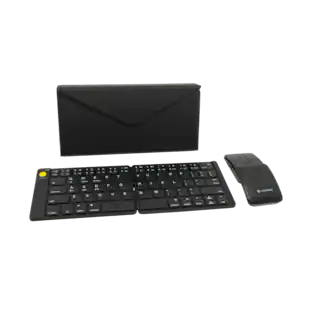
    • Product Name: Folding Keyboard
    • Color: Gray
  • Features
    • Lighting Type: None
    • Numeric Keypad: true
    • Touchpad: false
    • Keyboard Type: Keypad
    • Palm Rest: false
    • Spill Resistant: false (Designed to resist some degree of accidental liquid spill. The level of spill-resistance is indicated by the product manufacturer, but the degree of protection may not be guaranteed after normal wear of the product.)
    • Keyboard Features: Foldable Keyboard
    • Foldable: true
    • Keycap Material: Plastic
  • Functions
    • Form Factor: Compact (60%) (The size, arrangement, and physical configuration of the product.)
    • Number Of Keys: 65
    • Keyboard Technology: Mechanical (Type of technology that detects a key press.)
    • Dedicated Macro Keys: false (Perform shortcuts of key sequences to carry out commands with a single key. Key sequences may include key strokes, mouse actions, and/or menu actions.)
    • Adjustable Tilt Function: false
    • Key Switch Behavior: Clicky (Refers to the mechanisms under the keycaps on a keyboard that enable you to type faster and more precisely. Linear switches move straight up and down without any sound or bump. Tactile switches provide a noticeable bump in the key press, and no sound. Clicky switches provide a bump in the key press and "clicky" sound.)
    • Multimedia Keys: false
    • Internet Keys: false
    • Number Of Programmable Keys: 0
  • Connectivity
    • Connection Type: Wireless
    • Wireless Connectivity: Bluetooth (The manner in which a device sends data to another device over a short distance without the use of wires or cables.)
    • Number Of USB Port(s): 1 (The total number of USB ports including all generations and versions.)
    • Number of Devices Connectable Simultaneously: 3
  • Compatibility
    • Operating System Compatibility: Universal
    • Plug and Play Operation: true
  • Power
    • Rechargeable Battery: true
    • Number of Batteries Required: 1
    • Battery Chemistry: Lithium
    • Batteries Included: true (Indicates whether the product comes with the required batteries for its operation.)
  • Dimensions
    • Product Height: 0.81 inches (The out of box height of the item. Height is measured as the vertical distance from the bottom of the item to the top as it would be primarily used or placed.)
    • Product Width: 10.16 inches (The out of box width of the item. Width is measured as the horizontal distance from one side of the item to the other as it would be primarily used or placed.)
    • Product Depth: 27 inches (The out of box depth of the item. Depth is measured as the distance from the front of the item to the back as it would be primarily used or placed.)
    • Product Weight: 0.181 ounces (The out of box weight of the item.)
  • Warranty
    • Warranty - Parts: keyboard,cable
    • Warranty - Labor: one year
  • Other
    • UPC: 850001446549

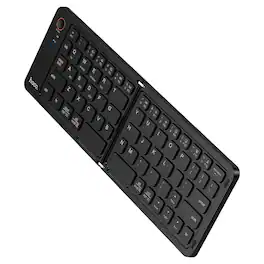
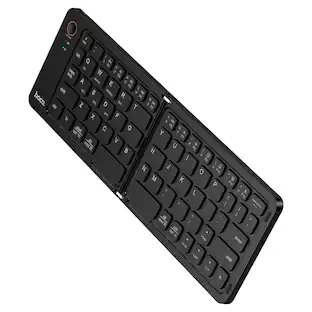
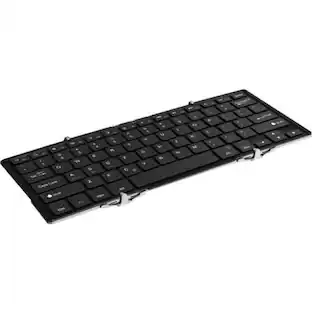
Bi-fold design, allows you to fold it up and put it in your pocket or bag

  • Folding Keyboard: Bi-fold design, allows you to fold it up and put it in your pocket or bag
  • Folding Keyboard: Bi-fold design, allows you to fold it up and put it in your pocket or bag
Whats Included
  • keyboard,cable,manual,portable monitor
  • keyboard,cable,manual,portable monitor
Sponsored

Compare similar products

Mobile Pixels - Folding Keyboard - Gray

Bi-fold design, allows you to fold it up and put it in your pocket or bag

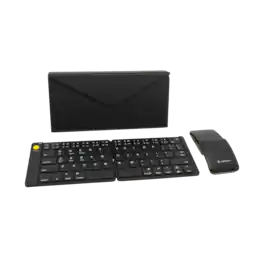
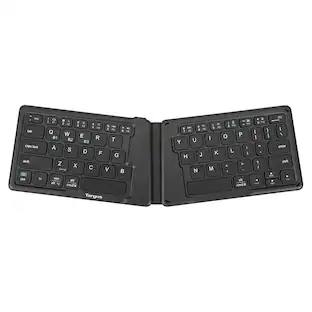
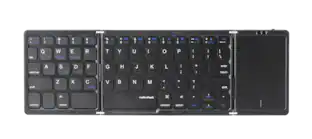
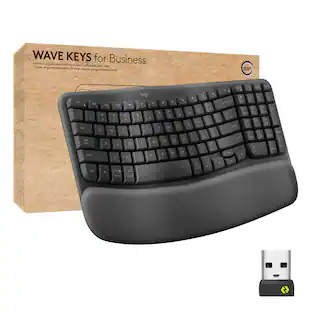
Targus - Ergonomic Foldable Bluetooth Antimicrobial Keyboard - Black

Unfold the power of this lightweight, pocket-sized keyboard with its unique, split, ergonomic design, reliable Bluetooth 5.1 wireless technology, and multi-device connectivity. Powered by a rechargeable 100 mAh battery, you can type for hours at a time. Compatible with most platforms, you’ll be able to write code, send emails, or work on your book from anywhere you want.

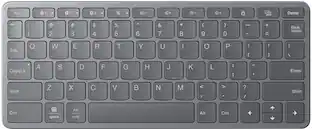
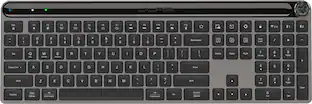
Logitech - MX Mechanical Full size Wireless Mechanical Tactile Switch Keyboard for Windows/macOS with Backlit Keys - Graphite

Introducing MX Mechanical - a full-size keyboard with extraordinary feel, precision, and performance. Low-profile mechanical typing delivers satisfying feedback in your choice of key switches – Tactile Quiet, Clicky, or Linear. MX Mechanical is crafted for ergonomic comfort, with smart illumination and easy-switch – allowing you to connect up to 3 devices and stay in your flow for hours.

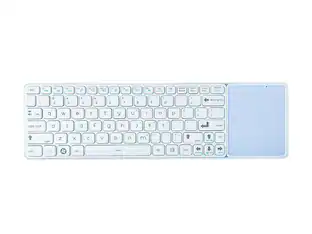
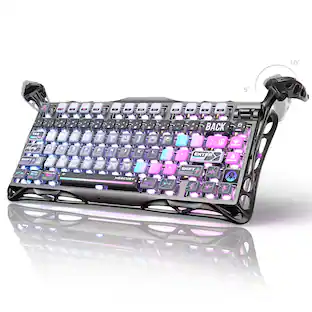
MP - Mobile Pixels Tetra Keyboard - Wireless Connectivity - Bluetooth - 5 - 85 Key(s) - Windows, Mac OS, Android - Notebook - Black

Split. Touch. Type. Experience natural posture, enhanced productivity, and seamless connectivity, all in one meticulously crafted keyboard. Integrated 8" Touchscreen. Attaches Magnetically. Ergonomic Split Layout. Customizable Hotkeys. Travel Friendly. Ergonomic Design | Next-Level Typing Comfort. Experience the ultimate adaptability with three unique configurations. The Tetra keyboard gives you freedom to set your workspace up exactly the way you want. Split Mode. Split mode for ultimate freedom. You can separate the two key modules. Increasing the space between your left and right hands while typing. This enables you to type with your hands comfortably at shoulder width apart and with wrists straight to avoid ulnar deviation. Splice Mode. When all three components attached together magnetically in a linear format, you've got a comfortable split keyboard with a 8" multi-touch display in the middle. The screen functions as an extra display or a shortcut center. The keyboards get spaced out on the left and right, allowing you to type comfortably. Stacked Mode. Stacked mode for a traditional feel. Just the two keyboard halves can be attached to each other magnetically, creating a compact typing device, while the screen exists independently. Game Mode. Full-size keyboards force gamers to reach around the keyboard to grip the mouse. This posture puts excessive strain on your wrist, elbow and shoulder. The Tetra keyboard lets you move the right half of the keyboard out of the way so you can position your mouse inside of your right shoulder for more comfort, precision, and dexterity. Seamless Connectivity | Attaches Magnetically. All three modular components can be snapped magnetically into place for seamless connectivity. Unlock Typing Comfort and Efficiency. The keyboard comes with a 65% layout. Scissor switches enable a fair amount of 1.3mm key travel, and a backlight lets you type with ease. Each half of the keyboard gets its own 1,200 mAh battery and Bluetooth radio, so they can be easily paired with the devices you want to type on. Simply snap them to the screen and pogo pins allow the Tetra keyboard to charge all the way through.8-inch Touchscreen | Your Secondary Display. The 8-inch multi-touch display (1280 × 800 pixels, 16:10 aspect ratio) is perfect for keeping commonly used, but infrequently accessed windows up without having to find it, such as calendars, music players, chat messages, or notes. Customizable Hotkeys | Unleashes Your Productivity. Create and switch between custom workspaces, select and customize each function, jump between software, and more like never before. Total Control at Your Fingertips. The Tetra Board App allows you to use the 8-inch touchscreen as a control dashboard. The touchscreen maps almost any application for actions and adjustments, such as creating macros, shortcuts, launching Apps, tools, opening files and folders, and more. Cancel Changes

Pros for Mobile Pixels - Folding Keyboard - Gray
There were no pros for this productEase of use, Battery Life, Connectivity, Size, ErgonomicsBattery Life, Connectivity, Ease of use, Keyboard Quality, Key FeelThere were no pros for this product
Cons for Mobile Pixels - Folding Keyboard - Gray
There were no cons for this productThere were no cons for this productPrice, Noise Level, Software, Space BarThere were no cons for this product

Specs

Reviews

This product doesn't have any reviews yet.

No content
Sponsored

Similar products from outside of Best Buy

sponsored