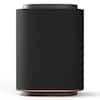
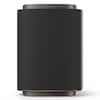
Nautica - Urban SP610 True Wireless Outdoor Portable Speaker, Perfect for Camping, Beach, Backyard & Travel - Navy-White
Nautica - Urban SP610 True Wireless Outdoor Portable Speaker, Perfect for Camping, Beach, Backyard & Travel - Navy-White
Color
Navy-WhiteAbout This Item
- Key Specs
- Speaker Pairing: true (Wirelessly connect the speaker to another compatible speaker for a more immersive sound experience or multi-room audio. Pairing may require use of an app or additional setup.)
- Wireless: true
- Rechargeable: true
- General
- Brand: Nautica
- Model Number: SP600-610
- Product Name: Nautica Urban SP610 True Wireless Outdoor Portable Speaker, Perfect for Camping, Beach, Backyard & Travel
- Color: Navy-White
- Audio
- High Resolution Audio: true (Hear music the way musicians and sound technicians intended it to be heard. Products that support hi-res audio deliver audio signals with a dynamic range and bandwidth far greater than that of a standard CD so you'll be able to enjoy pure music with outstanding sound quality. The device supports high-resolution audio signals, which more closely resemble the quality of music as it was originally recorded, with more texture and detail than can be heard via typical music streaming services or CDs.)
- Number of Speakers: 1
- Wattage: 15 watts (Measurement of electrical power.)
- Speaker Pairing: true (Wirelessly connect the speaker to another compatible speaker for a more immersive sound experience or multi-room audio. Pairing may require use of an app or additional setup.)
- Connectivity
- Wireless: true
- Wireless Connectivity: Bluetooth (The manner in which a device sends data to another device over a short distance without the use of wires or cables.)
- Bluetooth Version: 5.3 (The Bluetooth specification formalized by the Bluetooth Special Interest Group. All versions of the Bluetooth standard are backwards compatible with previous versions.)
- Network Connectivity: Bluetooth (The manner in which a device sends data to another device over a long distance using a cellular network.)
- Power
- Rechargeable: true
- Dimensions
- Product Height: 8 inches (The out of box height of the item. Height is measured as the vertical distance from the bottom of the item to the top as it would be primarily used or placed.)
- Product Width: 4 inches (The out of box width of the item. Width is measured as the horizontal distance from one side of the item to the other as it would be primarily used or placed.)
- Product Depth: 4 inches (The out of box depth of the item. Depth is measured as the distance from the front of the item to the back as it would be primarily used or placed.)
- Product Weight: 1 pounds (The out of box weight of the item.)
- Warranty
- Warranty - Parts: 1 year limited
- Warranty - Labor: 1 year limited
- Other
- UPC: 810073307452
Bring the Party Anywhere with the Nautica SP610: The SP610 Bluetooth speaker combines style and durability with its fabric cover and rubberized finish. With 15W PMPO power and Bluetooth 5.3, it delivers clear, powerful sound with stable wireless connectivity up to 10 meters. Pair two for 30W stereo sound using TWS. Enjoy up to 8 hours of playtime, 5 ambient light modes, and easy controls. Need a quick connection? Use USB, SD, or AUX inputs. With its IP5 splash-proof rating, it’s perfect for the beach, camping, or any adventure.
- Dynamic Sound: This Bluetooth speaker delivers 15W PMPO power for crystal-clear highs, booming bass, and the kind of sound that fills any room or outdoor space with energy.
- Quick Connection & Easy Buttons: Equipped with advanced Bluetooth 5.3 tech, this wireless portable speaker allows you move around while still keeping the beats flowing; Get your music started in seconds.
- Non-Stop Listening: With 8 hours of playtime on a single charge, this portable speaker is ready to go when you are; Plug in your music using the USB, SD, or AUX inputs and get your groove on without Bluetooth.
- Dynamic Sound: This Bluetooth speaker delivers 15W PMPO power for crystal-clear highs, booming bass, and the kind of sound that fills any room or outdoor space with energy.
- Quick Connection & Easy Buttons: Equipped with advanced Bluetooth 5.3 tech, this wireless portable speaker allows you move around while still keeping the beats flowing; Get your music started in seconds.
- Non-Stop Listening: With 8 hours of playtime on a single charge, this portable speaker is ready to go when you are; Plug in your music using the USB, SD, or AUX inputs and get your groove on without Bluetooth.
Q: what are plus and minus buttons for
A: TechnoFashion sent me a download link for their user guide. https://cdn.shopify.com/s/files/1/0668/5563/3149/files/SP610_UserManual.pdf?v=1773397386
A: Button Controls & Operations The speaker features intuitive buttons for music and light management. Power/Mode: Long press to turn ON/OFF. Short press to switch between input modes (Bluetooth, USB, SD, or AUX). Volume & Tracks: Short Press (+/-): Adjust volume levels. Long Press (+/-): Skip to the Next track (+) or Previous track (-). Play/Pause: Short press to play or pause audio. Ambient Lights: Short press the light button to cycle through the 5 ambient light modes. Long press to turn the lights OFF. True Wireless Stereo (TWS) Pairing To create a 30W stereo experience using two SP610 speakers: Turn on both speakers. Ensure neither is yet connected to a Bluetooth device. Long press the Play/Pause button (or the Mode ("M") button, depending on the version) on one speaker until you hear a "TWS connection" tone. The speakers will pair together. Now, connect your phone to the "master" speaker via Bluetooth settings. You can download the user manual from here (for the SP600, but works): https://device.report/m/4a669ebcd2623e2162ab157acafb2ba709c6530b83c451c59bc241f1c870754e_pdf Email: [email protected]
A: No unfortunately, it does not. Button Controls & Operations The speaker features intuitive buttons for music and light management. Power/Mode: Long press to turn ON/OFF. Short press to switch between input modes (Bluetooth, USB, SD, or AUX). Volume & Tracks: Short Press (+/-): Adjust volume levels. Long Press (+/-): Skip to the Next track (+) or Previous track (-). Play/Pause: Short press to play or pause audio. Ambient Lights: Short press the light button to cycle through the 5 ambient light modes. Long press to turn the lights OFF. True Wireless Stereo (TWS) Pairing To create a 30W stereo experience using two SP610 speakers: Turn on both speakers. Ensure neither is yet connected to a Bluetooth device. Long press the Play/Pause button (or the Mode ("M") button, depending on the version) on one speaker until you hear a "TWS connection" tone. The speakers will pair together. Now, connect your phone to the "master" speaker via Bluetooth settings. You can download the user manual from here (for the SP600, but works): https://device.report/m/4a669ebcd2623e2162ab157acafb2ba709c6530b83c451c59bc241f1c870754e_pdf Email: [email protected]
Q: Can you plug in microphone 🎤 to do karaoke?
A: undefined
Reviews
Customers are saying
Customers enjoy the Urban SP610 True Wireless Outdoor Portable Speaker, especially its sound quality, with users noting that it gets pretty loud. The speaker's portability is also a plus, making it great for on-the-go use.
Customer Images
The vast majority of our reviews come from verified purchases. Reviews from customers may include My Best Buy members, employees, and Tech Insider Network members (as tagged). Select reviewers may receive discounted products, promotional considerations or entries into drawings for honest, helpful reviews.