Rating 3.7 out of 5 stars with 48 reviews
3.7- Battery Life (11)
- Cleaning Performance (9)
- Navigation (6)
- Mapping (5)
- Noise Level (4)
- App Connectivity (5)
- Brush (4)
- No-Go Zones (3)
Customer Images
The vast majority of our reviews come from verified purchases. Reviews from customers may include My Best Buy members, employees, and Tech Insider Network members (as tagged). Select reviewers may receive discounted products, promotional considerations or entries into drawings for honest, helpful reviews.
- Rated 4 out of 5 stars
BUGGY APP / SETUP, BUT NICE ROBOT VAC ONCE WORKING
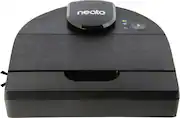
MODEL REVIEWED NEATO ROBOTICS - D9 INTELLIGENT WI-FI CONNECTED ROBOT VACUUM - BLACK MODEL:945-0356 HEADLINE: BUGGY APP / SETUP, BUT NICE ROBOT VAC ONCE WORKING OVERVIEW The NEATO ROBOTICS - D9 does a great job on our kitchen hardwood floor. I look forward to see how it performs over time. It seems well made, and other than setup issues I can recommend it. PROs • Well built • Well packaged • Above Average Cleaning • Good Value • Long Battery Life CONs • Poor Setup Process • No Instructions or guide as to what is really happening with the vac SETUP The initial setup was a nightmare. I eventually got the unit so locked up, it had to be replaced. To complete the initial setup, I needed to find an old Android Phone, as there is a bug with the current version of Android. Even with an older phone (Android 11 vs 13), the setup was not working until after several attempts. Eventually, the App paired with the D9 and it automatically started a firmware update. Throughout the update process, the APP kept disconnecting the network. After about 20 minutes it said the firmware update failed and to “contact support”. Then the D9 rebooted by itself and apparently the firmware had worked after all and it was good to go. Once the D9 was setup, I could go back to my “real” phone and the app worked as expected. DIRECTIONS? There is a nice quick start guide, that tells you how to unpack and setup the D9. Then there is something called a manual, but it is just lawyer warnings. So, back to the APP, there really is nothing to do but press “PLAY” so then the D9 jumps into life and starts cleaning. Since this is my first robot vac, I assumed there would be a mapping step, or somehow I needed to create no-go zones. After pressing “PLAY” the D9 just rambles around without any apparent logic. It would have been nice if the APP gave me some information, such as “discovering layout” or “creating map” or anything. As near as I can tell everything is fully automatic, so there is nothing more that you need to do other than press “PLAY”. It ran about 90 minutes before I had to shut it down to eat dinner. At that point, it had mapped out about 80% of the floor, and completed a “B” job cleaning where it traveled. I don’t know if I had let it run a few more hours it would make a more complete map or do an “A” job at cleaning. I don’t know if it will tell me when it needs to be emptied or even how to empty it. Hopefully, the app will tell me what to do at the right time. As I said, without directions, I don’t know if it is just the initial mapping that takes so long or if it will be a few hours every time it runs. I’m not sure if I can move the D9 to different rooms, or will that somehow mess up the map? USAGE So far, I like the D9. Our floors were pretty dirty / dusty with fall dirt and leaves being tracked in (as well a new puppy). They were noticeably cleaner after the initial run. The D9 did a great job of maneuvering into hard-to-reach places, under counters and tables. It only got “very” stuck one time, and it eventually worked its way lose after shutting down the vacuum and rocking itself back and forth. The noise level was OK in eco mode, better than most other traditional vacuums. It was very sensitive when it bumped into things (which is good). It also really went out of its way to hug the wall when it found a wall to get as close as possible. I noticed when it returned to the base, it avoided areas where it had previously bumped into a dog toy. Hopefully, it will eventually remap those areas as OK to clean. I was worried it was going to drive off the stairs, but it sensed when it got to the stair and reversed itself before it fell down. SUMMARY As our first Robot Vac, I like the D9 and can recommend it for its value and performance. You just need to be patient with the setup process.
Posted by TheOffice1234
- Rated 4 out of 5 stars
still give it a go!
first time owning neato, and D9 was an interesting device! first I always enjoy how things are packaged and neato D9 was very simplistic of it was packaged, fairly fraught forward you get the device a how to instructions, filters and the plug with base charging and that’s it, I love the color black for this vacuum, it’s not really black more grey that what it is. you will need an app to get it going the setup was some what simple, beyond the fact that it kept dropping signal on me when it tells me to have an update for the latest version, the update was 15 min and it weird how the app kept disconnecting my wifi connection, took 3 tries for me to finally got it going, once it set the app for neato is easy to understand as well, you can see the map from where the vacuum have visited, from the total area it covered so far and the total time it’s been used and how many times it’s been used, I gotta give that part a plus, i’m kinda a geek on these kind of information when it comes to a deeper information about your device, so I appreciate the app for providing me that. I do have couple issues with the neato D9 though, I only have 1200sqft for my apartment but after over 1hr 30 min it’s still having a struggle to fully map my small condo, the D9 kept going back to the same location over and over it never fully visited the bed room and the guess bedroom I had. I was hoping the AI would be a tad bit more smarter than what it was, the second thing i’ve notice and I to keep watching D9 to clean was the spinning circle brush, the issue was the brush kept stopping once it hit something, so if i don’t watch the vacuum, the brush would stop and will never go back to spinning unless I press pause on the app and continue again, I had to check the bottom to make sure it was tangled with hair already or anything stuck that causing it to stop so often. the main positive side about neato D9 is the D shape of the vacuum, I honest think it’s the best shape to have because I do believe it can gets to corner a whole lot better than most rounded robot vacuum around, removing all the collected dust and dirt was also was simple. I liked neato D9 I think the device is great you can also find it on great sales to look out for that, I just wish it could map my area a lot faster considering how much you paying for this device, the app need some tweaking, I had multiple mapping and the app was bugging on me that it kept switching to two different map photos. the two mode to choose from you have eco and turbo setting, im a fairly clean person so I didn’t bother using the turbo setting on my D9. I do still recommend this vacuum maybe it could work best to some people hopefully on some issues I had is something others won’t experience, but overall a great robot vacuum it’s well built, great looking app that’s easy to use, and the vacuum itself is easy to use
Posted by Naztynestor
- Rated 4 out of 5 stars
Gets stuck quite a bit
I needed a vacuum for upstairs and this robot seemed like a great fit. Charging base is super slim and won't take much space in the hallway (it's not a self-cleaning dock), I did not need moping capability either. Robot is very easy to setup using Neato phone app and can get going in a few minutes. There are 2 power settings - Eco for reduced suction and Turbo for some extra power (makes it a bit more noisy), I keep mine on turbo and it's still able to go thru 800sq ft of carpet on a single charge. However - I wish navigation software could be better. Sometimes it gets stuck under furniture and while I do receive a push notification on the phone - it's also trying to say out loud what is wrong. As soon as robot is moved away from the problematic stop - chances are it will go there again! Couple of times it could not find it's charging dock even though it literally parked right in front of it! Sometimes it becomes stubborn and tries to plow it's way thru obstacles getting stuck even worse. That said - I do like slim design and miniature docking station. Emptying dust container is super easy, robot does require a brush cleaning once in a while as well.
Posted by xKing
- Rated 5 out of 5 stars
Rugged, Well Designed and Smart
The newest generations of robotic cleaners are a lot better than the original breakthrough robot cleaning devices, and they cost a lot less. If you tried the older ones and maybe were less than thrilled, read on, because you will find this unit to be fantastic. The NEATO D9 is an example of an advanced cleaner with WiFi connectivity and simple installation and control. I gave it five tests and it never got stuck. The old cleaning robots often got stuck in various ways. You do have to keep the robot away from electrical cords. It makes sense that wires and strings laying on the floor will need to be removed. You can also simply block the robot from objects you don’t want it near – very easily. This unit uses laser technology to ‘see’ where it is going and can not only bump and change direction but it also has something called ‘cliff detection’ so it won’t fall down stairs. You can run it in complete darkness since it will see with the lasers. I found the NEATO D9 was very agile – for example it will bump a rocker recliner and know to adjust its route. This sophisticated sensing can prevent situations where it might get stuck under the edge of the recliner if it pushed too hard to sense the obstruction. Tip of the cap to the engineers that designed this marvel. The robot cleaned 600 square feet in about 1 hour, picking up lots of dust and hair into its dustbin on what I thought was already a clean floor. My area included carpet and vinyl planking areas. The vinyl area seemed to look polished – nice. You are best served to install the MyNeato app on your cell phone. You can however, control the device from the phone or the buttons on top of the device. Charge it up and let it clean. Although I stayed close the first time it cleaned, after that I was confident I could go in the garage and work and it would be fine all by itself. When it is done, it will remember how to return to its charging dock and dock itself. One very important feature is the mapping. One benefit of the mapping is that when you return and find the device docked, you can look on your cell phone and see the map of the coverage. If you have a kitchen island you’ll see how it went around the island for example. Now you will know if it missed an area – which it never did – wonderful. You can set the device to run in eco or turbo mode which has more suction and will affect your run time. You also get the option of Extra Care navigation which will cause the device to move more gently around more delicate furniture etc. If you want more programming options you can create schedules and floor maps that may include no-go zones. Very powerful and useful for those who need these features. One point that is in the instructions but not emphasized is that you can turn the robot off by holding the ‘Start’ button for a few seconds. This will come in handy if you go off on vacation and don’t want the unit to run. I highly recommend this well designed, rugged and very useful robot cleaner.
Posted by RalphHenry
- Rated 5 out of 5 stars
Amazing! Maybe just not amazing for me.
This is my first foray into the robot vacuum world. We're a household that cleans our main floors and kitchen every day and the rest of the house a couple of times each week. We had toyed with the idea of getting a robot vacuum and finally took the plunge. Setup: Like most smart devices the Neato requires an app for use. Downloading the app and setup was a breeze. I was able to start charging and launch the initial cleaning within about 10 minutes. We decided to use the Neato in our basement as it's the largest open area and an area where our dog was less likely to interfere. Initial thoughts: The actual work that the D9 does is amazing. It's not super fast. Our entire basement took just over 2 hours. I'm not sure if that was longer because it was doing the initial mapping or what. The patterns left in the carpet were very satisfying and it made a quick and easy transition to our laminate floors without any issues at the transitions. Sounds: Here's where I'm at a crossroads. It's not loud....but it's not quiet. My wife and I work from home and it's a little too noisy to be on downstairs while we're working. Ideally it would run overnight but I'm afraid the noise will be too much as my wife is a light sleeper especially as it bumps into things or changes direction. We can manually start the cleaning when we know we'll be out and about, but that seems to miss the point of having an cleaner with automation capabilities. Doors: Our house is open concept but there are doors. We tend to keep doors shut and that's a problem with robotic vacuums. By the time I open the doors, start the vacuum on the app and let it go I might as well grab the stick vac and spend 5 minutes vacuuming the basement. I'm giving 5-stars and recommending as a product because it truly is a fantastic vacuum. For someone who leave the house for work every day or is a sound sleeper you would LOVE this vacuum. It's great...maybe just not great for me.
Posted by Farns