Rating 4.3 out of 5 stars with 425 reviews
4.3- Picture Quality (146)
- Setup Ease (85)
- Night Vision (31)
- Motion Detection (8)
- Connectivity (14)
- DVR (3)
Customer Images
The vast majority of our reviews come from verified purchases. Reviews from customers may include My Best Buy members, employees, and Tech Insider Network members (as tagged). Select reviewers may receive discounted products, promotional considerations or entries into drawings for honest, helpful reviews.
- Rated 4 out of 5 stars
Device / Mobile/ PC
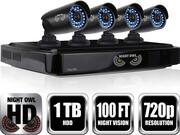
Night Owl device , Android Mobile (Samsung GS3) and PC computer can watch live view / recording to save into file. 720p clear tv @ daytime and night vision is ok. 1 TB Hard drive.
Posted by Deafrocks
- Rated 4 out of 5 stars
Helpful Review
After owning this system now for a few months, I thought I would write the kind of review I was looking for when I was thinking about purchasing it; as most reviews on here are about issues that can be resolved then the actual system and its functions which did not help me in determining if this system would be good for me or not. First off, I was very timid of buying this system after seeing so many people posting that the app notifications do not work and such. We needed something to be able to monitor our house while we went on vacation. Then again though there were many people that posted saying the system worked great. We took the chance and bought the system when it went on sale and bought a additional 2 cameras with it. We have not had a single problem with it as long as you follow the instructions, which I will get to. The System Each camera came with 60’Ft of cabling with was more than enough. Super easy to install the cameras with included mounting hardware and setting them up. When you do the initial set up on the DVR and it asks you to create a 8 character password… it means a 8 character password, no more and no less. You then can set up alert areas for each camera to where if motion is detected in certain areas, it is recorded while in others it’s not (for us, we made sure the road infront of us was not in the alert area, that way the system would not alert us of every car going by). You can also set up privacy sectors to where nothing is recording in that space (I believe as I have not used that function yet) You can set up how long each camera records after it detects motions (30sec, 1 min, 2 min, 5 min), if it saves the prerecording before motion is detected (they are always recording, but only save once they detect motion so if you select prerecording, it saves a little bit before the motion), and the sensitivity of each camera for it to record motion (1-10). Each cameras brightness, contrast, and saturation can be adjusted as well as how you are alerted if they detect motion (Push notification, Email, Buzzer). The cameras can also be set up to if one detects motion and starts recording, you can tell which other ones you want to record at the same time. If you want certain times of the day recorded, you can set that up as well. If you have the DVR going to a monitor, the camera that detects motion can be set to where it goes to full screen on the monitor during the motion. The 1TB Hdd has enough room for the 6 cameras we have to keep recordings up to a month ago. You can set up automatic update checks for the system, daylight savings time, automatic time updates and so forth. The Cameras The Cameras came well packaged and they are built pretty solid. Yet they are alittle big compared to other cameras. If the cameras were not under our overhang then they would be quite visible to anyone walking by. The sunshields that come with they really help out though. A downside about them is that they have a 70’ degree field of view.. which isn’t horrible but for their size, we had to plan where to put them as that 70’ FOV really cuts out portions a room depending on where you put it. For our main inside camera, we had to choose whether to record the back door or the kitchen/living room. Even though they are right next to each other and a camera should be able to pick both up, 70’ FOV really limited us. The cameras are labeled as 720p, which we thought would be enough to see details of people walking up to our door… which they have been.. but that’s it. Even at high quality live viewing, we have been alittle disappointed by the quality when it comes to peoples faces, but that is all. As for night, one of the MAIN reasons we bought this system is that the cameras have 32 IR Leds for night vision.. which compared to other systems at about 16, we thought it would be great. The LEDS are ringed around the lens and the major downside about the night vision with these cameras, is that at night those rings really shine though to where the picture you see has actual rings in it due to the rings of IR light being put out and other areas not having as much light (see included photos). If there are no lights in the area, the night vision works ok but if you have any kind of outside light on (porch light/flood light) then the night vision works really well though. Also with 32 IR Leds, it attracts bugs at night which can set off your motion detection and give you false alerts. Then with bugs, comes spider webs for catching the bugs. The system has input for microphones if you had any cameras with mics, or any cameras that can pan/tilt which is a plus. THE MOBILE APP To set up the mobile app on your cellphone, you scan the QR code into your mobile app and that’s it. It will automatically insert all the information it needs off the DVR. You can then Live View the system, Remote Playback what the cameras have recorded, see Saved Photos, Saved Videos, manage the device (as the app can synch off multiple DVRs), and set up Notifications. When in Live View, you can select different formats to views the cameras. As in you can view one at full screen, 2 cameras at once, 4, 6, 8, or 16. Then while viewing each camera, you can view it in Standard Definition which will have better framerate but not as good quality or High Definition which will have better quality but not as good frame rate. No worries though, as the cameras are always recording HD back to the DVR. If you have a camera that can move, there is a button to access the controls and also a way to turn on and off audio if the camera has a mic. You can also manually save a picture or video from what you are viewing. Now the bad thing about the app… it can definitely be “Janky”. Sometimes when switching from wifi to cell network or even just accessing it multiple times real quick can have it to where it shows loading screens for all the cameras and the only way to fix it is to quit the app and restart it. Which happens more then I would like to see. Its happens on all the devices we connect to the system. IOS and Android both. Sometimes it drops all the cameras and you have to drag and drop the cameras back onto the viewing layout. Which also reminds me, you can change the order the cameras are on your viewing layout by dragging and dropping, not having to only have Camera 1 in slot 1, Camera 2 in slot 2, ect. You can also rename any on the cameras “ie kitchen, driveway, hallway”. Our home router has both 3g and 5g signal; when we had a Ipad hooked up to the system on the 3g signal, it wasn’t even worth using. Every camera was off synch from each other by a few seconds and was unbearable. But after putting it onto the 5g signal, it fixed it perfectly. NOTIFICATIONS To receive notifications, on the Night Owl app, there is a tab that says “Notifications”… you turn that on and it works.. as for putting your number into the DVR and doing it that way, we have not tried it but I believe that is what most people complaint about when notifications are not working and not doing it through the app. We have done it with all of our devices and it worked perfectly. When you recive a push alert, clicking on it will take you into the app and right to the recorded event, not a live view, so you can see what it caught which was pretty cool. BUT if you have the motion intensity up, you will get A LOT of notifications due to bugs/wind/shadows/ect. We got notifications of our neighbors dogs breaking through the fence and coming into our yard, then had it saved to our phones through the DVR so we had proof of what happened. Also we got notifications of random people coming up to our door that we would otherwise not have known about. TL;DR Pros Easy to set up and operate (both cameras and DVR) Budget Friendly compared to most system of its caliber. Rugged Weatherproof Cameras. Great Features Plenty of hard drive space Being able to add on more cameras Plenty of settings for each camera and what/how it records Mobile App viewing of both live and recorded events Push Notifications on motion alerts. Cons Nightvision image quality is lost due to too many IR leds Deff not 100’ FT night vision viewing Each camera has a power cable and video cable that run to it instead of modern Power Over Ethernet cords. Mobile App can be very jankey, requiring quitting and restarting app. Cameras Field Of View is too shallow to be a good indoor camera unlessed used to focus on something specific. All in All, this is a great system for its price and we would recommend it to a friend. If we went back, we would buy this system again. The sense of security that if anything happened while we were gone, we would know about it, is awesome. We are purchasing another two cameras for it to have all 8 channels filled but may upgrade to a 1080 system in the future. Hopefully this review helped.
Posted by Imperium
- Rated 5 out of 5 stars
Excellent budget friendly system
I will say that I'm not the most tech savvy or the best with my hands however, this system was one of the easiest things I've ever set up. It is quite literally plug and play. The hardest part was trying to figure out where to mount the cameras and getting the cords to it. In all it took about 3 hours to get the system set up how I wanted it and couldn't be happier. The quality from these cameras is amazing. I can sit at my work and tell which kids are running through my yard. (Yes, I'm THAT neighbor) I would absolutely recommend the night owl system to anyone considering security cameras. In the pictures I uploaded, the first is how all the cords are run from dvr to tv and to the modem. The second picture is me testing the cameras out in my room to make sure they were working perfectly, something I would recommend as well. Just to be sure.
Posted by Nremtmatt
- Rated 5 out of 5 stars
Great picture, ok night vision
The daytime picture is HD quality, the night vision is ok but minimal lighting required to at least view picture
Posted by Rsew
- Rated 5 out of 5 stars
Love it
Awesome video surveilance that is easy to set up. I love being able to check on things while away from home using my phone. Good night vision also.
Posted by Reed