Appreciation EventEnds Sunday. Limited quantities. No rainchecks.Shop now

Skip to contentGo to Product Search
Main Content

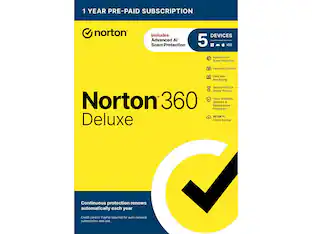
Norton - 360 Deluxe (5 Device) + LifeLock Select Antivirus Internet Security + Scam Protection + Identity Protection + VPN - Android, Apple iOS, Mac OS, Windows [Digital]

Model: SYC940800V056
SKU: 6647020
Sold byBest Buy

Customers are saying

Customers love that the 360 Deluxe (5 Device) + LifeLock Select Antivirus Internet Security + Scam Protection + Identity Protection + VPN provides excellent antivirus performance. Customers highlight that Norton is consistently tracking and fighting malware.

Generated by AI based on customer reviews.
Features
  • Real-time threat protection

    Advanced security protects against existing and emerging malware threats, including ransomware and viruses, and it won’t slow down your device performance.

  • 50GB secure PC cloud backup

    Store and help protect important files as a preventative measure to data loss due to hard drive failures, stolen devices and even ransomware.

  • Secure VPN

    Browse anonymously and securely with a no-log VPN while using public Wi-Fi. Add bank-grade encryption to help keep your information like passwords and bank details secure and private.

  • Dark web monitoring

    We monitor and notify you if we find your personal information on the Dark Web.**

  • Stolen wallet protection

    A stolen wallet could mean a stolen identity. Call us if your wallet is stolen and we’ll help cancel or replace credit, driver’s licenses, Social Security cards, insurance cards and more.

  • Identity and Social Security Number alertsƗ

    Alerts you if your Social Security Number, name, address, or date of birth are used in applications for credit or services.**

  • Up to $1,050,000 coverage

    With Standard we will provide up to $1M coverage for lawyers and experts to help fix identity theft while a member, plus up to $25K stolen funds reimbursement and up to $25K personal expense compensation. **

  • One-Bureau credit monitoring1

    We monitor key changes to your credit file at a leading credit bureau and alert you to help detect fraud.

  • USPS address change verification

    Identity thieves try to divert mail to get important financial information. LifeLock lets you know of address change requests at the U.S. Postal Service linked to your identity.

  • US-based identity restoration specialist

    If your identity is compromised, a U.S.-based identity restoration specialist will personally handle your case and help restore your identity.

  • No one can prevent all identity theft

  • *Payment method and enrollment on a paid subscription required to activate. This free trial begins when you complete activation. If you do not cancel by the end of your trial period, your recurring subscription will begin and automatically renew annually until canceled.

  • The price paid for the first year of subscription is valid only for the first year, after which your membership will automatically renew at the then-current renewal price and charge your stored payment method. Applicable renewal price found at Norton.com/pricing. Renewal pricing subject to change.

  • Product, service and/or protection updates and features may be added, modified or removed, subject to the License and Services Agreement found on Norton.com/legal. Data collection, storage and use subject to the Global Privacy Statement at Norton.com/privacy.

  • ƗLifeLock does not monitor all transactions at all businesses.

  • 1 Credit features require setup, identity verification and sufficient credit history by TransUnion and/or Equifax. Credit monitoring features may take several days to activate after enrollment.

  • **Total coverage and category limits vary depending on plan chosen. Standard includes up to $1,050,000 coverage consisting of up to $1 million for Lawyers and Experts, $25,000 for Reimbursement and $25,000 for Expense Compensation.

  • Benefits provided by Master Policy issued by United Specialty Insurance Company, Inc. (State National Insurance Company, Inc. for NY State members). Policy terms, conditions and exclusions at: Norton.com/legal.

See all features
Specifications
  • Number of Devices
    5
    Operating System Compatibility
    Android, Apple iOS, Mac OS, Windows
    Software Format
    Digital
    Subscription Period
    1 Year
Sponsored

Reviews

Rating 4.4 out of 5 stars with 35 reviews

86% would recommend to a friend
Customers are sayingCustomers love that the 360 Deluxe (5 Device) + LifeLock Select Antivirus Internet Security + Scam Protection + Identity Protection + VPN provides excellent antivirus performance. Customers highlight that Norton is consistently tracking and fighting malware.
This summary was generated by AI based on customer reviews.
  • Performance (13)
  • VPN Performance (13)
  • Resource Usage (9)
  • Installation Process (5)
  • Password Management (4)

Customer Images

The vast majority of our reviews come from verified purchases. Reviews from customers may include My Best Buy members, employees, and Tech Insider Network members (as tagged). Select reviewers may receive discounted products, promotional considerations or entries into drawings for honest, helpful reviews.

  • Rated 4 out of 5 stars

    Great functionality, but lots of ads

    Norton offers great protection while always improving the interface year over year. This year is no different with a great feature set in this five-device version. Resource management appears to be minimal on average with no noticeable speed hits on my laptop. Pros: - Great interface - Low resource usage - Great feature set Cons: - Excessive ads to upgrade features - Limited cloud storage - Many settings or features are web-based functions Setup: The installation process was painless. After claiming my activation code from Norton.com, I downloaded the file, installed and restarted the computer after a quick scan. I was slightly annoyed initially as it stated there were multiple driver and registry issues which required an upgrade to fix. You can skip it, but this ad will pop up each time you do a “Smart Scan”. Daily use: The software is great this year overall and loaded with security features. I would avoid a smart scan due to the ongoing ad that I mentioned, but scheduling a quick scan or full scan is a painless routine. In the first few days I got random pop-up ads to upgrade the software. You can mark them to never appear again, but it is very annoying at first. Additionally, I found that if you go to the Norton website, you can disable a few more marketing items. Backups: Cloud backups are useful if you have a few folders with important items such as documents. I do not recommend it for music or photo backup though as the space shown in my account is 152GB which will fill up quickly with photos, music or videos. Performance: The performance tab contains a software updater, file cleanup, and startup manager. These tasks can be done on your own without the software, but this allows a one stop shop for automation or if you do not know how to get to those Windows features. The software updater does fine a few programs that did not show updates when I opened the programs specifically, so that was nice. Privacy: The privacy tab is very useful as it contains the VPN. This can be used manually, but you can also set it up, so it only turns on when you are on a compromised network or an unsecure network. There are some web based or phone app-based functions here that are included, which include scam protection for emails, phone calls, or SMS messages. I love the email feature as you tie it to your email account, Norton will scan it and mark it as save on your email web browser message. Thone functions require the app, and you will need to turn on Norton as the default method of screening those features, but they appear to be effective on my Android device and iPhone. For my Pixel, I prefer to keep the Pixel’s built-in screening as the default, but if that was not present, Norton seems like a good option. Lifelock: Lifelock is a pretty much entirely web-based function. You will need to enter private data to keep it effective such as name, number, SSN, ID number, Passport number, bank account numbers, and so on. But it will monitor your accounts and data for data breaches. If you use this function, please turn on an app-based 2FA on the website to ensure you have extra layers of security to your private data. Other features: There is an included password manager, but I experienced issues with import from my other manager, so I did not switch to it fully. That was just my experience though; yours may differ. Intrusion detection, quarantine, camera protection, browser extensions, parental controls and many more features are present as well. Resource management: On my laptop I noticed zero performance issues. On my 32GB laptop the program used about 550MB of RAM at any given time. The firewall sometimes jumped up to 5-11% of CPU but it only lasted a second or two. Any other process from the program was below 1%. While running a scan, the main process went to 10%. This is on a 16 core Intel Core Ultra 9 285H while plugged in. Compared to past versions this all seems to be an improvement in my opinion. Phone app: The phone-based apps are very useful. Just be sure to decide how much control you wish for it to have on your device and if you want many background processes to run which may affect your battery life. On iPhone the app is fairly simple, mainly adding a VPN profile and scam protection features discussed earlier. On Android, the app runs much more in the background scan basically everything including apps downloaded from the app store. This did not bog down my device in any noticeable way, but I can’t rule out it might affect your battery as it is always on.

    Posted by psyclopps

  • Rated 4 out of 5 stars

    The perfect set of Internet Safety Tools for home.

    I have used this suite of Norton tools for 5 days now and I am very pleased with the results so far. Norton 360 Deluxe and LifeLock Select was very easy to install and setup. I haven't had any problems using this on any of my devices. I have it installed on 5 different devices; 1 Windows Desktop, 2 Windows Laptops, and 2 Android Cell Phones. Most importantly, I didn't experience any performance degradation and it didn't cause additional battery drain on my devices. I will break down my review in detail below: 1) Installation and Setup: I first had to setup an account on my.norton.com, then activate the Key Code that was emailed to me. There are links to download each application for Windows, Mac, Android, or iPhone. They all installed quickly without errors. 2) Norton 360 Deluxe (Antivirus and Internet Security): Norton 360 automatically runs a "Smart Scan" upon installation and will also schedule one to be run weekly, which can be changed. Over the past 5 days, it hasn't flagged any false positives as a virus or malware and all of my devices have continued to run perfectly fine. Norton 360 also includes Cloud Backup, File Cleanup, Startup Manager, SafeCam (protects the Webcam and Microphone from unauthorized use). However, the File Cleanup and Startup Manager require an additional purchase of Norton Utilities Ultimate. If you don't purchase this, a notice will constantly display on the Norton 360 main panel. This is one of my complaints, because it doesn't go away even when you turn off promotional advertisements. 3) Norton VPN: This is where Norton 360 Deluxe first shines for me. It has a feature that will automatically turn the VPN on, when it detects you are connected to an unsecured or risky network. For example, it has automatically turned the VPN on when I was at a hotel or restaurant that didn't have a secure network. But, in my home, it detected that it was secure, so it didn't turn the VPN on. In addition, you can specify what networks you want to trust or not. I travel a lot and connect to a lot of different hotels, restaurants, and businesses so this is a great feature for me. 4) Identity Protection and LifeLock: This is a huge bonus for me too. I really like having the LifeLock Select with Dark Web monitoring, Privacy Monitor, and Identity Theft Insurance. These features are worth the total cost just by itself. I was the victim of Identity Theft several years ago and will never be without this again. Identity Theft Insurance, Dark Web monitoring, and Privacy monitoring are 3 distinctly different features. With Identity Theft Insurance, LifeLock will assist in recovery and reimburse you for expenses to recover losses due to Identity Theft. Dark Web monitoring alerts you when your personal information and/or financial records have been found on the Dark Web. This includes name, address, phone numbers, credit card numbers, etc. Lastly, Privacy monitoring notifies you when a Data Broker has and may be selling, your personal information. There are several hundred Data Brokers that LifeLock looks at for your information on their website. However, most of these have to be manually removed by you, which requires a lot of time. My big complaint was that I couldn't enter all of my personal financial information from my Desktop PC and that it had to be done via my phone App. In addition, LifeLock and Identity Protect only covers 1 individual, not 5. Summary: I really like Norton 360 Deluxe with LifeLock Select. This meets all of my expectations without sacrificing performance or requiring a difficult setup process. When it comes time to renew, I will certainly consider this again and would highly recommend this to anyone. At $49.99 for 5 devices or $10.00/device, I feel this is an excellent value. However, for a family you may need additional licenses of LifeLock and Identity Protection for other members of your family.

    Posted by TheRoots

  • Rated 4 out of 5 stars

    Quick/Easy Setup, Compressive Protection

    As a long time Norton user, I’m pretty familiar with their software and services. This 360 Deluxe with LifeLock Select version is an upgrade from my current subscription of Norton 360 Premium, as LifeLock Select adds comprehensive identity theft protection like credit monitoring and recovery and restoration services with reimbursement coverage up to $25K for stolen funds and an additional $25K for personal expenses on top of their standard max coverage of $1 million for lawyer and expert fees, if needed. The digital version of the software can be downloaded from the internet, installed, and activated in just a few minutes. You can protect a range of devices from computers, laptops, and tablets to mobile phones. While this package doesn’t protect as many devices as my previous plan, 5 versus 10, I wasn’t using a majority of my activations anyway. There is slightly more cloud backup storage in this plan at 100 GB whereas my other subscription had just 75 GB, however, since both subscriptions are active with a 3-month overlap, I currently have 175GB of cloud backup until my original subscription expires, and then I’ll have to move all my devices over to the new plan. In our household, we are primarily concerned about online safety and scam protection for the eldest member of the household, a nonagenarian who uses the internet on a daily basis. We worry they could mistakenly click on links in scam emails or dubious pop-up ads and want to ensure they are not vulnerable to password breaches and all the other ways bad actors might target susceptible folks. Private browsing helps with this as it protects them from trackers and can block ads automatically. A new feature with this plan is AI-powered scam protection where Genie, Norton’s AI assistant, helps detect and block suspicious messages or webpages using AI analysis, and we’ve noticed fewer random pop-ups while web browsing as a result. There’s also scam reimbursement up to $10k if you do fall victim to one. The VPN is easy to turn on with a simple toggle in the software’s control panel as are other features like Safecam, which blocks unauthorized accesses to your webcam and microphone, and privacy monitor, a service that looks for your information from various data brokers and helps you remove your data. Just note that signing up for LifeLock requires entering a SSN, and you can only enroll one person from your household with this plan. For the credit monitoring, you can choose 1 of the 3 major credit bureaus to track an individual’s credit report for alerts and fraud detection. You’ll also be notified of attempted address changes that could redirect mail and packages. Norton’s bundled password manager is a huge help for managing the myriad of online accounts by generating and storing unique and complex passwords for each site, synced across your devices via a browser extension or mobile app. This makes it easy to use long random passwords that we don’t have to remember. Then accessing your password vault is protected by your master password, biometric login, or two-factor authentication. If there is an information breach, we’re shielded from farther reaching impacts since these unique passwords can’t be used anywhere else with other accounts. At its core, Norton 360 is anti-virus software, and it’ll block suspicious downloads or files from unverified sources as well as detect and quarantine any infected files on your device. With regularly scheduled automatic scans and updates, I feel secure knowing that my devices are monitored and protected. My only gripe is with the constant upsell from device performance scans, which always finds “problems” slowing down my computer, but remedying them costs extra.

    Posted by ReviewedByPhil

  • Rated 4 out of 5 stars

    Good Value for Comprehensive Protection

    In the past, Norton had a reputation for making bloated software that slowed down your computer and provided questionable protection. Those days appear to be long gone, as Norton's latest software is now much more efficient with minimal impact on system performance. The catch is that, in addition to antivirus features, the company is now bundling a ton of extra identity protection and online security options into its software that may simply be overkill for some users. === PROS === - Installation is very easy. You'll receive a key code that you redeem on Norton.com to activate your subscription and install the software. The installation file is surprisingly small, and the installation process is very quick. During installation, you'll be able to activate all of the included features such as LifeLock monitoring, PC cloud backup, VPN auto-connect, and password management. - Once installed, the software seems to run very quietly in the background. During regular use over the last week, I've only noticed 2 or 3 alerts from the software for warnings about malicious sites. It has recognized all of my frequently used applications as legitimate and automatically allowed Internet and webcam access where necessary. - There is no perceivable impact to system performance. I installed this on a gaming laptop and I have not noticed any slowdowns in games or dips in framerates. Task Manager reports that all Norton processes use about 200 MB of RAM collectively, so this appears to be a very lightweight and efficient application. - This version of Norton 360 Deluxe comes with a full suite of features that will appeal to less tech-savvy users or those who desire comprehensive identify protection. In addition to real-time threat/virus protection, you get a VPN (with surprisingly fast speeds), automatic backups with 100 GB of cloud storage (you can choose to back up any folder on your system), a password manager, and identity theft protection through LifeLock. The software makes it very easy to control all of these features in one place, which is great for those family members who just one a one-stop solution for online security. === CONS === - When activating your subscription, pay attention to the option to enable automatic renewals. It might seem like a good option, but it will basically lock you into the full retail price when your first year is up. You'll almost certainly be able to find a cheaper price than what the automatic renewal offers before your first year ends. - In the Norton software, the company often tries to upsell you to more of their products (such as "Norton Utilities Ultimate") by offering free trials. Some of these upsell ads appear prominently on the main screen of the software. It's unfortunate that Norton shows these ads to paying customers. - This package has a ton of included features, but it may be too much for some users who just want simple anti-virus protection. Similarly, tech-savvy users might prefer other backup/VPN utilities the offer more advanced options. === OVERALL === For the average user, this Norton 360 Deluxe offers a compelling suite of features that provide peace of mind in this era of endless internet/security threats. The inclusion of LifeLock identity protection provides further protection of your personal information and credit history. The software program itself is very efficient with little or no impact to system performance. It may be overkill for some users, but this is an excellent option for those looking for comprehensive protection in one package.

    Posted by ryanmcv

  • Rated 5 out of 5 stars

    Never use a device without Norton protection

    I have relied on Norton antivirus for over a decade and, during that time, none of my computers have ever been compromised by any viruses or malware. Unfortunately, I subscribed to Norton after one of my computers had already been infected with a Trojan virus so I had to learn the hard way that investing in a good antivirus program was a necessity. Fortunately for users, Norton is consistently tracking and fighting malware giving users peace of mind they no longer have to worry about hackers wrecking their high priced systems and leaving us with more time for gaming, business, social media, etc. Considering all the bad actors in the world today that are continually attempting to hack into every aspect of our lives from our personal computers, bank accounts, credit cards, log in information, etc. I personally would never risk not making a minor investment in the protection Norton software offers. Norton LifeLock 360, which is included with the Norton 360 Deluxe software, not only protects your devices with antivirus software, it also assists users to track your personal information including emails, phone numbers, addresses, SSNs, credit cards, etc. on the dark web or in the event any of the information you allow Norton to track and notifies you if there is an alert where you may have to change your password, report fraud, close an account, etc. Some other useful features are password management, cloud back up storage, a secure virtual private network (VPN), parental controls, etc. that go even further to protect users from being a victim of a cybercrime. After a quick install and entering my personal information, I allowed Norton to monitor, I had the software run an online check on the dark web for anything that may have been exposed and I was honestly shocked to find out how much was already compromised and available for others to see. It also informed me of data breaches that had already occurred with some companies and recommended I change my passwords on those websites. It’s honestly kind of scary how easily someone can access your information. The software also allows you to enter several different phone numbers, emails, etc. so you’re able to also track your family’s information as well to protect them without having to purchase more software for another account. Running a smart scan cleared my laptop of viruses, my network of any vulnerabilities, and any files that may be damaging to my device to ensure it runs as intended. It can run a deeper clean as well and I personally would recommend investing in their Norton Ultimate software which I also use to go the extra step in keeping your computer cleaned and running up to speed. I have tried other similar products from other companies in the past and, in my opinion, they just don’t compare to everything you will get with Norton software. It’s well worth the minor investment to protect not only your expensive devices but also your personal information which may be exposed for hackers to steal.

    Posted by Grouticus

Compare similar products

Norton - 360 Deluxe (5 Device) + LifeLock Select Antivirus Internet Security + Scam Protection + Identity Protection + VPN - Android, Apple iOS, Mac OS, Windows [Digital]
4.4(35)

Norton 360 with LifeLock Select helps you protect yourself and the ones you love from scams and malware, data exposure, credit card theft, and financial loss. Get access to our industry-leading identity theft protection, advanced AI scam protection, a VPN, and parental controls to better protect your children online. If something does go wrong, rest easy knowing you’re covered by our Million Dollar Protection Package.*

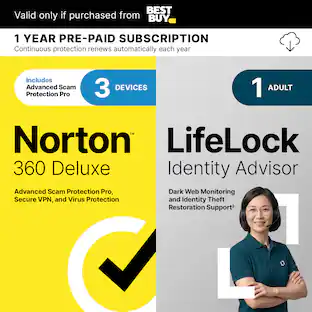
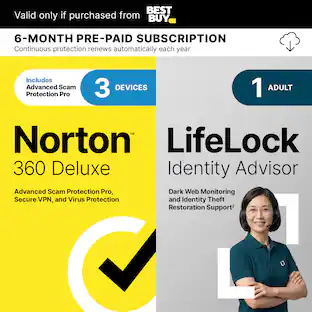
Norton - 360 Deluxe 3 Device with LifeLock Identity Advisor + Internet Security + Scam Protection + VPN (1 Year subscription) - Android, Apple iOS, Mac OS, Windows [Digital]

Norton 360 Deluxe for 3 devices is the all-in-one choice to help keep yourself and your loved ones safe from hidden scams, phishing, malware, and viruses, plus a VPN to help keep internet browsing private, as well as cloud backup for Windows PCs to keep your files safer, and parental controls. With our Advanced AI scam protection you can stop wondering if a message or email is suspicious. Help protect your private and financial information when you post, bank, and shop online. LifeLock Identity Advisor offers US-based Identity Restoration Specialists to help you each step of the way, should you discover you’re a victim of identity theft.

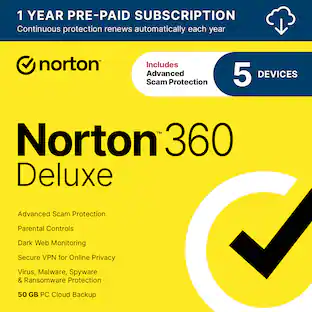
Norton - 360 Deluxe (5 Device) Antivirus Internet Security + Scam Protection + VPN + Dark Web Monitoring (1 Year Subscription) - Android, Apple iOS, Mac OS, Windows [Digital]

Norton 360 Deluxe for 5 devices is the all-in-one choice to help keep yourself and your loved ones safe from hidden scams, phishing, malware, and viruses, plus a VPN to help keep internet browsing private, as well as cloud backup for Windows PCs to keep your files safer, and parental controls. With our Advanced AI scam protection you can stop wondering if a message or email is suspicious.

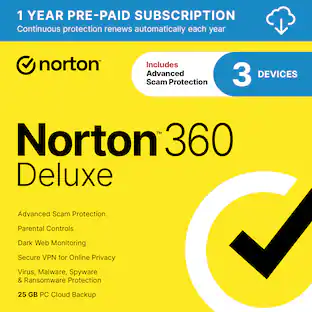
Norton - 360 Deluxe (3 Device) Antivirus Internet Security + Scam Protection + VPN + Dark Web Monitoring (1 Year Subscription) - Android, Apple iOS, Mac OS, Windows [Digital]

Norton 360 Deluxe for 3 devices is the all-in-one choice to help keep yourself and your loved ones safe from hidden scams, phishing, malware, and viruses, plus a VPN to help keep internet browsing private, as well as cloud backup for Windows PCs to keep your files safer, and parental controls. With our Advanced AI scam protection you can stop wondering if a message or email is suspicious.

Pros for Norton - 360 Deluxe (5 Device) + LifeLock Select Antivirus Internet Security + Scam Protection + Identity Protection + VPN - Android, Apple iOS, Mac OS, Windows [Digital]
Performance, VPN Performance, Resource Usage, Installation Process, Password ManagementEase of use, Overall Performance, VPN, Security, AntivirusProtection, Ease of use, Price, Performance, VPNEase of use, Protection, Overall Performance, Price, VPN
Cons for Norton - 360 Deluxe (5 Device) + LifeLock Select Antivirus Internet Security + Scam Protection + Identity Protection + VPN - Android, Apple iOS, Mac OS, Windows [Digital]
There were no cons for this productDownload, IntrusivenessDownload, Pop-ups, Automatic Renewal, NotificationsDownload, Installation, Auto-renew

Specs

Questions & Answers
  • Does this include a key?

    We are sorry to hear you haven't received your Norton product. Your digital key delivery should have been sent from email alias BestBuyInfo@emailinfo.bestbuy.com, please check your junk folder in the event the email was delivered to that folder. If you still haven't received your product order, please reach out to bestbuy.com/support for assistance in locating your product order.

    Answered by Norton & LifeLock Product Expert
    Norton & LifeLock Product Expert response
  • Will this work on a Chromebook

    Great question. Norton 360 can be used on Chromebooks, but with some limitations. Chromebooks use Chrome OS, so protection is provided through the Norton 360 Android app downloaded from the Google Play Store. Core features like malware protection, web protection, and VPN are supported, but some desktop‑specific features available on Windows or Mac may not apply. As long as the Chromebook supports Android apps, Norton 360 will work on it.

    Answered by Norton & LifeLock Product Expert
    Norton & LifeLock Product Expert response
  • Can this software protect against ransomware?

    Yes, the advanced security protects against ransomware threats.

    This question and answer was generated by AI based on customer and product data.
  • Is there a limit to the coverage amount?

    Yes, there is up to $1,050,000 coverage.

    This question and answer was generated by AI based on customer and product data.
  • Does this internet security software include a VPN?

    Yes, this software includes a secure VPN for anonymous and secure browsing.

    This question and answer was generated by AI based on customer and product data.

Ask a question
No content
Sponsored

Similar products from outside of Best Buy

sponsored
Ask BlueAI

Get it for less

Get it for less