Plugable - 16-in-1 Thunderbolt 4 Dock with 100W Charging, 4K Quad Monitor Setup for Thunderbolt 4 Windows Laptops
About this product
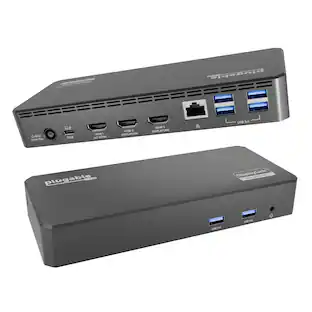
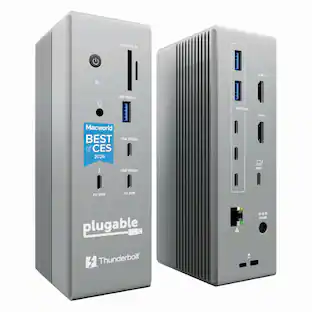
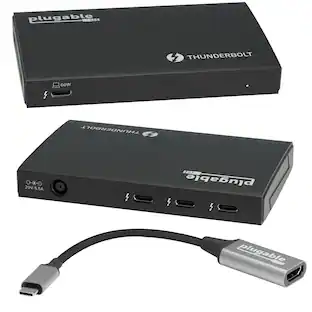
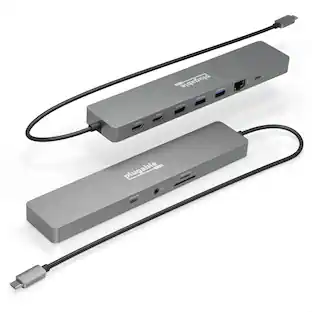
The Thunderbolt Certified 16-in-1 Quad docking station from Plugable delivers peak performance. The innovation starts with our display connections. Connect your 4K screens through 2x HDMI ports and 2x DisplayPort ports — a rare level of display flexibility in a Thunderbolt dock. But the real expansion picks up at the ports. Offering sixteen total ports to park your peripherals, including 7x USB ports, SD and microSD card readers, Audio, and 2.5Gbps Ethernet. It even adapts to your desk with an included stand for vertical or horizontal orientation options. Quad Display With this Thunderbolt 4 docking station Windows computers can use the 2x HDMI ports, and 2x DisplayPort ports to connect as many as 4x screens at up to 4K 60Hz. Can also be used a single, dual, or triple display docking station. On Mac (Intel, M1 / M2 / M3 Pro/Max, M4 / Pro/Max, M5 / Pro/Max CPU), extend your desktop to 2x screens using any combination of HDMI and/or DisplayPort. Macs with an M1 / M2 / M3 CPU only support one external display. 100W Power Delivery The laptop Thunderbolt docking station offers USB Power Delivery up to 100W (98W certified) — no more climbing under the desk to get plugged in. Not all laptop docking stations handle power the same. With the TBT4-UDZ, if your laptop needs less power, the docking station adjusts and only sends the optimal wattage. And with 6x available USB ports, and one USB-C port, your devices will always have a place to connect. Compatibility The TBT4-UDZ is compatible with *Windows 10 and later and **macOS 11+. Actual number of screens that can be extended depends on capabilities of the host computer. Be sure to see the Display Compatibility Chart below. *On some Windows laptops, enabling four displays may require a Windows settings change to disable the internal screen. **On Macs, additional monitors beyond specs below may not function, and/or will “mirror” rather than extend.
Features
Award Winning Plugable Thunderbolt 4 Dock
Premium 16-in-1 design enables dual 4K 60Hz screens on M4/M5 Macs, Windows and USB4. Laptop Mag 2025 Dock of the Year with 7 USB ports, 2.5Gbps Ethernet, SD/microSD slots, audio, and 100W charging
Seamless Dual Monitor Setup for M4/M5 Macs
This dual monitor for laptop docking station enables two 4K 60Hz displays via HDMI or DisplayPort—no drivers needed. Just plug and play. Also supports Windows Thunderbolt 4/USB4 laptops.
100W Power Delivery
Ensure all-day laptop charging with 100W Power Delivery. Third party lab tested to UL standards for safe, worry-free charging. Automatically adjusts for lower power systems and provides USB-C and USB ports for peripheral charging.
Universal Compatibility
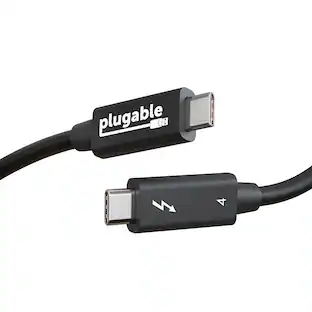
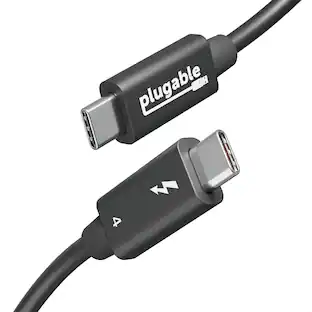
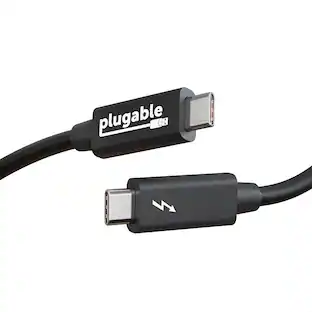
Works with Thunderbolt 5, Thunderbolt 4, USB4, and USB-C laptops. Compatible with macOS 11+ and Windows 10 or later. This dual monitor docking station connects effortlessly with the included Thunderbolt 4 cable (40Gbps, 3.3ft/1m).
Boost Productivity
Turn your laptop into a powerful dual monitor workstation with this dual monitor thunderbolt dock. Perfect for multitasking, content creation, and professional workflows - perfect for Mac users needing a clean, simple dual-monitor solution.
Specifications
- Maximum Number of Displays Supported4Maximum Supported Resolution4K (2160p)Number of DisplayPort Outputs (Total)2Number of Thunderbolt Ports (Total)1Passthrough PowerYes
Reviews
Rating 5 out of 5 stars with 4 reviews
Customer Images
The vast majority of our reviews come from verified purchases. Reviews from customers may include My Best Buy members, employees, and Tech Insider Network members (as tagged). Select reviewers may receive discounted products, promotional considerations or entries into drawings for honest, helpful reviews.
Compare similar products
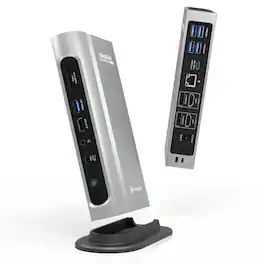
The Thunderbolt Certified 16-in-1 Quad docking station from Plugable delivers peak performance. The innovation starts with our display connections. Connect your 4K screens through 2x HDMI ports and 2x DisplayPort ports — a rare level of display flexibility in a Thunderbolt dock. But the real expansion picks up at the ports. Offering sixteen total ports to park your peripherals, including 7x USB ports, SD and microSD card readers, Audio, and 2.5Gbps Ethernet. It even adapts to your desk with an included stand for vertical or horizontal orientation options. Quad Display With this Thunderbolt 4 docking station Windows computers can use the 2x HDMI ports, and 2x DisplayPort ports to connect as many as 4x screens at up to 4K 60Hz. Can also be used a single, dual, or triple display docking station. On Mac (Intel, M1 / M2 / M3 Pro/Max, M4 / Pro/Max, M5 / Pro/Max CPU), extend your desktop to 2x screens using any combination of HDMI and/or DisplayPort. Macs with an M1 / M2 / M3 CPU only support one external display. 100W Power Delivery The laptop Thunderbolt docking station offers USB Power Delivery up to 100W (98W certified) — no more climbing under the desk to get plugged in. Not all laptop docking stations handle power the same. With the TBT4-UDZ, if your laptop needs less power, the docking station adjusts and only sends the optimal wattage. And with 6x available USB ports, and one USB-C port, your devices will always have a place to connect. Compatibility The TBT4-UDZ is compatible with *Windows 10 and later and **macOS 11+. Actual number of screens that can be extended depends on capabilities of the host computer. Be sure to see the Display Compatibility Chart below. *On some Windows laptops, enabling four displays may require a Windows settings change to disable the internal screen. **On Macs, additional monitors beyond specs below may not function, and/or will “mirror” rather than extend.
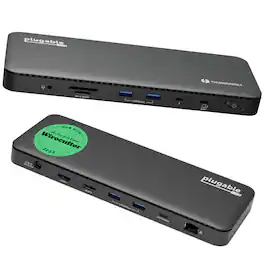
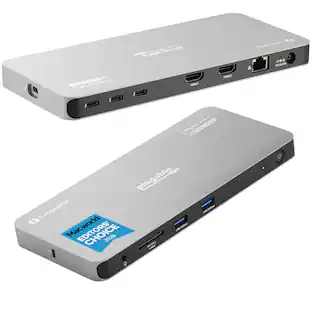
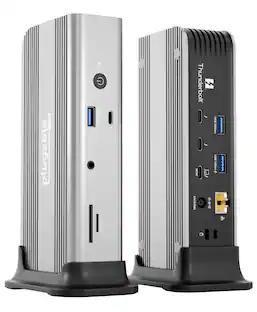
A “do-it-all” dock, the Thunderbolt Certified TBT4-UD5 Plugable Docking Station was awarded The Best Thunderbolt Docking Station by Wirecutter in 2025. It stands out as a versatile and powerful hub for modern workspaces. Its robust design includes an array of 13 ports, catering to a wide range of connectivity needs. Starting with the 40Gbps Thunderbolt 4 host port, this TB4 dock offers plenty of bandwidth to support two HDMI ports, each capable of driving dual 4K 60Hz displays. A downstream 40Gbps Thunderbolt 4 port is also included to provide high-speed connectivity for advanced Thunderbolt-based applications, such as fast storage devices. In addition to its display options, this Thunderbolt USB4 dock boasts a USB-C port with a 10Gbps transfer rate, ideal for quick file transfers and efficient data management. There are also 4x USB 3.0 ports (2x 10Gbps, 2x 5Gbps), perfect for connecting a variety of peripherals like keyboards, mice, and external drives. Throw in SD and Micro SD slots, a combo audio jack, Gigabit Ethernet, and a slot for a K lock, and this setup ensures that users can create a powerful and integrated workstation. Speaking of power, the TBT4-UD5 docking station Thunderbolt 4 packs it in with up to 100W Power Delivery (96W certified) — more than enough for most power-hungry laptops. Especially useful in business and education environments, the Plugable TBT4-UD5 Docking Station delivers exceptional functionality and convenience.
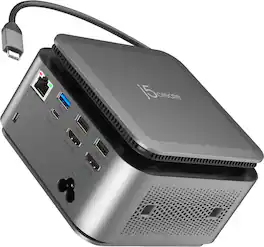
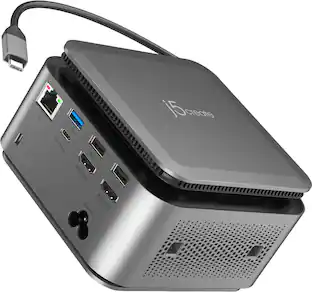
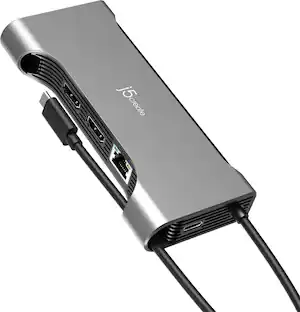
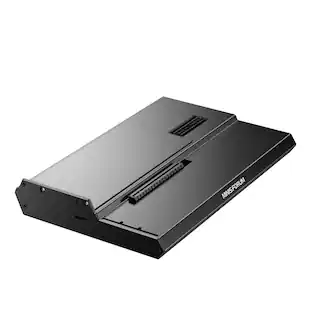
The JCDP4140 14-in-1 USB-C® Powerbase Docking Station is designed to streamline your setup, it features a built-in GaN power adapter and a smart cable storage compartment with a 69.5cm USB-C® cable, delivering up to 100W of power directly to your laptop. With two dedicated USB-C® charging ports (18W and 27W), you can easily power another laptop or fast-charge your tablets, smartphones, and other essential devices. Plus, enjoy seamless connectivity with additional USB™ Type-A, HDMI™, and Ethernet ports, making this your ultimate hub for productivity.

Surface Thunderbolt 4 Dock delivers ultra-high speed data transfer and ports to connect to two 4k monitors at 60 hertz to focus on your most important tasks. With power passthrough at 96 watts for quick charging, simplify your life with the versatility of 8 connections for your favorite accessories.
| Pros for Plugable - 16-in-1 Thunderbolt 4 Dock with 100W Charging, 4K Quad Monitor Setup for Thunderbolt 4 Windows Laptops | |||
|---|---|---|---|
| There were no pros for this product— | There were no pros for this product— | There were no pros for this product— | Overall Performance, Connectivity, Compatibility, Ease of use, USB-C |
| Cons for Plugable - 16-in-1 Thunderbolt 4 Dock with 100W Charging, 4K Quad Monitor Setup for Thunderbolt 4 Windows Laptops | |||
| There were no cons for this product— | There were no cons for this product— | There were no cons for this product— | Ports |
Specs
Customers often buy these together
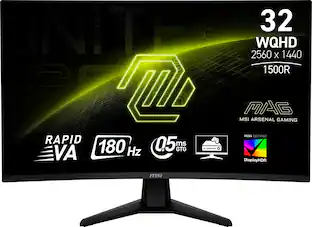 $249.99The price was $301.82
 $12.99The price was $13.99






Customers ultimately bought



Explore tech essentials Sponsored
 $111.00The price was $119.99
Discover related products
- $12.99The price was $13.99
 $593.99The price was $659.99
 $249.00The price was $275.00




Keep exploring
 $219.89The price was $249.99