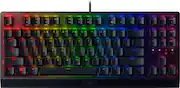
Rating 4.3 out of 5 stars with 64 reviews
4.3- Keyboard Quality (21)
- RGB Backlighting (9)
Customer Images
The vast majority of our reviews come from verified purchases. Reviews from customers may include My Best Buy members, employees, and Tech Insider Network members (as tagged). Select reviewers may receive discounted products, promotional considerations or entries into drawings for honest, helpful reviews.
- Rated 5 out of 5 stars
Gaming keyboard BlackWidow V3 razer
THE BEST Keyboard I can buy the BlackEidow V3 from Razer and seller front the best BEST BUY fast shipping and inventory
- Rated 5 out of 5 stars
Update The Firmware To Fix Double Key Registering!
Please note, I did not buy this keyboard from Best Buy. I got mine from somewhere else. I just wanted to post this here to try and help others who are having an issue with some of the keys double-registering. Yes, it's true, we shouldn't have this issue on a brand new keyboard, and why it was released like this, is beyond me. However, not everyone has this issue, but a lot do, and I'd like to help you fix it. And thankfully, it's really an easy fix. Go to Razer's website, click support, then keyboards. Next, click on Razer BlackWidow V3 Tenkeyless. This will bring up the support page for this particular keyboard. Next, click on the green text at top where it says "View software, drivers and updates for download >". After clicking that, you will see the Razer BlackWidow V3 Tenkeyless Firmware Updater Guide page. Clicking on download will open up the PDF firmware updating instructions. Inside of this PDF, there is the actual link to download the firmware, which, as of this posting, shows a Release Date: 17 Sep 2020. This could change at any time, should a newer update become available. Updating the firmware doesn't take long at all. And yes, it does fix the double-registering issue. I had the same issue with mine, after updating the firmware, everything works perfectly! As for the keyboard itself, I really like it. It's nice and compact. Looks and feels great to type on. RGB lighting looks very nice. Keyboard feels well made and sturdy. And it does have a metal top. It's exactly what I was looking for. Possible cons for some. The Razer Green switches are pretty loud when bottoming out. The top plate of this keyboard is metal, which adds to the noise. So, if you type like a woodpecker pecking on a tree, you're going to be making a lot of noise! I wouldn't recommend using it in the library, or where others are trying to sleep, unless, of course, you want a shoe thrown upside your head! LOL As far as I know, and I've looked everywhere, Razer is selling this particular keyboard only with Green switches, as of now. Maybe Razer will soon release one with the quieter Yellow switches, if you prefer those. I hope this post was helpful to you. Enjoy your new keyboard!
Posted by LadyG
- Rated 5 out of 5 stars
Would recommend this keyboard
This is a very nice keyboard, sturdy, durable, and good clicks
Posted by MalachyM
- Rated 5 out of 5 stars
Keyboard
Great quality , love that you can change your colors.
Posted by Knuts
- Rated 4 out of 5 stars
Pretty good gaming keyboard.
Pros: - Nice RGB - Compact size, Cons: - came out the box with double-typing issues but is fixed by latest firmware. - Audible electrical noise caused by the RGB lighting. Can be defeated by lowering brightness. - Too loud typing noise.
Posted by BombSquad