Rating 4.7 out of 5 stars with 85 reviews
4.7- Ports (24)
- Build Quality (17)
- Power Delivery (16)
- Connectivity (12)
- HDMI (11)
- Display Compatibility (4)
- Refresh Rate (4)
- Heat (3)
Customer Images
The vast majority of our reviews come from verified purchases. Reviews from customers may include My Best Buy members, employees, and Tech Insider Network members (as tagged). Select reviewers may receive discounted products, promotional considerations or entries into drawings for honest, helpful reviews.
- Rated 5 out of 5 stars
Full-Featured Dock That Is Great For Gaming
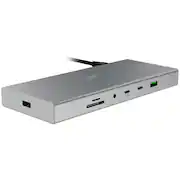
The Razer USB 4 docking station is a compact, but quite full featured docking station. In a compact aluminum alloy casing measuring about 3” deep by 7.5” wide by 1” tall, you get 14 ports (including power input) in total. On the back you get a power input for the 180W adapter (which has a separate power brick), alongside the upstream USB 4 port which supports 40 Gb/s data transfer speeds and also features 100W of device charging to your laptop. Then you get your HDMI 2.1 and DisplayPort 1.4 for dual display support, a 1GB ethernet port, 2 USB-A 3.2 Gen 1 ports, and one USB-A 2.0 port. On the side you get another USB-A 2.0 port specifically for 2.4 Ghz dongles like a wireless mouse. On the front is a UHS-II port for both MircoSD & SD cards, a 3.5mm microphone/headphone combo port (which as a wired headphone purist I love), two USB-C 3.2 ports which support 20W device charging, and a USB-A 3.2 Gen 2 port. For my laptops, these are plenty of ports, although I do wish there was maybe 1 less USB-A port and 1 more USB-C port, but that is a matter of preference. Many peripherals are still USB-A sourced, so I can understand wanting more USB-A ports, and you can always use adapters if needed. Since you are passing data over USB 4, you do want to make sure you are using the right peripherals for the right ports to ensure you are maximizing your bandwidth potential, saving high bandwidth devices for the faster ports. I use a 3440x1440 175 hz monitor as my primary monitor and gaming display, and I had no issues getting my laptop up and running at full resolution and refresh rate. My primary driver is an Asus ROG Zephyrus G16 laptop, and is notoriously finicky with docks, specifically when it comes to charging since the G16 is quite power hungry. Normally I get power warnings when trying to charge the laptop and transfer video with a dock, but this is the first dock that seems to have taken to working great right out of the box, with the 100W charging being enough for the laptop. I played a few games from the laptop on my ultrawide with all of the peripherals connected, and didn’t run into any issues with the connectivity or display. I did have to update some drivers on the laptop when first set-up, but after that and a reboot it was smooth sailing, using the dedicated GPU with HDR. I also swapped to my work PC for a while to do general multitasking, and again ran into no issues. After a few hours of usage, the dock also stayed fairly cool and quiet. I haven’t stressed it for a long day of use yet, but I don’t anticipate any issues with the build and design, given it feels quite premium. No complaints on my end all around.
This review is from Razer - USB 4 Dock Station with 14 Ports for Windows 10 or later (PC with USB‑C); macOS 10.13 or later (Mac) - Black
Posted by Jacbo14
- Rated 5 out of 5 stars
The Ultimate Docking Solution
If you’re looking to streamline your workspace while boosting productivity and enhancing your gaming experience, the Razer USB 4 Dock is a game-changer. I recently got my hands on this powerful docking station, and here’s why it’s become a crucial part of my setup. The standout feature for me has been the USB 4 connectivity. It offers a blazing-fast transfer rate of up to 40 Gbps, which has been a game-changer for my data-intensive tasks. Plus, it's backward compatible with USB 2.0 and 3.0 devices, so I didn’t have to worry about compatibility issues with older peripherals. The 14 ports available on this dock is like having a swiss army knife. I can now connect everything—external HDDs, displays, speakers, and more—through a single USB-C connection. No more struggling to find open ports or dealing with cable clutter. The ports are all clearly laid out, including HDMI 2.1, DisplayPort 1.4, multiple USB-A and USB-C ports, and even a dedicated port for 2.4 GHz dongles (great for wireless peripherals). If your someone like me who loves multitasking, the dual-monitor support is perfect. The Razer USB 4 Dock allows for 4K 120 Hz output on my primary display while providing a smooth secondary display setup. Whether I’m gaming or working on several projects at once, the dock keeps everything flowing seamlessly. The included 180W adapter is a huge plus. I can charge my laptop with up to 100W while still powering other connected devices. It’s incredibly convenient when I need to be on the go and don’t want to worry about finding multiple chargers or outlets. No need to worry about compatibility here—whether you’re using a Windows PC, MacBook, iPad, or Chromebook, this dock works seamlessly with pretty much any device you throw at it. I’ve been using the Razer USB 4 Dock for a few weeks now, and it’s been a major upgrade to my workspace. Whether I’m working, gaming, or both, it handles everything I throw at it without breaking a sweat. The ultra-fast data transfer, multi-display support, and convenient power delivery make it well worth the investment. Plus, the 2-year warranty and reliable tech support from Razer ensure peace of mind. If you’re serious about upgrading your workspace for both productivity and gaming, the Razer USB 4 Dock is a solid choice that you won’t regret.
This review is from Razer - USB 4 Dock Station with 14 Ports for Windows 10 or later (PC with USB‑C); macOS 10.13 or later (Mac) - Black
Posted by Ohanaman
- Rated 5 out of 5 stars
Great dock!! You won’t need any other!
Great dock!! You won’t need any other! If you really want to make your laptop into a desktop replacement, this dock will let you do that easily! You will be able to have multiple displays thru a single connection to your laptop, including charging your laptop thru this dock. I have a standalone computer monitor via DisplayPort cable and a 65” 4K OLED via HDMI cable, and the laptop display itself, all running at once with no problems at all. If you have multiple USB devices and run out of ports on your laptop, this is great. I have a USB keyboard, USB wireless mouse, USB wireless game controller, 2 USB hard drives. I can now have it all plugged in at once. The drives all seem to run at the max speed. What is great about this setup is that if I take my laptop with me away from the desk, when I can return home, not only is it just one plugin away from the whole setup being ready to go at my desktop with all my peripherals, but it just keeps everything neat and tidy on my desktop. It will also charge my laptop at up to 100 watts with this dock's included charger, but I can also charge my phone as well, not needing the laptop to do this. I also get full ethernet speed out of the dock to my laptop. I have an ethernet line wired directly to my desktop, and just like that I can max out my bandwidth. You also get an SD card reader, which works out great for me, as I don’t have one built in to my laptop. You can also use this with a Steam Deck and ROG Ally X, and it works just as well for both situations too, and because this comes with a 100 watt charger, you won’t need your other charger for those handheld devices. This dock also frees up my ports directly on the laptop in case I did ever need to plug anything else in. While this isn’t the most inexpensive dock, it does present a really great value, considering other docks are at least this much money, and most do not have this many ports! Highly recommended for those needing extra ports when at home.
This review is from Razer - USB 4 Dock Station with 14 Ports for Windows 10 or later (PC with USB‑C); macOS 10.13 or later (Mac) - Black
Posted by blah
- Rated 5 out of 5 stars
A top quality Docking station !
This is one of the best Docking Station that I have used. In my opinion it has everything that I need and a little more. Build quality is supreme. Made of aluminum, this is solid and sturdy. This does not move around and the little silicon strip at the bottom holds it in its place. This offers 14 ports and the positioning of the ports are well planned and are placed strategically. They are well apart from each other and doesn't block one another. The power in and input in ports which are more or less left as is once plugged in are at the back. The ones that are often plugged in and out are placed at the front. Good designing. A great feature of this dock is the 100W power output to the laptop that's connected. Often I got an underpowered wattage, but with this, that's problem solved. The USB C in the front also delivers power up to 85W to which I connect my phone or other devices to charge. 85W is enormous! This comes with a 180W charger to power the dock. There is a dedicated power button to turn on/off the dock. I like it as I like to power off all my gadgets at night. It only takes a couple of seconds to boot after power on. The dock even after prolonged use doesn’t heat up much. It’s a little bit warm, but no where near hot. There are 5 USB-A ports out of which 3 are high speed USB 3.1 and 1 is 2.0 and 1 at the side for 2.4GHz device. Through the high speed USB ports, the data transmission from external hard disc is super fast. There are 3 USB-C ports – 1 at the back to connect to the laptop which delivers up to 100W power. 2 more at the front to connect the devices. This delivers power as well as acts as input ports to charge the phone / transfer data, connect the webcam etc. This dock supports input to two monitors. One to be connected with HDMI cable and another through a display port. The only downside of this dock is that it does not support video through USB-C. It has to be through either HDMI or the Display port. This dock supports up to 120Hz 4K display. This has 2 slots 1 for each SD Card and mini-SD card. This also has a 3.5mm jack which supports mic as well. This has an ethernet port as well. Overall, this dock looks awesome and offers excellent performance. This is a well designed dock which satisfies almost everything. Best thing is, it comes at a much lower price compared to the other thunderbolt 4 docks offering same level of performance. This helps reduce the cables behind my office setup significantly. I am extremely happy with this dock and have no problems recommending it.
This review is from Razer - USB 4 Dock Station with 14 Ports for Windows 10 or later (PC with USB‑C); macOS 10.13 or later (Mac) - Black
Posted by Kalai
- Rated 5 out of 5 stars
A lot of power in a small package!
When it comes to laptop usage, there are many things that create a logistical nightmare when it comes to available ports and cable management. Enter the Razer - USB 4 Dock Station to help solve those problems and more. Razer has loaded this dock with 14 ports to help provide a solution for almost all your needs. That’s pretty impressive for a package that’s roughly 7.5” long, 3” wide, and just under an inch tall. For us, that was perfect because it slid right under our laptop stand to keep things hidden. As for the ports, you are talking about the ultimate utility tool of docks. If you can’t find what you need here, then you aren’t looking hard enough. You have MicroSD & SD card slots, a microphone headphone combo 3.5 mm jack, USB Type Cs, USB Type Bs, USB Type As, HDMI, DisplayPort, Ethernet port, and a dedicated USB for dongles. On top of that, you have enough power flowing through it that you can charge your laptop and phone while still keeping the productivity going. Unfortunately, we don’t have the space for running dual monitors, but having the HDMI and DisplayPort options allows you to do that. We are currently using the HDMI to a 28” monitor and there hasn’t been any degradation in the video quality. We were pleasantly surprised by that since it’s primarily used for gaming and watching videos. You can certainly tell that the USB 4 Type C is doing its job to carry the power from the laptop to the dock and back out again. If someone is just looking for a USB C connection for more ports, this is probably overkill for them. For the gamers and high productivity users, this hub is a dream. Throughout all of our gaming and video watching, we didn’t experience any issues. The temperature of the dock was fine. There weren’t any added noises like something is being stressed either. Since it is a Razer, I would have loved it if they added some RGB to this dock, but I can’t ding it for that. That’s a personal preference in the cosmetic area, and the performance of this little beauty is too good to ignore. I’m definitely happy to have it as a part of my setup now.
This review is from Razer - USB 4 Dock Station with 14 Ports for Windows 10 or later (PC with USB‑C); macOS 10.13 or later (Mac) - Black
Posted by Evolved1