Outlet EventEnds Oct. 26. Limited quantities. No rainchecks.Shop now

Main Content
product image

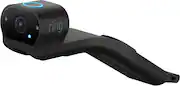
Ring - Car Cam Vehicle Security Camera with Dual-Facing Wide-Angle HD Cameras - Black

Model: B08LZFPQNV
SKU: 6528972
This item is no longer available in new condition. See similar items below
  • Key Specs
    • Field of View: 148 degrees
    • G-Sensor: false
    • Compatibility: NA
    • Camera Mounting Location: Dash
    • Vehicle Camera Type: Dashboard
  • General
    • Brand: Ring
    • Model Number: B08LZFPQNV
    • Product Name: Car Cam Vehicle Security Camera with Dual-Facing Wide-Angle HD Cameras
    • Color: Black
    • Vehicle Camera Type: Dashboard
  • Recording & Playback
    • Field of View: 148 degrees
    • G-Sensor: false
    • Camera Power Source: Other
    • Expandable Memory Compatibility: None
  • Compatibility
    • Compatibility: NA
  • Display
    • Screen Included: false
  • Mounting
    • Camera Mounting Location: Dash
    • Mount Included: true
    • Mount Type: Other
  • Input
    • Number Of Auxiliary Inputs: 1
    • Number of USB Port(s): 0
  • Dimensions
    • Product Height: 1.6 inches (The out of box height of the item. Height is measured as the vertical distance from the bottom of the item to the top as it would be primarily used or placed.)
    • Product Width: 1.54 inches (The out of box width of the item. Width is measured as the horizontal distance from one side of the item to the other as it would be primarily used or placed.)
    • Product Depth: 8.07 inches (The out of box depth of the item. Depth is measured as the distance from the front of the item to the back as it would be primarily used or placed.)
    • Product Weight: 0.366 pounds (The out of box weight of the item.)
  • Warranty
    • Warranty - Parts: 1yr Limited
    • Warranty - Labor: 1yr Limited
  • Other
    • UPC: 840080596976

Help protect your car 24/7 with Car Cam, the dual-facing vehicle security camera. Two HD1 wide-angle cameras, one road-facing to capture detailed driving footage, and one cabin-facing with Night Vision, record movement, giving you a better picture of suspicious activity to help keep you ahead of a break-in and more. You’ll also get real-time alerts when motion is detected and check in anytime with Live View and Two-Way Talk in the Ring App when your Car Cam is connected to your home wifi. Get on-the-go LTE connectivity for your Car Cam to get real-time alerts, use Live View, Two-Way Talk, and other features2, with a Ring Protect Go subscription, sold separately.

  • What is it: Dual-facing HD vehicle security camera - one road-facing to capture detailed driving footage, and one cabin-facing with Night Vision so you have high-quality security camera for break-ins (Viewing resolution may vary – see Tech Specs for details)
  • What does it do: Motion alerts with real-time notifications - Receive alerts for motion detected in and around your car when connected to your home wifi.4
  • How does it work: Live View2 + Two-Way Talk2– Have the ability to see inside and talk with anyone in your car from your smartphone through the Ring app when your car is parked at home and your Car Cam is oPn your home wifi connection.
  • Location: GPS location - Use the built-in GPS to find your car's last known location. A Ring Protect Go subscription, sold separately, is required to use GPS locator feature when your car is away from its home wifi.
  • Privacy: Privacy cover - A built in privacy cover lets you block the cabin-facing camera which also electronically shuts off the microphone.
  • Ring Protect Go: When your car is away from its home wifi, get access to 180-day cloud storage, use Live View and Two-Way Talk via LTE, locate your car with built-in GPS, get rich notifications, real-time notifications and more. (Ring Protect Go Subscription sold separately).
  • Traffic Stop: Ask Car Cam to record by using the command, ‘Alexa, record', and save highlights to the cloud with an optional Ring Protect Go Subscription (Ring Protect Go Subscription sold separately).
  • Easy Installation: Car Cam plugs into your vehicle’s OBD-II port. For safety, only use Car Cam in vehicles where the OBD-II port is located to the left side of the steering wheel.3
  • What is it: Dual-facing HD vehicle security camera - one road-facing to capture detailed driving footage, and one cabin-facing with Night Vision so you have high-quality security camera for break-ins (Viewing resolution may vary – see Tech Specs for details)
  • What does it do: Motion alerts with real-time notifications - Receive alerts for motion detected in and around your car when connected to your home wifi.4
  • How does it work: Live View2 + Two-Way Talk2– Have the ability to see inside and talk with anyone in your car from your smartphone through the Ring app when your car is parked at home and your Car Cam is oPn your home wifi connection.
  • Location: GPS location - Use the built-in GPS to find your car's last known location. A Ring Protect Go subscription, sold separately, is required to use GPS locator feature when your car is away from its home wifi.
  • Privacy: Privacy cover - A built in privacy cover lets you block the cabin-facing camera which also electronically shuts off the microphone.
  • Ring Protect Go: When your car is away from its home wifi, get access to 180-day cloud storage, use Live View and Two-Way Talk via LTE, locate your car with built-in GPS, get rich notifications, real-time notifications and more. (Ring Protect Go Subscription sold separately).
  • Traffic Stop: Ask Car Cam to record by using the command, ‘Alexa, record', and save highlights to the cloud with an optional Ring Protect Go Subscription (Ring Protect Go Subscription sold separately).
  • Easy Installation: Car Cam plugs into your vehicle’s OBD-II port. For safety, only use Car Cam in vehicles where the OBD-II port is located to the left side of the steering wheel.3
Whats Included
  • Car Cam Vehicle Security Camera with Dual-Facing Wide-Angle HD Cameras
  • Car Cam Vehicle Security Camera with Dual-Facing Wide-Angle HD Cameras

Q: I have a Ring Doorbell subscription. Is the Ring Car Cam also covered by the same subscription?

A: Hi Junpogi. Good question. No, your Ring Protect Pro subscription covers Ring alarms and home security cameras in your home. To get coverage for Car Cam, you’ll need to subscribe to Ring Protect Go separately. A Protect Go subscription costs $6 per month (or $60 per year) for each Ring Car Cam. You can try a 30-day trial of Protect Go when you set up a new Ring Car Cam in the Ring app. You won’t be charged for your subscription until your trial is over. At this time, Protect Go and Car Cam are only available for customers in the United States. We invite you to reach out to our Community if any additional information is needed regarding your question. The Ring Community is our first peer-to-peer community forum, giving our customers the ability to help one another by sharing their feedback and experiences with each other. All the best, Nicole from Ring.

Q: How does the device store video? Does it require a data plan to be able to use while on the road to upload to a cloud or does it have a built-in memory? If a cloud use is required, are there fees associated with using the cloud recording service?

A: Hi JP. Thanks for asking! Video is automatically stored on the device at no charge and loop records as needed. Ring Car Cam does not require a subscription. Certain features, such as Live View and Two-Way Talk, will be unavailable without Ring Protect Go unless you are connected to your home wifi.Cloud highlights are also only available with Ring Protect Go. With a Ring Protect Go subscription, your videos are stored in the cloud for up to 180 days. You can view, download, or delete your videos from the Ring app. A Ring Protect Go subscription is $6 per month or $60 per year for each individual Ring Car Cam device.  If any additional information is needed regarding your Ring Car Cam question, please reach out to our community team. The Ring Community is our first peer-to-peer community forum, giving our customers the ability to help one another by sharing their feedback and experiences with each other. Regards, Nicole with Ring.

Q: What are some of the reasons a vehicle may not be compatible? I was wondering if there was a way to check ourselves. And not have to wait for the list to be updated? Thank You

A: Hi Satellite60. Good question. The Ring Car Cam plugs into your vehicle’s OBD-II port. For safety, only use Car Cam in vehicles where the OBD-II port is on the left side of the steering wheel. The Ring Car Cam is not compatible with OBD-II splitters or pass-throughs. Even if your OBD-II sensor is in a compatible location, there may be other reasons the Ring Car Cam is not compatible with your vehicle. Our support center provides a list of cars that are not compatible with Ring Car Cam and cannot be used with the product. We invite you to reach out to our Community if any additional information is needed regarding your question. The Ring Community is our first peer-to-peer community forum, giving our customers the ability to help one another by sharing their feedback and experiences with each other. All the best, Nicole from Ring.

Q: How much heat can this withstand? Cars get very hot while parked

A: Hi JC. Thanks for asking! The Ring Car Cam is designed for exposure to UV rays and high temperatures. It is rated to withstand temperatures between 14 °F and 131 °F (-10 °C and 55 °C). We invite you to reach out to our Community if any additional information is needed regarding your question. The Ring Community is our first peer-to-peer community forum, giving our customers the ability to help one another by sharing their feedback and experiences with each other. All the best, Nicole from Ring.

Q: What if I have a fuel manager already pluged into port? Can I hook it up to anything else?

A: Hi AnthonyS82. Thank you for asking. No, the Car Cam cannot be powered using an alternate power source. The Ring Car Cam is powered by connecting to your car’s OBD-II port. Most vehicles built and sold in the U.S. after January 1, 1996, were required to be OBD-II equipped. You can check if your car will work with Ring Car Cam here: https://ring.com/compatibility/en-US/car-cam. You may also reach out to our Community team with additional questions. The Ring Community is our first peer-to-peer community forum, giving our customers the ability to help one another by sharing their feedback and experiences with each other. You can find it here: https://community.ring.com/. Thank you, Nicole with Ring.

Q: My vehicle is a Ford F-150, and is compatible with the Ring Car Cam, it is connected per the directions, however it only records inside the cab and not on the road driving. What do I need to do to get it to function to where it records on the road?

A: Hi Depchief. Great question! Drive events automatically begin recording at the beginning of a drive and are always stored locally. The video clips are defaulted to show the interior-facing camera view upon opening. To change the view to the forward-facing camera, click the camera icon at the top right of the screen while playing the clip. We invite you to reach out to our Community if any additional information is needed regarding your question. The Ring Community is our first peer-to-peer community forum, giving our customers the ability to help one another by sharing their feedback and experiences with each other. All the best, Nicole from Ring.

Q: My camera is not recording my driving on the road. It only records in the cab activity. What do I need to do to get it to record down the road driving?

A: Hi Depchief. Thanks for asking! Drive events automatically begin recording at the beginning of a drive and are always stored locally. The video clips are defaulted to show the interior facing camera view upon opening. To change the view to the forward-facing camera, click the camera icon at the top right of the screen while playing the clip. We invite you to reach out to our Community if any additional information is needed regarding your question. The Ring Community is our first peer-to-peer community forum, giving our customers the ability to help one another by sharing their feedback and experiences with each other. All the best, Nicole from Ring.