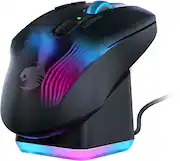
Rating 4.2 out of 5 stars with 146 reviews
4.2- Battery Life (23)
- Charging Dock (19)
- Buttons (16)
- RGB Lighting (14)
- Ergonomics (13)
- Software (12)
- Scroll Wheel (8)
- Lag (3)
Customer Images
The vast majority of our reviews come from verified purchases. Reviews from customers may include My Best Buy members, employees, and Tech Insider Network members (as tagged). Select reviewers may receive discounted products, promotional considerations or entries into drawings for honest, helpful reviews.
- Rated 5 out of 5 stars
Comfy and Light
For the size, this mouse is very light and very comfortable. Having the charging dock is a great addition. The buttons are not too loud but still have a nice click to it that is more on the smoother side. The app is easy to use and being able to change the buttons on the fly is a huge plus. My only personal downside is the battery life. I used it 1 day for work to see how long it would go and it lasted about 10 hours which for a gamer could be an issue. If you game 1-3 hours then this is perfect. If you game all day, you will have to charge it every day since there is not option to add a battery. This does feel good in my hand as its just under 5in in length, but I am a hybrid claw/palm holder. If your hands are on the bigger side then you might find this a bit small.
This review is from Turtle Beach - Kone XP Air Wireless Optical Gaming Mouse with Charging Dock and AIMO RGB Lighting - Wireless - Black
Posted by Johnny
- Rated 5 out of 5 stars
Love all the buttons and options
I like all the buttons and amount of options the Swarm software gives you. I can remap every button, customize the lighting, save multiple profiles with different buttons, DPI settings, and lighting, and even set it to automatically switch profiles when you launch a program or game. It's pretty awesome. The mouse feels super light compared to my old mouse, the Razer Naga. The left and right click buttons feel weird, since I'm used to mechanical switches, but these optical switches are supposed to get rid of the double click problems, which is why I had to replace the Naga. Hopefully this one lasts longer. I guess I'll get used to them. Some of the small complaints I have are related to switching from dongle connectivity to bluetooth. I've been switching between 2 PCs, both with the Swarm software installed, and all the settings disappear from the software when you're only connected with Bluetooth. Everything seems to work the same, but you have to connect with a cable or through the dongle to see and change the settings. Also, the switch to switch between the 2 wireless modes is on the bottom of the mouse, so you have to pick the mouse up and carefully hold it so you're not pressing any buttons to switch, which is not super convenient. I'd like it better if the switch was on top of the mouse, by the scroll wheel or something.
Posted by 1upVSCPU
- Rated 4 out of 5 stars
Good mouse, bad software
Great feeling mouse, very responsive. Wish better software, it is a 10/10 mouse with a 3/10 software. Leds are bright with decent customization, but sometimes forgets to turn on. Stand is great but a little large. Got it on sale would recomend if on sale. If full price maybe avoid
This review is from Turtle Beach - Kone XP Air Wireless Optical Gaming Mouse with Charging Dock and AIMO RGB Lighting - Wireless - Black
Posted by CameronD
- Rated 3 out of 5 stars
Good Mouse But Has Amnesia
TLDR: Pretty nice mouse with unique button options, but the price is impossible to justify with how bad the software is. Let's get the negative out of the way: Mouse profiles will randomly reset. This means your dpi changes are gone, your lighting changes are gone, your re-bound keys are gone. Usually either the lights or dpi, but my re-binds have disappeared twice now in less than 6 months. The mouse itself is pretty nice. Battery lasts plenty long enough and having the charging dock means I can just leave it on the dock when I'm not at the computer. Clicks on top and side buttons are a bit 50/50. I thought they felt and sounded cheap or hollow at first, but I actually like them now. I use 1 dpi setting/profile so I rebound those to a hotkey and also the thumb shift to a hotkey. This is a decently long mouse, so people like me with small hands will find the rearmost of the 2 side buttons, and rearmost of the buttons next to left click unusable.
This review is from Turtle Beach - Kone XP Air Wireless Optical Gaming Mouse with Charging Dock and AIMO RGB Lighting - Wireless - Black
Posted by Soulbreeze
- Rated 5 out of 5 stars
Great Rechageable Mouse
Love it. It feels good in the hand, it has great reaction time.
This review is from Turtle Beach - Kone XP Air Wireless Optical Gaming Mouse with Charging Dock and AIMO RGB Lighting - Wireless - White
Posted by MelissaC