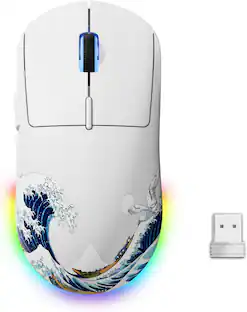
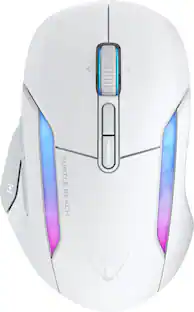
Turtle Beach - Kone XP Air Wireless Optical Gaming Mouse with Charging Dock and AIMO RGB Lighting - Wireless - White
Customers are saying
Customers find value in the excellent battery life, convenient charging dock, and the customizable RGB lighting that enhances the gaming experience. Users also appreciate the ergonomic design, lightweight feel, and the added functionality provided by the extra buttons. While the overall performance and response time are highly regarded, some users have expressed frustration regarding the software interface and occasional issues with the scroll wheel. Despite these minor concerns, the mouse is generally considered a high-quality wireless peripheral.
Color
WhiteErgonomic, Multi-Button Design
Perfected through years of refinement, the beloved Kone ergonomic shape ensures comfort over long gaming sessions. Ten buttons plus 4D wheel expand into 29 programmable inputs thanks to the Easy-Shift[+] duplicator button.
Lag-Free Wireless
Switch between gaming grade 2.4GHz wireless and Bluetooth for versatile use. Game all night with up to 100 hours of battery on a full charge.
Rapid Charge Dock
The stylish Rapid Charge Dock provides five hours of play time with just 10 minutes of charging. With 4 RGB lighting zones, the dock beautifully accents any desktop setup. Additionally, the 2.4GHz dongle can be plugged into the USB passthrough on the front.
AIMO Illumination
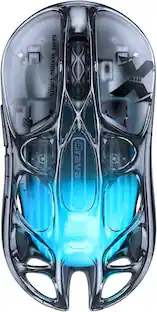
The translucent shell and wheel set the stage for the Kone XP Air’s five RGB zones, creating a stunning lighting experience. AIMO lighting technology produces vibrant RGB lighting displays right out of the box and can sync with other compatible AIMO-enabled products for an immersive lighting display.
Owl-Eye Optical Sensor
Experience smooth, precise tracking thanks to the Owl-Eye 19K DPI optical sensor.
Titan Optical Switches
TITAN Optical Switches provide unprecedented speed, and incredible durability with a 100 million click life cycle offering a competitive edge game after game.
Phantomflex Charging Cable
Flexible and light, the PhantomFlex USB-C charging cable virtually disappears during use to the point that you won't even know it's there.
PTFE Glides
Heat-treated, pure PTFE glides deliver incredible glide and the smoothest mouse movements right out of the box.
Nvidia Reflex Compatible
Unleash your Kone XP Air with NVIDIA Reflex. Powered by GeForce RTX GPUs and NVIDIA G-SYNC monitors, it delivers sub-25ms response times. The Kone XP Air is NVIDIA Reflex compatible to help you acquire targets faster and increase aim precision.
- Lighting TypeRGBMaximum Sensitivity26000 dots per inchNumber of Buttons (Total)15Connection TypeWireless, Wireless
Reviews
Rating 4 out of 5 stars with 39 reviews
- Battery Life (23)
- Charging Dock (19)
- Buttons (16)
- RGB Lighting (14)
- Ergonomics (13)
- Software (12)
- Scroll Wheel (8)
- Lag (3)
Customer Images
The vast majority of our reviews come from verified purchases. Reviews from customers may include My Best Buy members, employees, and Tech Insider Network members (as tagged). Select reviewers may receive discounted products, promotional considerations or entries into drawings for honest, helpful reviews.

Compare similar products

Control Your XP. The Turtle Beach Kone XP Air Wireless Customizable Gaming Mouse with Charging Dock combines the beloved Kone shape with lag-free 2.4GHz Wireless + Bluetooth connectivity. Boasting 29 programmable inputs, the Kone XP Air delivers rich customization options in a stunning translucent shell filled with LEDs for immersive 3D lighting. An Owl-Eye 19K DPI optical sensor combines with TITAN Optical Switches to provide a responsive and ultra-fast experience for a competitive edge game after game. The stylish charging dock provides five hours of play time with just 10 minutes of charging and 4 RGB lighting zones.
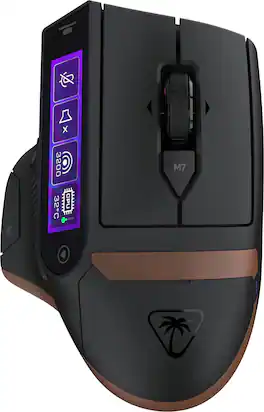
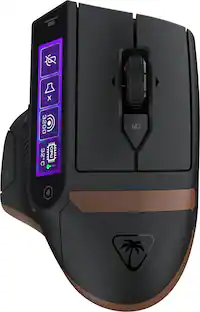
The Turtle Beach Command Series MC7 wireless gaming mouse delivers seamless control for gaming, streaming, and productivity. The Command Touch Display provides intuitive fingertip control without layered software or excess buttons. Quickly adjust DPI, switch profiles, trigger macros, or control apps without breaking focus. For streamers and creators, it becomes a powerful command hub for OBS control, mic muting, and app launches without interruption. With tri-mode connectivity, seamlessly switch between 2.4GHz wireless, Bluetooth, and wired. True 8K polling delivers ultra-low 0.125ms latency, paired with an Owl Eye 30K DPI optical sensor and Titan Optical Switches for flawless tracking and long-term durability. Enjoy zero downtime with dual 1000 mAh hot-swappable batteries and the included charging dock. Each battery delivers up to 10 hours out of the box and up to 15 hours at 8K with LED and LCD lighting off. Even better, these are the same batteries used in Stealth Pro II. Designed for stability and precision, the MC7’s ergonomic right-handed shape supports confident, controlled play with comfortable palm and claw grip support. Paired with an adaptive 4D scroll wheel, customizable RGB lighting, 11 programmable buttons, and onboard profiles, The MC7 is a core component of the Command Series ecosystem.

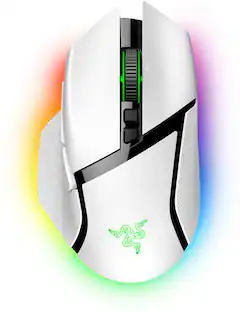
The king returns to raise the game. Enter the Razer Basilisk V3 Pro—the most advanced gaming mouse. Armed to the teeth with industry-leading technology, unlock your maximum potential with a weapon that pushes the known limits of performance, customization, connectivity, and control.
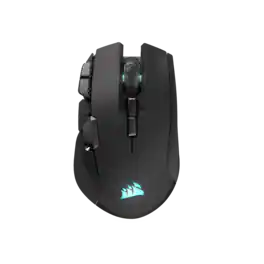
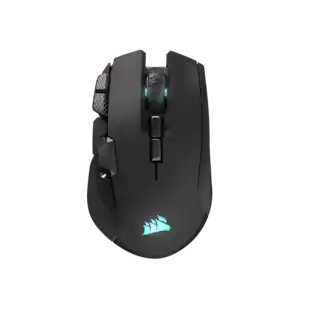
The CORSAIR IRONCLAW WIRELESS SE Gaming Mouse was designed to deliver comfortable control for right-handed players that prefer palm grips. Its uniquely-sculpted shape and textured grips are built to give players secure, comfortable control. The precise 26k DPI sensor provides amazing accuracy for MOBA, FPS, and MMO gameplay. IRONCLAW WIRELESS SE is all about longevity with up to 285 hours over 2.4GHz, 532 hours over BT, and switches rated for up to 100 million clicks. Versatile tri-mode connectivity connects via robust 2.4GHz wireless, convenient Bluetooth®, or USB-C cable. CORSAIR IRONCLAW WIRELESS SE Gaming Mouse – Comfortable Control in the Palm of Your Hand.
| Pros for Turtle Beach - Kone XP Air Wireless Optical Gaming Mouse with Charging Dock and AIMO RGB Lighting - Wireless - White | |||
|---|---|---|---|
| Battery Life, RGB Lighting, Ergonomics, Charging Dock, Buttons | There were no pros for this product— | Overall Performance, Ergonomics, Battery Life, RGB Lighting, Weight | Ergonomics, Battery Life, Overall Performance, Button Layout, Connectivity |
| Cons for Turtle Beach - Kone XP Air Wireless Optical Gaming Mouse with Charging Dock and AIMO RGB Lighting - Wireless - White | |||
| Lag, Software, Scroll Wheel | There were no cons for this product— | Lag, Size, Price, Dongle, Mouse | Size |
Specs
Is this compatible with Xbox series x consoles ?
Answered by Turtle Beach SupportWhile the Kone XP Air can be used as a generic USB mouse on Xbox Series X|S, updates and customization are only available when used on the PC through the Swarm 2 application. Additionally, any game itself will need to support mouse input. Best Regards.
Is this compatible with Xbox series x consoles ?
Answered by Turtle Beach SupportWhile the Kone XP Air can be used as a generic USB mouse on Xbox Series X|S, updates and customization are only available when used on the PC through the Swarm 2 application. Additionally, any game itself will need to support mouse input. Best Regards.
Can the rgb be customized while being connected through Bluetooth.
Answered by Turtle Beach SupportHello JB! Please reach out directly to our dedicated Support Team so they can look into this for you. They’re always happy to help and can be reached right from the support section of the Turtle Beach website. Thank you and have a great day!

Mouse fully charged, dongle plugged directly into pc, connect via dongle underneath mouse, mouse will not work. It will not close or move anything in computer screen. Why?
Answered by Turtle Beach SupportPlease reach out directly to our dedicated Support Team so they can lend a hand with setup. They’re always happy to help and can be reached right from the support section of the Turtle Beach website. Thank you!
What type of wireless connectivity options does the mouse offer?
This mouse offers lag-free 2.4GHz wireless and Bluetooth® connectivity for the ultimate in versatility.
This question and answer was generated by AI based on customer and product data.

Customers often buy these together

More to consider
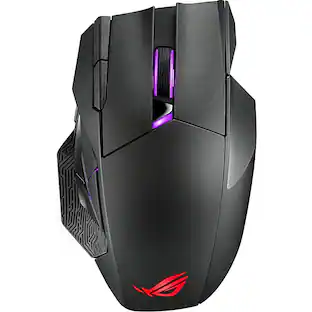 $119.99The price was $149.99
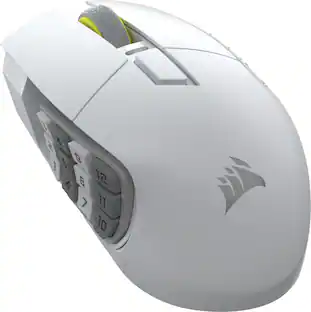 $109.99The price was $139.99
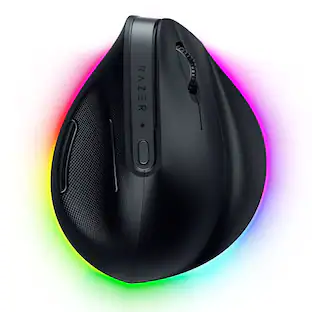 $97.99The price was $119.99
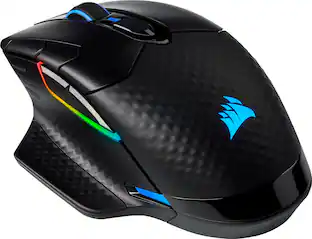 $75.99The price was $99.99
 $64.99The price was $99.99

Explore tech essentials Sponsored
 Top Deal$59.99The price was $89.99
- $75.99The price was $99.99
Discover related products
 $12.99The price was $13.99











Keep exploring
 $79.95The price was $119.95
 $139.95The price was $187.95
 $119.95The price was $199.95