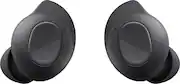
Rating 4.5 out of 5 stars with 1981 reviews
4.5- Sound Quality (1283)
- Fit (446)
- Battery Life (352)
- Comfort (307)
- Connectivity (101)
- Volume (17)
Customer Images
The vast majority of our reviews come from verified purchases. Reviews from customers may include My Best Buy members, employees, and Tech Insider Network members (as tagged). Select reviewers may receive discounted products, promotional considerations or entries into drawings for honest, helpful reviews.
- Rated 5 out of 5 stars
One issue
These are great. They are comfortable and have a good charge. I use one at a time so I never have to go without. The only issue I have had is a bit unique: when I turn my car on, the bluetooth pairs with the car but if I remove my earbud, open the case to put the earbud in, the technology prioritizes my earbud as the "newest" device to connect to and disconnects from my car. After I have inserted the earbud and closed the case, the technology is smart enough to reconnect to the car, but it generally has interrupted the play and requires that I restart whatever I was listening to. Other than that, I never get ear fatigue which I used to on old earbuds. Connecting across multiple laptops and phone works really well. Low profile so I can get away with wearing at some jobs. Works with a lot of interference, I can wear through two walls and operate a microwave and there is no interference. Jogging for an hour, no issues.
Posted by JoshuaC
- Rated 5 out of 5 stars
Samsung Buds FE Review
These earbuds fit perfectly in the ear and stay in place even during workouts. The sound quality is clear with strong bass and crisp highs, and the noise cancellation works surprisingly well for the price. Battery life is great—I can go days without needing a recharge. They also pair instantly with my Samsung phone, and the touch controls are smooth and responsive. Overall, an amazing value and very comfortable for long use.
Posted by AnshP
- Rated 5 out of 5 stars
Good for the price
I’ve purchased multiple pairs of the Samsung Galaxy Buds FE, and overall I think they offer really solid value for the price. They’re one of the more affordable options in Samsung’s lineup, yet they still deliver clear sound, decent bass, and a comfortable fit that works well for everyday use. That said, the buds aren’t without issues. I’ve noticed occasional connectivity hiccups — sometimes one earbud drops out briefly or takes a moment to reconnect when switching between devices. It’s not a constant problem, but it does happen often enough to be noticeable. Even with those quirks, I’d still say the Galaxy Buds FE are worth it for what you pay. They give you most of the features you’d want in wireless earbuds without breaking the bank, and I’m satisfied overall with the performance relative to the price point.
Posted by Slimmylong
- Rated 5 out of 5 stars
Underrated, Smart Choice
Not being an audiophile, I cannot speak to the level of high fidelity or finer intricacies involving quality of sound. I do, however, know a bargain when I see one and these are it. I love the flat edge, which makes pause, fast forward and rewind so much easier. I use them mostly for podcasts so, again, the sound isn't terribly important to me but when I do listen to music it sounds really good. For the price, they are definitely worth it, which is why I have them in two colors. I have never had any connectivity issues with them. They sync up with my phone every time I take them out of the case. The noise canceling works great but I don't use it so the battery on these lasts all day. The battery life is great. There's a video out there somewhere with a guy who compares three different Samsung earbuds; it's very interesting. I wouldn't exactly call these bare bones headphones but if you're looking for more basic ones that aren't going to break the bank or your heart if you lose them then I say go for it.
Posted by JoJo
- Rated 5 out of 5 stars
Best earbuds ever
Perfect,sounds amazing, fits perfectly, the battery is not bad either.
Posted by Bonnie