Labor Day SaleEnds September 7. Limited quantities. No rainchecks.Shop now

Skip to contentGo to Product Search
Main Content

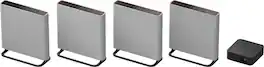
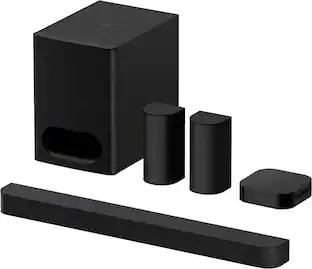
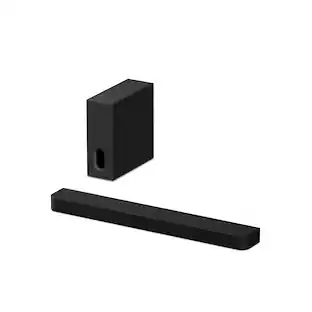
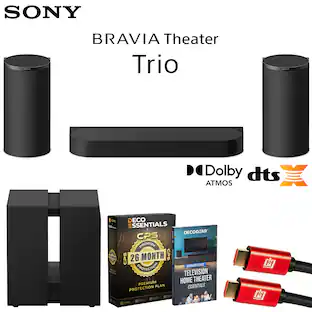
Sony - BRAVIA Theater Trio, Three-Unit System, Dolby Atmos/DTS:X compatible - Black

Model: HTA8
SKU: 6676688
Sold byBest Buy

Customers are saying

Customers recognize the exceptional sound quality of this product, noting that dialogue remains incredibly crisp and clear. Additionally, users appreciate the straightforward installation process, highlighting that calibration via the Bravia Connect app is a breeze.

Generated by AI based on customer reviews.
See it in-store: Maplewood (6.2 miles away) 
is the closest store with a demo model on display.
Features
  • Three-unit System. One Immersive Experience

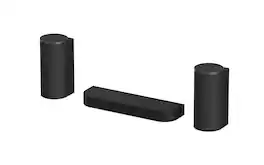
    Introducing a simple home theater system with wireless front speakers that matches the scale of even the biggest screen, keeping your room tidy while filling it with surround sound.

  • Sound shaped with Sony Pictures Entertainment

    Created in close collaboration with Sony Pictures Entertainment, this system brings studio-crafted sound into your home, capturing the emotion and detail envisioned by filmmakers. Sound Creators evaluated the combination of BRAVIA Theatre Trio + BRAVIA Theatre Rear 9 + BRAVIA Theatre Sub 9.

  • Rewriting the rules of surround sound

    Go beyond conventional surround sound with a surround field that stretches wider than the screen, delivering cinematic immersion that pulls you into every scene.

  • Ultimate surround with 360 Spatial Sound Mapping

    Experience the ultimate in home surround with up to 24 phantom speakers in a cinema layout, simulating both direct and reflected sound to recreate the acoustic characteristics of a real cinema.

  • Sound Field Optimization

    Enjoy a cinematic surround experience calibrated specifically for your room, ensuring every seat is the best seat in the house.

  • Sound tuned perfectly for your room

    Using the included USB Type-C microphone, connect to your mobile device to allow accurate automatic calibration to tailor the audio output to its unique acoustic requirements.

  • Sound straight from cinema

    Get premium streaming experience with support for Dolby Atmos, DTS:X, and IMAX Enhanced certification for a truly premium experience.

  • Wireless Bluetooth streaming

    Enjoy wireless music streaming from your smartphone and other devices.

  • Elevated upmixed audio experience

    Sony's upmixer transforms stereo content into rich 3D surround sound, with AI Sound Separation detecting and clarifying human voices.

  • Build a Bigger Home Theater

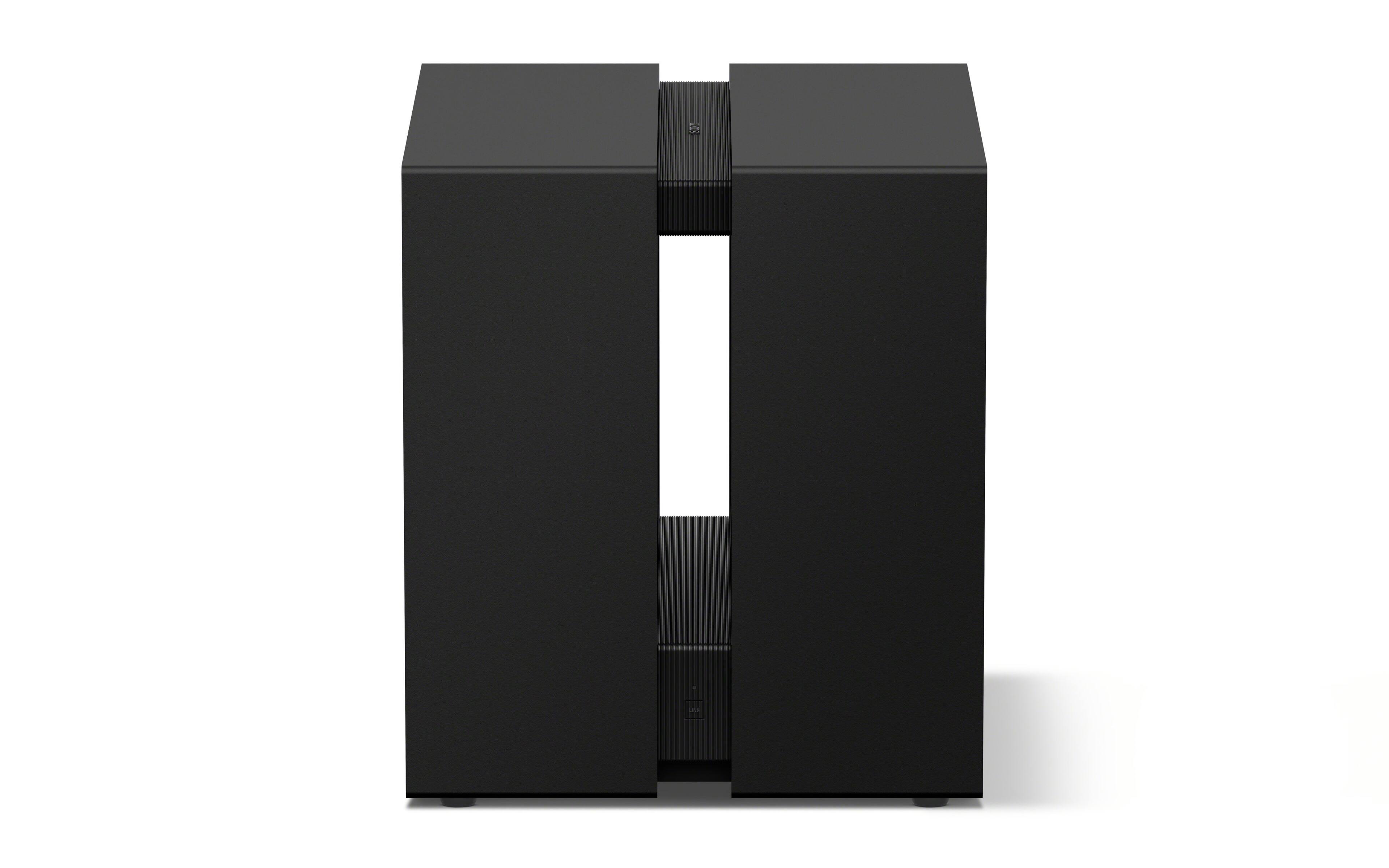
    Elevate your setup with dual subwoofers for deep, powerful bass and rear speakers for a more immersive surround field.

  • Enhanced sound from every direction

    Newly enlarged up-firing speakers and 360 Spatial Sound Mapping create immersive overhead audio, while the center speaker's X-Balanced design delivers punchy bass, reduced distortion, and crystal-clear dialogue.

  • Give your favorite music a boost

    DSEE Ultimate up-mixes compressed digital music, restoring acoustic details for a richer listening experience.

  • Do it all with BRAVIA Connect app

    The BRAVIA Connect app guides you step by step, covering everything from connection to calibration and everyday control.

  • BRAVIA Theater and select BRAVIA TVs, the perfect pair

    Pair with compatible BRAVIA TVs to control soundbar settings with a single remote and take advantage of Voice Zoom 3 for clear, natural dialogue.

  • Premium video & gaming formats

    Enjoy support for 4K HDR, 8K HDR, and Dolby Vision video formats alongside HDMI 2.1 gaming features including 4K120, VRR, and ALLM for a seamless, high-performance experience.

  • Space-saving Design

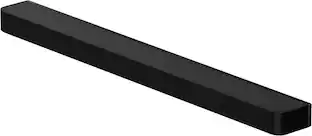
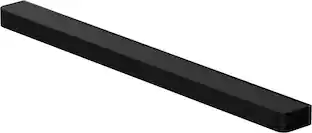
    Space-saving Design – The supplied spacer allows the soundbar to sit tidily over the TV stand for an integrated look that saves you space.

  • Center speaker dimensions

    23 1/4" W x 2 5/8" H x 6 1/2" D, 7lbs.

  • Front speaker left dimensions

    6 3/8" W x 13 3/8" H x 6 1/2" D, 7.9lbs.

  • Front speaker right dimensions

    6 3/8" W x 13 3/8" H x 6 1/2" D, 7.9lbs.

See all features
Specifications
  • Brand
    Sony
    Model Number
    HTA8
    Product Name
    BRAVIA Theater Trio, Three-Unit System, Dolby Atmos/DTS:X compatible
    Color
    Black
    Number of HDMI Inputs (Total)
    1
    Number of USB Inputs
    1
Sponsored

Reviews

Rating 4.2 out of 5 stars with 18 reviews

83% would recommend to a friend
Customers are sayingCustomers recognize the exceptional sound quality of this product, noting that dialogue remains incredibly crisp and clear. Additionally, users appreciate the straightforward installation process, highlighting that calibration via the Bravia Connect app is a breeze.
This summary was generated by AI based on customer reviews.
  • Sound Quality (11)
  • Ease of Setup (3)

Customer Images

The vast majority of our reviews come from verified purchases. Reviews from customers may include My Best Buy members, employees, and Tech Insider Network members (as tagged). Select reviewers may receive discounted products, promotional considerations or entries into drawings for honest, helpful reviews.

  • Rated 3 out of 5 stars

    Theoretically great setup with serious flaws

    The Theater Trio was supposed to offer Theater Quad like stereo separation without its main flaw - lack of center channel. However, the resulting product was quite underwhelming. Pros: - Extremely wide soundstage. - Very good for Dolby Atmos / DTS:X movies - Very accurate room calibration with its included USB-C calibration mic - Center channel offers extremely clear dialogue once you turn off "movie theater acoustics" - Easy to setup. Every speaker was found almost immediately and I didn't notice any dropout issues. Cons: - Tremble was genuinely too much for me. It hurts. - If you enable movie theater acoustics, dialogue clarity suffers tremendously. - If you disable movie theater acoustics, the system could be quite silent for some Dolby Atmos or DTS:X movies. I literally had to turn the volume up to like 70 or 80 for the same level of volume the Trio system produces for a stereo contents. - The center speaker is ported but the bass level is pathetic. There is genuinely no bass or even mid to low range. Even with the sub 9 which is a seriously impressive sub at its price, the overall sound from the Trio feels empty (lack of mid to low end) and shouty (too much tremble) at the same time. This isn't obvious in movies but is extremely obvious when you listen to stereo music. - (?) No Acoustic Center Sync. I understand Sony might feel like the Trio's dedicated center can beat any TV, which is valid, but the Bar 9 / 8 also came with a dedicated center speaker, and enabling Acoustic Center Sync on a Sony OLED TV can improve dialogue clarity. Not sure why they removed a feature that many people use. Bugs: - Even a Sony TV with the latest firmware from 6/23/2026 often has CEC issues with this sound system. Both Trio and the TV can be connected and controlled separately from the Bravia Connect app, but they can't be controlled together because the TV fails to setup the sound system. This can only be solved by unplugging and replugging the HDMI eARC cable. I don't think at the current state of firmware and tuning, you should be purchasing this product. Sony seriously fumbled the ball here that made a more advanced system sound worse than its own soundbars, let alone the Theater Quad.

    Posted by Kimukatsu

  • Rated 4 out of 5 stars

    Great start but needs some help

    The BRAVIA Theater Trio is a great representation of Sony's craftsmanship. There have been a few quirks with the soundbar that I am confident can be fixed with some firmware updates since the system starts out with a solid foundation. The unit does ship with a very basic remote, but pretty much all setup and functionality of the system is controlled through the BRAVIA Connect app which has not been too much of a hassle to use. The setup process is simple you plug everything in and the app walks you through the setup and calibration process. There is a usb-c mic that is included to assist with the 360 Spatial Sound mapping. After calibration you are ready to go and the system sounds great the demo provided after calibration really showcases the 360 Spatial Sound, the rainforest come alive in your living room. While all-in-one bars do a great job at mimicking different sound fields, nothing can really replicate physical speaker placement. The unit works good on its own but it is missing something. That something is the rears and sub which are sold separately. The three pieces of this system are beautifully aesthetic to look at. Photos of the left and right speakers do not really prepare you for there size. Speakers measure 13" tall and 6" in diameter and are very well designed. The speakers are fabric covered so be aware of pet hair and dust accumulations. The center/control box measures 23" wide so it is much smaller than a standard soundbar. That's because this is not a standard soundbar but in my opinion a slight nod back to a component based system where the speakers are separate. Overall the Theater Trio is a great starting point but really misses the rears and sub that makes it the complete package.

    Posted by J Hawkins

  • Rated 3 out of 5 stars

    Great system. Bravia app needs a quality review.

    This is part I of a three-part review for the Sony Bravia Theater series of products. Please see my reviews for the Bravia Theater Sub 9 and Bravia Theater Rear 9 for my complete review. Initial impressions: The Sony Bravia Theater Trio, and by extension the Bravia Theater system, is not a sound bar and it is not a traditional component home theater system. It is a hybrid solution that combines the ease of a sound bar with the flexibility and improved sonic performance of a component home theater. The Trio is comprised of separate center, left, and right speakers. The center channel is a two-way, dual ported box that is the shape and size of a small sound bar. The left and right speakers are two-way, single ported cylinders that are about the size of an average bookshelf speaker. The Bravia Theater Trio is for anyone who does not want a Soundbar but is not ready to move up to a larger, and more complex, home theater system but want some of the benefits of a larger component system. Finally, the Sony Bravia app gave me a lot of issues during setup and during operation which degraded my appreciation for this otherwise great system. This is reason for the three stars and not the full five. Setup: Sony did an exceptional job of packing the Trio and ensuring the easiest unboxing possible. Packaging is 99% cardboard. The speakers were wrapped in protective fabric socks. Placement around the room was easy to figure out. The center channel goes under the TV, the dedicated left speaker goes to the listener’s left, and the right speaker goes to the listener’s right. All speakers are wall mountable. In my case, I placed the center on the my entertainment stand and the left/right speakers on sound isolation on my room’s subwoofers. My room would not support wall mounting the speakers due to how I have the existing theater configured. The center channel is the brains of the entire Bravia Theater system. It has an HDMI eARC for TV connectivity and an HDMI input for an Xbox, 4k player, or other HDMI devices. Each speaker has a dedicated power cable. In my case, I had the Trio connected to a single Panamax M5300-PM. This cleans the power, protects, and provides plenty of outlets. The center channel connected to the left and right speakers automatically when powered. The configuration and control app, Bravia Connect, is where the setup process soured for me. First, I tried to setup and perform a mandatory firmware update using my iPad. This failed over and over and over again. Finally, I used my iPhone and the setup, sync, and firmware update process went swimmingly. Why? No idea. But this is just the first of a long string of frustrating moments I had with the Bravia Connect application. I was forced to perform room calibration with my iPhone’s microphone since my phone does not have a USB C port for the included calibration mic. Long story short. Use the included microphone. Luckily, once the firmware was updated for all of my Bravia Theater products, I was able to switch back to my iPad to calibrate the system with the USB calibration mic. Unfortunately, this back and forth between devices and firmware update time outs turned a 20 minute process into hours. Once everything was powered, calibrated, and all connections confirmed, I was ready for some home theater action! Movie performance and modes: The Theater Trio, on its own, is anemic. I started off with Pacific Rim, scene 2, where Gypsy Danger is fighting a Kaiju in a hurricane. The center channel sounded like a sound bar and the left/right channels struggled to provide weight and emotion to the battle, weather, and that very strange air horn that Gypsy Danger uses. The male voices were high and lacked authority. And the overall sound scape was simply unconvincing. Adding the Bravia Sub 9 solved 90% of my issues. The Sub 9 is a proper, compact, subwoofer. It provided the weight and presence I was looking for to immerse me in the movie. Second, the Bravio Connect app automatically sets “Voice” mode to on. Which is probably great for the evening news but terrible for movies. I turned this off and the movie finally came alive. TV Performance and modes: From Pacific Rim I switched to the World Cup Finals. And the Trio’s volume level went from acceptable to blowing me out of my seat. The Sub 9 and Rear 9 volumes were also elevated, muddy, and simply unacceptable. This is another theme throughout my time with the Bravio Theater system. After “recalibrating” the master volume, the sub volume, and then the Rear 9 speaker volume, I enjoyed the entirety of the game. The Trio’s center channel did an excellent job of conveying the commentators’ voices. I even enabled the “Voice” mode here to boost the speakers so that the master volume control would not drown me in crowd and background sounds. In Voice Mode, male voices were boosted in volume, boosted on the top end, and the normal lower frequency weight of the voices were removed. Female voices sound boosted but without much change. This is mostly because female voices are naturally higher than male voices. The halftime show flowed naturally from the game. And even the few commercials behaved themselves. Console Gaming and modes: After the game, I switched to my Xbox to play Call of Duty: Black Ops 7. Again, I was forced to “recalibrate” the systems volume controls. Seriously, Sony! I shouldn’t have to readjust the entire system every time I change inputs or move from one content type to another. Once I dialed in the system, again, the overall experience was a lot of fun. The Trio by itself did a good job with voices and effects that did not require subwoofer support. And the Atmos speakers did a decent job of filling the soundscape. However, it was clear that the Sub 9 was required to drive home the gunshots, explosions, and low frequency audio artifacts. The Sub 9 was also able to fill the room with a low-level hum that added the atmosphere that the Trio itself is simply too small to provide. It was also clear that the Rear 9’s were need to fill the 360 sound scape with positional audio queues such as foot steps coming from behind, gunshots to my left, or bombs falling on my head from above behind me. Software: The software interface is clean and poorly organized. There are also no presets such as Sports, Video Game, Movie or Cinema, or other quick settings. The system does not remember settings and preferences for TV, 4K Player, or Game Console which I found very frustrating. And even though there are settings for things like IMAX and Theater Reverb, they are buried in the menu system. The included remote control is marginally useful. There is no on-screen TV display to illustrate settings of volume levels. And the center does not have an information display. Overall, I think Sony whiffed on the software of an otherwise capable system. Music Streaming: Connecting the Bravia Trio to a phone was as easy as selecting it as a Bluetooth device on my iPad. I streamed multiple music genres from Apple Music. The Trio, by itself, can playback via all three speakers or stereo. The two-channel stereo option is buried in the Bravia Connect app. This is one of the only Bravia Connect app settings that are persistent. Overall, I found the stereo playback to be very good. I found the Center Channel less than ideal. I think this is mostly because the center significantly smaller and optimized for voice. Adding the Sub 9 provided the low end support the Trio needed for full range music reproduction. Overall, both the Trio and the Sub 9 blended well together. Adding the Rear 9’s further enhanced my enjoyment. They did a great job of filling in the rear. I did try the surround features. I ultimately turned them off. I found the Stereo setting sounded fuller, focused, imaged well, and was generally more enjoyable than anything the 360, DTS, or Atmos was able to provide. Final thoughts: The Sony Theater Trio speakers sound ok by themselves but really need something like the Sub 9 to support the entire system. Physical setup and placement, either standing on an entertainment center or mounted to the wall, is straightforward and easy to understand. The real tragedy of this story is the Bravia Connect app. There is absolutely no reason why anyone should be expected to ride the subwoofer volume, rear/surround sound volume, and the best surround format options when changing channels, inputs, or content. I have setup and own several systems and at worst I adjust the master volume. The Sony Bravia Trio should be the same way. Sonically, the system is a joy to listen to with most content. It does not match my bigger home theater. Though, a friend of mine did comment that he enjoyed the Sony Bravia Trio more than my regular, larger, and more expensive system. Thank you for reading my review.

    Posted by ITJim

  • Rated 4 out of 5 stars

    Clear surround sound

    I was in need of a surround sound that added the bass for my movies and music I played. After watching the ads and reading the bullet points of this new Sony system, I believe this is what I need in my living room. The complete set was delivered in 3 separate boxes. It made sense because it can all be purchased separately depending on the need of sound people are going for. I was looking for the movie experience sounding system. Setting this up was easy for me because I already was using the Bravia Quad. I uninstalled the Bravia Quad and placed the Bravia Theatre 9 in its place. I must say the Bravia Theatre 9 really had some weight to it, especially the Bravia Theatre Sub 9. Nothing was damaged and the packaging came with enough padding to keep the contents from moving around during transit. I want to start with a con. The sound bar should have come with digital display. If it’s not a wanted feature for most maybe have it so it can be disabled in the settings. It really bothers me that it’s not available. I understand that it looks better with having less lights when you are watching tv but technology can have those lights go off in seconds after making a selection. After doing the optimization I played music and later watched some tv. To me the sound was too much in vocal range and I couldn’t really hear the rear speakers. I decided to do the optimization again and input the exact measurements of distance between the speakers. It helped the sound a lot in my opinion. As of now I don’t see much wrong with the Sony Bravia 9. I usually have rattling from speakers and this set is not doing any of it.

    Posted by DSPARKA

  • Rated 4 out of 5 stars

    Sound Stage!

    The Theater trio by itself is a beautiful thing to own they are definitely better than TV speakers but what really set this product apart is the sound stage. With the up front speakers being at the left, center, & right of the tv a normal sound bars between the ranges of $0-$800 simply can not meet up with the dynamics of the trio, with that said I'd definitely purchase this product on sale as you also have options like the Sonos arc ultra, Samsung 990 series, Bose out there that gives you more value for money. But none of those can ever have that upfront sound stage like the trio.

    Posted by EBABYY

  • Customer reviews from sony.com

    Syndicated rating, 3 out of 5 stars with 2 reviews on sony.com.

    See all sony.com reviews
    sony.com

Compare similar products

Sony - BRAVIA Theater Trio, Three-Unit System, Dolby Atmos/DTS:X compatible - Black
4.2(18)

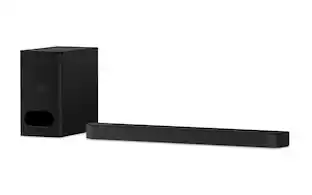
Blockbuster sound—built for the biggest screens. Our flagship model, BRAVIA Theater Trio, expands sound far beyond the screen. Perfect for today's ultra-large TVs, its three-unit design and 360 Spatial Sound Mapping generate a vast, room-filling soundstage—bringing cinematic scale and immersion into your living room.

Sony - BRAVIA Theater Bar 7 + Sub 7, Dolby Atmos/DTS:X compatible - Black
4.5(25)

Immersive surround sound. Enhanced bass. The BRAVIA Bar 7 + Sub 7 combines 9 speaker units, 360 Spatial Sound Mapping, and a slim subwoofer to create cinematic surround sound and deeper, more precise bass in a space-saving design.

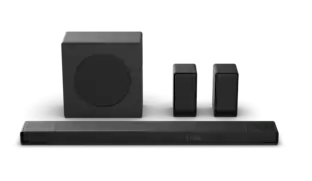
Sony - BRAVIA Theater Bar 9 with 13 speakers, Dolby Atmos/DTS: X - Black

Introducing BRAVIA Theater Bar 9, our top-of-the-line soundbar that takes surround sound technology to new heights. Featuring 13 speakers and 360 Spatial Sound Mapping, hear the room filled with truly immersive theater-like surround sound perfectly optimized to your space. And unlock sound with even greater impact with optional wireless subwoofer and rear speakers.

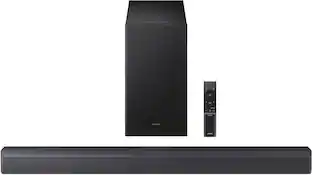
Sony - BRAVIA Theater System 6, 5.1ch with subwoofer, Dolby Atmos/DTS:X compatible - Black

Turn up the energy with BRAVIA Theater System 6 all-in-one 5.1ch system. Featuring 10 total speakers, including a subwoofer and rear speakers, and with support for Dolby Atmos and DTS:X, movies will explode with powerful, immersive surround sound. Ready to entertain? Energize your next party with room-filling multi-stereo sound.
Pros for Sony - BRAVIA Theater Trio, Three-Unit System, Dolby Atmos/DTS:X compatible - Black
Sound Quality, Ease of SetupSound QualitySound Quality, Setup, Ease of use, Connectivity, DesignSound Quality, Setup Ease, Bass
Cons for Sony - BRAVIA Theater Trio, Three-Unit System, Dolby Atmos/DTS:X compatible - Black
There were no cons for this productSetup ProcessBass, HDMI Ports, Volume, Display, PriceConnectivity, Speaker Placement

Specs

Questions & Answers
  • Is mounting hardware included for the speakers? If not, where do you buy the mounting brackets?

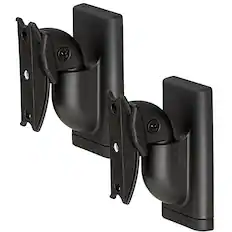
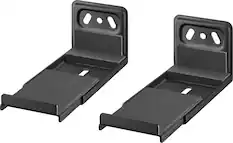
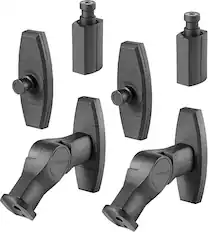
    Hi Bande! Thanks for the question! We are more than happy to assist you with this. You actually don't need to worry about buying extra mounting brackets for the BRAVIA Theater Trio speakers. The system comes with everything you need right in the box, including the wall-mount brackets and the screws to attach them to the speakers themselves. For more details, please see this link: https://helpguide.sony.net/ht/2100/v1/en/contents/010_Checking_the_Package_Contents_2100.html Thanks for considering Sony products! Best regards, Estefany

    Answered by SonyListens
    SonyListens response
  • What rear speakers are compatible with this trio front stage?

    Hi RGMostWanted! Thanks for asking. We're happy to help! The Sony BRAVIA Theater Trio connects wirelessly to specific Sony rear speakers to enable 360 Spatial Sound Mapping. For the best experience, you can use the BRAVIA Theater Rear 9 (SA-RS9) which features built-in up firing drivers. Another excellent option is the more compact BRAVIA Theater Rear 8 (SA-RS8) wireless surround speaker set. The system is also backward compatible with older Sony models including the SA-RS5 and SA-RS3S. Keep in mind that you can only connect one set of wireless rear speakers to the system at a time. You will need the Sony BRAVIA Connect app on your phone or tablet to pair them. For more details, please see this link: https://www.sony.com/electronics/support/articles/00345716 Thank you for considering Sony products! Best regards, Estefany

    Answered by SonyListens
    SonyListens response
  • Good afternoon, How many subwoofers can be connected to this system ?

    Hi there! Thanks for reaching out! We’re here to help. The BRAVIA Theater Trio HT-A8 system connects to a maximum of two wireless subwoofers. You must use the exact same model if you choose to connect two of them. The system officially supports Sony's BRAVIA Theatre Sub 9, Sub 8, and Sub 7 models. You can easily manage and sync this dual setup directly through the Sony | BRAVIA Connect app. For more details, please see this link: https://www.sony.com/electronics/support/articles/00375572 We really appreciate you thinking of Sony for your purchase! Warm regards, Estefany

    Answered by SonyListens
    SonyListens response
  • Is the system wireless

    Hi Scot, thanks for the question! Happy to help out. Yes, the Sony BRAVIA Theater Trio (HT-A8) uses wireless technology to connect the left and right speakers to the center unit. This allows you to place the front speakers flexibly around your room without running cables between them. Keep in mind that while the audio transmission between the speakers is wireless, the center speaker and the left and right speakers still require a standard power cable to plug into a wall outlet. Additionally, the center speaker connects to your TV using a traditional HDMI cable. If you'd like to learn more about this product, please visit our website: https://helpguide.sony.net/ht/2100/v1/en/index.html We really appreciate you thinking of Sony for your purchase! Best regards, Estefany

    Answered by SonyListens
    SonyListens response
Ask a question
No content
Sponsored

Finance Options

My Best Buy® Credit Card
Choose a benefit:Or
Lease to own