Rating 4.2 out of 5 stars with 9 reviews
4.2The vast majority of our reviews come from verified purchases. Reviews from customers may include My Best Buy members, employees, and Tech Insider Network members (as tagged). Select reviewers may receive discounted products, promotional considerations or entries into drawings for honest, helpful reviews.
- Rated 5 out of 5 stars
performs 100% according to specs
Need to clone SATA HDDs/SDDs? Want to USB-dock & use external HDD/SDD storage to an existing computer for short/long-term, but maintain remove-ability? This unit performs 100 according to its specs. I have cloned & external tethered SATA HDDs & SDDs without fail or complications. I have used this dock to recover data from failing drives, where I had no choice but to physically cool down the failing drive during data recovery. It's a very welcomed addition to my literal bag of HDD/SDD tricks.
Posted by WhiskeyTango
- Rated 4 out of 5 stars
Nice unit but slower speed than I expected.
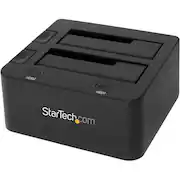
Nice unit but the speeds are less than I expected. My old unit's write speed was approx. 140 MP/S and with this unit, my write speed is 40 MP/S. I plugged the USB 3.0 cable into my motherboard and tried it in an extension as well - same results. The speed issue is not a deal breaker. While there are hinged covers, a dust cover would be nice. Controls are clearly labeled and well placed.
Posted by Jeff53404
- Rated 5 out of 5 stars
Works Great!
I have two of these and they both work great! They work with regular hard drives, laptop hard drives and even SSD's. USB 3.0 makes it very fast.
Posted by kev0
- Rated 5 out of 5 stars
Very Useful
Works as advertised. Was easy to set up and connect to my Laptop and PC. I really used it quite a bit and to date no issues
Posted by Bigangbo
- Rated 5 out of 5 stars
Great Hard Drive Docking Station
If you are looking for a way to continue using that Hard Drive from your old Desktop, this is the way to go.
Posted by aerejman
Customer reviews from bestbuy-ca
See all bestbuy-ca reviewsSyndicated rating, 4 out of 5 stars with 1 review on bestbuy-ca.
4.0(1 review)Customer reviews from startech.com
See all startech.com reviewsSyndicated rating, 5 out of 5 stars with 1 review on startech.com.
5.0(1 review)