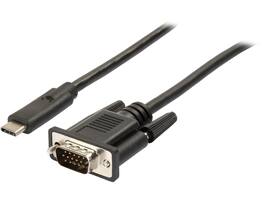
StarTech.com - USB-C to VGA Cable, 3.3 ft, 1920x1200, Black (CDP2VGAMM1MB)
Reviews coming soon
About this product
StarTech.com CDP2VGAMM1MB 3.3 ft. (1 m) USB-C to VGA Cable - USB Type-C to VGA Adapter Cable - 1920 x 1200 - Black (CDP2VGAMM1MB)
Features
USB-C to VGA Adapter and Cable for Clear Display Setup
3.3 ft. / 1 m USB C to VGA monitor adapter and cable in one avoids the hassle of a bulky adapters for clutter-free installation- USB-C to VGA cable supports resolutions up to 1920 x 1200
Black 3.3 foot / 1 meter cable matches your black USBC Ultrabook or laptop
VGA cable features reversible USB C port
VGA cable works with Thunderbolt 3 ports and USB 3.1 Type-C ports that support DP Alt Mode
Specifications
- Connector Type (End 1)USB-CConnector Type (End 2)VGA
Reviews
This product doesn't have any reviews yet.
Compare similar products
StarTech.com CDP2VGAMM1MB 3.3 ft. (1 m) USB-C to VGA Cable - USB Type-C to VGA Adapter Cable - 1920 x 1200 - Black (CDP2VGAMM1MB)
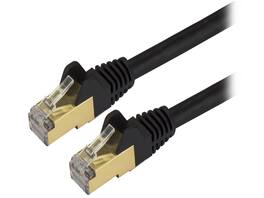
StarTech C6ASPAT2BK StarTech.com Cat6a Shielded Patch Cable - 2 ft - Black - Snagless RJ45 Cable - Ethernet Cord - Cat 6a Cable - 2ft
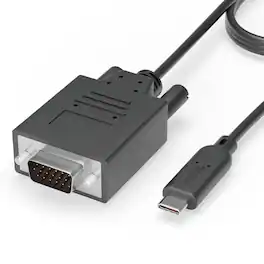
Plugable's USB-C to VGA cable allows you to connect an older VGA display or projector to your new laptop, tablet, or desktop which supports USB-C "DisplayPort Alternate Mode" (Alt Mode) video output functionality. Performance USB-C DisplayPort Alt Mode technology utilizes a direct pipeline to the graphics processor in your system, and your connected monitor will function and perform as a natively attached display Compatible Systems Plug and Play installation on any Windows, Mac, or Linux host which supports DisplayPort Alternate Mode (Alt Mode) video output functionality Adapter has been fully tested for functionality on the 2017 iMac/iMac Pro, 2017 MacBook/MacBook Pro, Late 2016 MacBook Pro 13" and 15", MacBook Retina 12" 2015 / 2016, HP Spectre x360 13" and 15", Chromebook Pixel 2015, the Gigabyte "GA-Z170X-Gaming 7", "GA-Z170X-Gaming GT" and "GA-Z170X-UD5 TH" Alpine Ridge based Thunderbolt 3 motherboards, Dell XPS 13 (9350, 9360), Dell XPS 15 (9550, 9560), Lenovo P50 and P70, and Samsung Galaxy S8 / S8+ For additional compatibility information, please see plugable.com/usbc-vga-cable Incompatible Systems Most current phones and Android tablets with USB-C ports do not support Alt Mode video output. ASMedia USB 3.1 controllers do not support Alt Mode video at this time. Motherboards with dual USB-C/Thunderbolt 3 ports are limited to a single Alt Mode output; only one Alt Mode adapter supported per system. In the Bag Plugable USB-C to VGA cable (6ft/1.8m)
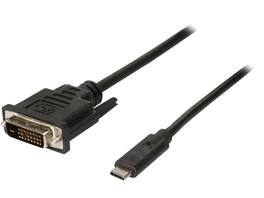
StarTech.com CDP2DVIMM1MB 3.3 ft / 1 m USB-C to DVI Cable - USB Type-C Video Adapter Cable - 1920 x 1200 - Black (CDP2DVIMM1MB)
Specs
Be the first to ask a question.
We’ll try to get your question answered within 24 hours by a Best Buy customer or brand representative.
Explore tech essentials Sponsored
 $319.99The price was $465.99
 $189.99The price was $229.99