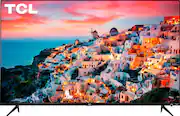
Rating 4.4 out of 5 stars with 1415 reviews
4.4- Picture Quality (720)
- Ease of use (245)
- Price (116)
- Roku (91)
- HDR (28)
- Remote Control (54)
- Screen (28)
- Reliability (6)
- Stand (5)
Customer Images
The vast majority of our reviews come from verified purchases. Reviews from customers may include My Best Buy members, employees, and Tech Insider Network members (as tagged). Select reviewers may receive discounted products, promotional considerations or entries into drawings for honest, helpful reviews.
- Rated 4 out of 5 stars
By Far the Best TV Under $350!
I own multiple smart TV's and spend more free time than I should reading reviews of TVs and this has the best display for any TV under $350. (Pricing for 43 and 50 inch). If you only have about $300-$350 and you are okay with 43 or 50 inch size, then look no further!! What makes the display so good is that it not only supports HDR, but also supports Dolby Vision. This is the cheapest TV with Dolby Vision you can find currently to my knowledge. In summary having both HDR and Dolby Vision means this 5 series is much a brighter display and more colorful than the cheaper 4 series version of this TV. It's definitely worth paying the little bit extra to get a much better display. It gets even better, because it has Roku. That is the name of the operating system which has all the apps and features built into the TV. Roku is personally my 2nd favorite operating system for a TV. (Android TV on Sony TVs is my top favorite TV operating system because it has the most apps and features.) Roku is my 2nd favorite because it has the 2nd most apps available to download of any other TV operating system. Roku has over 3,000 apps/channels you can download!! So of course that includes being able to download download Netflix, or Hulu, or Disney Plus, or Amazon Prime, or Sling TV, or Youtube, or Youtube TV, Google Play Movie Store, and thousands more!!! Samsung and LG have very few apps that you can download. Roku is also a really great operating system because it is the easiest TV operating system to navigate. So if you are not tech savvy or buying it for someone who is not tech savvy, then Roku is the PERFECT operating system for them! The only reason I give 4 stars instead of 5 is because it seems to have a bit of delay when clicking to open apps and when moving the cursor around to select apps. It gets 5 stars for value and display quality for this price. But overall I would give 4.5 stars but Best Buy doesn't allow that. I just wish Roku would make it just a little bit faster and the buttons on their remotes more clicky. Overall it is still the number one TV that I would recommend to anyone looking to spend under $350.
Posted by AndroidPurity
- Rated 5 out of 5 stars
Great TV, Great Price
We bought this TV for our bedroom. The picture is awesome and the sound is certainly good enough for a bedroom. I'll admit that the remote is very basic (no number keys), but if you're already a Roku user then this is not a huge adjustment. We watch mostly over-the-air programming on this unit, but the TV switches channels very quickly in response to the remote, unlike some of our older TVs. One minor annoyance was that after a number of days the TV started to show only the channels it decided were our "favorites" based on what we most often watched. But there's a Favorite Channels setting you can turn off in the Roku menu options for the antenna input. Note that there are settings for the Roku app that are separate from the settings for the various input sources (like antenna TV).
Posted by Doug
- Rated 5 out of 5 stars
Impressive Value TV
So far so good. After one week of use, I'm pretty happy. I purchased this item as a secondary TV for use in a bedroom, and I wanted to see what a Roku interface had to offer. I hooked up an Insignia amplified antenna which obtained an impressive 55 channels and works well with the menuing system. Because there are so many channels when we include the streaming channels it's a bit of an annoyance that there's no numbers available on the remote to jump directly to a channel. However, the picture quality is excellent, interface is great, sound is good, it's easy to hook up and tune the antenna and all the various Roku friendly apps make this a great value TV. Also easy enough to mount. Multiple HDMI ports make this very flexible to add a cable box and/or streaming sticks if the need ever arose.
Posted by MAFitz
- Rated 5 out of 5 stars
Great Flatscreen!
Excellent flat screen...perfect size! It is surprisingly very clear, even when watching from the side view. I purchased it for my grandsons playroom, and it is perfect, especially for the price. My daughter has a Roku account, so the streaming apps are all built in! Therefore, no fire stick needed. This was a plus. It is very easy to navigate. However, I’m not sure how easy it would be, if you don’t have a Roku account. I have no complaints and would definitely recommend.
Posted by Friday10
- Rated 5 out of 5 stars
Quality picture and sound on a budget.
I actually went to best buy for a bigger and more expensive TV. However I stood there for a while and neither of the associates in that department even bothered to ask if i needed any assistance? I looked around and couldn't find the one i saw online so i figured it was probably sold. I started looking at the open box items and found this one. It was smaller than I planned on getting but, the price was right. I am a Samsung guy and the last TV i bought was a Samsung DLP when they first came out. I was pleasantly surprised when i came home and set it up. The picture is great,the TV sound is decent and i am pleased with the performance for the price. I then went back and bought the TCL sound bar and BT sub which are sick. The sound is deep,crisp,and puts out some great bass. I definitely recommend TCL to those who want quality sound & picture without the price. The TV and sound bar work perfectly together.
Posted by Wildbill