Texas Instruments - 36PRO/TBL/1L1/A TI-36X Pro 16-Digit Scientific Calculator - false
Customers are saying
Customers are delighted by the comprehensive functionality offered by this product. Users appreciate that it effectively includes all the essential features required for their needs.
Features
TI's most advanced
Advanced scientific calculator is ideal for engineers, students and professionals.
MultiView display allows you to view multiple calculations at the same time.
MathPrint feature shows math expressions, symbols and stacked fractions as they appear in textbooks.
Input data, scroll through entries and make edits like using a graphing calculator.
Toggle key converts fractions and square roots into decimals and back.
Specifications
- BrandTexas InstrumentsModel Number36PRO/TBL/1L1/AProduct Name36PRO/TBL/1L1/A TI-36X Pro 16-Digit Scientific CalculatorColorNoWarranty - PartsManufacturer's limited one-year warranty.Warranty - Labor1 year
Reviews
Rating 5 out of 5 stars with 3 reviews
- Functionality (3)
The vast majority of our reviews come from verified purchases. Reviews from customers may include My Best Buy members, employees, and Tech Insider Network members (as tagged). Select reviewers may receive discounted products, promotional considerations or entries into drawings for honest, helpful reviews.
Compare similar products

TI's most advanced scientific calculator is ideal for engineers, students and professionals. MultiView display allows you to view multiple calculations at the same time while MathPrint feature shows math expressions, symbols and stacked fractions as they appear in textbooks. Input data, scroll through entries and make edits like using a graphing calculator. Toggle key converts fractions and square roots into decimals and back.

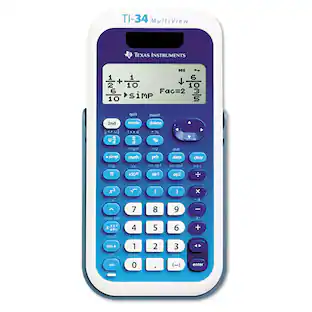
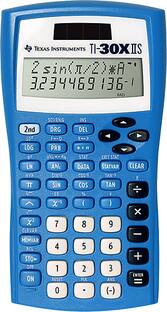
The TI-30XS MultiView scientific calculator is a powerful, four-line calculator for high school math and science exploration. The MathPrint feature displays fractions, symbols and math representations as they appear in textbooks. The TI-30XS MultiView scientific calculator is approved for use on SAT, ACT and AP exams.

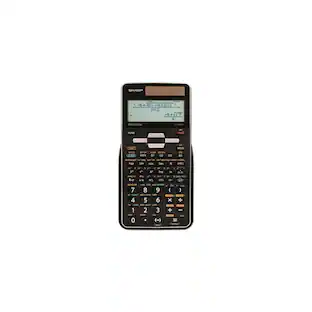
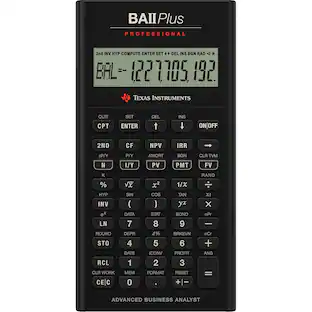
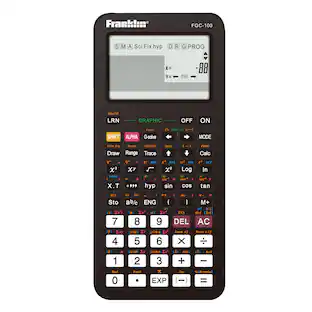
Scientific calculator with equation recall combines statistics and advanced scientific functions. Two-line display shows entries on the top line and results on the bottom line. Entry line on the top of the display shows up to 11 characters and can scroll left and right up to 88. Result line on the bottom shows up to a 10-digit answer and 2-digit exponent. Functions include common/natural logarithms, fractions, fraction/decimal conversions, degrees to decimal conversion, reciprocals, factorials, grads, hyperbolics, polar/rectangular conversions. Fraction feature allows operations with fractions and mixed numbers. Two-variable statistics allow you to enter, delete, insert, and edit individual statistical data elements. Calculator runs on solar and battery power.

Designed with unique features to allow you to enter more than one calculation, compare results and explore patterns, all on the same screen. Enter and view calculations in common Math Notation via the MATHPRINT Mode, including stacked fractions, exponents, exact square roots and more. Quickly view fractions and decimals in alternate forms by using the Toggle Key. Scroll through previous entries and investigate critical patterns as well as viewing and pasting into a new calculation. Explore an x, y table of values for a given function, automatically or by entering specific x values.
| Pros for Texas Instruments - 36PRO/TBL/1L1/A TI-36X Pro 16-Digit Scientific Calculator - false | |||
|---|---|---|---|
| Functionality | Ease of use, Price, Overall Performance, Size, Functions | Ease of use, Price, Overall Performance, Size, Functions | There were no pros for this product— |
| Cons for Texas Instruments - 36PRO/TBL/1L1/A TI-36X Pro 16-Digit Scientific Calculator - false | |||
| There were no cons for this product— | Graphing, Instructions, Battery Life | Graphing, Button Quality, Complexity, Design | There were no cons for this product— |
Specs
Be the first to ask a question.
We’ll try to get your question answered within 24 hours by a Best Buy customer or brand representative.
Customers often buy these together
 $35.00The price was $39.99
 $84.99The price was $119.99












More to consider
 $28.99The price was $33.25
 $53.43The price was $66.13







Discover lifestyle innovations Sponsored
 Techtober Deal$369.99The price was $449.99



Keep exploring
- $28.99The price was $33.25
 $23.37The price was $32.40
 $16.48The price was $18.84