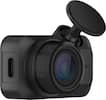
Capture every drive with confidence using the ARC 700, a powerful 4K dash cam offering crystal-clear front and 2K rear recording. Equipped with Sony STARVIS and Galaxycore sensors, HDR, and Super Night Vision 3.0, it delivers sharp, balanced footage day or night. Enjoy peace of mind with advanced Parking Surveillance Modes, including Motion & Impact Detection, Time Lapse, and optional Radar Mode. Smart Thermal Protection ensures reliable performance in extreme heat, while Safety Camera Alerts and support for up to 256GB microSD cards add everyday convenience. The ARC 700 comes ready to install—everything you need, right in the box.

Capture every drive with confidence using the ARC 700, a powerful 4K dash cam offering crystal-clear front and 2K rear recording. Equipped with Sony STARVIS and Galaxycore sensors, HDR, and Super Night Vision 3.0, it delivers sharp, balanced footage day or night. Enjoy peace of mind with advanced Parking Surveillance Modes, including Motion & Impact Detection, Time Lapse, and optional Radar Mode. Smart Thermal Protection ensures reliable performance in extreme heat, while Safety Camera Alerts and support for up to 256GB microSD cards add everyday convenience. The ARC 700 comes ready to install—everything you need, right in the box.

Enjoy unparalleled parking protection with Thinkware’s all-new U3000 dash cam. The built-in radar enables the dash cam to monitor motion and impact with minimal power consumption while in Parking mode, allowing for prolonged surveillance of your parked vehicle. Featuring Sony’s next-generation STARVIS 2 sensor, the U3000 benefits from the latest advancements in recording technology to capture stunning daytime and nighttime footage in 4K UHD. Thanks to the Thinkware Connected companion app, you can keep tabs on your vehicle with features like Remote Live View, Locate Vehicle, and Impact Notification when the U3000 is connected to the internet. Dash cam set includes the U3000 dash cam, 3M adhesive windshield mount with extra 3M tape, CPL filter, heat blocking film, adhesive cable holders, car power cable, trim tool, and 64GB MicroSD card.

The ARC is a dual-channel dash cam capable of capturing your daily commute in 2K video quality at 30 fps. Equipped with WDR and Super Night Vision technology, the ARC delivers crystal clear video recordings even in low-light environments. The GPS accessory included allows the unit to embed speed, time, and location to your recordings,and also give you alerts for speed and red light cameras. Additional safety features include traffic light signal alerts and front vehicle departure warnings. Thanks to its 2.7" LCD touchscreen, you can easily adjust settings or replay footage on the spot.

When it comes to capturing road incidents or helping you drive safely, the Q200 has you covered. Equipped with a high-resolution 2K QHD image sensor, the Q200 lets you capture every moment of your drive in crystal-clear detail, even in low-light conditions. The Q200 can also help you stay safe while you drive with alerts for lane departures and forward collisions. You can adjust settings or download files on the go thanks to its built-in Wi-Fi, and safeguard your parked vehicle with the Q200’s advanced Parking Surveillance mode.
| Pros for THINKWARE - ARC700 4K UHD Front and 2K QHD Rear Dash Cam with Built-In GPS and Wi-Fi, Compatible with iOS and Android - Black | |||
|---|---|---|---|
| There were no pros for this product— | There were no pros for this product— | ||
| Cons for THINKWARE - ARC700 4K UHD Front and 2K QHD Rear Dash Cam with Built-In GPS and Wi-Fi, Compatible with iOS and Android - Black | |||
| There were no cons for this product— | There were no cons for this product— |
Customers highly value the ARC700 dash cam for its very good video quality and small, compact size. The included accessories for a complete install and the app usability also received positive feedback. Some customers found the installation process to be a bit challenging, and others expressed a desire for a more modern USB connection.
The vast majority of our reviews come from verified purchases. Reviews from customers may include My Best Buy members, employees, and Tech Insider Network members (as tagged). Select reviewers may receive discounted products, promotional considerations or entries into drawings for honest, helpful reviews.
Really nice kit. They include everything you need to get you started. Inside the box there is the main front camera module (I was surprised to see there was already a 64 GB micro SD card already inserted on the module, nice!), a long and thick cable that will connect this one to the rear camera (one side is a micro USB and the other mini USB, being 2025 I think they should have been type C USB), the rear camera itself, a 12v cigarette type plug for power and a direct wiring power (if you use this one, since the camera will have constant power, it will allow it to enable the parking features, where it can record if anyone hits your car while parked, this will drain some battery, however it has protection, the app itself lets you set a cutoff in volts. You may need some slicing and splicing to connect this one). They also include a plastic pudgy type of tool (this one was vital, it helped me pry and move the weather stripping and liners on my car so I could route and hide the cable for the rear camera), also double sided tapes to mount the camera on the glass (another small con, I would prefer a suction cup type of mounting system). I have had experience with older dashcams, so installing it was nothing out of the ordinary, it just involves learning how to route cables around your car's weather stripping/liners. The only hard part would be to use the "permanent" wiring for power if you want to use the parking features, however Thinkware also has an OBD cable that just plugs onto your OBD port to provide power while parked, If you don't to do any slicing and splicing, you can buy it on their website. If not, there is the included cigarette plug one, simple as that. Once plugged to power, setting it up was super easy. Just download their app, once you start the power, it will say its doing some diagnostics and then you just hold the blue Wi-Fi logo button, then it pairs to their app. Once in, you can have a live view (since the camera does not have any screen, this maybe a little CON for your, for me it was ok, who doesn't have a smartphone, plus this allows the CAM to be smaller and inconspicuous). You can view the recordings, change a ton of settings (like the voltage cutoff for your cars battery for the parking feature, love that this setting is something you can choose). The cam will do loop recording, over older footage. The quality during the day was good and also good at night, you can enable HDR recording. The dash cam also has an integrated GPS so you don't need an external module and it will give you speed and red light camera alerts. The front also has an extra empty connector for their radar module, if you buy the extra accessory, it will further enhance the parking feature with a radar sensor for an extra buffer recording so you have extra footage leading to a hit while parked in example. If you want a small, compact, inconspicuous dash cam and are willing to forfeit a screen, knowing you'll need a phone (or removing the micro SD card) to see your recordings, this is the one for you! For me, its perfect!
Posted by JamexRZ
We are living in strange times. Times where people can sue you for any reason in the USA, it doesn’t matter whether is for the right reason or falsely trying to get money from you without caring who they are hurting. Not long ago, I saw on the news how scammers had a whole network to simulate rear-end collisions when they were the ones crashing while going backwards. And they were collecting money from insurance of the innocent drivers, until a Dash Cam of one of them revealed the truth. And this later statement is when a Dash Camera will be useful. It is not because it is a fun gadget, or trendy, but because it will protect you, like an insurance. And like the times you are evaluating car insurances, you can’t just have any Dash Camera, but one that will have the info you need when you need it the most, with clear audio and video that’s easy to extract and gives you high definition in low light, or direct sun, or something that will continues recording without worrying if you are running out of space on your SD Card. features like Parking Surveillance mode that can offer motion detection, impact detection, and is able to keep the data secure and uncorrupted. Thinkware ARC 700 is the top of the line model that Thinkware has to offer. The unit is small but it is powerful and very efficient. The package includes the following: Front Dash Cam Rear Dash Cam MicroSD memory card 64GB Rear Cam Cable (USB Mini A to USB Micro B) 24.5Feet Hardwiring Cable Mount with 3M tape 12V Power Cable Adhesive Cable Holder Trim Tool As always, to start, download the manual. On the box there is a QR code that you can scan and will let you download it. You can also find it at the Thinkware web page. The front Camera is 4k resolution and the rear is 2k resolution. But what stands out with the neat and high definition video is the Sony STARVIS IMX415 sensor, that not only capture images at 3840 x 2160 (4K), but the image will show crytal clear either in low light environments or even when the sun is setting, or you have direct sun in front of you. I assure you, when the time comes, and you need clear footage you will be thankful those features are part of your Dash camera. Contrary to what I was thinking, Hardware installation wasn’t hard. In about one hour I was able to have everything setup. The trim tool was super useful hiding the cables, maybe the part that took me some time was identifying in the fuse box, the continuous power terminal (which supplies power when the vehicle is off) and the ACC terminal (which supplies power when the ignition status is "ACC ON). Using a Multimeter, is the best way to do it. The kit comes with 2 types of Power Cables, the hardwiring cable or the cigar socket power cable. I strongly recommend the first one because even with the car turned off, this cable will allow the unit to stay on in Saving mode and will be active in Parking surveillance mode that will take advantage of all the wonderful features it offers. With the Cigar socket Power cable, even if it is the easiest way to set up, you won’t have those features because the dash camera will only work while the vehicle is on. If using the Hardwiring cable, once you have identified the 2 fuses for the Continuous Power and ACC in the fuse box, just attach the connectors and the ground of the Hardwiring cables. Pages 12-14 will show you step by step how to do it, it seems like a hard task, but it is not. Next thing you want to do is to install the app. On the box there is a QR code where you can find the app either on the App Store or Google Play. You can have access to the unit through the app while you are close to the camera with your cell phone. The connection starts through the BT and finally through WIFI, so you can have a live view, but while you are doing that the recording will be disable. If the Camera is within the WIFI range, you can always reach the camera. The way you can have access to the videos is either through the app, or by taking the SD card out and using your computer to see the videos that are recorded in the SD Card. The app allows you to view, download and delete videos directly from your phone, making convenient to manage your footage wherever you are. There is also a Software for either Windows PC or Mac that you can download and check the videos. The SD Card is 64GB, the unit supports up to 256GB. I bought a Lexar 128GB and installed it. The rear cam cable that allows you to connect the rear Camera to the main unit, is long enough (24.5f) for any SUV. I wish Thinkware would standardize the USB connectors on both sides to USB-C in the future. It comes with Speed & Red-Light Camera Alerts and GPS Data, with the built-in GPS that enables speed and red-light camera alerts and embed GPS data (speed, time, location) into video recordings. It is very efficient alerting by the voice command if you are over the speed limit or red light proximity, and since it will be recorded, very useful to prove speed or location in case of a dispute. Another thing that I like about Thinkware, is that I don’t need to get any subscription for services or features, like some other brands. You can have all the features that this unit offers, without paying extra because of hidden costs or suspicious fineprint. You can clearly get the license plate number of the other cars either front or rear. Colors and video capture response are great, and the Thinkware Dash Cam Link App is intuitive and super easy to install and understand the settings. Every setting is easy to understand. Once you finish the HW installation and put your key ignition on, it will turn on the camera, and you will hear a voice saying: “System Diagnostics will start” Then you follow the instructions in the app, in the list choose the ARC 700 model, press the link button on the unit for 3 seconds until its blinking blue and after that be patient because the spinning wheel showing means its connecting and it will take a good couple of minutes to finish the connection. Then you will hear the voice saying “Please have a safe drive today.” From that point, the recording event features will start working. Another feature that stands out is the Safety Feature that I have mentioned before which is the “Parking Surveillance Mode” where you can have a 24/7 surveillance for impact and motion recording, with 2 settings to protect your battery life, the Smart Parking mode and Energy Saving Mode. Each one is easy to understand, the first one will place the camera in battery saving mode either on extreme heat when the battery is close to cutting off its power, when it reaches the preset threshold, and the second one is when the camera will go on standby mode while on Parking Surveillance Mode only triggered by impacts. You can also make manual recordings by pressing the “REC” red button on the left side of the unit. You don’t have to worry about running out of data space because ARC 700 supports loop recording, it will continuously record footage by deleting older files to free up space. The Thinkware Brand has been in the market for a long time. The support is great, every time I have had a question or needed help to find the best solution they are very responsive and accurate. ARC 700 feels solid and high quality. After some research, I found that Thinkware has been in the market for many years with very low rate of defective units. Because ARC 700 is the top of the line model, you are getting a lot of high end features, like the parking surveillance mode and video quality, easy to install and an app that’s very intuitive to use. All you do is leave the camera to do all the work, and have peace of mind that when the time comes, ARC 700 will give you the footage you need.
Posted by GEJF
ThinkWare ARC700 4K UHD + 2K QHD Dash Cam bundle. I've been using a 1200p dash cam for the past 5 yrs, and decided it was time to get up to date. I wanted front and back cameras this time around. This ARC700 seemed small enough to fit the bill. And it supported 2.4 and 5G WiFi, my previous only had 2.4 and it took forever to review. The ARC700 features the Sony Starvis image sensor (which I'm familiar with as being one of the best low light, HDR sensors available). Upon opening the box I discovered the camera set had to be powered by a 12v or 24v power source, it could not get connected directly to the USB 3.0 power that my car offered (from several positions). My old dash cam was USB powered. But because of this I did have the dashboard lighter available. The ARC700 does come with an accessory harness that allows the dash cam to be hard wired to the car's 24v power system (I would not be using, but it's nice the cable harness set was included). I installed the ThinkWare DashCamLink software. and not surprisingly it could not locate the dashcam. So I went out to my car. The dashcam initially connects and pairs via Bluetooth, just hold down the BT key once the unit is powered up. The rec REC led will be on as well as the blue BT bars. Under the BT bars is the BT pairing button, hold it down for 3s to pair the devices. Once paired the app will attempt to connect to it's own 5G network. This is used to display the LiveView and offer other configuration options. By default the fount camera's view is displayed, but if you click on the circled "R" it will show the rear view. The front view was quite wide and clear, definitely more detailed and better color than my old 1200p camera. The rear (which I had not mounted in the back yet) also looked very good. I made several configuration changes, with each change the ARC700 Dash Cam reformatted the 64GB MicroSD card which it came with. I'm not sure why this is required, but once set up I'm not likely to make changes in the future. The "safety" LEDs on the front and back cameras can be enabled/disabled independently. The monitor parking feature can also be enabled/disabled. The Dash cam can optionally be connected to a Radar device (which I won't be using). It can also monitor the car to take images when the car is parked and jarred (if power to the device is always connected (it won't be for me). The device has more features than I'm likely to use. I do wish it was USB powered, as this would have simplified my power setup. In using the dashcam I had it not detected when starting the car and it wanted to format the SD card and I had to connect to it via my phone to get it set up, other than this nuisance (-1 star) I'm very happy with the quality of the dashcam. If you are going to be recording 4K video, I recommend getting a 128GB or 256GB SD card.
Posted by 3Tcubed