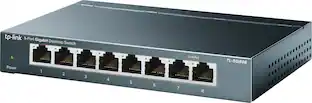
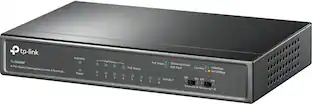
TP-Link - 8-Port 10/100/1000 Mbps Gigabit Smart Ethernet Metal Switch - Gray
About this product
Make connectivity simple with this TP-LINK TL-SG108E 8-port 10/100/1000 Mbps Gigabit Ethernet switch, which offers tag-based QoS (Quality of Service) for easy network management. IGMP Snooping capability enhances multicast applications.
8-port Gigabit Ethernet switch
Upgrades networks to a 1000 Mbps network for a high-speed networking solution that supports large file transfers for up to 8 devices.
Performs up to 1000 Mbps per port
To ensure efficient performance.
Port mirroring, loop prevention and cable diagnostics
Provide a variety of powerful network monitoring options.
Port- and tag-based QoS (Quality of Service)
Offers smooth latency-sensitive traffic.
Port-based, tag-based and MTU VLAN
Optimize network security via traffic segmentation.
Green Ethernet technology
Helps reduce power consumption.
16K jumbo frame
Boosts performance when transferring large amounts of data.
Port Mirroring, Loop Prevention and Cable Diagnostics
Enables effective network monitoring.
- Form FactorDesktopMaximum Data Speed1000 megabits per secondNumber of LAN Ports8
Reviews
Rating 4.9 out of 5 stars with 47 reviews
The vast majority of our reviews come from verified purchases. Reviews from customers may include My Best Buy members, employees, and Tech Insider Network members (as tagged). Select reviewers may receive discounted products, promotional considerations or entries into drawings for honest, helpful reviews.
Compare similar products
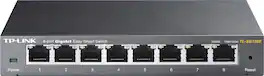
Make connectivity simple with this TP-LINK TL-SG108E 8-port 10/100/1000 Mbps Gigabit Ethernet switch, which offers tag-based QoS (Quality of Service) for easy network management. IGMP Snooping capability enhances multicast applications.

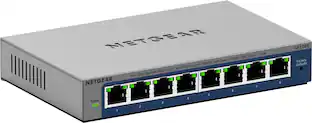
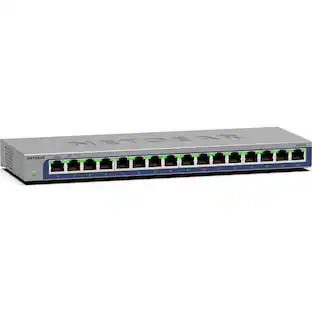
On top of the plug-and-play Gigabit Ethernet connectivity, this NETGEAR Plus Series GS108E switch offers essential networking features such as VLAN, QoS, IGMP snooping, rate limiting, traffic monitoring and more. This switch is an exceptional value for businesses looking to add intelligence to their network beyond what unmanaged switches can provide.

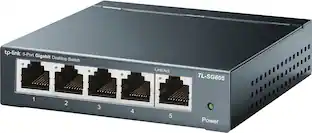
Increase the reliability of your connected devices with the TL-SG608 8-port Gigabit desktop switch. 8x non-blocking gigabit ports enable instant transferring of large, bandwidth-intensive files without interference.

Increase the reliability of your connected devices and expand your network easily with TP-Link 8-port full gigabit desktop PoE+ switch. 4 PoE ports provide extra convenient support for PoE devices such as IP phone and camera. Ideal for home or offices, the TL-SG605P's plug-and-play design allows for easy and effortless deployment, no technician is required to begin connecting at ultra-smooth speeds. Auto-negotiation senses the link speed of a network device then intelligently adjusts to ensure full compatibility and optimal performance. Durable metal casing ensures a long product life and desktop/wall-mounting design is well-suited for different environments.
| Pros for TP-Link - 8-Port 10/100/1000 Mbps Gigabit Smart Ethernet Metal Switch - Gray | |||
|---|---|---|---|
| There were no pros for this product— | Overall Performance, Connectivity, Ease of Use, Port Quantity, Setup | Overall Performance, Ease of use, Price, Ports, Speed | Overall Performance, Ease of use, Connectivity |
Specs
I noticed that one of the Key Specs of this switch is that the "Wattage per PoE (Power over Ethernet) Port" is 4.48 watts. How many PoE ports does this switch have?
Answered by TPLinkSupportHi! The TL-SG108E is not a PoE switch model. If you are interested in an 8-Port, Gigabit PoE switch, we suggest considering our TL-SG108PE model, instead.

I have one of these already hooked up to my router downstairs. However, I need one upstairs to get more landline connections. Can I simply buy another one and run a cable from the old one to the new one upstairs? If so, what ports do I use??
Answered by MarkYes, you may add another one. You can use any ports. I think you should power up the earliest devices in the chain first. Modem first, then the router, then the first smart switch, then the next switch in the chain. Most switches have interchangeable ports. (Not true for POE or power over ethernet switches).
I've had a TP-Link TL-SG1008D (unmanaged switch) for almost 7 years connected to my TP Link Archer C7. I am looking to add another 8 port gigabit switch. Is there a performance hit due to the overhead of the "smart" features on this one?
Answered by MarkI don't think so. I have added an extra switch between my router and one of my computers and not noticed any change. The switches should support 1000Mbps which is faster than most of the internet service available.
Customers often buy these together
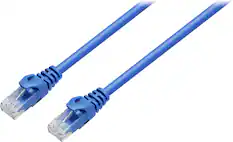
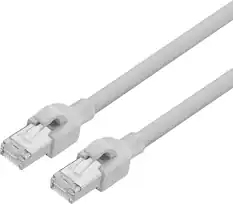
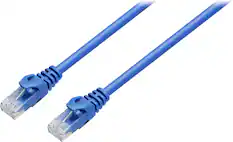
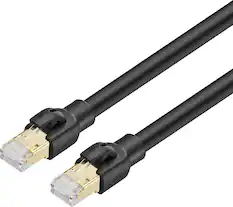
Ethernet Cables

Network Adapters

Customers ultimately bought
Explore tech essentials Sponsored
 Top Deal$229.99The price was $259.99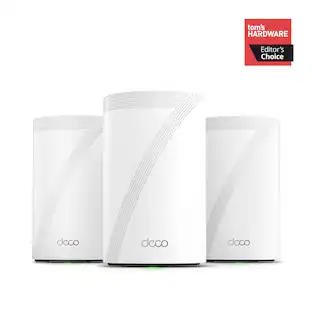
TP-Link - Deco 7 Pro BE11000 Tri-Band Wi-Fi 7 Whole Home Mesh Router System - Deco BE65 Pro (3-pack)
$459.99The price was $659.99 $279.99The price was $429.99

Discover related products
 $12.99The price was $13.99













Keep exploring
 $337.50The price was $365.29