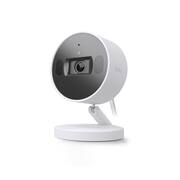
Rating 4.4 out of 5 stars with 150 reviews
4.4- Image Quality (59)
- Ease of use (16)
- Privacy Shutter (15)
- Field of View (10)
- Setup (10)
- Connectivity (3)
Customer Images
The vast majority of our reviews come from verified purchases. Reviews from customers may include My Best Buy members, employees, and Tech Insider Network members (as tagged). Select reviewers may receive discounted products, promotional considerations or entries into drawings for honest, helpful reviews.
- Rated 5 out of 5 stars
Outstanding Product! Highly Recommended 100 stars!
I want to rave about this incredible product! I’ve tried nearly every HomeKit-compatible smart home camera on the market, and I can confidently say this one stands out in every way. From setup to configuration, placement, and even the build quality, this product surpasses the competition. The attention to detail is remarkable. For example, the camera includes standalone stickers for mounting, so you can place them wherever you want without worrying about adhesive hassles. The privacy shutter, which is controlled through the app, is another thoughtful feature. While it doesn’t support HomeKit, the technology and privacy features make up for it—it’s quick, responsive, and seamless to use. Setup was effortless. I had the cameras installed and running within five minutes, and they’ve performed flawlessly since then. The magnet base, the provided mounting stickers, and even the screws show how much care went into designing this product. Everything is meticulously planned to make installation as smooth as possible. I’ve had disappointing experiences with other brands like Aqara—they’re unreliable and prone to malfunctions. These cameras, on the other hand, are reliable, sturdy, and well-designed. After using them for just a few hours, I was so impressed that I took advantage of the Black Friday sale and purchased a second pair. I’ll definitely be a returning customer! If I could give this product 100 stars, I would. For anyone looking to secure their home with a high-quality, user-friendly camera, I can’t recommend these enough. You won’t regret it!
This review is from TP-Link - Tapo Indoor Wi-Fi 2K Crystal-Clear Video, Plug-In Security Camera with Magnetic Base (2-pack) - No Monthly Fees - White
Posted by Saveyourmoney
- Rated 1 out of 5 stars
Worst cameras of all time
If you plan to use this camera anywhere remotely besides right next to your modem then think again. Thank Tapo for engineering the worst indoor camera of all time, not only is it flimsy and tip over on its own, but it also has the worst WiFi antenna placement and the smallest I’ve ever seen. I tried putting this in my garage because that’s the exact same thing I did when I had ring and I also had their plug in cameras and I never had an issue. I also have great internet and a WiFi mesh system so my internet is fine. Anyways I would never reach higher than 50kb which is nowhere near enough to work and it would just flash blue. I got thought it was my internet so I completely redid that. I also have 5 other Tapo cameras that are outdoor last and FURTHER distance that pull around 300kb so I shouldn’t be having issues. I tried every work around in the books, and after lots of research I learned it’s a engineering fail, it’s just a bad design so I tested it by putting a swivel Tapo indoor camera I have into the garage and guess what it was in the same spot pulling a 150kb. So I took the little flimsy camera, and I took my baseball bat and I smashed the life out of it until nothing was left. 0/10 product. I think this is the worst camera I have ever used and also Tapo has the worst app interface and I have ever seen in my life. The only thing they have going for them is the sd card support. I might have to switch to Eufy or even back to ring
This review is from TP-Link - Tapo Indoor Wi-Fi 2K Crystal-Clear Video, Plug-In Security Camera with Magnetic Base (2-pack) - No Monthly Fees - White
Posted by Brady
- Rated 5 out of 5 stars
Id buy again without any hesitation!
Purchased these to monitor a puppy pen during birth and for the next few weeks. Work so well i purchased 2 more for around my home. Use wifi, no subscription, have opened the phone app 2hrs away on a construction site in the middle of nowhere and the video was the same as me sitting at home on the couch around the corner. Sensors for noises including broken glass, movement alerts and amazing settings in app! Like these more than my Arlo home security cameras to be honest.
This review is from TP-Link - Tapo Indoor Wi-Fi 2K Crystal-Clear Video, Plug-In Security Camera with Magnetic Base (2-pack) - No Monthly Fees - White
Posted by Squid
- Rated 5 out of 5 stars
Love it!!
For the price of this camera, I was really impressed. First, no subscription! That was one of the reasons why I purchased these. It uses memory cards, which is really easy to install. Installation was real easy! Didn't take 5 minutes, but it definitely wasn't a head scratcher. The only bad thing was waiting for both camera's firmware to install. That took the most time. Other than that, I purchased two 256 gb sd cards at $35/each, which is the same annual price for the first year for cloud storage, so I'm good to go!!
This review is from TP-Link - Tapo Indoor Wi-Fi 2K Crystal-Clear Video, Plug-In Security Camera with Magnetic Base (2-pack) - No Monthly Fees - White
Posted by JasonS
- Rated 5 out of 5 stars
Great Indoor Camera - Fast Alerts, Good Image
The TP-Link Tapo C125 is an indoor stationary 2K Wi-Fi camera that packs a good amount of features for its price point. I have experience with a wide range of indoor/outdoor Wi-Fi cameras from Google, Wyze, TP-Link’s Kasa cameras, Yi, Arlo, and Eufy. I was originally thrown off by the Tapo branding because I have quite a few TP-Link Kasa devices, but I wasn’t aware of the Tapo line. Looking online I don’t appear to be the only one confused by the change, but it appears Kasa is still chugging along while Tapo becomes the new brand of IoT devices from TP-Link. The C125 comes in as a well featured entry level camera option. It records in 2K QHD (1440p) at 30fps and has a 140° field of view. The magnetic camera base allows for multiple mounting options, and its articulation means you shouldn’t have any problem setting it up for a level view no matter the mounting surface. The camera includes a metallic mounting plate that can be screwed to the wall and 3M double side adhesive surface the plate without fasteners. It comes with a fairly long DC barrel-style power cord – I think about 10 ft, so you don’t have to be right next to an outlet. I do wish this was a USB based connector since they are more ubiquitous, and would have the ability to run a super long USB cable in the event you have a far flung location you want it mounted. The camera has a microSD card slot that supports up to 512GB cards. There is also a physical privacy shutter which is pretty neat. There is a button to activate it on the side, or it can be activated in the app. Setup for the camera was straightforward. Like any IoT device you have to download their app to get started. Since I already had the Kasa app it asked if I wanted to port the control over to the Tapo app, which I did. The app ran me through the setup, which took all of 5 minutes to get the camera up and running. The camera is my first to utilize WiFi 6 (I have a 6E router), so that’s pretty cool. I added it to a room, linked it up with my Google Home, and setup schedules and detection zones. The only issue with the process that I ran into was related to my Kasa devices. I had to link and unlink the Kasa devices in the Tapo and Google Home app to regain control of them in Google Home. My smart home suite of choice is Google Home, which the Tapo is compatible with. Accessing the camera is done just through the app. The camera feed will not play inside the Google Home app on my phone, which is disappointing but certainly not unusual with non-Google cameras. I can stream it to my Google Home display, and it pulls up there very nicely. There’s a couple second startup time to pull up the feed, but that’s roughly on par with my other cameras. Within the app it takes all of 5 seconds to go from launching the app to viewing the camera feed, which is pretty snappy. The C125 utilizes both 2-way streaming audio and push-to-talk. When you initially view the camera the push-to-talk function was easier to find as it is listed as “Talk” in the app. I used it for quite a while before I even found the 2-way, so I guess the app could do a better job of highlighting it. The 2-way function is accessed through the phone icon and its treated like a VoIP call. I greatly prefer the 2-way – it is so much better. You can talk like you are on a video call – the delay is very minimal. With push-to-talk there is a little bit of delay and you obviously can’t hear the person speaking to the camera if you are trying to talk as well. Volume from the camera is decent, and probably plenty for an indoor camera. The microphone does a good job picking up room audio and voices. Extremely loud noises (like its own alarm) will cause the mic to clip, but for normal usage its perfectly fine. Alerts from the camera are crazy fast. They come in faster than all of my other cameras with the exception of my wired Lorex system. However, for a WiFi based camera the alerts are within 1-2 seconds of the action. The camera also does a good job of discerning what it is detecting before sending the alert – person, animal, motion. I am very impressed by all of this, and it gives me a great deal of confidence in the camera’s performance. The nightvision on the C125 is really good from what I have seen. It’s on the same level as my Google and Wyze cameras, which is very pleasing. Pitch blackness relies entirely on the IR to provide light, and it does so with a good amount of detail and sharpness. If you have just a little bit of light in the room (like a tiny nightlight) then the B/W nightvision is just as sharp as full color. I was pretty happy with the image quality at night since I have used it to keep an eye on my dogs and my kids in their rooms/beds. Within the app you can set scheduling for alerts, define detection zones, configure the nighttime IR for near or far viewing, and even toggle the LED status light off. I really appreciated being able to turn the blue status light off since I initially put the camera in my daughter’s new room, and the light would keep her awake. The app and camera really are fully featured, and even provide things that my more expensive Google camera is missing (scheduled alerts is a big one). Overall, I think I like the Tapo C125 camera. Coming from a longtime Kasa user, and TP-Link networking user I know they typically put out a good product. I am still getting used to the app layout after the switch from the Kasa one, so in time I should have it mastered. The camera itself is pretty good, and the image quality is on par for this price point. The speediness of alerts and ease of setup make this a solid pick for an indoor camera option.
Posted by DaveW