Rating 4.8 out of 5 stars with 43 reviews
4.8- Ease of use (8)
- Size (7)
- Drawing Space (5)
- Responsiveness (3)
- Pen Tips (5)
Customer Images
The vast majority of our reviews come from verified purchases. Reviews from customers may include My Best Buy members, employees, and Tech Insider Network members (as tagged). Select reviewers may receive discounted products, promotional considerations or entries into drawings for honest, helpful reviews.
- Rated 5 out of 5 stars
Awesome tablet, love it!
Loving it so far, a lot better than using a mouse when it comes to 3D modeling in Zbrush and just browsing the internet.
Posted by Jake
- Rated 5 out of 5 stars
Excellent graphic tablet, better than ever.
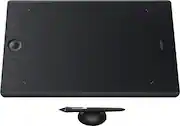
This upgraded 2017 version pressure-sensitive Wacom tablet is better than ever. Has a smaller, more compact footprint than previous model. It's a lot slimmer and it uses Bluetooth technology to connect wirelessly instead of having to use the small USB on the older version. Delivers a fluid and responsive feel and an excellent wireless connectivity. IMO, the Medium is Is the ideal size for most uses. It has eight customizable ExpressKeys and a Touch Ring to assist you with your workflow, and comes with the Wacom Pro Pen 2, which has 8192 levels of pressure sensitivity. But, because has a textured drawing surface, the nibs tend to wear faster than previous models. They can last for few weeks to few months if you are careful enough. Overall, excellent tablet.
Posted by Grafikus
- Rated 5 out of 5 stars
Worth every penny
The Wacom Intuos pro tablet is a dream come true for my Lightroom and Photoshop editing! With all the customizable buttons this this going to make my life so much easier. It's very well built. Very solid. I feel that the construction is well worth the price paid. Using the pen is a little tricky at first but gets easier as I go. I can wait to do some serious work with this thing!
Posted by Jrward68
- Rated 5 out of 5 stars
Over a year later
Still working great after a year and a half of regular use. The surface is a bit scratched up now, put it's not a problem so far. I recommend buying some off-brand metal nibs. The official ones wear down in a matter of days and scratch the surface more. Just about everything scratches it, though. Despite me moving it around the desk all the time, the anti-skid bits on the underside work fine as always. I don't treat my drawing tablets well, but this one treats me well despite that
Posted by Lore
- Rated 5 out of 5 stars
The best decision i couid have ever made
So i’ve been taking pictures for sometime now and i edit my own work but i always felt like i was misssing something when it comes to skin retouching and boy oh boy was i right , this is great for dodge and burn and all that good stuff when it comes to editing photos , i cant wait to explore some more and the size for me is just perfect for my setup
Posted by Stark900