Wacom - Intuos Small Bluetooth Graphics Drawing Tablet, Includes Training & Software; Works w/ Chromebook Mac Android & Windows - Black
Customers are saying
Customers express satisfaction with the product's ease of use, overall performance, and reliable wireless connectivity. Users also appreciate the value provided by the price point, the inclusion of bonus software, and the device's broad compatibility with graphic programs. While the majority of feedback is positive, some users have noted minor challenges regarding setup, occasional lag when using Bluetooth, and pen sensitivity. Overall, the tablet is well-regarded for its functionality and extensive battery life.
Features
COMPLETE CREATIVE STARTER KIT:
Register your Intuos tablet and gain access to some of the best creative software and online training.
NATURAL, PRECISE DRAWING EXPERIENCE:
Battery-free pressure-sensitive Wacom EMR technology delivers accurate control with no charging or batteries needed - just pick up the pen and draw with instant response and true-to-life precision.
PERFECT FOR BEGINNERS & EDUCATION:
Easy setup gets you drawing in minutes on Windows, Mac, or Chromebook; ideal for drawing, sketching, photo editing, note-taking, document annotation, and classroom use.
COMPACT & COMFORTABLE:
Lightweight design with a paper-like drawing surface and four customizable ExpressKeys for instant access to your favorite shortcuts; small active area perfect for limited desk space while maintaining full creative control.
RELIABLE PERFORMANCE:
Wacom's proven reliability works seamlessly with your computer – no driver headaches, mysterious disconnects, or frustrating "why isn't this working?" moments common with cheaper alternatives.
READY FOR YOUR FAVORITE SOFTWARE:
Works seamlessly with all major creative applications such as Photoshop, Krita, Affinity, Sketchbook, as well as OneNote or Canvas for notes, presentations, annotation and markup.
Specifications
- Screen Size0 inchesActive Area6.0 x 3.7 in.Total Storage Capacity0 gigabytesWireless ConnectivityBluetoothBattery ChemistryLithium-ionPressure Levels4096
Reviews
Rating 4.5 out of 5 stars with 1007 reviews
- Ease of use (481)
- Overall Performance (152)
- Wireless (125)
- Size (110)
- Software (66)
- Lag (8)
- Pen (6)
- Setup (6)
Customer Images
The vast majority of our reviews come from verified purchases. Reviews from customers may include My Best Buy members, employees, and Tech Insider Network members (as tagged). Select reviewers may receive discounted products, promotional considerations or entries into drawings for honest, helpful reviews.
Compare similar products
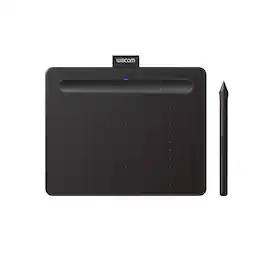
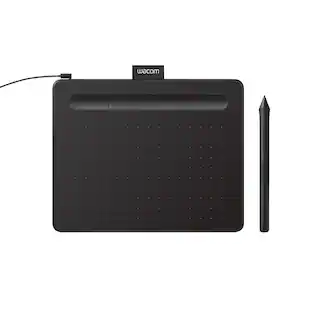
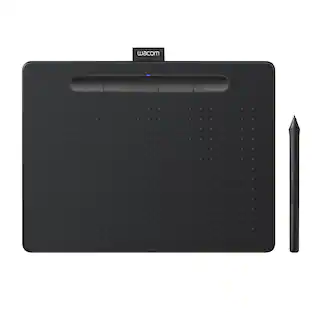
Transform your creative ideas into digital reality with Wacom Intuos drawing tablets. Perfect for casual or aspiring artists this compact graphics tablet delivers reliable Wacom-quality precision at an accessible price. The battery-free, pressure-sensitive pen provides natural, responsive drawing with no charging needed - just pick up and draw, with smooth, jitter-free lines and consistent pressure response. Get started immediately with over $240 in included downloadable creative software and trials, including 2 years of Clip Studio Paint Pro, 12 months of Boris FX Optics, and much more. The paper-like surface texture and four customizable ExpressKeys make digital art, photo editing, illustration, and design feel natural and efficient. Select models (CTL4100WL, CTL6100WL) offer Bluetooth wireless connectivity, letting you create freely at your desk, sofa, or anywhere in the room - with the option to switch to wired mode for ultimate flexibility. The wireless freedom is especially popular with educators and presenters who use the drawing tablet to control their computer while moving around a classroom or conference room. Certified to work with Chromebook and compatible with Windows and Mac, Wacom Intuos seamlessly integrates with Adobe, Corel, and all major creative applications. Backed by Wacom's 40+ years of industry leadership, you're choosing the same pen technology trusted by professional studios worldwide - at a creator-friendly price.
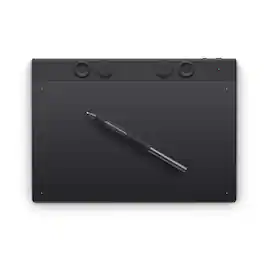
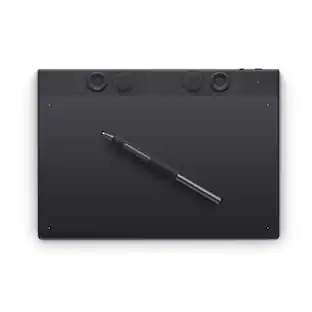
The Intuos Pro drawing tablet, Wacom’s flagship tablet, combines cutting-edge pen technology with unmatched precision, comfort, and versatility to help creators achieve the perfect harmony between work and flow. Designed with professional needs in mind, it’s the only Wacom graphic tablet featuring the customizable Pro Pen 3, which allows you to adjust the grip, weight, and button configuration for a personalized experience with Wacom’s most sensitive and accurate pen technology. This art tablet’s ergonomic layout includes intuitive Dials and ExpressKeys, located at the top of the tablet and easily accessible for both left- and right-handed users. At its thinnest, Intuos Pro is only 4mm, and is built with durable magnesium, it’s portable yet rugged, ideal for studio or on-the-go use. With three sizes to suit any style—whether for detailed editing or expressive art forms - Intuos Pro integrates seamlessly with creative software and supports Bluetooth connectivity. It’s also compatible with previous generation Wacom Pro Pens and EMR styluses from brands like LAMY and STAEDTLER
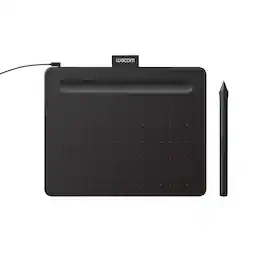
Transform your creative ideas into digital reality with Wacom Intuos drawing tablets. Perfect for casual or aspiring artists this compact graphics tablet delivers reliable Wacom-quality precision at an accessible price. The battery-free, pressure-sensitive pen provides natural, responsive drawing with no charging needed - just pick up and draw, with smooth, jitter-free lines and consistent pressure response. Get started immediately with over $240 in included downloadable creative software and trials, including 2 years of Clip Studio Paint Pro, 12 months of Boris FX Optics, and much more. The paper-like surface texture and four customizable ExpressKeys make digital art, photo editing, illustration, and design feel natural and efficient. Select models (CTL4100WL, CTL6100WL) offer Bluetooth wireless connectivity, letting you create freely at your desk, sofa, or anywhere in the room - with the option to switch to wired mode for ultimate flexibility. The wireless freedom is especially popular with educators and presenters who use the drawing tablet to control their computer while moving around a classroom or conference room. Certified to work with Chromebook and compatible with Windows and Mac, Wacom Intuos seamlessly integrates with Adobe, Corel, and all major creative applications. Backed by Wacom's 40+ years of industry leadership, you're choosing the same pen technology trusted by professional studios worldwide - at a creator-friendly price.
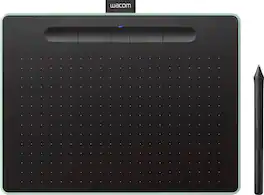
Wacom Intuos wireless pen tablet has been designed for those who are getting started drawing, painting or photo editing with their Mac, PC, Chromebook or select Android smartphones/tablets. Enjoy the convenience of wireless creating with built in Bluetooth - or connect the graphics tablet directly to your computer with the included USB cable. Whether it’s the pressure-sensitive pen, the stylish design, the included software or online tutorials, Wacom Intuos is all you need to get creative digitally. Wacom Intuos can also be used to easily write, edit or convey ideas to in education or remote work settings. This product works with devices capable of running the latest version of Chrome OS and has been certified to meet Google's compatibility standards. Google is not responsible for the operation of this product or its compliance with safety requirements. Chromebook, Android, and the Works With Chromebook badge are trademarks of Google LLC.
| Pros for Wacom - Intuos Small Bluetooth Graphics Drawing Tablet, Includes Training & Software; Works w/ Chromebook Mac Android & Windows - Black | |||
|---|---|---|---|
| Ease of use, Overall Performance, Size, Software, Wireless | Overall Performance | Ease of use, Overall Performance, Size, Software, Price | There were no pros for this product— |
| Cons for Wacom - Intuos Small Bluetooth Graphics Drawing Tablet, Includes Training & Software; Works w/ Chromebook Mac Android & Windows - Black | |||
| Pen, Setup, Lag | There were no cons for this product— | Pen, Setup, Connectivity, Features | There were no cons for this product— |
Specs
Questions & Answers
Does the pen need batteries or charging of any kind?
Answered by WacomThe tablet can be connected by USB for a direct wired connection. If you wish to use it over the Bluetooth connection instead, then yest you are to depend on a battery to keep power on the unit. This model has a built-in battery that charges when the USB cable is connected. When the battery is full, you'll get approx. 15-hours of battery use. Hope that helps. Best

Is a stylus included with this tablet?
Yes, a stylus is included with this tablet.
This question and answer was generated by AI based on customer and product data.What is the pressure sensitivity level of the pen?
The pen has 4096 levels of pressure sensitivity.
This question and answer was generated by AI based on customer and product data.Does this drawing tablet work wirelessly?
Yes, this drawing tablet can connect wirelessly via Bluetooth.
This question and answer was generated by AI based on customer and product data.Are there shortcut keys on this tablet?
Yes, this tablet has four customizable ExpressKeys for shortcuts.
This question and answer was generated by AI based on customer and product data.
More to consider
 Top Deal$299.95The price was $379.95

Explore tech essentials Sponsored
 $189.99The price was $229.99
 $2,399.00The price was $2,999.00

Discover related products
 $31.84The price was $55.07
 $247.00The price was $275.00
 $12.99The price was $13.99