Rating 4.5 out of 5 stars with 203 reviews
4.5- Overall Performance (71)
- Portability (47)
- Screen Quality (39)
- Battery Life (32)
- Processor Speed (27)
Customer Images
The vast majority of our reviews come from verified purchases. Reviews from customers may include My Best Buy members, employees, and Tech Insider Network members (as tagged). Select reviewers may receive discounted products, promotional considerations or entries into drawings for honest, helpful reviews.
- Rated 5 out of 5 stars
Excellent laptop for daily use
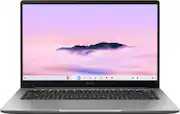
## What a Chromebook Is (and Isn’t) A Chromebook is a laptop that runs ChromeOS, Google’s lightweight operating system built around the Chrome browser and web apps. Chromebooks are designed primarily for cloud-based work, such as Google Workspace apps and Microsoft 365 on the web, and they shine when you have a reliable internet connection. You can enable offline access for Google Docs, Sheets, and Slides, but the experience is still optimized for being online. By design, you cannot install traditional Windows or macOS desktop applications, so some specialized software and heavy creative tools simply are not available on ChromeOS. *** ## ASUS Chromebook Plus CX14: Everyday Use The ASUS Chromebook Plus CX14 is a very capable 14‑inch laptop that’s light enough to carry all day yet solid enough to anchor a home workspace with a larger external display. I’ve been able to connect it to my 34‑inch ultrawide monitor with no issues, and it has handled everyday productivity tasks comfortably. Bluetooth accessories pair smoothly, and USB thumb drives work as expected through the built‑in USB‑A and USB‑C ports. A particularly useful recent improvement in ChromeOS is deeper integration with both Google Docs and Microsoft 365 in the Files app, letting you open and work with those files more directly instead of always going through the browser first. While you still need an internet connection for the full Microsoft 365 web experience, I’ve been able to get real, meaningful work done within those constraints. In terms of value, this Chromebook Plus model typically retails around the mid‑$400 range but is frequently discounted into the mid‑$200s, which is the price I paid out of pocket. I purchased this device with my own funds, I’m not sponsored, and these impressions come after using it consistently for several weeks. *** ## What I Recommend It For I recommend this Chromebook for anyone whose workflow is mostly web‑based: Google Workspace, Microsoft 365 online, web apps, streaming, and general browsing. For many people, especially those coming from an office environment, there’s a perception that they “need more computer” than they actually do, but for typical productivity tasks this Chromebook Plus handles things just fine. However, if your work involves heavier media creation—video editing, serious audio production, advanced photo workflows, or specialized creative suites—you’ll likely be happier with a more powerful Windows, macOS, or high‑end Linux laptop that supports those desktop‑class tools. In that sense, the CX14 is excellent for everyday users and students, but it’s not aimed at professional content creators. *** ## Chromebook Plus Specs and Why They Matter Not all Chromebooks are created equal, and that’s where the Chromebook Plus branding matters. This ASUS Chromebook Plus CX14 includes an Intel Core 3 processor, 8 GB of LPDDR5 memory, 128 GB of eMMC storage, a 1080p webcam, and a 14‑inch Full HD display. Those specs line up with Google’s Chromebook Plus minimums: at least an Intel Core i3‑class CPU, 8 GB of RAM, 128 GB of storage, a 1080p or better webcam, and a Full HD IPS‑class display. Because of that, I strongly discourage buying any new Chromebook with less than 8 GB of RAM or 128 GB of storage today, especially if you plan to keep it a few years. The Chromebook Plus standard exists to guarantee a baseline of performance, AI features, and usability, and this ASUS CX14 earns that badge by meeting those requirements. *** ### Final Thoughts Used within its lane—web‑based productivity, light entertainment, and day‑to‑day tasks—the ASUS Chromebook Plus CX14 is a very good laptop for the money. If you have questions about whether this Chromebook fits your specific workflow, I’d be glad to offer individualized feedback.
This review is from ASUS - CX14 14" FHD Chromebook Plus Laptop with Google AI - Intel Core 3 - 8GB Memory - 128GB eMMC - Misty Grey
Posted by BlackChristianGeek
- Rated 5 out of 5 stars
ASUS Chromebook Plus CX14: Not Just a ‘Browser Toy
I've used Chromebooks for years, and this ASUS Chromebook Plus CX14 is the first one that genuinely feels like a "real laptop replacement" instead of a compromise. On the plus side, performance is much better than I expected for this class. The Core 3 + 8 GB RAM combo handles 10+ Chrome tabs, streaming, and Android apps without hesitation, and it feels noticeably snappier than the older Celeron‑class machines I've owned. I was able to turn on Linux for Developers with a couple of clicks, install Remmina, and remotely connect to my Windows boxes smoothly. The built-in SSH terminal, combined with proper SSH keys, allows me to run X apps naturally, and Android apps from the Play Store install and run as expected. For someone who lives in Chrome, SSH, and RDP, the CX14 proves to be a surprisingly capable little device for developers and IT professionals, not just a "browser toy." The hardware is also better thought‑out than most budget Chromebooks. The 14" 1080p screen is sharp with good color and viewing angles for work and streaming, and text clarity is miles better than the cheap panels you see on a lot of entry‑level devices. The keyboard feels solid and comfortable for extended typing sessions, and multiple reviewers have noted it has a nice, quiet "thunk" rather than a cheap, clicky sound. Port selection is excellent for this class, featuring 2 USB-C, USB-A, HDMI, headphone jack, and Kensington lock ports, as well as Wi-Fi 6E and Bluetooth 5.4. This allows for easy connection of an external monitor and mouse/keyboard. Battery life is sufficient to cover a workday of light to moderate use; reviewers report around 8–10 hours, depending on brightness and workload, which aligns with my experience so far. There are a few trade‑offs to be aware of. The screen is rated at around 250 nits; it looks great indoors, but in very bright rooms or direct sunlight, it can appear dim. The downward-firing speakers are just okay—fine for calls and casual YouTube, but thin and a bit distorted when you push the volume, so plan on using headphones or a Bluetooth speaker if sound quality matters to you. And like any Chromebook, you're living in ChromeOS, with web/cloud services, Android, and Linux containers: perfect for my use case, but not what you want if you need heavy local video editing or Windows-only desktop apps. Overall, though, this CX14 hits a sweet spot. It's light, sturdy, quiet, and far more versatile than older Chromebooks: it runs browser workloads, Android apps, Linux tooling, and remote desktop all comfortably in one machine. I'm happy with it as a power user, and I also expect my kids will get a lot of mileage out of it for school and media. For the price, it feels like genuine value rather than a "cheap Chromebook," which is a significant shift for this category.
This review is from ASUS - CX14 14" FHD Chromebook Plus Laptop with Google AI - Intel Core 3 - 8GB Memory - 128GB eMMC - Misty Grey
Posted by MichaelH
- Rated 3 out of 5 stars
Good and bad experience with this chrombook
Good part: Moved from windows laptop to Chromebook for security reasons as well integration with Google drive. The laptop works faster and with the work I do, it integrates my process / business docs sitting in a Google drive very well. For browsing with 10-15 tabs open it works effortlessly. Bad part: Not sure if this is my specific unit, but my machine does not boot up with single press of power button after 3 months. I have to hard reset (w/o deleting data) to make it boot up. this has happened at least 4-5 times so far. Discussing with the seller for manufacturer warranty options. I wish this issue had popped up earlier and I would have returned it altogether. Also if you are going to have 2-3 profiles logged in and 10+ tabs, the 8 GB ram struggles to play videos from Netflix / prime. Probably should go for 12 or 16 GB ram. Overall the device is ok... but my specific unit has issues. If I could pay more I would have gone for Macbook.
Posted by SurenG
- Rated 3 out of 5 stars
Chromebook iPhone court documents
I have all Apple stuff iPhone MacBook however my MacBook was stolen and I’ve been using my iPhone to do court paperwork and was told that the Chromebook would be cheap and easy for what I was looking at what I was doing and it would work with iPhone or be easy to use with iPhone since most things I use are online Gmail iCloud, and the paperwork for the court I was told it would work fine however I didn’t work out as well as I was told or what I thought or liked or wanted so however I can see that it is a good product just happened to not work for what I needed it for
This review is from ASUS - CX14 14" FHD Chromebook Plus Laptop with Google AI - Intel Core 3 - 8GB Memory - 128GB eMMC - Misty Grey
Posted by Vblaz
- Rated 5 out of 5 stars
Good chromebook
The only minor issue is that heavy Google Play games sometimes crash on max graphics (likely because it uses an Intel chip instead of a mobile one). If you drop the settings to medium, they run flawlessly. GeFerce NOW works perfectly. One USB-C for mouse and I can use bluetooth headphones and gamepad. Excellent value!
This review is from ASUS - CX14 14" FHD Chromebook Plus Laptop with Google AI - Intel Core 3 - 8GB Memory - 128GB eMMC - Misty Grey
Posted by MARATR