Rating 4.5 out of 5 stars with 565 reviews
4.5- Processor Speed (98)
- Touchscreen (96)
- Battery Life (83)
- Performance (55)
- Ease of use (41)
- Weight (54)
- Operating System (4)
- Compatibility (3)
Customer Images
The vast majority of our reviews come from verified purchases. Reviews from customers may include My Best Buy members, employees, and Tech Insider Network members (as tagged). Select reviewers may receive discounted products, promotional considerations or entries into drawings for honest, helpful reviews.
- Rated 5 out of 5 stars
Our 7th grader enjoys her ASUS chromebook. Yeah!
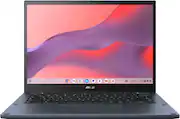
We purchased this Asus chromebook for our middle schooler to start the 7th grade. From our perspective, we believe this chromebook was an excellent value based on its price and features. Best Buy had a Labor Day sale and we purchased this chromebook for under $300 (retail was $499). We researched other comparable chromebooks from HP, Dell, Lenovo and Acer. However, this Asus chromebook was the clear winner in terms of its feature. The 3 features that were important to us was the chromebook's performance, battery life and usability. The performance speed is very good with its 8GB memory and AMD Ryzen process chip. The performance was more then adequate for our 7th grader to browse the internet for research, check e-mails and do her school work using Google applications. The video resolution is very clear and crisp with full high definition and the sound output is excellent with its built-in speakers. The chromebook's 2-in-1 feature is a nice feature and can be used a tablet and fold as a tent for display. The chromebook's color (ponder blue) and overall built is sleek and solid. This chromebook is about 4 lbs, a little on the heavier side as compared to other chromebooks. The chromebook battery life has been great as our 7th grader can use the chromebook at school all day with fully charged battery. As for usability, the chromebook has a touch screen and the keyboard has a back-light. Overall, this Asus chromebook has a lot of nice features and the sale price under $300 is a great deal for a chromebook that can be used for several years. Enclosed are several pictures of the chromebook.
Posted by EufyOutdoorSecurityViews
- Rated 5 out of 5 stars
The perfect chromebook for the price.
This computer is a marvel in every way. The only con I see in this thing is the weight, it's really heavy at 2 kg, if you can overcome this, then by all means its good. Speed is amazing, the screen has very pretty colors though its not very bright (for outside use at least), keyboard is back-lit and has a very good key distribution, speakers are amazing, port selection is nice, the fan is not very loud. I haven't tried gaming yet, only Minecraft (which came as a Chromebook perk), it plays nicely, stutters sometimes.
Posted by MaynezSE
- Rated 4 out of 5 stars
Love Asus but issue with mouse pad.
I love Asus products and I love this Chromebook. I am having one issue. The mouse pad sticks randomly and I didn't eat near my Chromebook. I called tech support 3 months ago and they said to power wash it which worked. Unfortunately, I've had to power wash it 3 times in 4 months due to the mouse pad sticking. I'm working with Asus and their resolution is to send it in for repair instead of replacement which sucks. 7-10 business day turn around. They do pay for shipping which is a plus. The Chromebook is fast and the battery lasts a very long time. It's heavy and I prefer it that way. It's solid.
Posted by JayTea7
- Rated 5 out of 5 stars
Google X Asus = Greatness
The Asus Chromebook Ryzen 3 is a true powerhouse in the world of Chromebooks, offering a remarkable blend of solid performance, speed, and versatility that caters to a wide range of user needs. After spending ample time with this laptop, I am thoroughly impressed with its capabilities.the Asus Chromebook Ryzen 3 is a compelling choice for users seeking a Chromebook that doesn't compromise on performance, gaming capabilities, or productivity. Its robust hardware, smooth performance, and wide compatibility with office apps make it a versatile option for a variety of tasks on and offline. Whether you're a student, professional, or simply someone who enjoys gaming on the go, this Chromebook is sure to impress. With its solid build and affordable price point, it offers fantastic value for the money. Highly recommended! oh and anti virus
Posted by frv6999
- Rated 5 out of 5 stars
Nearly top-tier performance w/mid-tier Chromebook
This Chromebook surprised me at just how much performance ASUS managed to squeeze out of an otherwise modestly appointed 14” 2-in-1. We already have two Windows-based ASUS 2-in-1s at home; a 13.3” ZenBook Flip S and a 15.6” ZenBook Flip 15, so I kind of knew what to expect from the “Flip” model line going in. And yet even though both of those ASUS models cost about 3x more than this similarly styled Chromebook, the ASUS CM3401 Flip manages to trade blows with its big brothers in many important respects. Let’s start with all the positives. If you’re already familiar with the Google/Chrome ecosystem, you’ll feel right at home with the Chromebook. But even as a lifelong Windows user like me, my transition to the Chrome OS was essentially seamless (this is our second Chromebook in as many years)—Chrome OS really has come a long way in recent years to become a legitimately viable alternative to MS’s more bloated and resource-intensive Windows OS for basic computing and multimedia needs. But what I love most about Chrome is the simplicity and greatly streamlined user experience…if you just want a simple Internet appliance that works, and works quickly, the Chromebook is arguably the way to go. Setup was mercifully simple with initial updates and getting the laptop ready for the first use taking just 5 minutes from first opening the lid to mousing about on the desktop. From a full power-down, it takes about 6 seconds to get to the desktop again (or 0 seconds if you’re just opening the lid from sleep state to get back to work), and the CM3401’s AMD Ryzen 3 chip manages to keep everything feeling snappy and responsive, even with many open tabs on Chrome. My Intel i7-equipped ZenBook Flip S was built around Intel’s new EVO design philosophy--it’s a way to makes Windows feel more portable and “Chrome-like” in terms of responsiveness, but it still takes my ASUS Flip S nearly 25 seconds to power up and sadly the Windows experience feels positively glacial compared to how quickly apps and browser tabs open on the ASUS CM3401 Flip. And although I’m a PC gamer at heart, I was pleasantly surprised to find that the ASUS Chromebook could handle some Android games from the Google Play store that actually looked pretty impressive on the screen. The Chromebook is well-spec’d with two USB-C ports (one on each side) both with DP and power delivery, a 10GB/s superspeed USB-A port, a full-sized HDMI port for easy hookup to TVs or other external displays, 3.5mm mic/headphone combo port, and a micro-SD card slot for additional storage. There is a dedicated power button on the side as well as a volume rocker which are very convenient physical controls to have at-the-ready when you use the laptop in tent-display or tablet modes. If you plan to use this 2-in-1 for productivity or web surfing, you’ll definitely appreciate the taller 16:10 aspect ratio of the 1920x1200 screen that makes it easier to see more of your documents or web pages onscreen at any time. Sadly, I don’t have a stylus that works with Chrome that I could use for testing, but the touchscreen display is greatly appreciated, especially for things like navigation and operation when in tablet mode…I can only imagine how a stylus would make the tablet experience an even more productive one. Speaking of productivity, I took the Chromebook to work with me a few times and routinely got more than 8 hours on a single charge of mixed media and productivity use throughout the day—none of my Windows laptops could *ever* go a full work day without heading back to the wall socket for some more battery juice. The built-in speakers sound pleasant and are loud enough to use the Chromebook as a media player in its own right, though obviously you’re not going to wake the neighbors or rattle the walls with any deep, gut-punching bass. The built-in webcam has HD-resolution and actually provides very clear image/video quality—and I especially like the onboard privacy slider that clearly shows a red dot when the lens is covered; more laptops need to take a cue from this design feature. The chicklet keyboard is solid with a very nice/bright backlight for the keys. Fortunately, the lettering on the keys is nice high-contrast white against a black background so it’s easy to read the keys even without backlighting. I’m not necessarily a big fan of the lower-case keycaps, but that’s nitpicking at this point. Key travel is minimal (obviously), but the keys don’t feel mushy or slow. Virtually all keycaps are full size except for the half-height function keys (brightness, screen capture, task/desk switcher, etc.) and the arrow keys. The trackpad is on the larger side of those I’ve seen on a small laptop and it’s very smooth and solid feeling. You might initially be put off by the rather spartan-sounding 128GB SSD, but as many Chrome OS assets and files are cloud/web-based, the SSD will go a bit farther for you than they might on a conventional laptop unless you like to clutter your drive up with a LOT of video files, images, or large Google Play apps. Again, however, don’t forget that you have the SD slot on the slide to add as much additional storage as your wallet can handle—I put a 1TB SanDisk Extreme card into the slot that was formatted in Windows and it was recognized immediately…including the custom .ICO file I created to give me a thumbnail picture of the drive itself in the file explorer. Finally, I give ASUS props for creating a handsome-looking device with a “Ponder Blue” colorway that is a nice departure from the black, grey, or silver sea of laptop colors that most devices seem to sport these days. The hinges are set off from the rest of the shell with a heavy, shiny metallic finish that gives the Chromebook a bit of visual flair without looking totally over the top. With so much going for it—is there anything NOT to like? Truthfully, not much. This laptop is built like a tank. It has a reassuringly solid feel with zero flex around the keyboard and trackpad, and the 2-in-1 hinges help hold the display smartly in place regardless of whether you’re using it fully open like a laptop or tented for table-top display—you can even move it around with one hand without changing the angle of the screen unless you start violently shaking the Chromebook around (not sure why you would, but that’s your business). That said…this laptop is also built like a tank. Despite the description touting the device as “ultrathin and ultralight,” the CM3401 Flip is not very svelte or sexy-thin. The added depth (and LARGE vent cutouts on the bottom) undoubtedly helps with heat dissipation—in fact, I don’t recall ever really hearing the fan kick in even when I was playing a few graphically complex Google Play games. But you can see how it compares to the objectively more portable/travel-friendly ASUS ZenBook Flip S in one my review photos. What’s more, the Chromebook CM3401 Flip is deceptively heavy in the hand for what you would expect for a device of its size. In tablet form, the 14” screen actually seems ideal for on-the-go notetaking in class or meetings, but the weight of the unit may make tablet use and one-handed support just a little awkward—those of you who have difficulty holding heavier electronics and tablets for long periods of time may want to give the CM3401 a test drive first. Finally, the screen, while clear and nicely sized, is shiny—like REALLY shiny. This gives the impression of colors with a little more pop, but it can also be distracting in brightly lit rooms as it’s hard to view the screen from pretty much any angle without a lot of intrusive reflections. For dark video content, I noticed just a tad of backlight bloom in the lower right corner of the screen—but it was nothing as bad as some of the IPS glow I’ve seen in other laptops. However, you can also see in the side-by-side comparison to the smaller ZenBook Flip S’s OLED screen that the CM3401 Flip’s screen lacks a bit of punch and depth when it comes to color reproduction; it will also not render HDR or Dolby Vision video content. Still, the ZenBook Flip S is nearly 3x the price, has more than 6x the pixel resolution, and features different display technology than the Chromebook CM3401 Flip; therefore, I would expect to see such differences anyway--but it’s hard not to notice the downgrade in PQ and video performance once you’ve seen better. Nevertheless, if you’re in the market for a Chromebook, even at the asking price, the CM3401 Flip is already a VERY good value; and if you can get it on sale, it becomes a “what are you waiting for?” proposition—VERY HIGHLY recommended with just those few quick asides you should know going in.
Posted by WyldeBlue