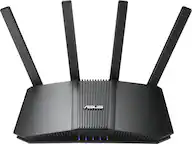
ASUS - RT-BE96U BE19000 Tri-Band Wi-Fi 7 Router - Black
Series
BE96UColor
BlackMore Buying Options
Highlights
Reviews
Customer Images
The vast majority of our reviews come from verified purchases. Reviews from customers may include My Best Buy members, employees, and Tech Insider Network members (as tagged). Select reviewers may receive discounted products, promotional considerations or entries into drawings for honest, helpful reviews.
- Rated 5 out of 5 stars
Amazing product!
Works great! Easy to set up, long reach WiFi with high signal strength and great configuration options for optimizing network use.
Alex Posted
- Rated 5 out of 5 stars
Fast, Stable, and Future-Re
Stability is the real win, not just speed • Handles heavy usage without breaking a sweat • Tri-band actually reduces device congestion • Strong coverage, even better with wired backhaul • Built for creators, streamers, and multi-device homes
DBStallion Posted
- Rated 5 out of 5 stars
RT-BE96U Review - A great upgrade from an RT-AX88U
TLDR: - great router, super fast. - a little pricy but in my opinion the best bang for buck WiFi 7 router Asus has - guest network pro is awesome! I love created additional SSIDs (helped make transitioning SSIDs a less painful/more graceful since I could do it on my schedule!) - if using in an AiMesh, use with other devices on the 3.0.0.4 firmware set, like an RT-AX88U Pro or GT-AX6000 (I’m using the GT-AX6000) - change some of the professional WiFi settings, see below! - use Asus Smart Connect (your primary SSID broadcasts to all 3 bands: 2.4GHz, 5GHz, 6GHz) - it just works! I really like this RT-BE96U router - it is so fast, it has so many features, and I love the design. I have been using Asus Routers for over a decade now and I appreciate their value to feature ratio. I am upgrading from an RT-AX88U (not the pro), so I was happy to make the jump from the 3.0.0.4 firmware set to the newer 3.0.0.6 firmware set. I was surprised that this product is getting poor reviews overall. The setup process for me couldn’t be smoother. When I first received the router and set it up, I noticed it needed a firmware upgrade. After performing the upgrade, I noticed the UI was a little wonky (it seemed like a mix between the old firmware and new firmware). I performed a factory reset in the web interface and then I was 100% only seeing the new firmware UI. Either way, it’s recommended after a major firmware upgrade to do a full factory reset anyways. I opted NOT to restore from a settings file from my old router since I wanted to start fresh. Enough was different between the WiFi 6 RT-AX88U and the WiFi 7 RT-BE96U that it made sense in my case. I have always used 2 separate SSIDs, 1 for my 2.4GHz devices and 1 for my 5GHz devices. However, this new router has the 6GHz band with a small range. I opted to use the Asus Smart Connect feature and Guest Network Pro to create an SSID that broadcasts in all 3 spectrums: 2.4, 5, and 6. I was worried that my iPhone 16 Pro would get downgraded to the 2.4GHz erroneously, but I find that not the case! Every time I look, it’s either connected to the 5GHz or 6GHz. The 6GHz range can even go into the next room over, too, which is pretty cool. Even 1 room over I still get full 100% speeds from my ISP which is amazing. What was REALLY awesome that since I was changing my home’s primary SSID network, all my devices and smart devices would need to be updated. However, with Guest Network Pro, you can create several additional SSIDs to be broadcast. So day 1 I had my new SSID, an IoT SSID, and then my 2 old SSIDs for my 2.4GHz and 5GHz bands. I could then gracefully transition over devices at my speed and didn’t have to scramble to update every device. I still have devices attached to the old 2.4GHz SSID but was able to retire the old 5GHz SSID since I transitioned all of those devices over. You can also make SSIDs that are attached to a separate VLAN for full isolation. The only issues I had were some legacy devices; I.e. an old HP printer and some Wi-Fi Dyson HP-04 fans. I had to create an IoT (created by default anyways or at least it prompts you) that has some of the new WiFi 7 features disabled. For the Dyson fans, even then they wouldn’t connect. It wasn’t until I re-added my WiFi 6 Asus router as an AiMesh node did the fans connect. It seemed they wouldn’t connect to this WiFi 7 router at all no matter what setting I tried to change (and I tried them all). So the fans are bound to the WiFi 6 router. The only other way I could get the Dyson fans to connect was to create a new WiFi SSID in the Network tab and attach it to a separate VLAN. I wanted the fans on the same VLAN as primary so that wasn’t going to work. For an AiMesh mode, I originally was just going to use my RT-AX88U, and it worked, but since the RT-AX88U and RT-BE96U are on different kernel versions and different firmware versions, some of the Guest Network Pro capabilities did not exist for the AiMesh node. For example, I could not broadcast additional SSIDs from the AiMesh node (my IoT SSID and my old SSID). I upgraded my RT-AX88U to a used GT-AX6000 and now I have full feature parody to my AiMesh node! PROFESSIONAL WIFI SETTINGS TO CHANGE: I disabled these settings for the 2.4ghz band to increase compatibility with legacy devices: - Airtime fairness (off) - Explicit beamforming (off) - Universal beamforming (off) DO NOT TURN ON AICLOUD - Prior Asus routers had a vulnerability that could potentially brick your router if you had this enabled. DISABLE WPS after you have set up your router / AiMesh. This is always a recommendation for security. IF YOU HAVE A HARDWIRED AIMESH, go into the AiMesh settings and turn on Ethernet Backhaul Mode to free up some bandwidth!
Josh Posted