
Brother - Work Smart 1410 Wireless Color All-in-One Inkjet Printer, 2.7” Color Touchscreen (MFC-J1410DW), Great for Home Offices - Black
Brother - Work Smart 1410 Wireless Color All-in-One Inkjet Printer, 2.7” Color Touchscreen (MFC-J1410DW), Great for Home Offices - Black
FREE shipping to
More Buying Options
Related Item

Specifications
- NetworkingWirelessENERGY STAR CertifiedYesPrinter TypeAll In One, Printer, Copier, ScannerISO Color Print Speed9 pages per minuteISO Mono Print Speed16 pages per minuteOutput Tray Capacity50
- Key Specs
- Networking: Wireless
- ENERGY STAR Certified: true (Devices carrying the ENERGY STAR service mark, such as computer products and peripherals, kitchen appliances, and other products, generally use 20% to 30% less energy than required by federal standards.)
- Printer Type: All In One, Printer, Copier, Scanner
- ISO Color Print Speed: 9 pages per minute (The number of color pages able to be printed per minute in the device's default single-side mode, as tested by the International Standards Organization (ISO).)
- ISO Mono Print Speed: 16 pages per minute (The number of black ink (grayscale) pages able to be printed per minute in the device's default single-side mode, as tested by the International Standards Organization (ISO).)
- Output Tray Capacity: 50
- Touch Screen: true (Touch-screen devices make navigating more intuitive. Using a touch-screen display, you can do things such as tap to select, hold and drag to move items, swipe to scroll, and pinch to zoom.)
- General
- Brand: Brother
- Model Number: MFCJ1410DW
- Product Name: Work Smart 1410 Wireless Color All-in-One Inkjet Printer, 2.7” Color Touchscreen (MFC-J1410DW), Great for Home Offices
- Color: Black
- Display Screen: true
- Display Screen Size: 2.7 inches
- Dimensions
- Product Height: 7.2 inches (The out of box height of the item. Height is measured as the vertical distance from the bottom of the item to the top as it would be primarily used or placed.)
- Product Width: 15.4 inches (The out of box width of the item. Width is measured as the horizontal distance from one side of the item to the other as it would be primarily used or placed.)
- Product Depth: 13.5 inches (The out of box depth of the item. Depth is measured as the distance from the front of the item to the back as it would be primarily used or placed.)
- Product Weight: 16.8 pounds (The out of box weight of the item.)
- Features
- Automatic Document Feeder: true
- Photo Printing: true
- Monochromatic/Color: Color
- Automatic Reduction/Enlargement: true
- Automatic Two-Sided Printing: true
- Tray Capacity: 150
- Duty Cycle: Up to 2,500 (The maximum number of pages per month that the device can produce without failing, as specified by the manufacturer.)
- Connectivity
- Wired Connectivity: USB-B
- Wireless Connectivity: Wi-Fi (The manner in which a device sends data to another device over a short distance without the use of wires or cables.)
- Minimum System Requirements: Windows: 10 Home / 10 Pro / 10 Education / 10 Enterprise, Windows 11 Home / 11 Pro / 11 Education / 11 Enterprise, Windows Server 2016 / 2019 / 2022; Mac(7): macOS v13 / v14 / v15, ChromeOS, Linux (Supported Package Management System: dpkg, rpm).
- Certifications Listings & Approvals
- EPEAT Qualified: true (The Electronic Product Environmental Assessment Tool (EPEAT) was designed to provide an environmental assessment tool for purchasers. In order to qualify for EPEAT, a product must meet all 23 required criteria.)
- EPEAT Level: Silver (The Electronic Product Environmental Assessment Tool (EPEAT) was designed to provide an environmental assessment tool for purchasers. In order to qualify for EPEAT, a product must meet all 23 required criteria. Products are rated Bronze, Silver or Gold based on how many of 28 optional criteria they meet (below 50%, 50%, 75%).)
- TWAIN Compliant: true (Products with this label are compliant with standards set by the TWAIN Working Group for regulating communication between software and digital imaging devices. Devices that are TWAIN compliant are compatible for use with each other without requiring additional software, even if they have different capabilities.)
- Scanner Info
- Scanner Type: Flatbed, Sheetfed
- Duplex Scan Function: false
- Scanner Resolution: Up to 1200 x 2400 (Refers to the number of pixels/dots, both horizontally and vertically, of the image produced by the scanner. Generally, the higher the resolution, the sharper and cleaner the produced image.)
- Fax Info
- Integrated Fax: false
- Ink
- Compatible Cartridges: Brother LC501
- Ink Subscription Service Available: true (The printer monitors ink usage and alerts the subscription provider when levels are low. A purchased subscription provides refills of ink based on usage.)
- Ink Cartridges Required: 1 x Black, 1 x Cyan, 1 x Magenta, 1 x Yellow (The quantity and color of ink cartridges required for the printer to operate.)
- Ink Cartridges Included: 1 x Black, 1 x Cyan, 1 x Magenta, 1 x Yellow (The quantity and color of ink cartridges included.)
- Ink Bags/Bottles Required: None (The quantity and color of ink bags/bottles required for the printer to operate.)
- Ink Bags/Bottles Included: None (The quantity and color of ink bags/bottles included.)
- Memory
- Memory Card Slot: false
- Paper Info
- Automatic Document Feeder Capacity: 20 sheets
- Maximum Document Length: 8.5 inches
- Maximum Document Width: 14 inches
- Supported Paper Sizes: Standard Tray: Up to 8.5" x 14" (Legal); Duplex: Up to 8.5" x 11" (Letter); ADF: Up to 8.5" x 14" (Legal)(11)
- Paper Feeder: Cassette tray
- Paper Handling: 150 Sheets
- Compatible Media Types: Standard Tray: Plain Paper, Inkjet Paper, Glossy Paper, Recycled Paper, Envelopes, Index Cards
- Copier Info
- Maximum Number Of Copies: 99
- Copier Resolution (Black): Up to 1200 x 1200 (Refers to the number of pixels/dots, both horizontally and vertically, of the image produced by the copier in black ink. Generally, the higher the resolution, the sharper and cleaner the produced image.)
- Copier Resolution (Color): Up to 1200 x 1200 (Refers to the number of pixels/dots, both horizontally and vertically, of the image produced by the copier in colored ink. Generally, the higher the resolution, the sharper and cleaner the produced image.)
- Performance
- Printer Resolution (Black): Up to 6000 x 1200 (Refers to the number of pixels/dots, both horizontally and vertically, of the image produced by the printer in black ink. Generally, the higher the resolution, the sharper and cleaner the produced image.)
- Printer Resolution (Color): Up to 6000 x 1200 (Refers to the number of pixels/dots, both horizontally and vertically, of the image produced by the printer in colored ink. Generally, the higher the resolution, the sharper and cleaner the produced image.)
- Approximate Page Yield (Black): 200
- Approximate Page Yield (Color): 200
- Warranty
- Warranty - Parts: 1 year limited
- Warranty - Labor: not applicable
- Other
- UPC: 012502679738
Experience true reliability and ease of use with the Brother Work Smart 1410 Wireless Color Inkjet All-in-One Printer. A 2.7” color touchscreen display lets you connect to popular Cloud apps(1) directly from your printer. Automatic duplex (2-sided) printing, a 20-sheet single-sided automatic document feeder (ADF)(2), and a 150-page paper tray(2) bring modern convenience to this compact printer. Engineered to produce great prints, this color inkjet printer outputs vibrant colors and bold, rich blacks at fast print speeds, and Page Gauge(3) monitors your ink usage so you know when you’re running low. When paired with the Brother Mobile Connect app(4), setup is quick and easy – plus, you can print from virtually anywhere on your mobile device(5). Print Confidently with Brother Genuine LC501 Ink in your Work Smart 1410 for reliable, consistent prints –the only brand we recommend for your Brother printer.
- All-in-One Printer: Get all your work done with a multifunction printer. Print, copy, and scan on one convenient, compact printer, with quick and easy setup. It’s designed to be the perfect counterpart to your home, home office, or small office space.
- Cloud Connected Color Touchscreen: Seamless integration with the Cloud(1). Print from and scan to popular Cloud apps(1), including Google Drive, Dropbox, Box, OneDrive, and more on a clear 2.7” color touchscreen display.
- Productivity-Focused Printing Features: This printer includes automatic duplex (2-sided) printing, a 20-sheet single-sided Automatic Document Feeder (ADF)(2), and a 150-sheet paper tray(2).
- Wireless and USB Connections: Connect your way. Interface with your printer on your wireless network or via USB.
- The Brother Mobile Connect app: Put the power of printing at your fingertips. Go mobile with the simple-to-use Brother Mobile Connect app(4) that delivers easy onscreen menu navigation for printing, copying, scanning, and device management from your mobile device.
- Fast Print Speeds: Efficiency is the name of the game. Engineered to print at fast speeds of up to 16 pages per minute (ppm) in black and up to 9 ppm in color(6).
- Reliable Print Quality: Crisp, clear printing up to 1,200 x 6,000 dpi (Windows) and 1,200 x 3,600 dpi (Mac). Brother inkjet printers produce beautiful prints in vibrant color or rich black & white for results you can be proud of.
- Page Gauge: Monitor your ink usage to help ensure you don’t run out(3).
- Brother Customer Support: For customer service, visit us at Brother Support
- Brother Genuine Ink: Reliable performance you can count on. We engineer our ink cartridges to work seamlessly with your Brother printer. Choose Brother Genuine LC501 Ink, the only brand we recommend for use with your printer.
- All-in-One Printer: Get all your work done with a multifunction printer. Print, copy, and scan on one convenient, compact printer, with quick and easy setup. It’s designed to be the perfect counterpart to your home, home office, or small office space.
- Cloud Connected Color Touchscreen: Seamless integration with the Cloud(1). Print from and scan to popular Cloud apps(1), including Google Drive, Dropbox, Box, OneDrive, and more on a clear 2.7” color touchscreen display.
- Productivity-Focused Printing Features: This printer includes automatic duplex (2-sided) printing, a 20-sheet single-sided Automatic Document Feeder (ADF)(2), and a 150-sheet paper tray(2).
- Wireless and USB Connections: Connect your way. Interface with your printer on your wireless network or via USB.
- The Brother Mobile Connect app: Put the power of printing at your fingertips. Go mobile with the simple-to-use Brother Mobile Connect app(4) that delivers easy onscreen menu navigation for printing, copying, scanning, and device management from your mobile device.
- Fast Print Speeds: Efficiency is the name of the game. Engineered to print at fast speeds of up to 16 pages per minute (ppm) in black and up to 9 ppm in color(6).
- Reliable Print Quality: Crisp, clear printing up to 1,200 x 6,000 dpi (Windows) and 1,200 x 3,600 dpi (Mac). Brother inkjet printers produce beautiful prints in vibrant color or rich black & white for results you can be proud of.
- Page Gauge: Monitor your ink usage to help ensure you don’t run out(3).
- Brother Customer Support: For customer service, visit us at Brother Support
- Brother Genuine Ink: Reliable performance you can count on. We engineer our ink cartridges to work seamlessly with your Brother printer. Choose Brother Genuine LC501 Ink, the only brand we recommend for use with your printer.
Whats Included
- Brother MFC-J1410DW
- Starter Black Ink Cartridge (200 pages)(14), Starter Cyan, Magenta, Yellow Ink Cartridges (200 pages)(14)
- AC Power Cord
- Product Safety Guide
- Reference Guide
- Warranty Card
- Quick Setup Guide
- Brother MFC-J1410DW
- Starter Black Ink Cartridge (200 pages)(14), Starter Cyan, Magenta, Yellow Ink Cartridges (200 pages)(14)
- AC Power Cord
- Product Safety Guide
- Reference Guide
- Warranty Card
- Quick Setup Guide
Product Manuals
Disclaimers
- (1) Requires an internet connection and an account with desired service.
- (2) Maximum Capacity based on using 20lb. paper.
- (3) Page Gauge is an estimate for informational purposes only. For actual cartridge yield information refer to go.brother/pageyield.
- (4) Free app download & wireless connection required. Compatibility may vary by device and operating system.
- (5) Free Brother Mobile Connect App download, wireless connection and connection of an eligible printer with Brother are required. Compatibility may vary by device, operating system and country.
- (6) Based on ISO/IEC 24734 (after first set of ISO test pages). For inkjet print speed methodology, please visit www.brother-usa.com/printspeed. Print speeds vary with use. See manufacturer for info on print speed.
- (11) Documents greater than 11.7"" in length must be fed one at a time through the ADF.
- (14) Approx. ink cartridge yield in accordance with ISO/IEC 24711 (letter/A4).
- (1) Requires an internet connection and an account with desired service.
- (2) Maximum Capacity based on using 20lb. paper.
- (3) Page Gauge is an estimate for informational purposes only. For actual cartridge yield information refer to go.brother/pageyield.
- (4) Free app download & wireless connection required. Compatibility may vary by device and operating system.
- (5) Free Brother Mobile Connect App download, wireless connection and connection of an eligible printer with Brother are required. Compatibility may vary by device, operating system and country.
- (6) Based on ISO/IEC 24734 (after first set of ISO test pages). For inkjet print speed methodology, please visit www.brother-usa.com/printspeed. Print speeds vary with use. See manufacturer for info on print speed.
- (11) Documents greater than 11.7"" in length must be fed one at a time through the ADF.
- (14) Approx. ink cartridge yield in accordance with ISO/IEC 24711 (letter/A4).
Q: Can you fax with this machine
A: undefined
Q: Can you connect the printer to a router via a coxial cable?
A: We would love to hear from you to better assist you. Our Brother Customer Support Team is available to assist you directly: https://www.brother-usa.com/support/MFCJ1410DW
Q: Can I chose to print in black and whitte only?
A: Yes, you can choose to print in black and white on the Brother MFCJ1410DW. Please be advised that your Brother machine is designed to stop all printing operations when any of the ink cartridges are low. This is to ensure the life of the print head and maintain premium print quality. If the unit were to continue printing, print jobs and cleaning cycles would suck air from the empty cartridge and damage the print head. Your Brother machine can operate in a B&W Print Only (black and white) mode when one or more color ink cartridges are empty. When a color ink cartridge is low, an error message will appear on the machine's display stating B&W Print Only.
A: The Brother MFCJ1410DW can make copies without an internet connection. Yes, you can print using a USB connection instead of an internet connection with the Brother MFCJ1410DW.
Q: Compatible with Samsung galaxy smart phone
A: Yes, the Brother MFC-J1410DW is fully compatible with Samsung Galaxy smartphones, allowing you to print, scan, and manage the device using the Brother Mobile Connect app from the Google Play Store, connecting via your home Wi-Fi network for wireless functionality. I have included a link to the FAQ answer that should assist you. Please follow all the steps listed in the following link: Answer Link: https://help.brother-usa.com/AgentWeb/api/contextmanager/v.32511070003/workspaceContext/workspace/processedPrint/Answer/189039 Answer Link: https://help.brother-usa.com/AgentWeb/api/contextmanager/v.32511070003/workspaceContext/workspace/processedPrint/Answer/173849 Answer Link: https://help.brother-usa.com/AgentWeb/api/contextmanager/v.32511070003/workspaceContext/workspace/processedPrint/Answer/183936 Answer Link: https://help.brother-usa.com/AgentWeb/api/contextmanager/v.32511070003/workspaceContext/workspace/processedPrint/Answer/186468 If you still have difficulties, please contact Brother Customer Service at: https://www.brother-usa.com/support/MFCJ1410DW
Q: is a lenovo lap top compatible with this printer?
A: Yes, the Brother MFCJ1410DW is able to connect to your laptop.
Q: Is this product capatible with Samsung Galaxy tablets?
A: Yes, the Brother MFC-J1410DW is compatible with Samsung Galaxy tablets.
Compare similar products
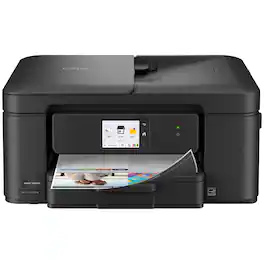
Experience true reliability and ease of use with the Brother Work Smart 1410 Wireless Color Inkjet All-in-One Printer. A 2.7” color touchscreen display lets you connect to popular Cloud apps(1) directly from your printer. Automatic duplex (2-sided) printing, a 20-sheet single-sided automatic document feeder (ADF)(2), and a 150-page paper tray(2) bring modern convenience to this compact printer. Engineered to produce great prints, this color inkjet printer outputs vibrant colors and bold, rich blacks at fast print speeds, and Page Gauge(3) monitors your ink usage so you know when you’re running low. When paired with the Brother Mobile Connect app(4), setup is quick and easy – plus, you can print from virtually anywhere on your mobile device(5). Print Confidently with Brother Genuine LC501 Ink in your Work Smart 1410 for reliable, consistent prints –the only brand we recommend for your Brother printer.
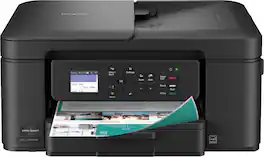
The Brother Work Smart 1360 Wireless All-in-One Refresh Subscription Eligible Inkjet Printer is the perfect choice for a reliable printer with robust efficiency-boosting features. With tools like automatic duplex (2-sided) printing, a 20-page single-sided automatic document feeder(1), and wireless(2) and Cloud connectivity(3) options available on the 1.8” color display, this multifunction printer helps you get your work done with simplicity and ease. Perfect for printing anything from to-do lists to business reports, this color inkjet printer outputs quality prints at fast speeds. Brother Page Gauge(4) monitors your ink usage so you know when you’re running low. When paired with the Brother Mobile Connect app(5), setup is quick and easy – plus, you’ll be able to print from virtually anywhere on your mobile device(6). Print Confidently with Brother Genuine LC501 Ink in your Brother Work Smart 1360 for reliable, consistent prints –it’s the only brand we recommend for your Brother printer.
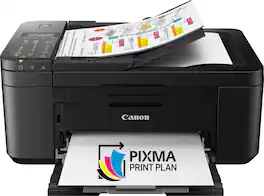
For all your work or home printing needs, the PIXMA TR4720 Wireless* All-in-One Printer has you covered. Enjoy simple setup through the Canon PRINT Inkjet/SELPHY Ap** and an easy to install 2-Cartridge hybrid ink system and front loading 100-sheet paper tray. Big on performance, the PIXMA TR4720 is equipped with Auto 2-Sided Printing, an Auto Document Feeder for multi-page scanning, and built-in Fax functionality. With a variety of connectivity options, you'll be able to do it all from your PC or mobile devices— plus, the PIXMA TR4720 is compatible with Canon apps for printing, scanning, creative projects and more. Simple, productive office and home printing in a compact size— that’s the PIXMA TR4720.

Best for home offices and small teams, the Brother HL-L2460DW Wireless Compact Black & White (Monochrome) Laser Printer combines affordability and reliable quality. Designed to provide high-volume printing with exceptional efficiency, it consistently produces crisp, easy-to-read black & white prints at speeds up to 36 ISO pages per minute (1) (ppm). The convenient 250-sheet paper tray (2) means you'll make fewer paper refills, while the automatic duplex printing feature saves additional time and decreases paper waste. Flexible connection options include dual-band wireless, Ethernet, and USB 2.0 interfaces. Best of all, you can print from virtually anywhere with the Brother Mobile Connect App. (3) Plus, you can feel safe knowing that advanced security features are helping to protect your information and maintain secure connections while you're printing.
| Pros for Brother - Work Smart 1410 Wireless Color All-in-One Inkjet Printer, 2.7” Color Touchscreen (MFC-J1410DW), Great for Home Offices - Black | |||
|---|---|---|---|
| There were no pros for this product— | Overall Performance, Print Quality, Connectivity, Size, Noise Level | Ease of use, Print Quality, Overall Performance, Price, Wireless | Print Quality, Overall Performance, Ease of use, Connectivity, Setup |
| Cons for Brother - Work Smart 1410 Wireless Color All-in-One Inkjet Printer, 2.7” Color Touchscreen (MFC-J1410DW), Great for Home Offices - Black | |||
| There were no cons for this product— | Setup Difficulty | Paper Tray, Noise Level | Sleep Mode, Toner |
Specs
Reviews
Customer Images
The vast majority of our reviews come from verified purchases. Reviews from customers may include My Best Buy members, employees, and Tech Insider Network members (as tagged). Select reviewers may receive discounted products, promotional considerations or entries into drawings for honest, helpful reviews.
- Rated 5 out of 5 stars
Brother Worksmart Wireless Printer
Good printer. Easy to set up. Printing quality is nice. Would recommend for home use.
This review is from Brother - Work Smart 1410 Wireless Color All-in-One Inkjet Printer, 2.7” Color Touchscreen (MFC-J1410DW), Great for Home Offices - Black
user680124 Posted
- Rated 5 out of 5 stars
Brother Printer Review.
So far, Brother printer superior to last one, a Jewlett Paclard/ Kept stopping up w/ pape. HP no good. Brother superior. fIN, USED FEW DAYS ONLY, BUT HAVE GOOD HOPES WILL CONTINUE GOOD PRINTING.!
This review is from Brother - Work Smart 1410 Wireless Color All-in-One Inkjet Printer, 2.7” Color Touchscreen (MFC-J1410DW), Great for Home Offices - Black
Cecy Posted
- Rated 5 out of 5 stars
Recommend
Printer is fast and easy to use. Print quality is also good.
This review is from Brother - Work Smart 1410 Wireless Color All-in-One Inkjet Printer, 2.7” Color Touchscreen (MFC-J1410DW), Great for Home Offices - Black
KimberlyA Posted