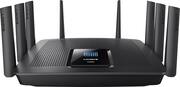
Rating 4.6 out of 5 stars with 2384 reviews
4.6- Speed (589)
- Range (490)
- Ease of use (277)
- Performance (215)
- Setup (208)
- Size (133)
- Price (58)
- Lag (33)
- Connection (30)
Customer Images
The vast majority of our reviews come from verified purchases. Reviews from customers may include My Best Buy members, employees, and Tech Insider Network members (as tagged). Select reviewers may receive discounted products, promotional considerations or entries into drawings for honest, helpful reviews.
- Rated 5 out of 5 stars
Traded up from EA8500 to EA9500
I decided to upgrade from the EA8500 to 9500. The EA8500 barely reached certain spots in my house so I was hoping maybe a few extra antennas would help (it didn't really seem to). However, I knew this was the new flagship for Linksys and there would be some firmware upgrades and long-term support so I still think it was worth it. Other benefits are the 8 ethernet ports and the mini-USB AC wifi adapter that came with it. I use the mini-wifi adapter regularly and have had no issues at all with it! This router is super fast, and capable of handling anything it seems. It's great for my home office and there's no lag if multiple people are streaming, working, VPN, gaming, etc all at the same time. The 8 Ethernet ports is ideal and allowed me to direct connect a bunch of things I had in the office also. This router allows you to utilize all of your internet for its speed even during the high volume times of day, without any slowing. I would highly recommend this router to anyone that has many networked devices as I do as we have 30 of them (25 wireless/5 wired)! We have Gigabit Internet also so wifi speeds are amazing on every device. It has good range with its 8 antennas and can handle anything you wanted to do with out any problems. We have a large house (over 6000 sq ft) so I also bought the Linksys RE7000 to extend the range more which gives you a great signal anywhere in the house and it seems the two devices work flawlessly together. Another positive is the ease of setting up the router - quick and very easy to do right out of the box.
Posted by mJeep
- Rated 5 out of 5 stars
Great router!
I have a setup with the Linksys EA9500 and (2) Linksys R9000 extenders setup as APs. I have full power coverage throughout my 3200 Sq ft home as well as my backyard and about ½ a block from my house. I have a pretty large amount (?) of duty for my router so I needed something that could keep up. Here is a list of what is connected: (3) Nest Fire detectors (2) Harmony remote hubs (2) Philips hue base + 12 bulbs (22) WeMo devices (Light switches, switches and a WeMo Maker) (2) Smart Life devices (switches) (8) Amazon Echo Devices (2 with displays) (1) AT&T Digital Life security system (1) EcoBee 3 Thermostat (10) NetGear Arlo Security cameras (2) Pioneer network ready receivers (2) Sony Network Ready HDTVs (2) Apple TV 4k (1) Matricom STB (2) NVIDIA Shield STB (2) iPads (2) iPhones (1) Slingbox (2) Drobo 5n NAS (1) NetGear NAS (2) Apple Time Capsules (6) SONOS speakers (1) PS4 Pro (1) XBOX ONE S (1) Nintendo Switch (1) Windows computer (6) Macintosh Computers -#1 is running —macOS Server —PLEX -#2 is running —Transmission -#3 is running —Slink -The rest are just used when needed I have had 4 connected video streams, on PLEX, of 1080p video running with no signs of an issue. This is a PLEX server running on a Mac mini. I also use Kodi on my local network and it has no issues at all with (2) 1080p and (2) 4kHDR video streams running. I can fully control the security cameras, the WeMo devices, SlingBox, PLEX, EcoBee 3, AT&T Digital Life, All of the NASes and connect to my network via VPN remotely with no issues. The setup for someone with little or no knowledge of networking is ridiculously simple. Only took about 5 minutes to complete the initial setup. It also has a pile of extra features that can be employed if you know what you are doing or want to learn. This ease of setup is on par with the setup for Apple routers (AirPorts and Time Capsules). But the Apple routers have no where near as many features and options available. I would like it if it had a few more of the more professional options available, so I could tweak the settings a bit more. The add-on of the extenders was just as easy. It took about 5 minutes each. The extenders don’t have much to alter on them as they are functioning as Access Points. So Far this router has completely lived up to my expectations. The only question you need to answer is… at the price, do you need this much router. I would figure that the majority of users would see no issues going with a lower level Linksys. But if you are using your router to manage a large number of devices while streaming video, using several computers, running a macOS server, a plex server and an automated household… This IS the router to use!
Posted by d0gg
- Rated 5 out of 5 stars
Sweet Wi-Fi Router for large house.
I live in a 3,200 sq ft ranch house with mostly finished basement. Wife and I have about 25 internet devices - iPads, iPhones, TV's, Apple TV boxes, iWatches, etc. When kids and grandkids are here the number of devices increases to 45-50. No appreciable gaming. Have had an Apple Airpot Extreme router located in the center of the house. Have 5 TV's bigger than 45 inches with 3 TV's at extreme corners of the house on hard wired ethernet. Wanted a new router with increased number of LAN ports and Wi-Fi signal improvement over the already very good Airport Extreme. Wife and I are going to downsize in a few years and did not want to go the Wi-Fi mesh route. After looking around the Linksys(LS) EA9500 looked like a decent router for us. Most of today's "hot" routers for larger houses were introduced in the 2015-2018 era. As I got into this I discovered that in 2017 LS upgraded the EA9500 router from v1/1.1 to v2. The v2 upped the processor from 1.4 GHz dual-core to a 1.8GHz quad-core and also upped the USB ports from one USB 2.0 and one USB 3.0 to both ports being USB 3.0. The original version has been tested and has generally received reasonably good reviews for large houses such as ours, but there are no tests online anywhere for the v2. Every website that is selling this router lists the old v1/1.1 specs on their site. But if LS updated the router in 2017, why did all the websites have the old v1/1.1 specs on their sites? So if the old router got decent reviews, my logic was the new v2 with improved quad-core 1.8 GHz processors should have even better performance. And the EA9500 software gets decent reviews for ease of use. I talked to a number of sites and was told they were still selling v1/1.1. I also texted online with the Best Buy rep who assured me after some investigation that the unit they had in stock was really the v2 even though the Best Buy website showed v1/1.1 specs and pictures. I purchased the unit and yesterday it arrived. Long story short, the unit arrived in a EA9500 v1/1.1 carton and all the specs on the outside of the carton are for v1/1.1. However inside the box is an EA9500v2 unit. Being somewhat of a disbeliever, I texted online with LS techs and gave them a picture of the rear of the router, S/N, and Model number and they confirmed that it was indeed a v2 unit. Also LS has a website which compares the two routers and this also confirms that the router is a v2. Installed router yesterday and am very pleased with it. Download and upload speeds at the extremes of my house are significantly improved over the earlier router. Hard wired performance seems good and I now have some spare ports for future hardwired devices. In the end it seems like this is a very good router, but LS made it hard for me to find the V2 model and is making it hard for retailers to advertise the V2 specs. So if one wants a fairly high performing router, this unit is worth considering. I suspect that many of the new routers setting in inventory are the EA9500 V2 model, but one needs to check when you get it. Would also like to see the router comparison folks compare this newer version in their shoot-off's. See pictures.
Posted by RonsNetwork
- Rated 5 out of 5 stars
Total Powerhouse!!
I have a setup with the Linksys EA9500 and (2) Linksys RE9000 extenders setup as APs. I have full power coverage throughout my 3200 Sq ft home as well as my backyard and about ½ a block from my house. I have a pretty large amount (?) of duty for my router so I needed something that could keep up. Here is a list of what is connected: (3) Nest Fire detectors (2) Harmony remote hubs (2) Philips hue base + 12 bulbs (22) WeMo devices (Light switches, switches and a WeMo Maker) (2) Smart Life devices (switches) (8) Amazon Echo Devices (2 with displays) (1) AT&T Digital Life security system (1) EcoBee 3 Thermostat (10) NetGear Arlo Security cameras (2) Pioneer Elite network ready receivers (2) Sony Network Ready HDTVs (2) Apple TV 4k (1) Matricom STB (2) NVIDIA Shield STB (2) iPads (2) iPhones (1) Slingbox (2) Drobo 5n NAS (1) NetGear NAS (2) Apple Time Capsules (6) SONOS speakers (1) PS4 Pro (1) XBOX ONE S (1) Nintendo Switch (1) Windows computer (6) Macintosh Computers -#1 is running —macOS Server —PLEX -#2 is running —Transmission -#3 is running —Slink -The rest are just used when needed I have had 4 connected video streams, on PLEX, of 1080p video running with no signs of an issue. This is a PLEX server running on a Mac mini. I also use Kodi on my local network and it has no issues at all with (2) 1080p and (2) 4kHDR video streams running. I can fully control the security cameras, the WeMo devices, SlingBox, PLEX, EcoBee 3, AT&T Digital Life, All of the NASes and connect to my network via VPN remotely with no issues. The setup for someone with little or no knowledge of networking is ridiculously simple. Only took about 5 minutes to complete the initial setup. It also has a pile of extra features that can be employed if you know what you are doing or want to learn. This ease of setup is on par with the setup for Apple routers (AirPorts and Time Capsules). But the Apple routers have no where near as many features and options available. I would like it if it had a few more of the more professional options available, so I could tweak the settings a bit more. The add-on of the extenders was just as easy. It took about 5 minutes each. The extenders don’t have much to alter on them as they are functioning as Access Points. So Far this router has completely lived up to my expectations. The only question you need to answer is… at the price, do you need this much router. I would figure that the majority of users would see no issues going with a lower level Linksys. But if you are using your router to manage a large number of devices while streaming video, using several computers, running a macOS server, a plex server and an automated household… This IS the router to use!
Posted by D0GG
- Rated 5 out of 5 stars
Worth it
Much longer range than my last Netgear R7000. Easy setup and looks crazy cool. Streaming flawlessly, and my WiFi speeds are the same as the hard wired Systems. 115Mbps.
Posted by ComputerDudeNC