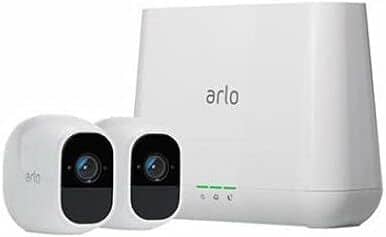
A:AnswerThere is a base that needs to be installed within a close proximity to the cameras. During the setup process you'll be notified if any of the cameras are out of range and need to be brought closer.
A:AnswerYou will use the same app to view/manage your work and home cameras. However, you will be the only one that can see your personal cameras. You invite individuals to view your system. No one except you and those you choose can see your system.
A:AnswerThis is not the same for all users. You have to play with your settings to get the right batteries life. Here are some thing to keep in mind: range from camera to base, temp, motion setting, mic and led light options and a few others.
A:Answeri had one of my camera monitoring the front side of the house which had frequent activities during day time. with that the full charge lasted around 7-10 days
A:AnswerIf you're settings are on the lowest recording possible, and there's no movement at all in your yard maybe 3 days top. Get a good ladder so you can climb up and get the cameras down every other day to charge. And get multiple chargers so you can at least have one camera charged at all times.
A:AnswerYou can set them up using a smartphone, but I believe they won't actually begin functioning until the camera is plugged in. There are a lot of little things like this they don't tell you about until you get them home and realize you're missing functions.
A:AnswerNot sure of the max number but I know for sure at least 4 poeple can. Myself, my wife, and 2 teenage daughters all have access to ours with no issues.
A:AnswerI have batteries that are two years old and still going strong. They aren't cheap but it beats running electricity to remote locations to power a camera. The charge on an individual battery can last for hours to over a month depending upon how you have the settings arranged.