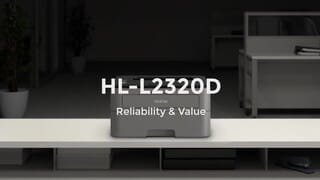
A:AnswerYes. Anything you need to print will generally work fine. This is a black & white printer so if you're printing a picture manage your expectations.
A:AnswerYou can download the printer software from our website to install the Brother HLL2320D machine onto your HP Computer. Below is a FAQ that will help you with this issue:
https://help.brother-usa.com/app/answers/detail/a_id/77093
If you continue to have issues, our Brother Customer Support Team is available to assist you direct: www.brother-usa.com/brother-support
A:AnswerWe understand you're experiencing connectivity issues with your Brother HLL2320D machine. Your machine does support macOS 10.12 Sierra. Below is a FAQ that may help you with this issue:
https://help.brother-usa.com/app/answers/detail/a_id/77485
If you continue to have issues, our Brother Customer Support Team is available to assist you direct: www.brother-usa.com/brother-support
A:AnswerA starter toner cartridge is included, but it does not contain much and probably won't last long (depending on how much you print). You may want to purchase a new toner at the same time you buy the printer so you are ready when the starter runs out.
A:AnswerThe Brother HL-L2320D is compatible with the following Windows versions:
Windows 11
Windows 10 (32-bit)
Windows 10 (64-bit)
Windows 10 S
Windows 8.1 (32-bit)
Windows 8.1 (64-bit)
Windows 8 (32-bit)
Windows 8 (64-bit)
Windows 7 (32-bit)
Windows 7 (64-bit)
Windows Vista (32-bit)
Windows Vista (64-bit)
Windows XP (32-bit)
Windows XP (64-bit)
Windows Server 2022
Windows Server 2019
Windows Server 2016
Windows Server 2012 R2 (64-bit)
Windows Server 2012 (64-bit)
Windows Server 2008 R2 (64-bit)
Windows Server 2008 (32-bit)
Windows Server 2008 (64-bit)
Windows Server 2003 (32-bit)
Windows Server 2003 (64-bit)