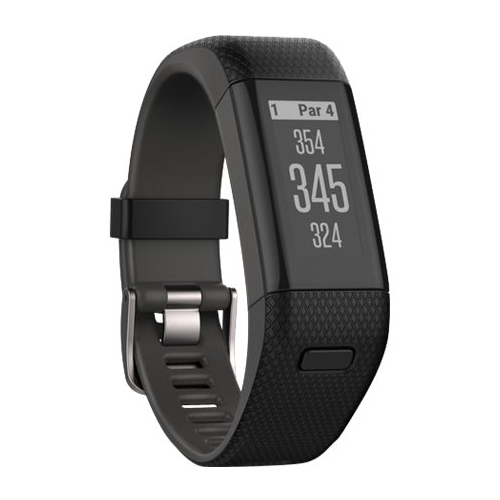
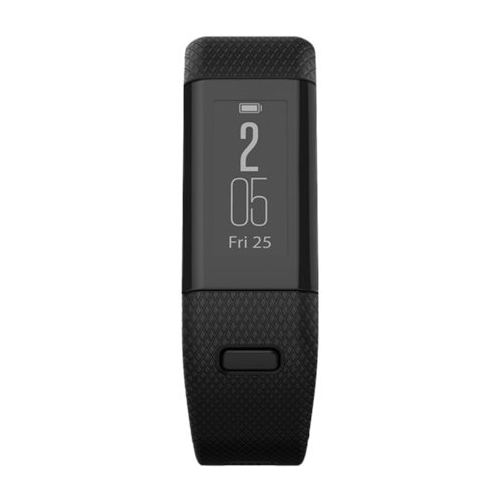
A:AnswerYes it does have a time display, a little awkward displaying the two digit hour above the two digit minute. Once you get used to it, its fine. The only thing I do not like about it, is the wristband is kind of small. Wish Best Buy would sell the XL version with the larger wristband. I do not need all the graphics bling of some other golf watches and I did not want anything bulky and clunky on my wrist as I was playing. I have already recommended this to a couple of my friends
A:AnswerHere is a get started video:
https://www.youtube.com/watch?v=uAOIBTp7iJE&feature=youtu.be
For more information contact us at [email protected] or visit our Support Center, https://support.garmin.com/en-US/
Thanks Jenny
A:AnswerThis device does have activity tracking. It is not compatible with live tracking, so it will not provide the GPS coordinates live.
For more information contact us at [email protected] or visit our Support Center, https://support.garmin.com/en-US/
Thanks Jenny
A:AnswerHi Lucky,
You can change or view the units for distance on the device from the Main Menu, then selecting the Gear Icon, then System, then Units. This can also be found on page 6 of the Owner's Manual. http://static.garmin.com/pumac/Approach_X40_OM_EN.pdf
A:AnswerHello,
Being in a different language can be challenging to get back into English. Could you please submit an email to our support group at [email protected].
A:AnswerHello,
Yes, it will show distances for Central America like Panama. Below is a link to our golf course that we have on our devices.
https://www.garmin.com/en-US/golf-courses/overview
Thanks
Chris