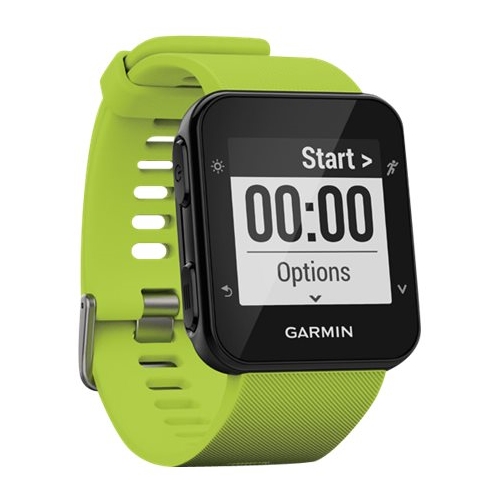
A:AnswerNo this watch does not have the ability to load music to the device. You may only control the music on the phone from the watch.
Debbie with Garmin
A:AnswerIf you're experiencing an issue with your Forerunner 35, please go to support.garmin.com where you will find many helpful FAQ's and can reach out directly to a product support associate to assist you with your device.
Debbie with Garmin
A:AnswerGPS will record elevation in the fit file and once your activity has been uploaded to Garmin Connect you'll see the elevation data. It cannot be seen on the device.
Debbie with Garmin
A:AnswerThe device is rated for swimming, however, it does not have a Swim activity profile to record swim data. The device's water rating information is below.
Suitable:
•Splashes
•Rain or snow
•Showering
•Swimming
•Diving into water
•Snorkeling
Unsuitable:
•Scuba Diving
•High-speed watersports
Debbie with Garmin
A:AnswerShe would need to set up the LiveTrack feature on a compatible smart phone that her Forerunner 35 is paired to. Please go to support.garmin.com where you'll find helpful information concerning the LiveTrack feature. You may also reach out directly to a product support specialist from that page.
Debbie with Garmin
A:AnswerWe don't have a device that is an active tracker. The Livetrack feature only works while in an activity while paired with a smartphone and the phone within range and activated by the wearer.
Debbie with Garmin
A:AnswerIf your phone meets our Bluetooth requirements it should work. Please go to support.garmin.com where you'll find an FAQ on Bluetooth requirements. If you still having an issue you may reach out directly to a product support associate from this page.
Debbie with Garmin
A:AnswerYou may only control the music on your phone from this device. You cannot download music to it. You would need to pair your device to a compatible Bluetooth phone and have your ear buds paired to the phone. You may want to go to support.garmin.com for helpful FAQ's and video's on this device.
Debbie with Garmin