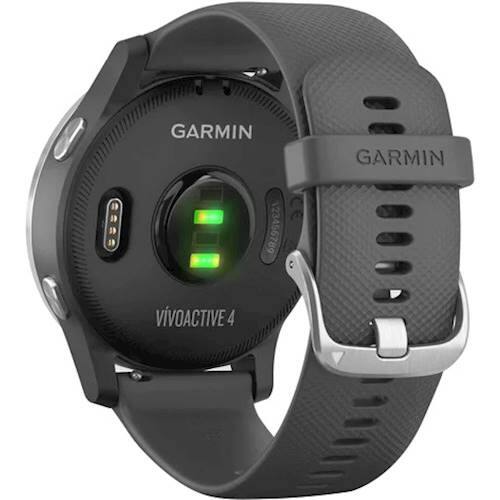
A:AnswerThere is a specific breathwork activity profile with breathing exercises. You will see the information in your Garmin Connect account.
Debbie with Garmin
A:AnswerThe watch can be swam with, however, do not press any buttons when the watch is under water and rinse the device off to get the salt off once you are able.
Debbie with Garmin
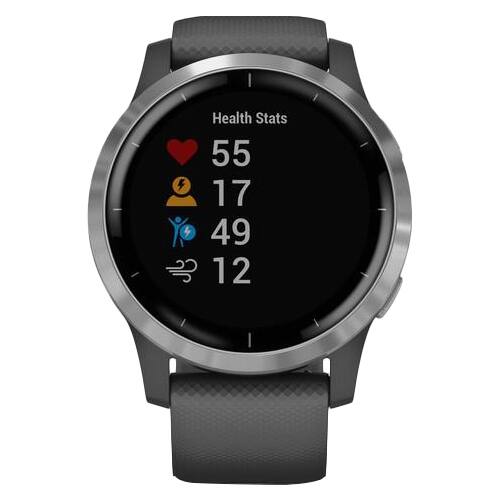
A:AnswerIt does not monitor blood pressure. It measures Heart Rate, Respiratory rate, as well as has a Pulse Ox monitor. The Pulse Ox has a heavy battery drain but is useful if checking overnight and can charge the next day.
A:AnswerYou may want to go to support.garmin.com to reach out to a product support specialist for information on how you would like to use the watch with the Edge 520. If you are using both devices to record the activity, that does involve 2 activities being uploaded to Garmin Connect. If you're wanting to use the heart rate feature from the watch to the Edge, and use the Edge only to record the activity, that will allow only one activity to upload to Connect.
Debbie with Garmin
A:AnswerIf the Samsung phone meets our Bluetooth requirements it will pair. The device has a 'Find my phone' feature. as well as a Stopwatch. It would not detect irregular heart rate. However, when recording activities, some activity profiles will offer the option of alerting you if you go below or above a specific heart rate if you have it set up to do so.
Debbie with Garmin
A:AnswerThis device would fit your needs. At support.garmin.com you can reach out directly to a product support specialist for any prebuy questions you may have.
Debbie with Garmin
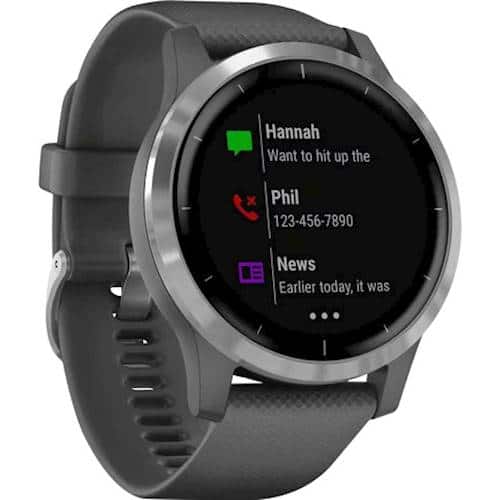
A:AnswerYou can’t reply to notifications like you “can” with an Apple Watch but you get all notifications regardless if your phone is actively on or asleep which is better than AW I would I only get them when my phone was asleep so if I left my phone on playing a video not paying attention I’d still get a notification alert on my vivoactive.
A:AnswerAs long as your phone meets our Bluetooth requirements it should pair.
The Garmin Connect app can be installed on an Android or iOS device. Devices must meet the following minimum compatibility requirements.
NOTE: If the Garmin Connect app is installed on a device that is running an unsupported OS version, this may result in a loss of functionality. If you uninstall the Garmin Connect app while being on an unsupported OS version you may not be able to locate and install it again from your app store.
Apple iOS:
iOS 13 or higher
Compatible with iPhone and iPod Touch
A:AnswerIt might depend on the file size. Please go to support.garmin.com where you'll find helpful FAQ's on Audio File Type for our devices. If you still need assistance, please use that link to reach out to a product support associate.
A:Answeryou'll be better off with any non-Garmin watches! What good is a fitness device with inaccurate heart bpm? Perhaps most of the other +++++ reviews are paid?
Over the past 10 yrs, this is my 8th and last device from Garmin. A total disappointment with its gross lack of accuracy, hardware failure (within the past 48 hours it froze twice, could only correct it by letting the watch battery drain completely and then recharge it). Software design and options are mediocre, annoying at times and inefficient.
To make matters worse, Garmin’s customer service is an even greater disappointment with its gross lack of professionalism, incompetency and no respect for Garmin patrons (durring all my 12 encounters and 7 hours I’ve wasted with them)!
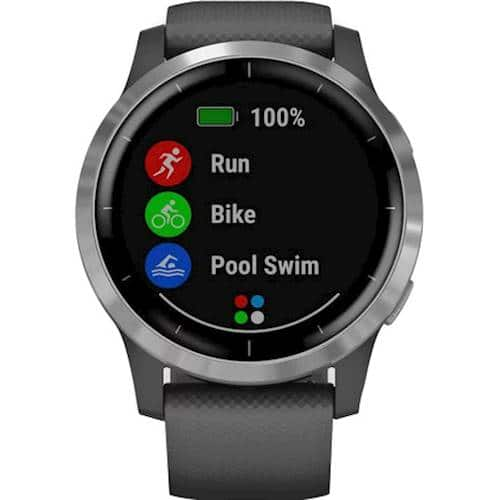
A:AnswerNo you cannot speak to the caller from the watch. You can reach text on the watch and you will get an email notification but not read the entire email on the watch. This device does to health monitoring.
Debbie with Garmin
A:AnswerAs long as your phone meets our Bluetooth requirements you will receive notifications for calls, text, emails and calendar appts.
Android:
7.0 Android Operating System or higher
Compatible with phones and tablets
Device must natively support Google Play Store
NOTE: Phones that feature Android (Go edition) will list the Garmin Connect app as incompatible in the Play Store due to limitations making it incompatible.
The following phone models did not pass internal tests with some of our devices. The phone and device may work together, but may require continued Garmin Connect App Bluetooth Troubleshooting.
Huawei phones
For further information on Huawei phones see, - Huawei Smartphone Bluetooth Troubleshooting With a Garmin Fitness Device.
Lenovo Vibe X S960
Meizu MX4
Samsung J3 Model J320FN
Debbie with Garmin
A:AnswerIf you do not have a smartphone you will need to connect it to your computer for syncing your data and receiving device updates. You will need to use the Garmin Express program to upload to a Garmin Connect account to view your data. Please go to support.garmin.com where you'll find many helpful FAQ's and video's on the functions of the device. If you still need assistance you can reach out directly to a product support associate from that link.
Debbie with Garmin
Debbie with Garmin
A:AnswerPlease be sure you have activity tracking turned on and are wearing it to bed. Please go to support.garmin.com where you'll find many helpful FAQ's and video's on the functions of the device. You may also reach out directly to a product support specialist from that link if you still need assistance.
Debbie with Garmin
A:AnswerWhat good is a fitness device with inaccurate heart bpm? Perhaps most of the other +++++ reviews are paid?
Over the past 10 yrs, this is my 8th and last device from Garmin. A total disappointment with its gross lack of accuracy, hardware failure (within the past 48 hours it froze twice, could only correct it by letting the watch battery drain completely and then recharge it). Software design and options are mediocre, annoying at times and inefficient.
To make matters worse, Garmin’s customer service is an even greater disappointment with its gross lack of professionalism, incompetency and no respect for Garmin patrons (durring all my 12 encounters and 7 hours I’ve wasted with them)!