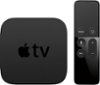
“switching from apple tv to ?? I currently have the first generation appletv and need to switch because the old appletv no longer is supported. Is this easy for a senior to install ?? I will say I am a bit technically challenged. Thanks for any answers posted.”
Answer This Question
1-10 of 11 Answers
Yes it is easy to install as long as you follow the instructions.
I would recommend:
Sorry, there was a problem. Please try again later.Yes, the steps are quite straightforward. of course you'll need to know your network name and security "key", if it is a secure network. When instructed to connect to your network, just select it from the list you see, click connect and the box will open for you to enter the required key. The network ID and key should be on the label of your network gateway or modem.
Sorry, there was a problem. Please try again later.This is extremely easy! With the price being $35, I would recommend trying it! You can return it if it doesn't work out within the first two weeks of Best Buy. It's kind of a no brainer with that in mind.
Sorry, there was a problem. Please try again later.I'm not sure how this would work with an apple tv but the device plugs into the TVs HDMI outlet and a power outlet. That's all the physical connecting you have to do. The rest of the set up is within the device you wish to cast from. You do need a wifi connection. Log onto Google Chrome and follow the prompts. I didn't use an android device so I did have to look up (online) how to link my windows device to the chromecast. Once you finish the set up in your device, it's very easy to use. You just leave the chromecast connected to your television, log onto Google Chrome, find the video you wish to stream/cast, play the video and click the cast icon on the top right corner of the window. Done.
Sorry, there was a problem. Please try again later.I found setting this up on my iPad very easy. Download app, open, answer few questions, off I went ☺
Sorry, there was a problem. Please try again later.Sir/Ma'am, if you know your wireless network name and wireless network password, the Chromecast is going to be very easy to install/setup. All you need to do is plug it into an HDMI port on your TV, and then switch your TV to that input. If you don't know which input you plugged it into, just switch though each Input on your TV until you see the Chromecast screen! Once you find the Chromecast screen, follow the on-screen instructions to use your Android phone or Chrome browser to tell the Chromecast your wireless network and password. From there, it's just a click from your Android phone or Chrome browser to watch YouYube, NetFlix, or whatever else you want to watch from your computer/internet on your TV. For the price we don't think you'll find a better deal.
Sorry, there was a problem. Please try again later.Extremely easy. You just plug it into the side of your television, change the setting to hdm1 or hdm2 (depending what plug on your television you plugged into) and it automatically registers for you. It looks like a small USB plug and play device. I use my phone and then just cast the phone to the television. Picture quality great, little lag, highly recommend.
Sorry, there was a problem. Please try again later.You are not able to download and save content to this device like apple tv, this allow you to steam from websites like Netflix, Hulu, and Youtube. And of course you have to have an account with those servers. The set up is simple, buy it will only work if you have a wifi signal that reaches where your T.V. is.
Sorry, there was a problem. Please try again later.Installing is very easy, just connect to your tv, download the app to your device and start watching. Literally that easy. Good luck, take care
Sorry, there was a problem. Please try again later.The amazon firestick is just as easy if not easier to install than apple tv
Sorry, there was a problem. Please try again later.