Questions & Answers
- Model:
- NS-24F201NA26
- |
- SKU:
- 6616017
Q: QuestionYou tube tv app available
Asked by MD1702.
- A:Answer Hello, thank you for the question. Yes, the YouTube TV app is available on the Insignia 24" Class F20 Series HD Smart Fire TV. You can locate it in the Fire TV Appstore by searching for YouTube TV and installing it. After installation, sign in to begin streaming. Poojitha | Insignia
Answered by InsigniaCustomerSupport
Q: QuestionCan this TV be used solely with an indoor antenna for just over the air channels?
Asked by ElvisKP123.
- A:Answer Hello, thank you for your question. Thank you for your question. The Insignia 24" Class F20 Series Smart Fire TV Model: [NS-24F201NA26] includes a built‑in digital (ATSC) tuner, so you can connect an indoor antenna directly to the TV and watch over‑the‑air broadcast channels. Mueez | Insignia
Answered by InsigniaCustomerSupport
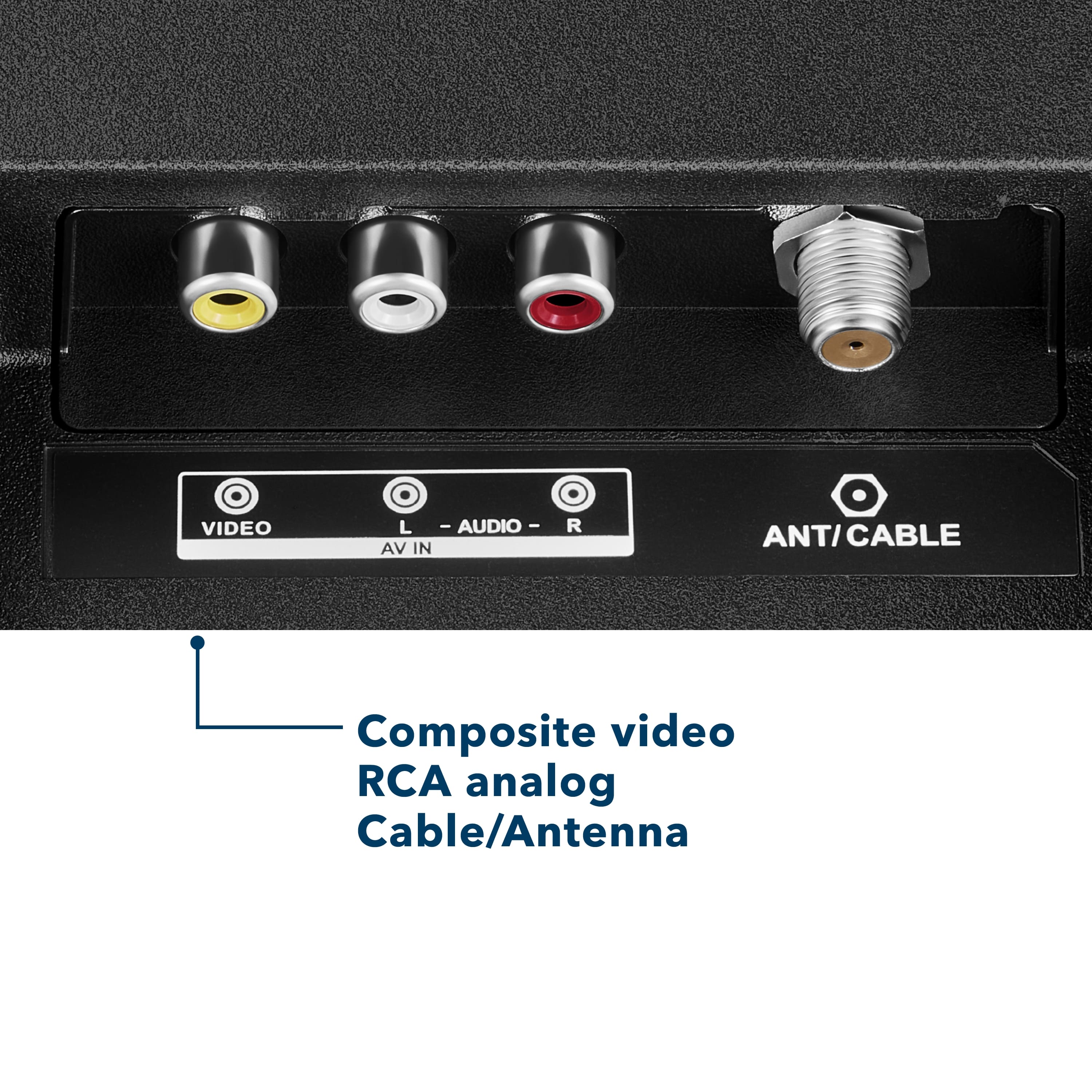
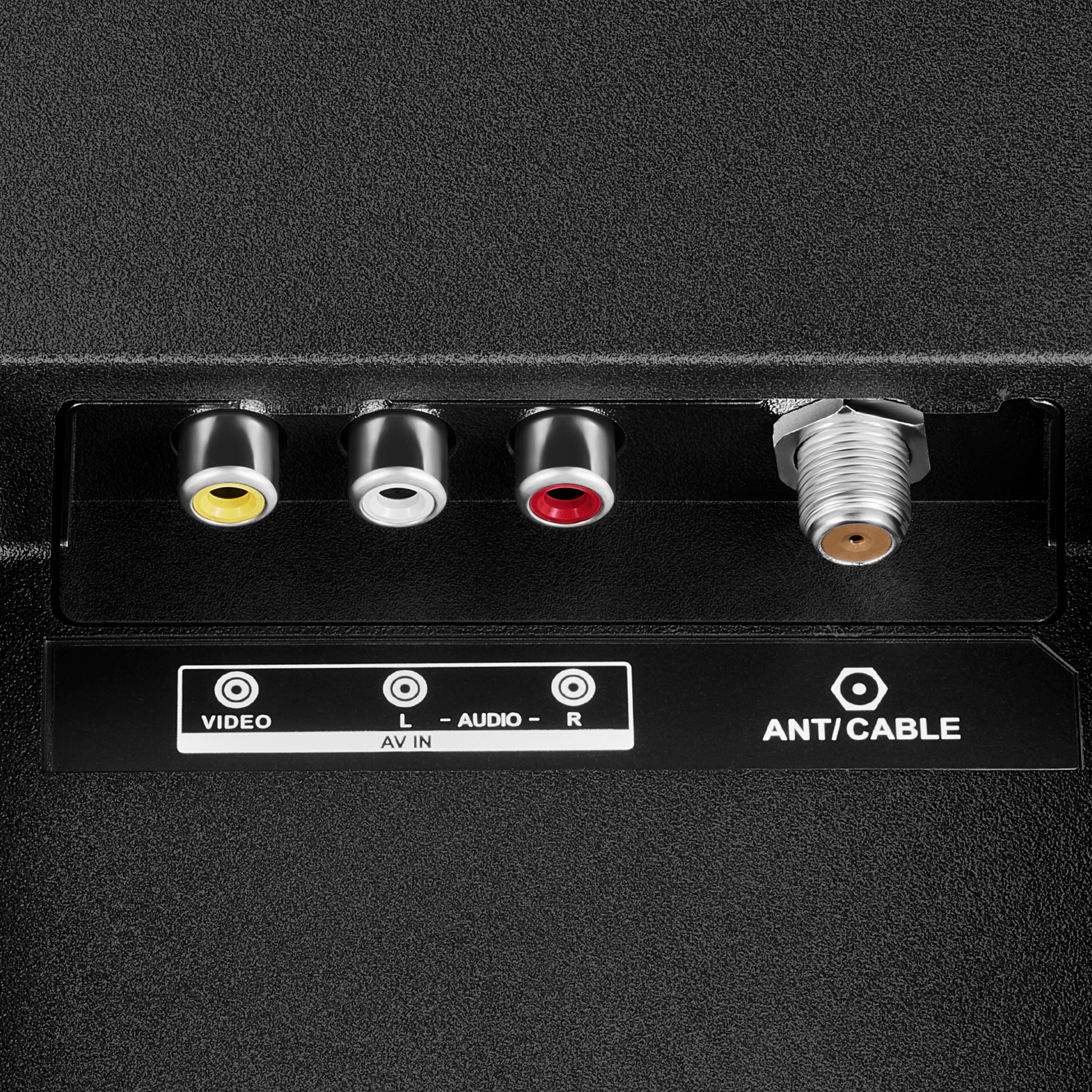
Q: QuestionSimilar to the questions about the DVD player and Game Cube, I also have a DVD player, but it is old and uses the 3 color connectors. Do I need to get the RCA adapter? Also, is there a workaround to using remote without Alexa?
Asked by KarenBeth.
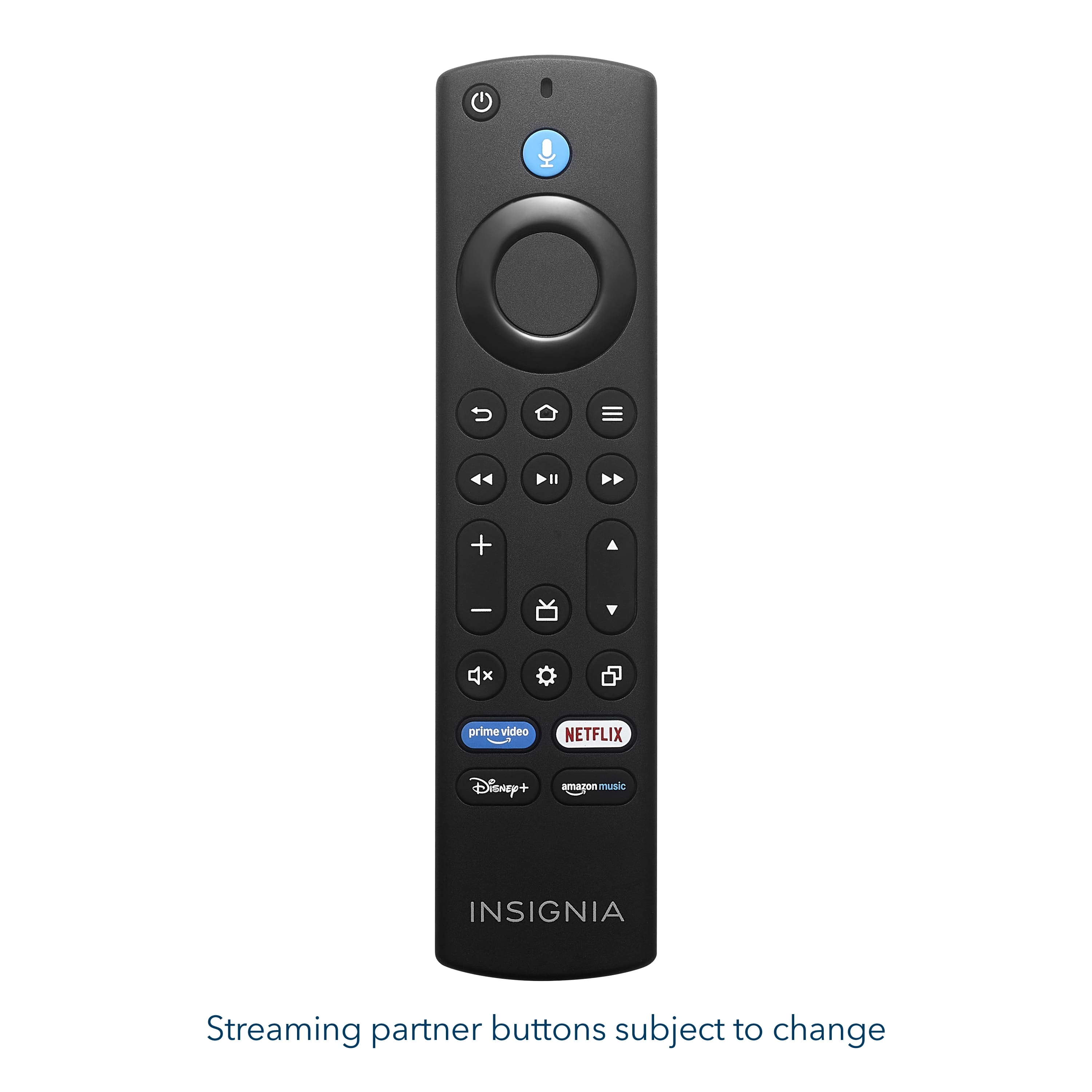
- A:Answer Hello Karen! Thank you for your question. You can plug your old DVD player straight into the Insignia 24" F20 Series Fire TV because it already has the yellow/white/red RCA ports built in, so no adapter is needed, and you can use the TV completely without Alexa by simply skipping Alexa setup and using the included remote for all navigation, volume, inputs, and apps. Darshan | Insignia
Answered by InsigniaCustomerSupport
Q: QuestionI have Comcast cable tv can I open the box and just connect the cable and all the other wiring and start watching?
Asked by Peace.
- A:Answer Hello, and thank you for your question. Yes, you can connect your Comcast cable box to the Insignia 24" F20 Series TV using the HDMI or coaxial connection, and it will work normally. Mueez | Insignia
Answered by InsigniaCustomerSupport
Q: QuestionCan this tv be watched vertically?
Asked by CC.
- A:Answer Hello, thank you for your question. No, this TV is not designed to be used vertically. The Insignia 24" F20 Series Fire TV is intended for standard horizontal viewing only and rotating it into a vertical (portrait) position is not supported. Using the TV vertically may affect picture quality and could cause performance issues. Sudeep | Insignia
Answered by InsigniaCustomerSupport
Q: QuestionCan I program my cable service remote to this tv?
Asked by Anonymous.
- A:Answer I returned mine cause it didnt have a spectrum cable tv app to watch mine or a way to download it.
Answered by FreebirdT
Q: QuestionYou can you connect your game Cube Nentendos
Asked by Lor.
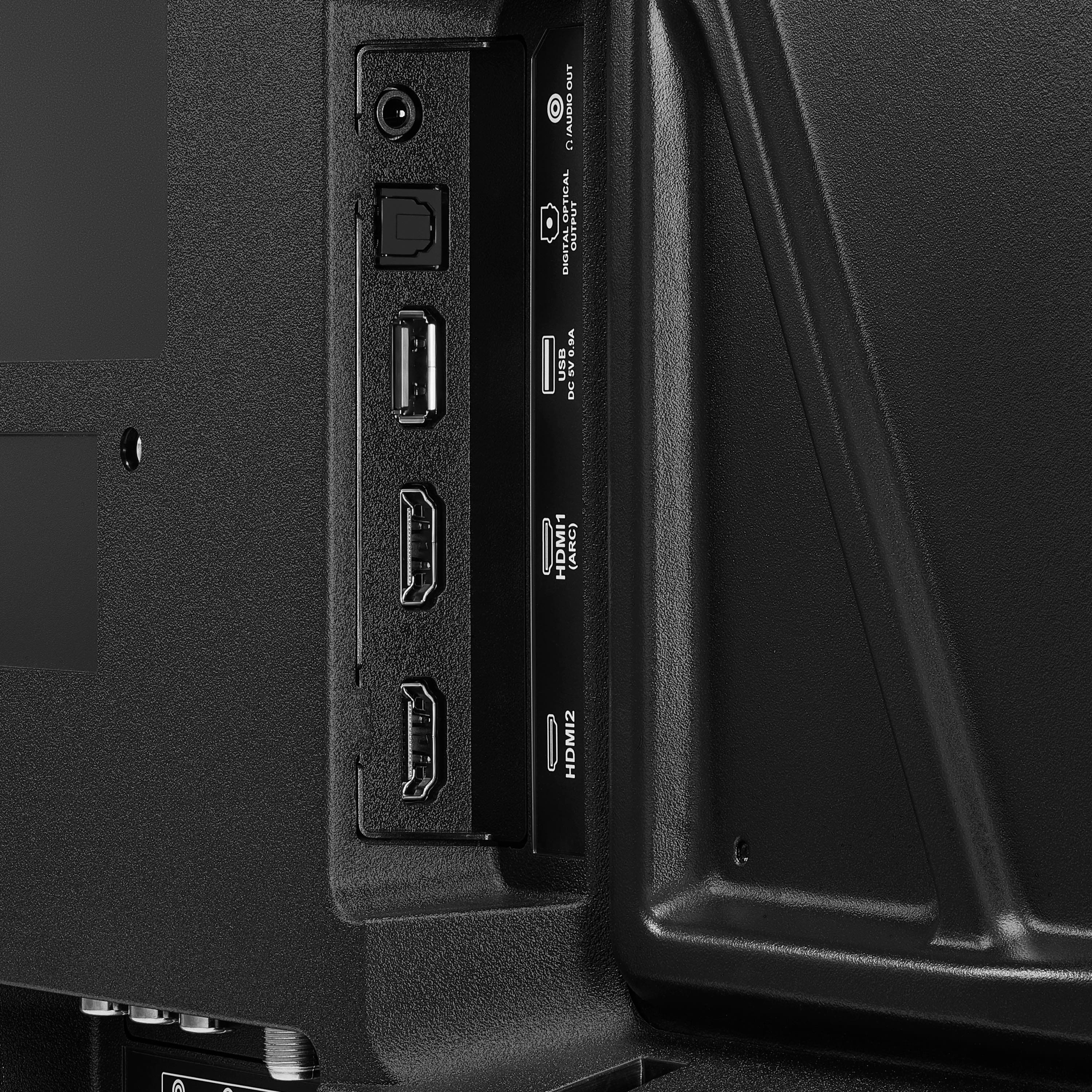
- A:Answer Hello Lor, thank you for contacting us. We appreciate your question about connecting a Nintendo GameCube to the Insignia 24" Class F20 Series LED HD Smart Fire TV. The GameCube uses analog RCA cables (yellow/red/white), while this TV supports HDMI only, so an adapter is required. You will need to purchase an RCA‑to‑HDMI converter to use the GameCube with this TV. You can find these converters on BestBuy.com, or you may contact Best Buy’s phone team at 1‑888‑237‑8289 for assistance with selecting the correct adapter. Narendra | Insignia
Answered by InsigniaCustomerSupport
Q: QuestionCan I access YouTube tv, etc, without using a firestick or Amazon stick? The tv I have now connects to fios wirelessly but I have to plug in the Amazon stick to access YouTube tv, Netflix, etc.
Asked by PatrickS.
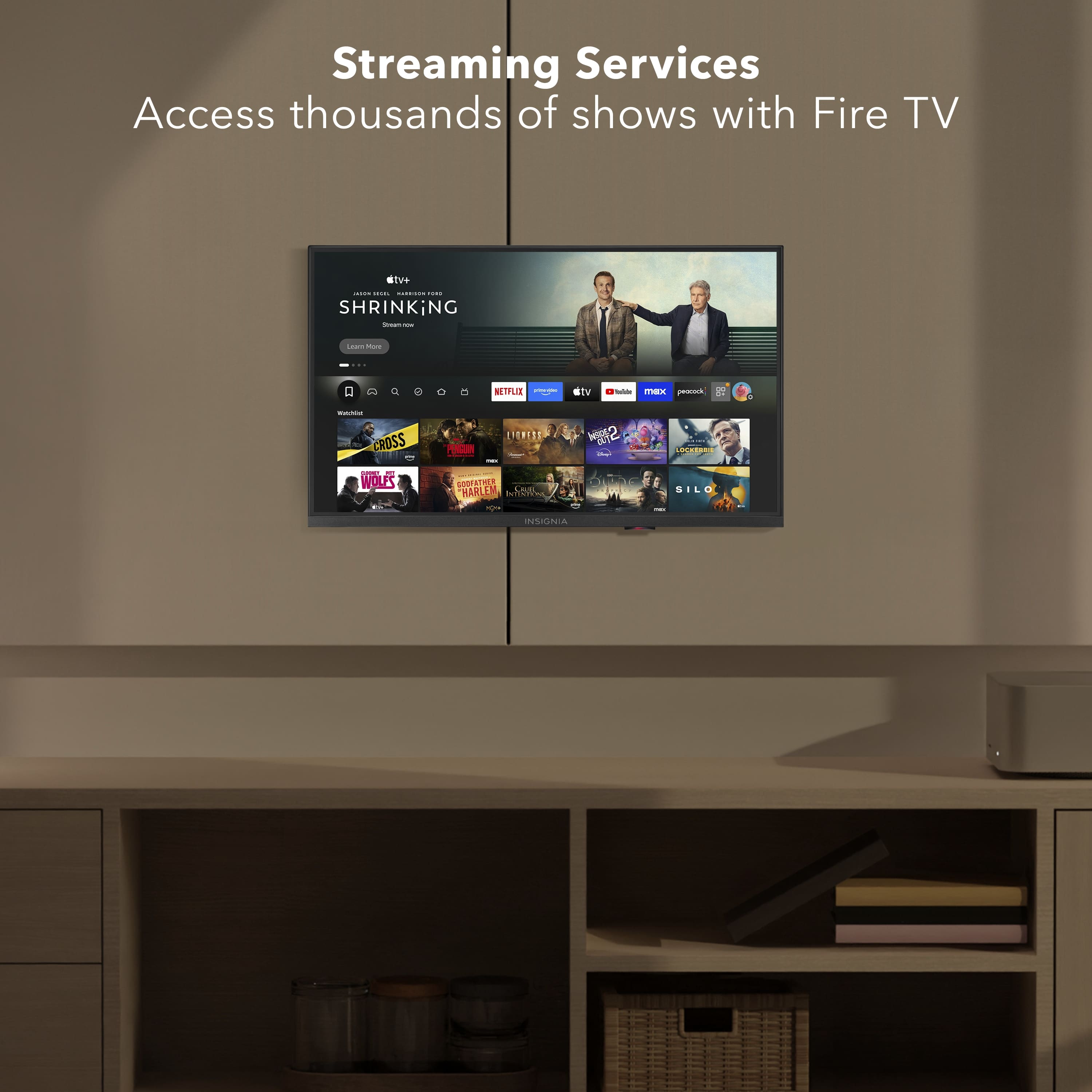
- A:Answer Hello Packie, thank you for your question. Yes, you can access YouTube TV, Netflix, and other streaming apps without using a Fire Stick on the Insignia™ 24" Class F20 Series Smart Fire TV. This TV has Fire TV built in, so once it is connected to Wi‑Fi, you can open and use apps like YouTube TV, Netflix, Prime Video, and more directly from the TV’s home screen. Sudeep | Insignia
Answered by InsigniaCustomerSupport
Q: QuestionI know it is 24 inches wide, how tall is it?
Asked by Mb.
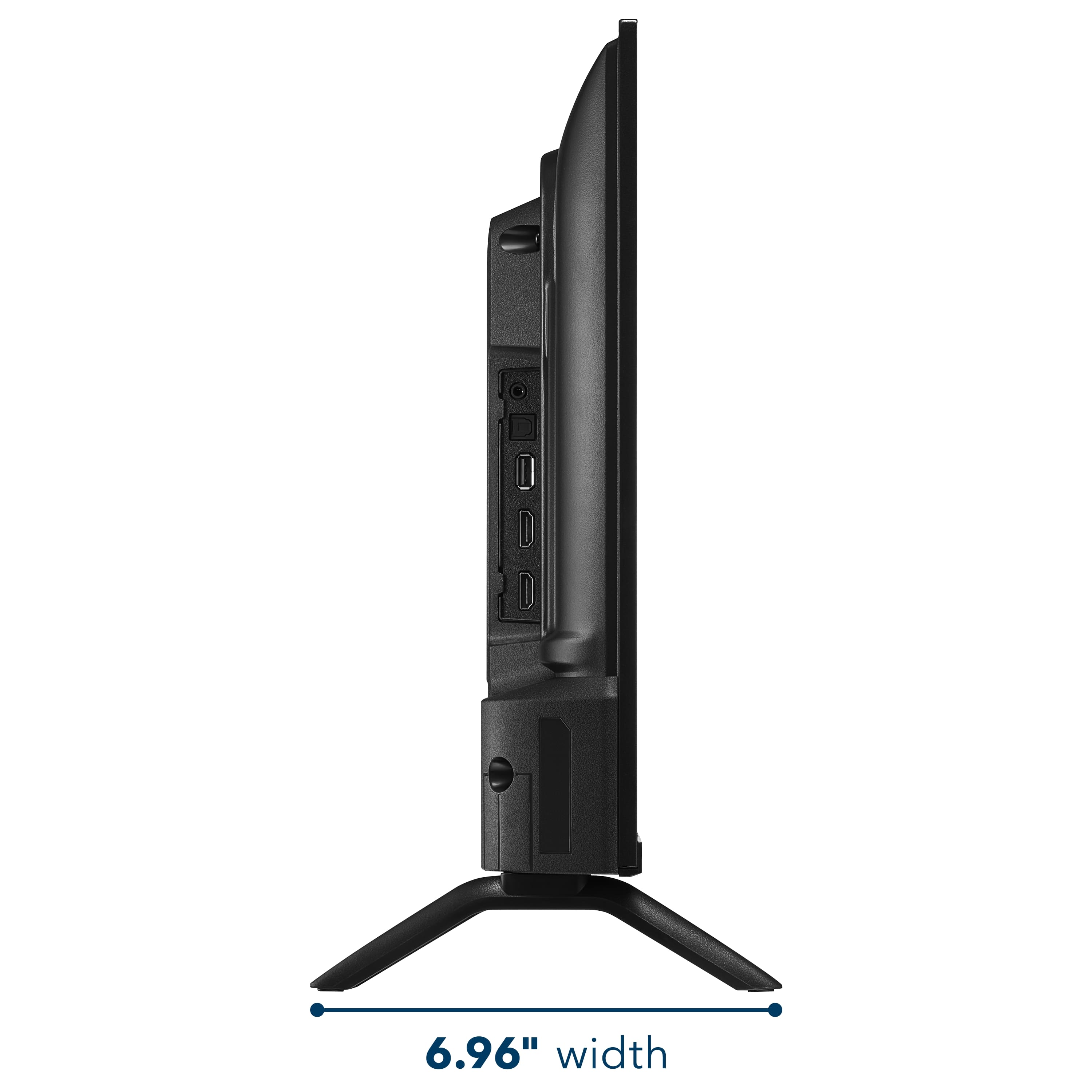
- A:Answer Hello, thank you for your question, the Insignia™ 24” Class F20 Series LED HD Smart Fire TV (Model NS‑24F201NA26) is 14.3 inches tall with the stand and 12.53 inches tall without the stand, giving you accurate height measurements for any setup. Sudeep | Insignia
Answered by InsigniaCustomerSupport
Q: QuestionWhat can I do if the remote has stopped working?
Asked by Szap.
- A:Answer Hello, thank you for your question. If your Insignia TV remote is not working, we recommend first trying fresh batteries and power‑cycling the TV by unplugging it for about 60 seconds. If the issue continues and your TV is still under warranty, you can contact our Insignia support team for further assistance at 877‑467‑4289 insigniasupport@bestbuy.com, they will review this and help you accordingly. Sudeep | Insignia
Answered by InsigniaCustomerSupport
Q: QuestionIf im streaming a show on my phone, can I screen share to the tv.. and will it actually show up on the tv.. I bought a Westinghouse 24" tv and the video wouldn't show on the tv. Just the audio... and I don't think it had Bluetooth either
Asked by Anonymous.
- A:Answer Hello, thank you for your question. Yes, you can screen share to the Insignia™ 24" Class F20 Series Smart Fire TV, and the video will show up on the TV. If your old Westinghouse only played audio, that usually means the app was blocking video over basic mirroring. With this Insignia Fire TV, make sure to use the built‑in Cast / Screen Mirroring feature (Airplay for iPhone, Miracast for Android), not Bluetooth. Sudeep | Insignia
Answered by InsigniaCustomerSupport
Q: QuestionIf I have 2 tvs with streaming apps I pay for, will they automatically be on this tv after I hook it up?
Asked by Cindy.
- A:Answer Hello Cindy, thank you for your question. Your paid streaming apps won’t automatically appear on the Insignia 24" Fire TV. After you set it up and sign in with your Amazon account, the TV will show your apps to re‑download, and your subscriptions will still work, you’ll just need to sign in to each app the first time. Sudeep | Insignia
Answered by InsigniaCustomerSupport
Q: QuestionHow do you connect this TV to ethernet?
Asked by otter.
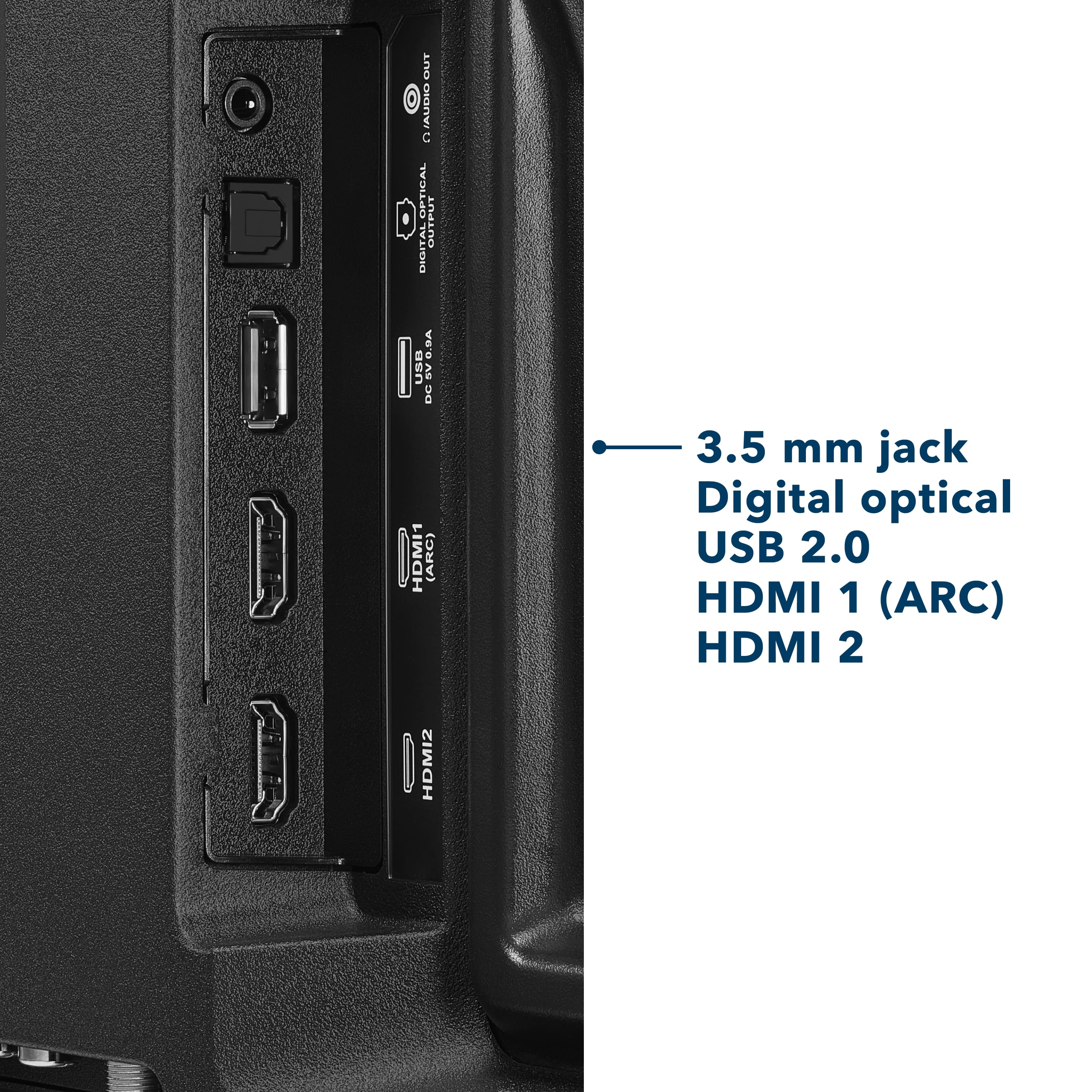
- A:Answer Hello Otter, thank you for your question. To connect your TV to the internet using a wired Ethernet connection, simply plug one end of a standard Ethernet cable into the LAN port located on the back of the television, then connect the other end directly to your router or modem. Once the cable is secured on both ends, the TV should automatically detect the wired network; however, if it does not, you can confirm the connection by navigating to Settings → Network → Network Type → Wired (Ethernet). This setup provides a stable and reliable internet connection for optimal streaming and smart TV performance. Andres | Insignia
Answered by InsigniaCustomerSupport
Q: QuestionDoes it have EPG electronic program guide?
Asked by Anonymous.
- A:Answer Hello, thank you for your question. the Insignia 24" F20 Series Fire TV does include an EPG (Electronic Program Guide) for over‑the‑air channels. When you connect an antenna, Fire TV shows a built‑in channel guide that lists current and upcoming programs. Sudeep | Insignia
Answered by InsigniaCustomerSupport
Q: QuestionIs this TV 9 volts?
Asked by Question.
- A:Answer Hello, Thank you for contacting us. The Insignia NS‑24F201NA26 does not operate on a 9‑volt power source. This model, like other Insignia Fire TVs, is designed to use a standard AC power cord and requires 120V AC household power for proper operation. A low‑voltage DC adapter is not compatible with this unit. Manisha | Insignia Products
Answered by InsigniaCustomerSupport
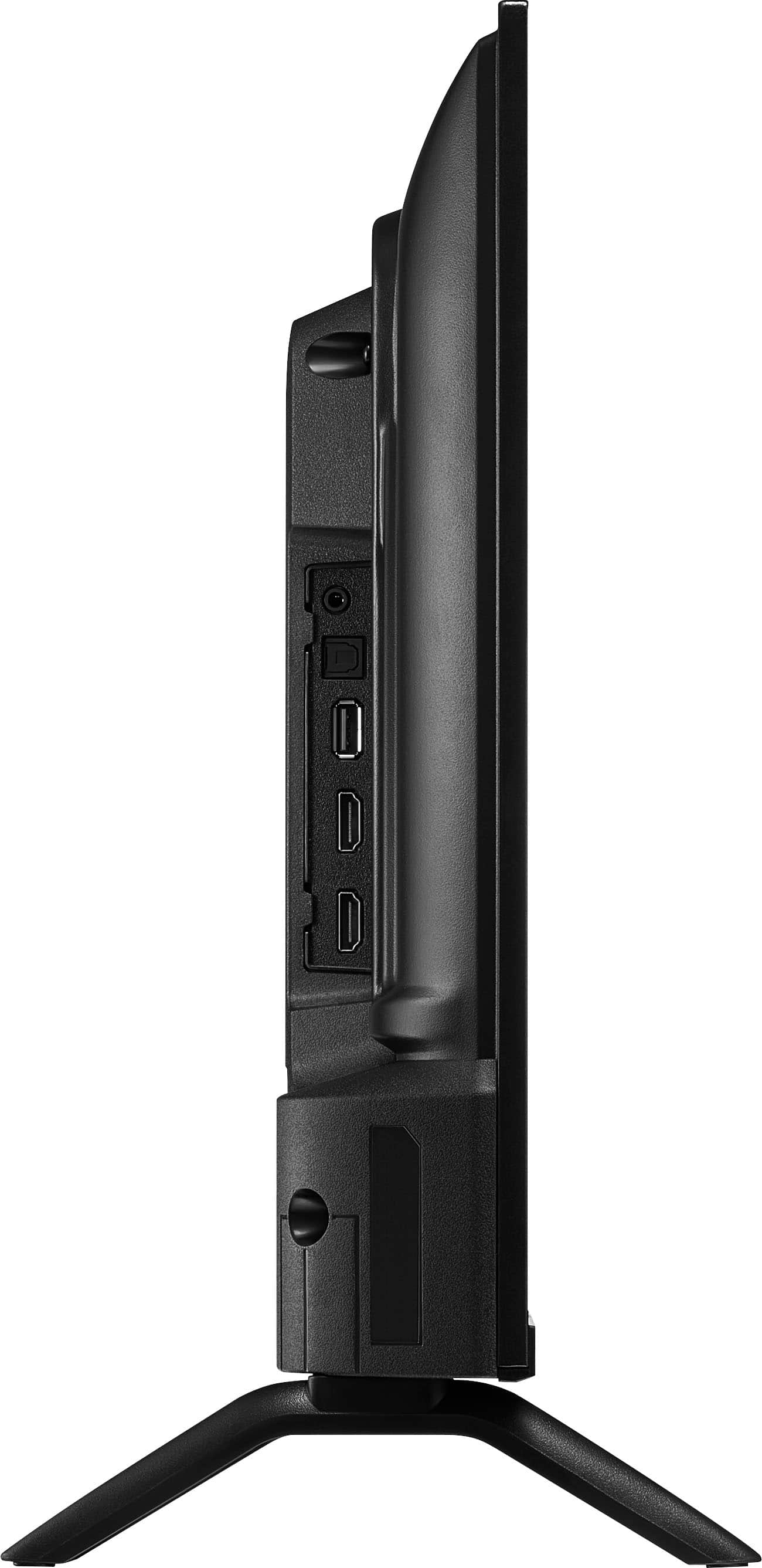
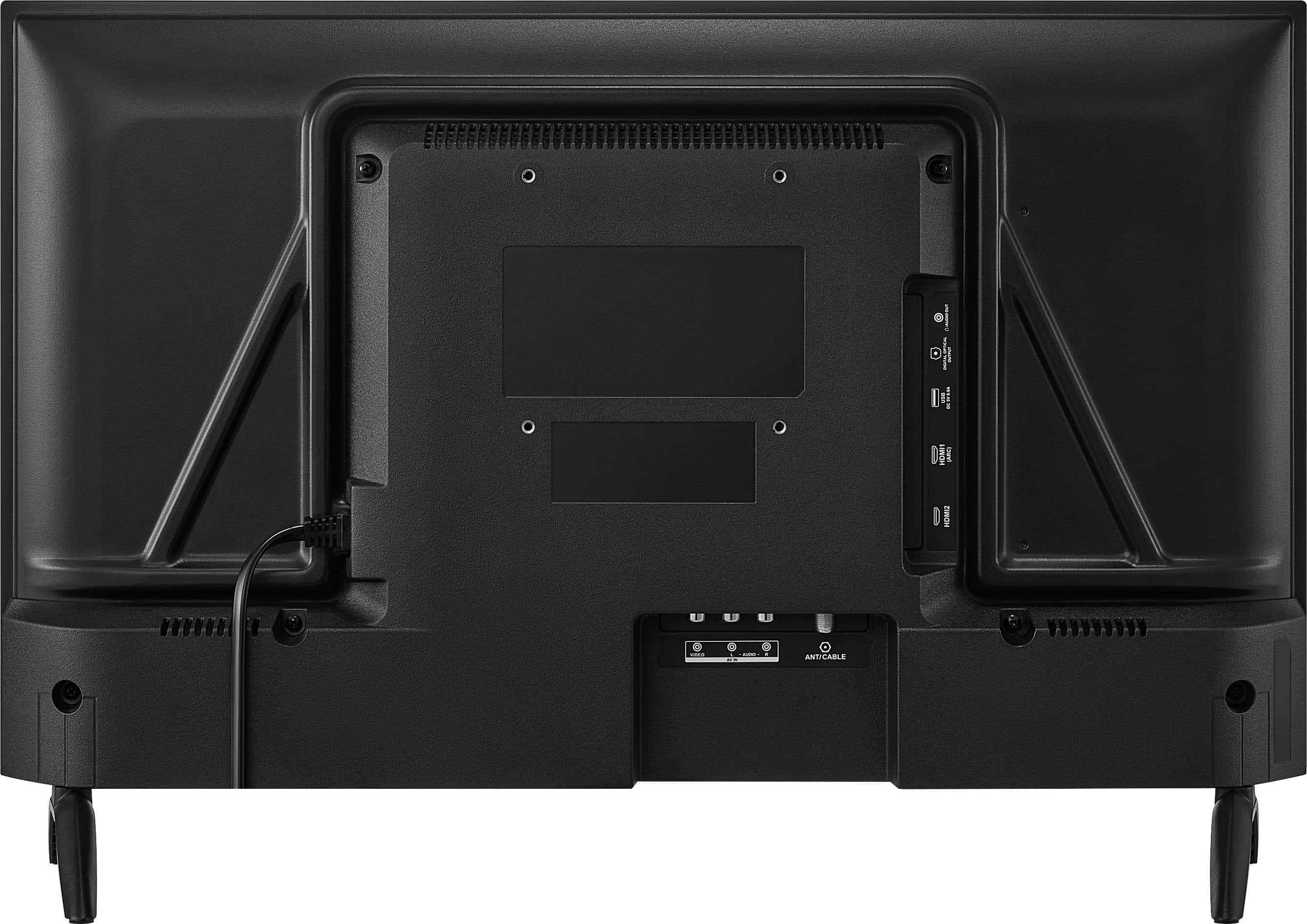
Q: QuestionWhere is the LAN connector to plug in a LAN cable on this model TV (told at store there was a LAN connection)?
Asked by LANconnection.
- A:Answer Hello, thank you for the question. This model does not include a LAN/Ethernet port. It is designed to connect using Wi‑Fi 5 only. I understand this may be disappointing if you were expecting a wired connection, but the TV supports wireless networking exclusively. Sabiha | Insignia Products.
Answered by InsigniaCustomerSupport
Q: QuestionIs there a sleep timer on this tv?
Asked by Anonymous.
- A:Answer Hello, Thank you for contacting us. Yes, the Insignia 24" F20 Series Fire TV does include a sleep timer feature. You can access it through the TV’s settings menu under Timers or Sleep Timer. For full details, please visit the product page on BestBuy.com, where you can also find features and the user manual, or reach out to Best Buy Support at bbysupport@bestbuy.com if you need further assistance. Narendra | Insignia
Answered by InsigniaCustomerSupport
Q: QuestionCan u use bluetooth headset n air buds with it
Asked by Free.
- A:Answer Hello, thank you for your question. The Insignia™ - 24" Class F20 Series LED HD (720p) Smart Fire TV does have built‑in Bluetooth, you can use your Bluetooth headset and air pods with this Tv. If you have any other questions about features or settings, please feel free to reach out to us at 1‑877‑467‑4289. Sudeep | Insignia
Answered by InsigniaCustomerSupport
Q: QuestionDoes this use the 12v adaper?
Asked by Anonymous.
- A:Answer Hello, Thank you for the question. The Insignia™ 24" Class F20 Series LED HD (720p) Smart Fire TV does not use a 12V adapter. This model is designed to operate with a standard AC power cord adapter. Sabiha | Insignia Products.
Answered by InsigniaCustomerSupport
Q: QuestionAnyone else have issues of screen scrambling shortly after TV turns on? TV will automatically shut itself down and reboot. After that it works great but why is it doing this?
Asked by Scrambled.
- A:Answer Hello Insignia Customer! Thank you for your question about Insignia - 24" Class F20 Series LED HD (720p) Smart Fire TV. Screen scrambling followed by a reboot is usually caused by a software issue or a loose connection. We recommend checking for software updates and making sure all cables are secure. If the issue continues, please feel free to contact our support team. We can help troubleshoot further and review your options. Poojitha | Insignia
Answered by InsigniaCustomerSupport


 LIMITED WARRANTY C190648 wokmenghop PRATURES Screen Resolution Kefesh inputs Composte Digital Output (Optical) Antenna/Cable Headphone Audio Output 802.11 Wreless INCLUDEO Kemoto Ratteries Screws Selup Guide 20.07 21.14 PRODUCT SPECS Screen Diagonal Dimensions: 21.1](https://pisces.bbystatic.com/image2/BestBuy_US/images/products/68bdf9c5-c941-4684-a58e-36cf999eca7d.jpg;maxHeight=54;maxWidth=54;format=webp)