“Hello, I noticed that the left side of the cooler is extremely hot to the touch. The electrical circuit that the cooler is plugged into tripped today. What do I need to do? Thank you, Alex”
Answer This Question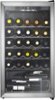
1-1 of 1 Answer
Thank you for reaching out to us. I’m sorry to hear about the issue with your Insignia 29-Bottle Wine Cooler. Here are a few steps you can take to address the problem: 1. Check Ventilation: Ensure that the cooler has adequate ventilation around it. The cooler should be placed away from direct sunlight and heat sources like stoves or radiators. Make sure there is enough space around the cooler for proper airflow. 2. Inspect the Power Source: Verify that the electrical outlet and circuit are functioning correctly. The tripped circuit might indicate an overload or a short circuit. Try plugging the cooler into a different outlet to see if the issue persists. 3. Clean the Coils: Dust and debris can accumulate on the condenser coils, causing the cooler to overheat. Unplug the cooler and carefully clean the coils with a vacuum or a soft brush. 4. Check the Temperature Settings: Ensure that the temperature settings are appropriate and not set too low, which can cause the compressor to overwork. 5. Professional Inspection: If the cooler continues to overheat or trip the circuit, it might be a sign of a more serious issue, such as a faulty compressor or electrical component. In this case, I recommend scheduling a professional inspection to diagnose and fix the problem. If you have any questions or need further assistance, please don't hesitate to reach out. Thank you for choosing Insignia! - Emman | Insignia Support | https://www.bestbuy.com/site/brands/best-buy-brands/pcmcat1596746025285.c?id=pcmcat1596746025285
Sorry, there was a problem. Please try again later.