Questions & Answers
- Model:
- NS-42F201NA23
- |
- SKU:
- 6495088
Q: QuestionCan a pedestal stand be used on this television?
Asked by CURIOUS.
- A:Answer Yes
Answered by HowardH
Q: QuestionTo get away from satellite what antenna is best?
Asked by Newhomeandtv.
- A:Answer RCA Flat digital antenna works perfectly in terms of range and picture quality!
Answered by LawrenceS
Q: QuestionWill my Vizio sound bar hook up to this
Asked by Rick.
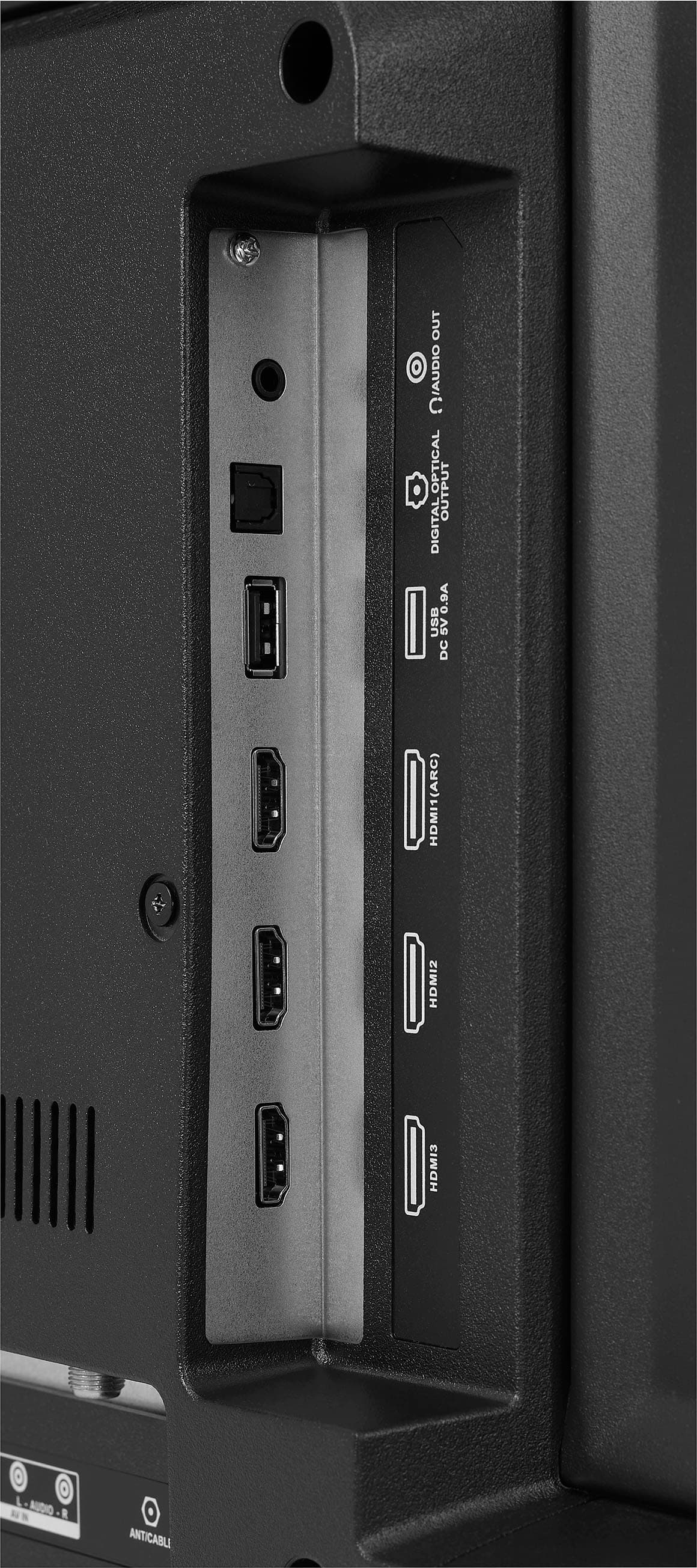
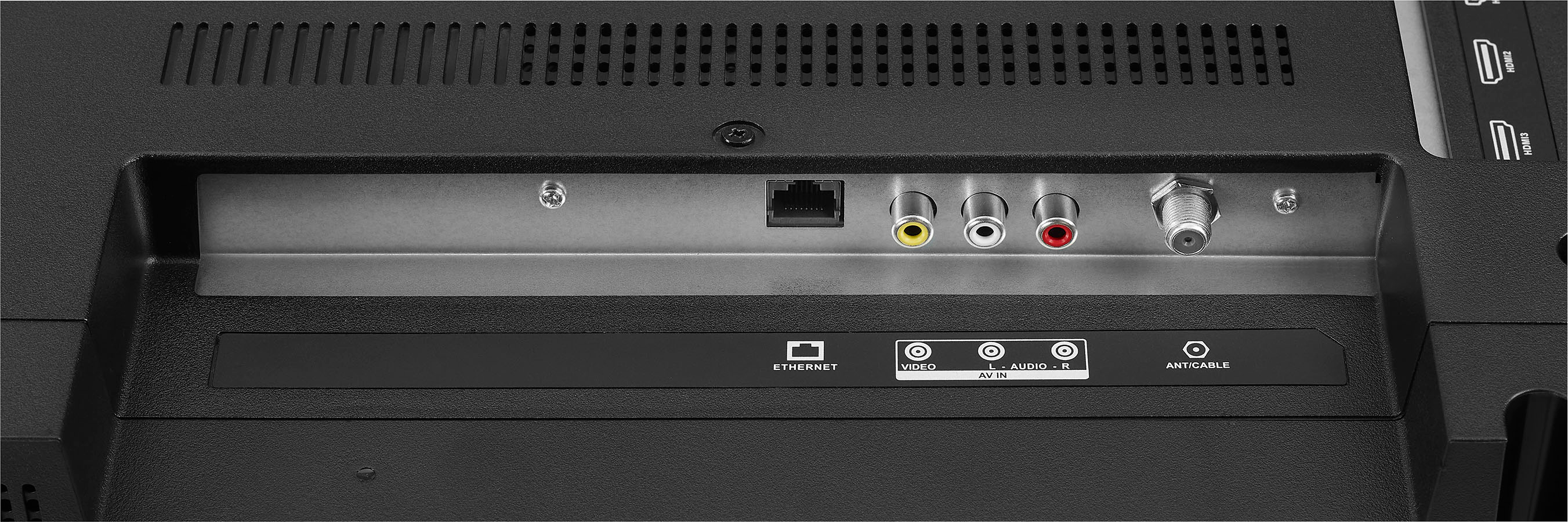
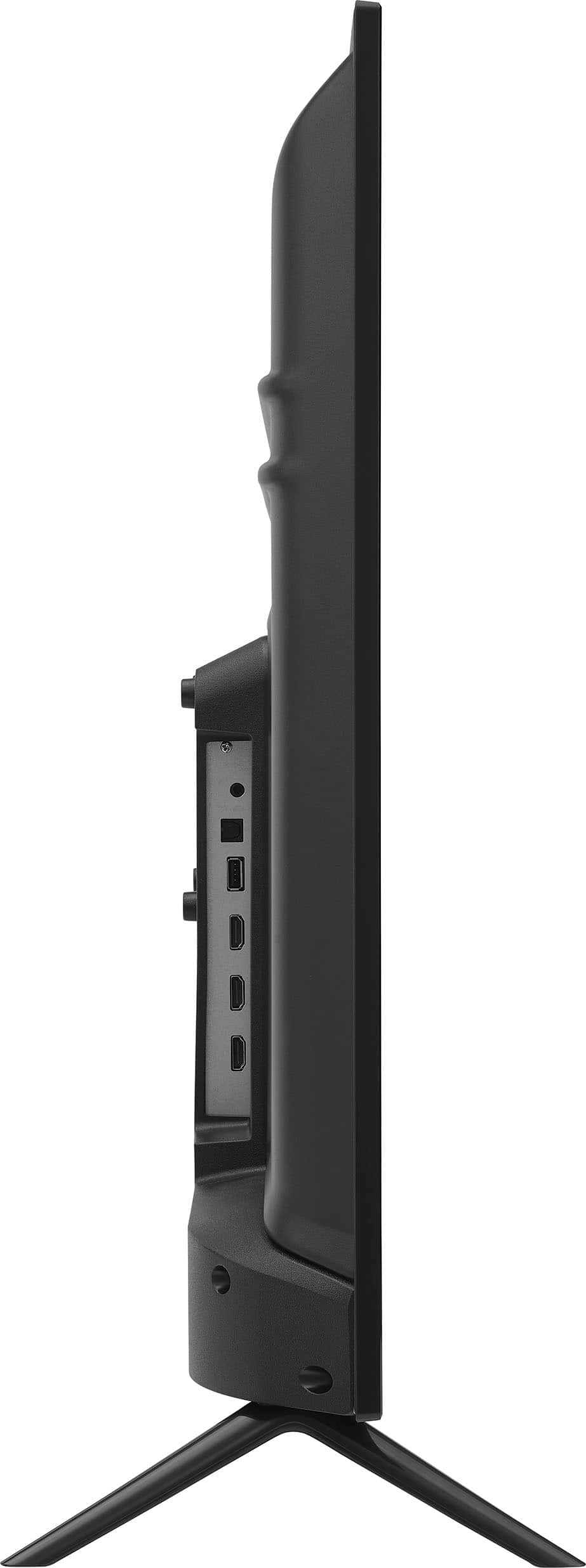
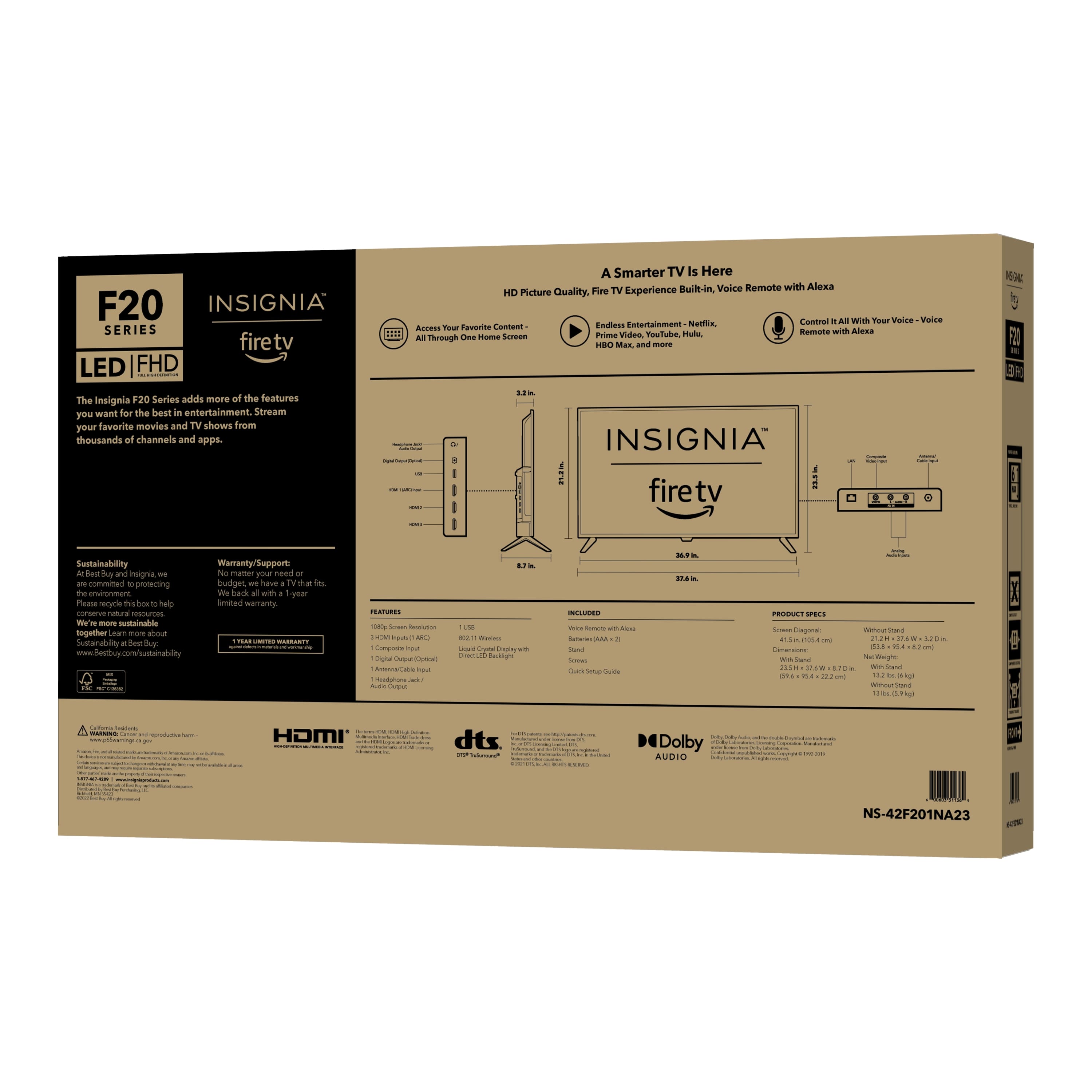
- A:Answer Yes, your Vizio sound bar can easily connect to the Insignia™ 42" Class F20 Series LED Full HD Smart Fire TV! This TV supports HDMI ARC (Audio Return Channel), which allows you to send audio directly from the TV to the sound bar using a single HDMI cable. Additionally, you can also connect your sound bar via optical audio output or Bluetooth, depending on your sound bar's features. This flexibility makes it simple to enhance your audio experience while watching your favorite shows. If you have any more questions or need help with the setup, just let me know! -Ed | Insignia Support | https://www.bestbuy.com/site/brands/best-buy-brands/pcmcat1596746025285.c?id=pcmcat1596746025285
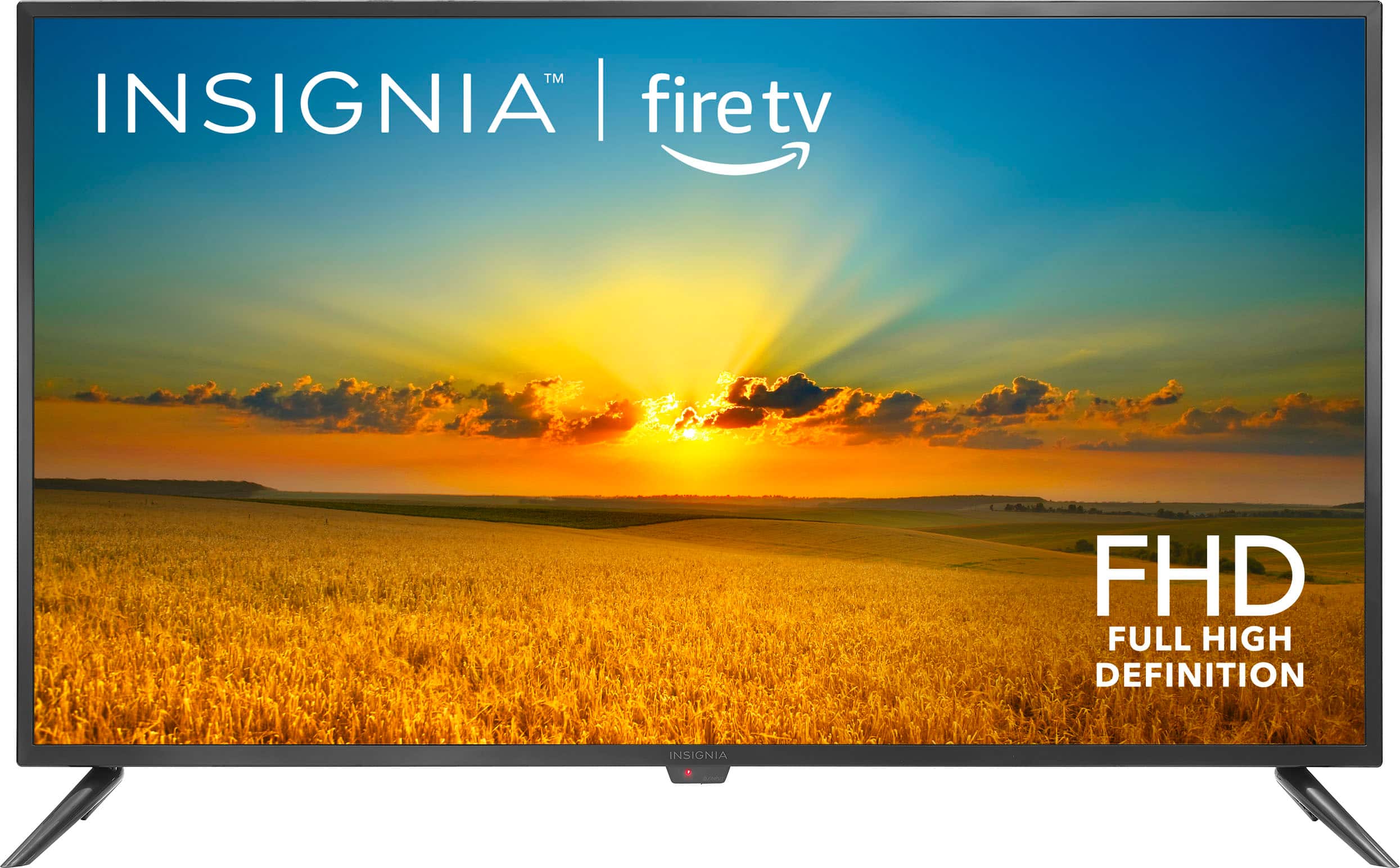
Answered by InsigniaCustomerSupport

Q: QuestionWHAT IS THE VOLTAGE it shows an outside power adapter , what is the voltage ?
Asked by BONE.
- A:Answer 120v
Answered by HowardH
Q: QuestionIs Xfinity stream app accessible on this TV?
Asked by Bull.
- A:Answer Yes, you can download and use the Xfinity Stream app on the Insignia™ - 42" Class F20 Series LED Full HD Smart Fire TV. This TV runs on the Fire TV platform, which supports the Xfinity Stream app. Patricia | Insignia Support
Answered by InsigniaCustomerSupport

Q: QuestionDoes it work with roku tv?
Asked by Brucejr.
- A:Answer The Insignia™ - 42" Class F20 Series LED Full HD Smart Fire TV comes with Amazon’s Fire TV platform built-in, which means it primarily uses Fire TV for its smart features and streaming capabilities. However, you can still use a Roku device with this TV by connecting it via one of the HDMI ports. This way, you can enjoy Roku’s interface and features alongside the built-in Fire TV platform. Patricia | Insignia Support
Answered by InsigniaCustomerSupport

Q: QuestionJust purchased a ns-42f201na23 and can’t get picture to fill the screen
Asked by Edmo.
- A:Answer Let's get your picture to fill the screen on your Insignia™ 42" Class F20 Series LED Full HD Smart Fire TV. Here are some steps you can follow: 1. Adjust Picture Settings: - Press the Home button on your remote. - Navigate to Settings > Display & Sounds > Picture Size. - Select Wide or Zoom to adjust the picture size. 2. Check Aspect Ratio: - Ensure the aspect ratio on your TV matches the content you're watching. Go to Settings > Display & Sounds > Aspect Ratio and select the appropriate option. 3. Update Firmware: - Make sure your TV's firmware is up to date. Go to Settings > My Fire TV > About > Check for Updates. 4. External Device Settings: - If you're using an external device (like a cable box or gaming console), check its display settings to ensure it's set to output the correct resolution (1080p) and aspect ratio. If these steps don't resolve the issue, you might want to refer to the user manual for more detailed troubleshooting. Let me know if this helps or if you need further assistance!
Answered by InsigniaCustomerSupport

Q: QuestionIs there a "sleep timer" capability?
Asked by kc.
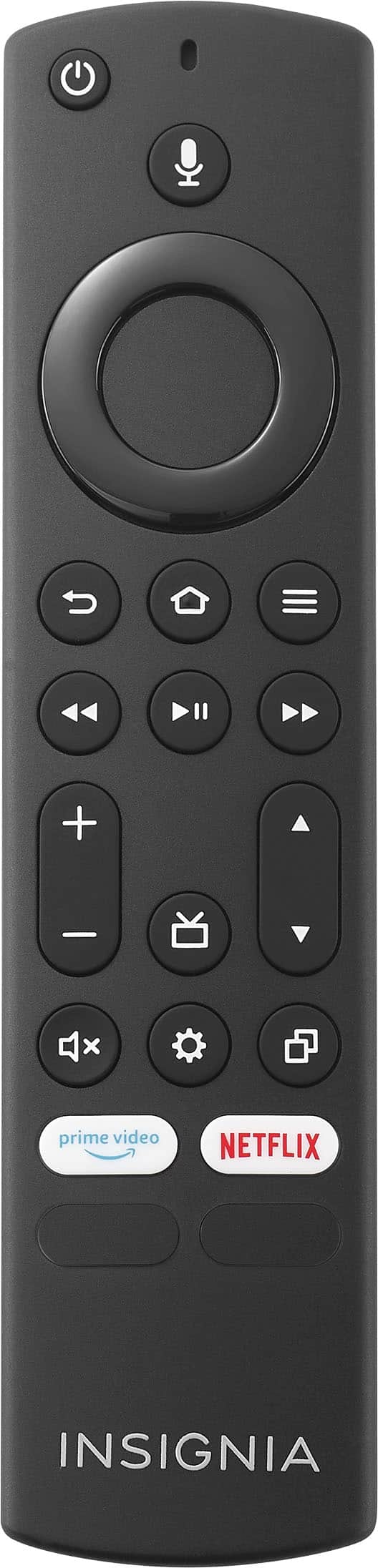
- A:Answer yes. you can ask alexa to set sleep timer for # minutes OR if you select the "3 dash" menu button on the alexa remote, a " sleep timer option pops up
Answered by Anonymous
Q: QuestionCan I mount the tv on the wall?
Asked by Rose.
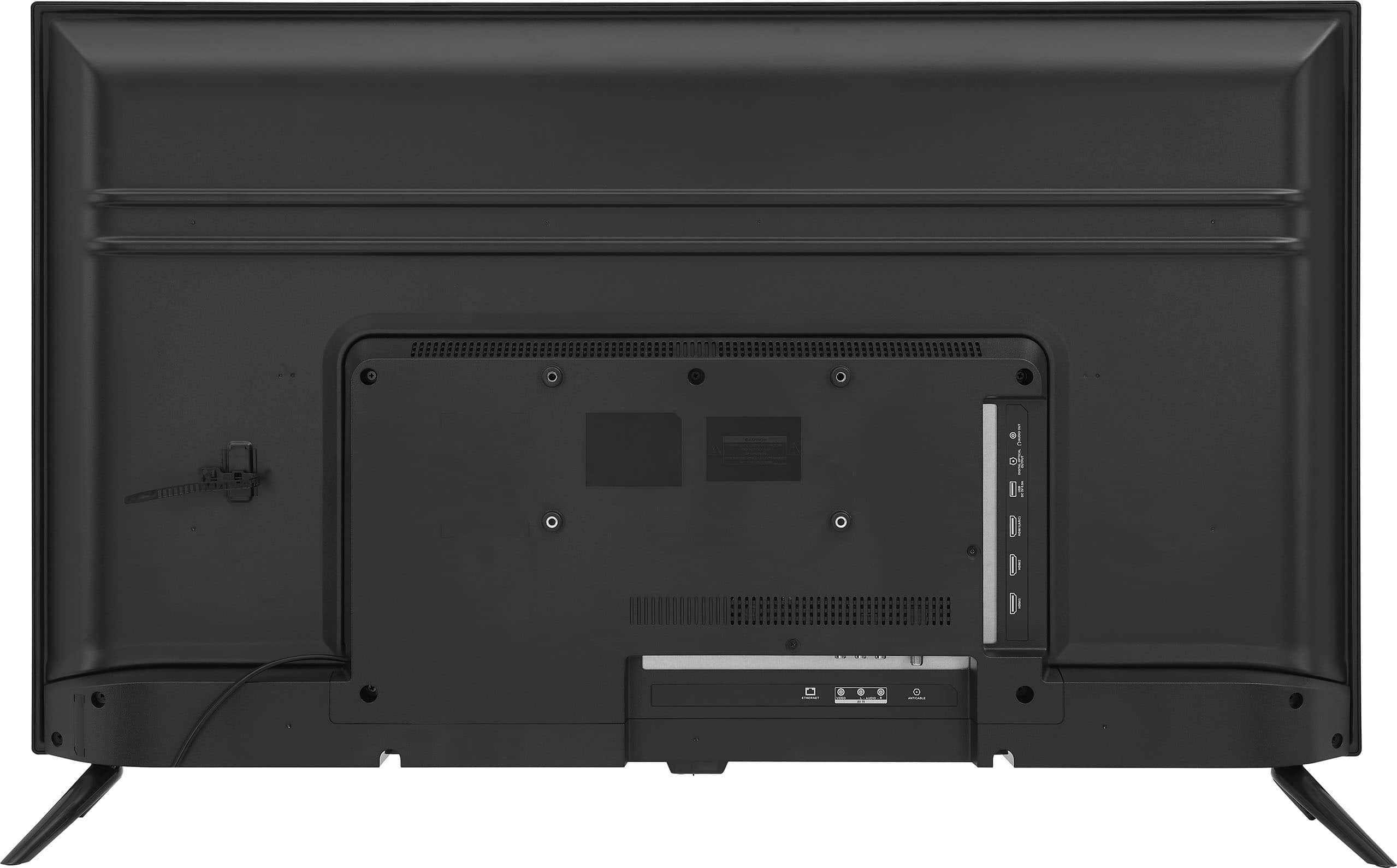
- A:Answer Yes, you can mount the Insignia™ 42" Class F20 Series LED Full HD Smart Fire TV on the wall. It has VESA mounting holes available at the back of the television. Patricia | Insignia Support https://www.bestbuy.com/site/insignia-42-class-f20-series-led-full-hd-smart-fire-tv/6495088.p?skuId=6495088
Answered by InsigniaCustomerSupport

Q: Questionwhat is the depth?
Asked by susan.
- A:Answer Thank you for your inquiry! The depth of the Insignia 42” Class F20 Series LED Full HD Smart Fire TV is 8.7 inches with the stand and 3.2 inches without the stand. Keith | Insignia Support
Answered by InsigniaCustomerSupport

Q: QuestionWill this unit work with the Model:BE-MLET SKU:6452361 wall mount. The Vesa numbers it fits match on one dimension of one set then the other number of another set. 100mm x 100mm, 200mm x 200mm. The TV gives 200mm x 100mm as it's spec.
Asked by HawkwardPDX.
- A:Answer The Insignia™ 42" Class F20 Series LED Full HD Smart Fire TV has a VESA mounting pattern of 200mm x 100mm. The wall mount Model: BE-MLET SKU: 6452361 supports VESA patterns of 100mm x 100mm and 200mm x 200mm. Since the TV's VESA pattern is 200mm x 100mm, it is not directly compatible with the wall mount you mentioned. You would need a wall mount that specifically supports the 200mm x 100mm VESA pattern. If you have any questions or need further assistance, please don't hesitate to reach out. Thank you for choosing Insignia! - Emman | Insignia Support | https://www.bestbuy.com/site/brands/best-buy-brands/pcmcat1596746025285.c?id=pcmcat1596746025285
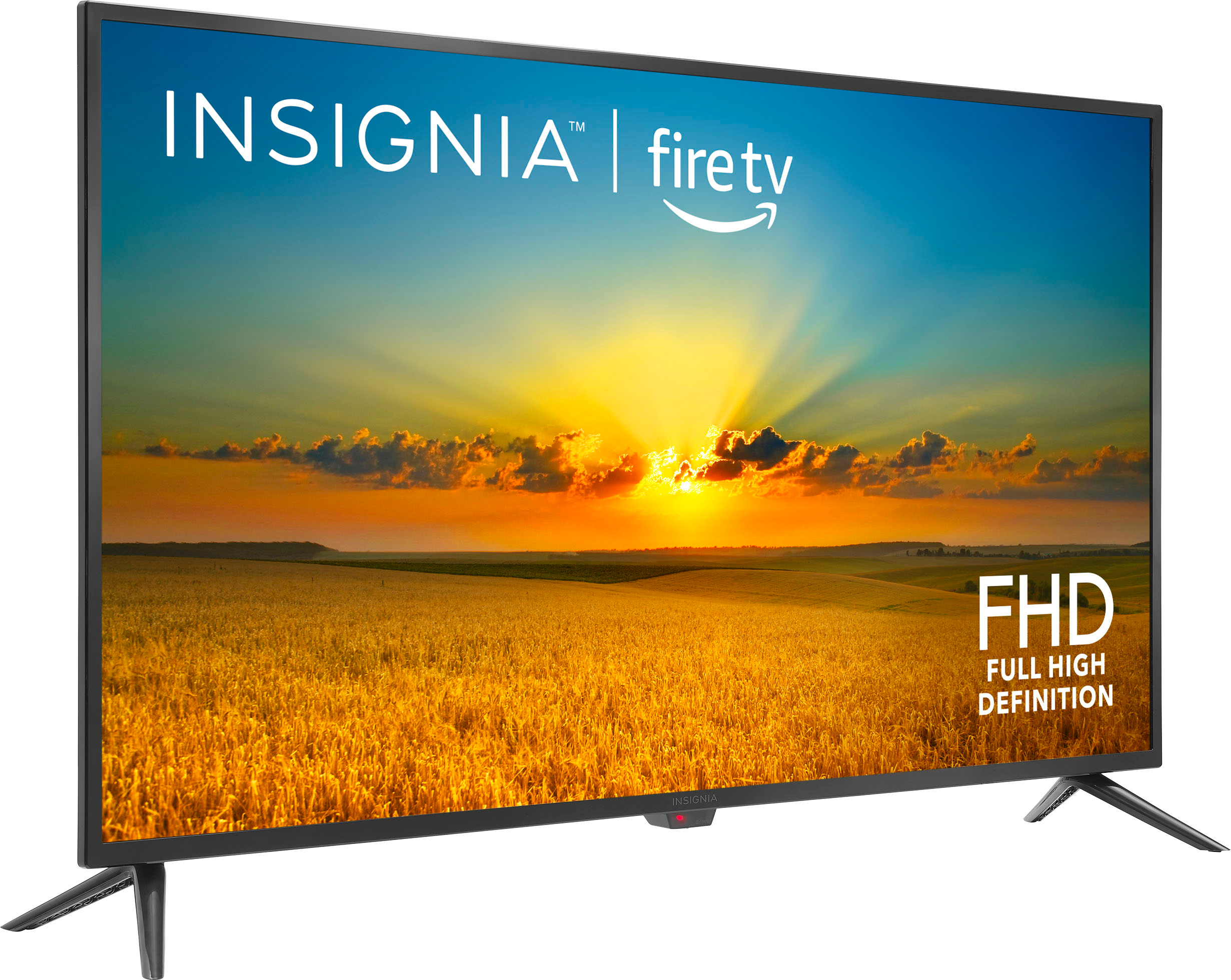
Answered by InsigniaCustomerSupport

Q: QuestionIf I purchase protection Agreement and the TV cannot be fixed for whatever problem what happens then?
Asked by Kindle.
- A:Answer If you purchase a protection plan for your Insignia™ 42" Class F20 Series LED Full HD Smart Fire TV and the TV cannot be fixed, Best Buy typically offers a replacement or reimbursement. Here are the general steps: 1. Attempt to Repair: Best Buy will first attempt to repair the TV. 2. Replacement: If the TV cannot be repaired, they will replace it with a new one of similar specifications. 3. Reimbursement: If a replacement is not available, you may receive a reimbursement for the original purchase price. It’s always a good idea to review the specific terms and conditions of the protection plan for detailed information. If you have any questions or need further assistance, please don't hesitate to reach out. Thank you for choosing Insignia! - Emman | Insignia Support | https://www.bestbuy.com/site/brands/best-buy-brands/pcmcat1596746025285.c?id=pcmcat1596746025285
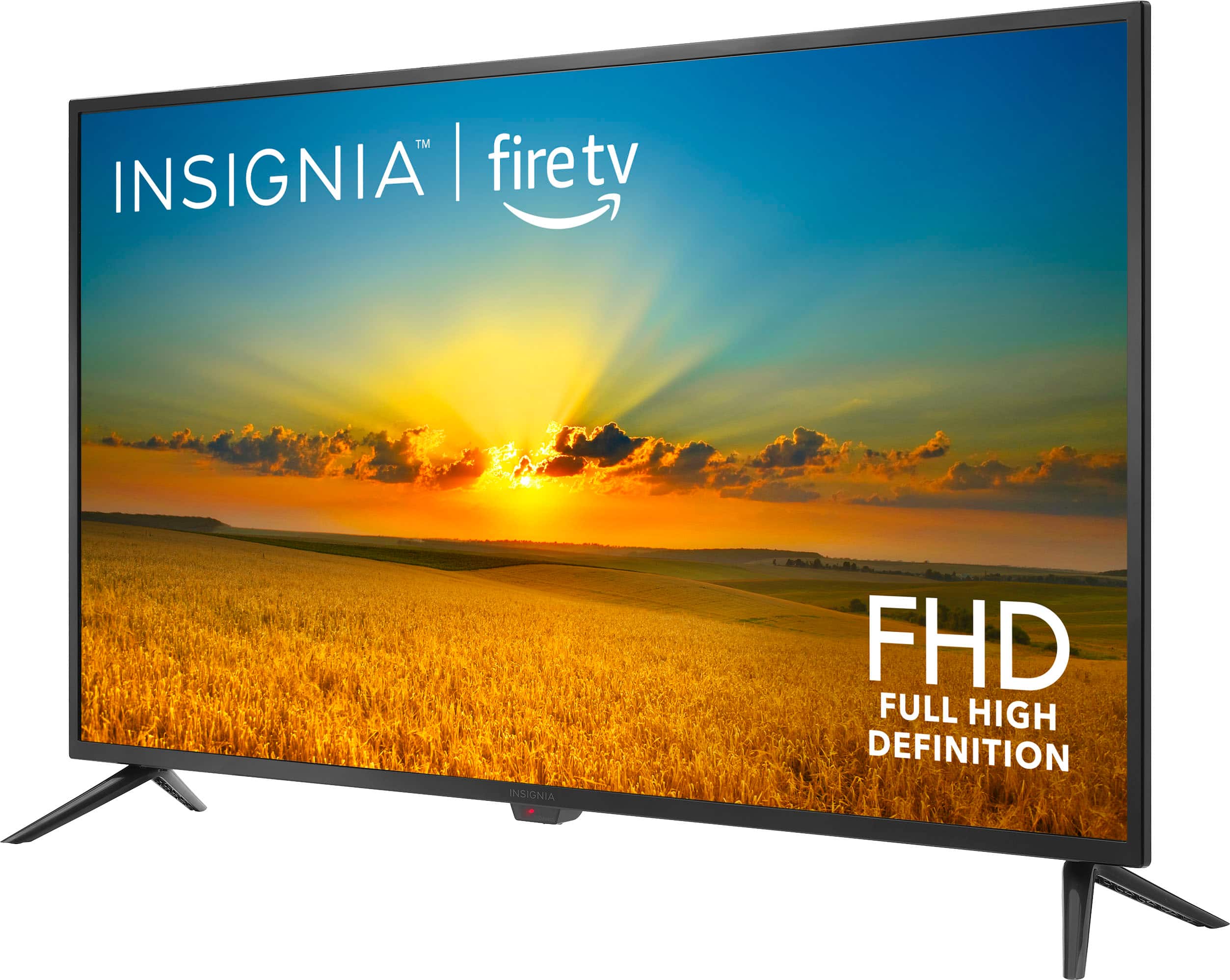
Answered by InsigniaCustomerSupport

Q: Questiondoes this model have built in digital QAM and MPEG4 tuner?
Asked by GJMon.
- A:Answer Yes, the Insignia™ 42" Class F20 Series LED Full HD Smart Fire TV (NS-42F201NA23) comes with a built-in digital QAM tuner and supports MPEG4. This allows you to receive digital cable channels without needing a separate set-top box. If you have any more questions or need further assistance, feel free to ask! Jeth | Insignia Support. https://www.bestbuy.com/site/insignia-42-class-f20-series-led-full-hd-smart-fire-tv/6495088.p?skuId=6495088
Answered by InsigniaCustomerSupport

Q: Questioncan I watch broadcast channels on this tv?
Asked by Anonymous.
- A:Answer Yes
Answered by MichaelS
Q: QuestionCan I delete all of the smart features so Amazon isn’t spying on me? I don’t want the Fire OS. I don’t want Alexa. I don’t want a forward facing camera. I don’t want Automatic Content Recogition. I just want a TV with good picture and sound.
Asked by PrivacyMinded.
- A:Answer Hello, I understand your concerns about privacy. Unfortunately, most smart TVs, including the Insignia™ - 42" Class F20 Series LED Full HD Smart Fire TV, come with built-in smart features that are not easily removable. Patricia | Insignia Support https://www.bestbuy.com/site/insignia-42-class-f20-series-led-full-hd-smart-fire-tv/6495088.p?skuId=6495088
Answered by InsigniaCustomerSupport

Q: QuestionWhat is the nits brightness rating
Asked by Jessco.
- A:Answer Hello Jessco, the nits brightness of this Insignia™ - 42" Class F20 Series LED Full HD Smart Fire TV is 250 nits. Patricia | Insignia Support https://www.bestbuy.com/site/insignia-42-class-f20-series-led-full-hd-smart-fire-tv/6495088.p?skuId=6495088
Answered by InsigniaCustomerSupport

Q: QuestionSee photo. I cannot get this message “Network Connection Lost “ off of the middle of the screen. What should I do?
Asked by Anonymous.
- A:Answer Thank you for your inquiry! To resolve the “Network Connection Lost” message on your Insignia™ - 42" Class F20 Series LED Full HD Smart Fire TV, you can try the following steps: First, restart your TV by unplugging it from the power outlet, waiting for about a minute, and then plugging it back in. Turn the TV on and see if the message disappears. Next, check your network connection to ensure that your Wi-Fi network is working properly by connecting another device to the same network to see if it has internet access. Then, reconnect to Wi-Fi by going to the Home screen on your TV, navigating to Settings > Network, selecting your Wi-Fi network, and entering the password if prompted. Additionally, updating the TV’s firmware can sometimes resolve connectivity issues, so go to Settings > My Fire TV > About > Check for Updates. If the issue persists, you can reset the network settings by going to Settings > Network > Reset Network Settings, which will require you to reconnect to your Wi-Fi network. If these steps don’t resolve the issue, you might want to contact Insignia customer support for further assistance. If you have any other questions or need further help, feel free to ask! Keith | Insignia Support
Answered by InsigniaCustomerSupport

Most-viewed items
- $399.99Your price for this item is $399.99$779.99The comparable value for this item is $779.99
- $949.99Your price for this item is $949.99$1,999.99The comparable value for this item is $1,999.99
- Black Friday Deal$189.99Your price for this item is $189.99
- $249.99Your price for this item is $249.99$379.99The comparable value for this item is $379.99
- Black Friday Deal$399.99Your price for this item is $399.99
- Black Friday Deal$1,399.99Your price for this item is $1,399.99
- $1,799.99Your price for this item is $1,799.99$2,999.99The comparable value for this item is $2,999.99
- Black Friday Deal$229.99Your price for this item is $229.99
- $649.99Your price for this item is $649.99$1,299.99The comparable value for this item is $1,299.99
- Black Friday Deal$1,399.99Your price for this item is $1,399.99
- Black Friday Deal$499.99Your price for this item is $499.99
- $74.99Your price for this item is $74.99$129.99The comparable value for this item is $129.99
- Black Friday Deal$599.99Your price for this item is $599.99
- $1,799.99Your price for this item is $1,799.99$3,799.99The comparable value for this item is $3,799.99
- $699.99Your price for this item is $699.99$1,299.99The comparable value for this item is $1,299.99
- Black Friday Deal$1,999.99Your price for this item is $1,999.99
- Black Friday Deal$699.99Your price for this item is $699.99
- $119.99Your price for this item is $119.99$229.99The comparable value for this item is $229.99
- $599.99Your price for this item is $599.99$999.99The comparable value for this item is $999.99
- Black Friday Deal$1,999.99Your price for this item is $1,999.99