“How to get sound from my laptop to tv using the optical cord”
Answer This Question
1-1 of 1 Answer
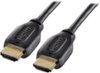
Hello Best Buy customer Anonymous. I spent a significant amount of time conducting GOOGLE searches for such phrases as "how to connect a digital optical (i.e., Toslink) cable to a laptop computer" and "is it possible to connect a Toslink cable to a laptop computer." There "appears" to be some way"s" to accomplish this task--perhaps through your 3.5mm jack or USB ports with the help of adapters; however, it was stressed quite frequently throughout my search of this topic in an attempt to answer your question that the best way would be to use a male<>male "HDMI" cable connection. This is what I use and I have great results! They say that it is best to use HDMI cables with brass (gold colored) connectors and also ones that have "chokes" near each end as the chokes are more likely to lessen any chance of electrical interference. If your computer only has a VGA connector, there is a an adapter to convert VGA to HDMI I am most certain. I listen to lots of music and other "sound" sources from YouTube.com, Bing.com., etc. played "from" my laptop through this 43" Insignia TV. For some reason, I have found that when I have the laptop's volume set at a "constant" 100 out of 100 and I connect the HDMI cable to the TV's HDMI ARC1 port, I get louder volume than if I were just using this TV's sixteen (16) watts total of speakers alone. Also, when using the HDMI ARC1 connection, you can control "both" the volume of the laptop and the TV with one press of a button. Try entering a favorite song title on YouTube.com and prior to the song beginning to play, conduct a GOOGLE search for song title followed by the word lyric. I select "AZ Lyrics" or "Genius Lyrics" and then I start the music video and read the lyrics' wording. I was surprised to quickly learn that songs that I heard and loved for decades which I "thought" that I knew all of the words to--I did not! Happy listening Anonymous!
I would recommend:
Sorry, there was a problem. Please try again later.