Refund Refresh 4-Day SaleEnds Monday. Limited quantities. No rainchecks.Shop now

Main Content

Questions & Answers

$179.99
Save $120
Comp. Value: $299.99
Page Showing 141-160 of 167 questions
  • QuestionHow do i disable standby mode? I’ve tried the Fire settings but nothing works. It has to be an equipment issue. Is there a way to access the actual tv settings?

    Asked by Standby.

    • Answer Hi there! If you're having trouble disabling standby mode on your Insignia™ 50” Class F50 Series LED 4K UHD Smart Fire TV, and the Fire TV settings haven’t resolved the issue, it’s possible that the TV’s built-in settings may need to be accessed or there may be a hardware-related concern. For further assistance and to explore advanced troubleshooting options, we recommend reaching out to Insignia Customer Service directly at 1-877-467-4289. They’ll be able to guide you through the correct steps or determine if service is needed. — Shiela | Insignia Support

      Answered by InsigniaCustomerSupport

  • QuestionDoes it have a sleep timer and Ken the picture he turned off

    Asked by Ritchie.

    • Answer Has a sleep timer

      Answered by MicheleH

  • QuestionIs it possible to turn Alexa off?

    Asked by SomeDude.

    • Answer Yes, SomeDude! It is possible to turn off Alexa on the Insignia™ 50” Class F50 Series LED 4K UHD Smart Fire TV. Tine | Insignia Support

      Answered by InsigniaCustomerSupport

  • QuestionWhat is recommended screen cleaning product?

    Asked by Vader.

    • Answer Thank you for your inquiry! For cleaning your Insignia™ 50” Class F50 Series LED 4K UHD Smart Fire TV, a highly recommended product is the Insignia™ LCD Screen Cleaner Kit (Model: NS-HCL301), which is available at Best Buy. This cleaner is specifically designed for LED screens and features an alcohol- and ammonia-free formula, making it safe for delicate surfaces. It comes with a microfiber cloth that helps prevent scratches and reduces streaks during cleaning. To use it properly, turn off and unplug your TV, spray the cleaner onto the cloth (never directly on the screen), and gently wipe the screen in circular or vertical motions. Be careful not to over-saturate the cloth to avoid moisture damage.

      Answered by InsigniaCustomerSupport

  • QuestionDoes this tv have bluetooth for wireliess speakers?

    Asked by Anonymous.

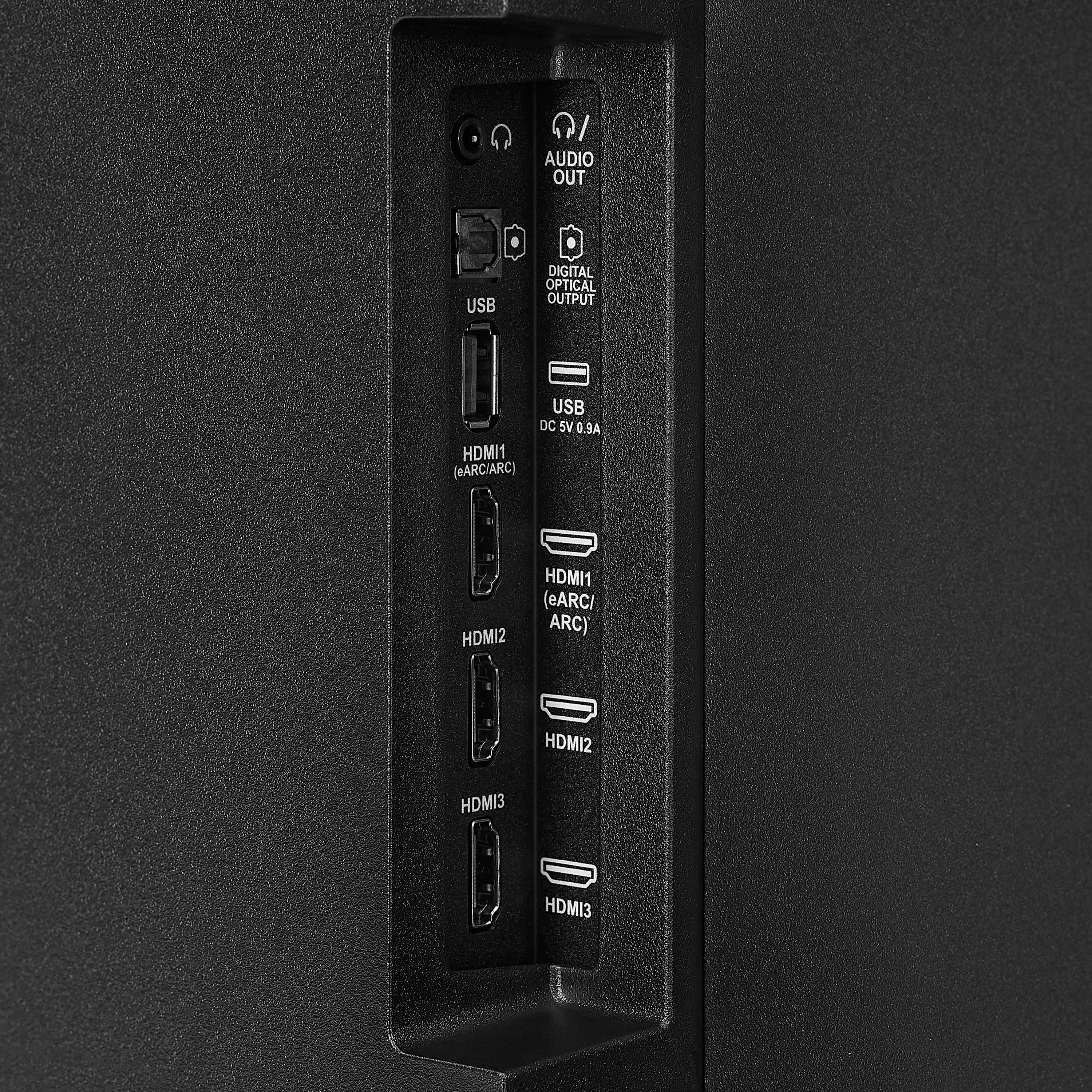
    • Answer Hi there! Yes, the Insignia™ - 50” Class F50 Series LED 4K UHD Smart Fire TV does have Bluetooth connectivity. This means you can connect wireless Bluetooth speakers, headphones, or other audio devices to the TV for a more immersive sound experience. — Shiela | Insignia Support

      Answered by InsigniaCustomerSupport

  • QuestionDoes this tv support YouTube tv

    Asked by Matt.

    • Answer Hi Matt! Yes! The Insignia 50” Class F50 Series LED 4K UHD Smart Fire TV runs on Amazon Fire TV, which supports YouTube TV along with many other streaming apps. You can download the YouTube TV app from the Fire TV app store and start streaming right away. Hope that helps! |Angelica| Insignia Products|

      Answered by InsigniaCustomerSupport

  • QuestionCan this tv be used outdoors?

    Asked by Mo.

    • Answer The Insignia™ 50” Class F50 Series LED 4K UHD Smart Fire TV is not designed for outdoor use. It is an indoor TV and lacks the necessary weatherproofing to protect it from elements like moisture, dust, direct sunlight, and extreme temperatures. Using it outdoors—even in a covered area—can lead to damage or reduced performance over time. If you have any questions or need further assistance, please don't hesitate to reach out. Ivy | Insignia Support

      Answered by InsigniaCustomerSupport

  • QuestionHow do I change the display? With the Xbox series x hooked up the input info says 720p.

    Asked by 620p.

    • Answer To manually change the resolution on your Insignia™ 50” Class F50 Series 4K UHD Smart Fire TV, especially when it's connected to a device like the Xbox Series X and displaying at 720p, you can use a built-in remote shortcut. Simply press and hold the top part of the navigation ring (the "Up" button) and the Fast Forward button on your Fire TV remote at the same time. Hold both buttons together for about 10 seconds. The TV will begin cycling through the available resolution settings such as 720p, 1080p, and 4K. Patricia | Insignia Support

      Answered by InsigniaCustomerSupport

  • Questionis the aspect ratio adjustable? and if not why the freak would you leave out such an important feature

    Asked by seth.

    • Answer Hi Seth, you can adjust the aspect ratio on the Insignia™ 50” Class F50 Series LED 4K UHD Smart Fire TV, though there are a few limitations. The television's native aspect ratio is 16:9, which is standard for most modern content. You can, however, modify the screen size or zoom settings through the Picture Settings menu. The options available to you, such as Auto, Normal, Zoom, Wide, or Cinema, may vary based on the input source (like HDMI, cable, or a streaming service). Keep in mind that some streaming applications or HDMI sources might lock the aspect ratio, which means the TV will defer to the content's original formatting and disable manual adjustment. Therefore, while the feature is available, its functionality depends on what you're watching or how it's connected. If you're running into a specific issue or need help navigating the settings, please don't hesitate to call us at 1-877-467-4289. — Shiela | Insignia Support

      Answered by InsigniaCustomerSupport

  • Questionthis have a Tv wall mount that i can hang up the tv on? the wall?

    Asked by Drew.

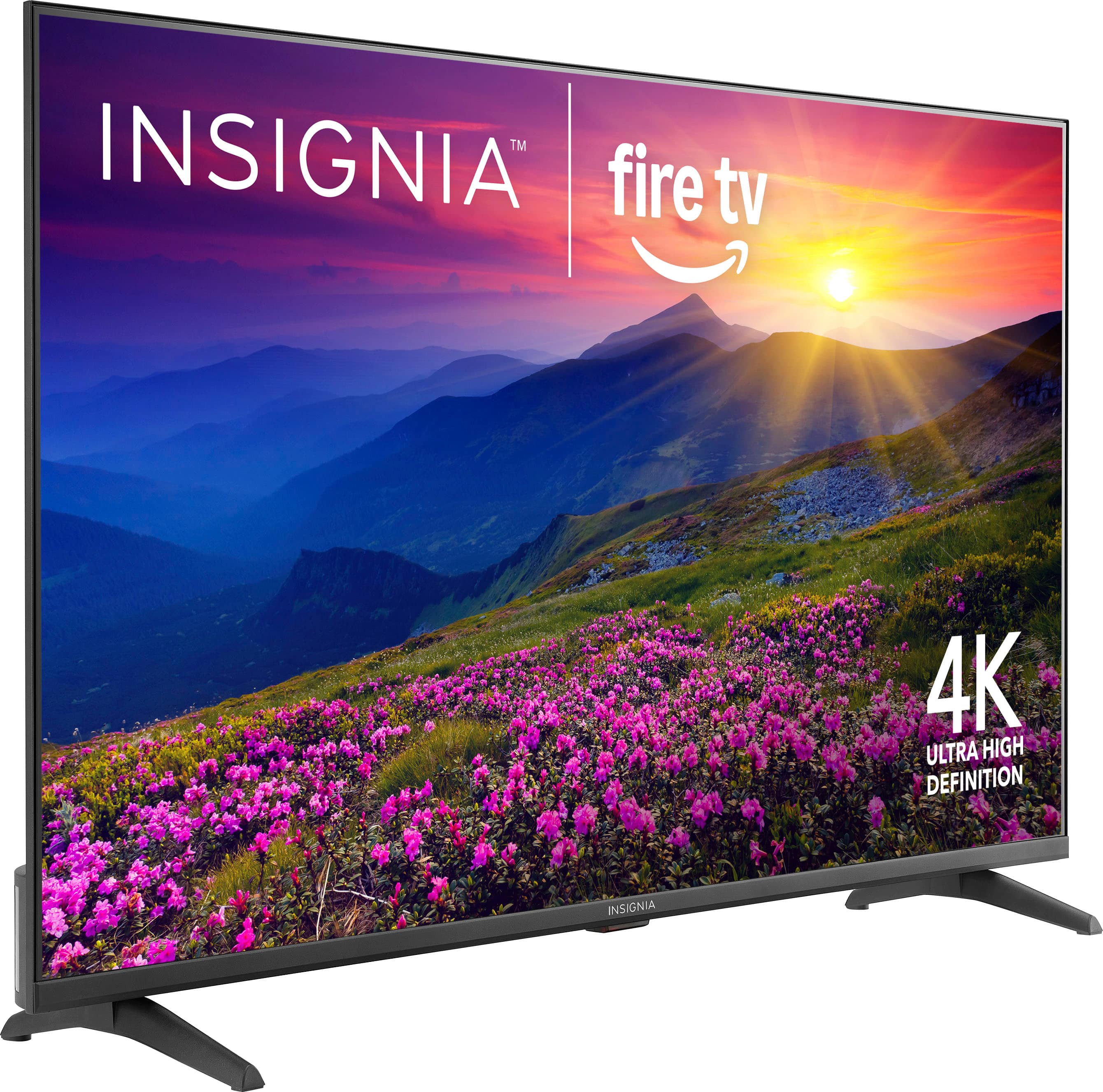
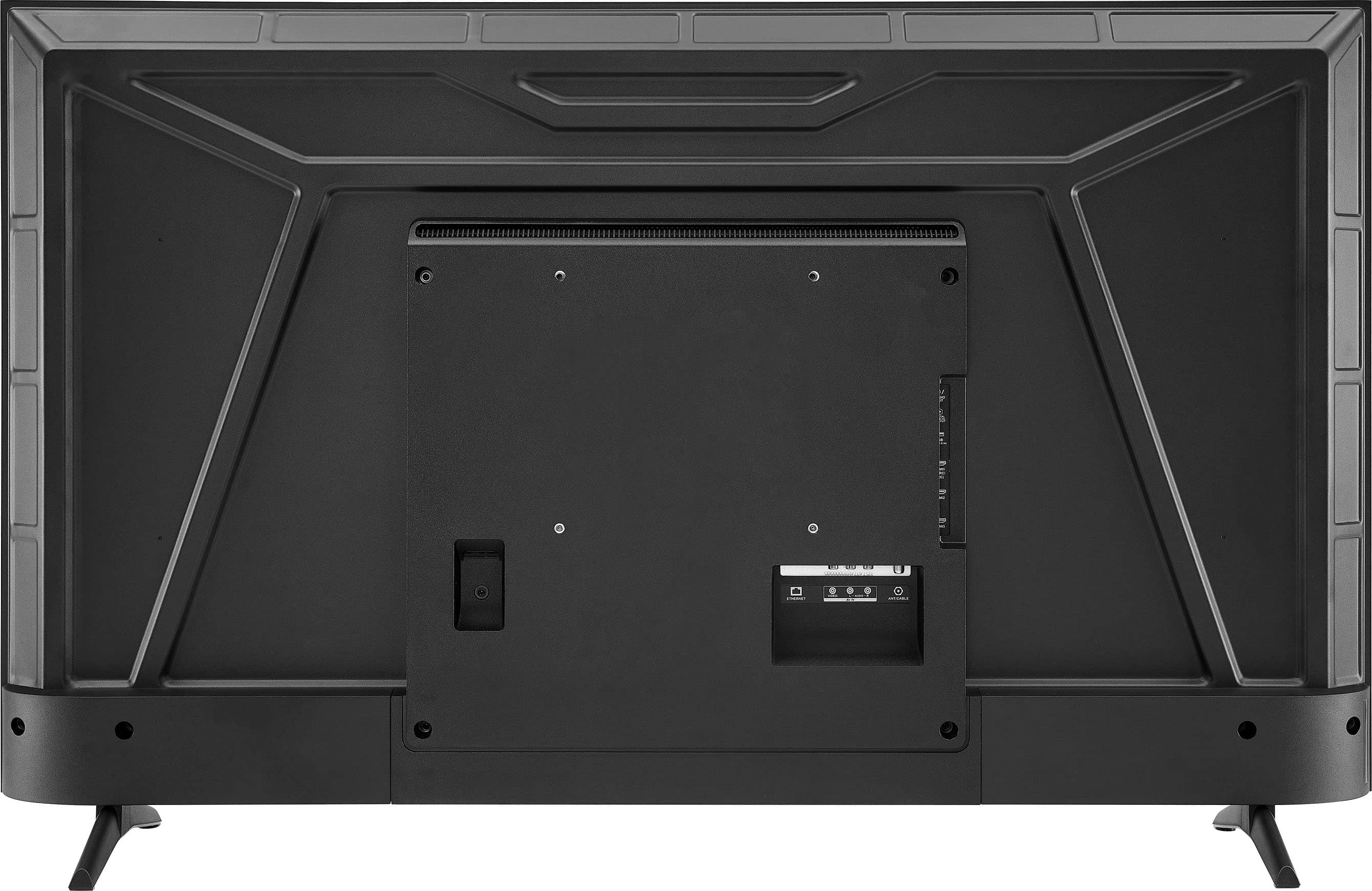
    • Answer Thank you for your inquiry! Yes, the Insignia™ 50” Class F50 Series LED 4K UHD Smart Fire TV (Model: NS-50F501NA26) can be wall-mounted. Keith | Insignia Support

      Answered by InsigniaCustomerSupport

  • QuestionWhat would the dimensions be for the tv wall mount for example 200mmx200mm or 200mmx100mm because I see a lot of different sizes mounts but I don’t know which one to get for this tv.

    Asked by Leon.

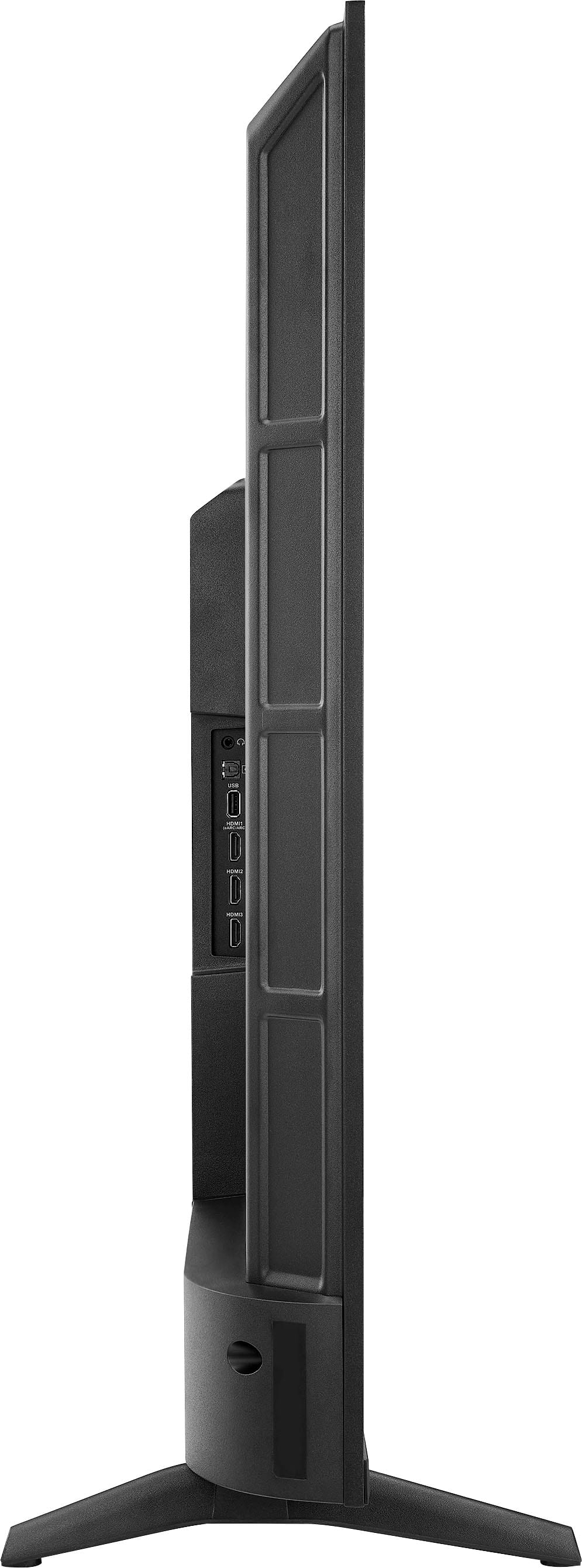
    • Answer The Insignia™ 50” Class F50 Series LED 4K UHD Smart Fire TV uses a VESA mounting pattern of 200 x 200 mm. Patricia | Insignia Support

      Answered by InsigniaCustomerSupport

  • QuestionWhat are the dimensios

    Asked by Anonymous.

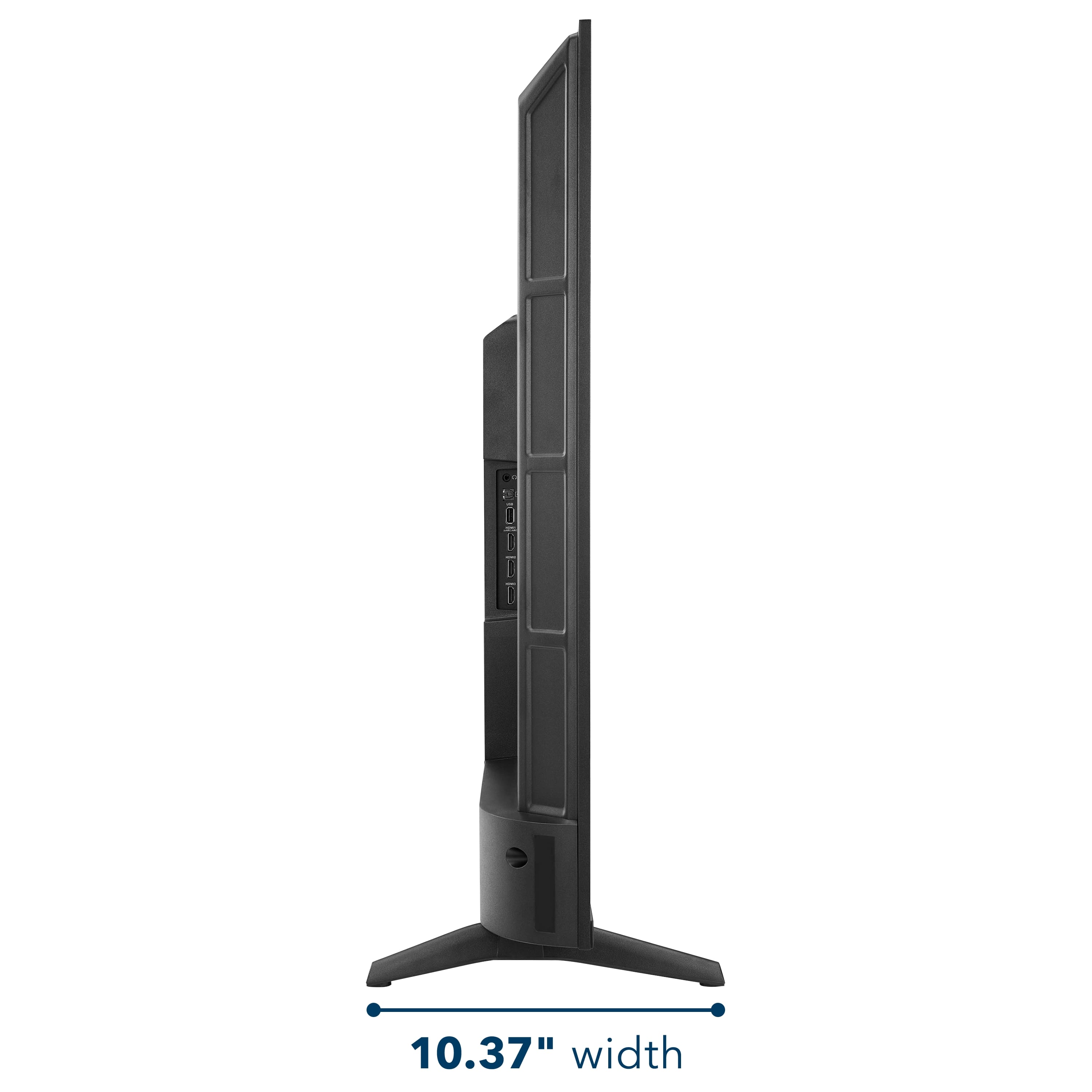
    • Answer Hi there. The Insignia™ 50” Class F50 Series LED 4K UHD Smart Fire TV (Model: NS-50F501NA26) measures approximately 43.8 inches wide, 27.5 inches high, and 10.39 inches deep with the stand. Without the stand, the height and depth are reduced, though the exact measurements may vary slightly. If you have any questions or need further assistance, please don't hesitate to reach out. Ivy | Insignia Support

      Answered by InsigniaCustomerSupport

  • QuestionDoes this television support the Xfinity streaming app?

    Asked by Belz.

    • Answer Hi Dave! Yes, the Insignia™ 50” Class F50 Series LED 4K UHD Smart Fire TV supports the Xfinity Stream app. Since it runs on Amazon's Fire TV operating system, you can download the Xfinity Stream app directly from the Amazon Appstore. Once installed and activated, you'll be able to stream live TV, On Demand content, and DVR recordings included with your Xfinity subscription. Jeth | Insignia Support.

      Answered by InsigniaCustomerSupport

  • QuestionI will not be using cable (comcast/infinity) for this TV. Will I be able to connect my indoor/outdoor antenna for regular usage. I do not have wi-fi access.

    Asked by Boo13.

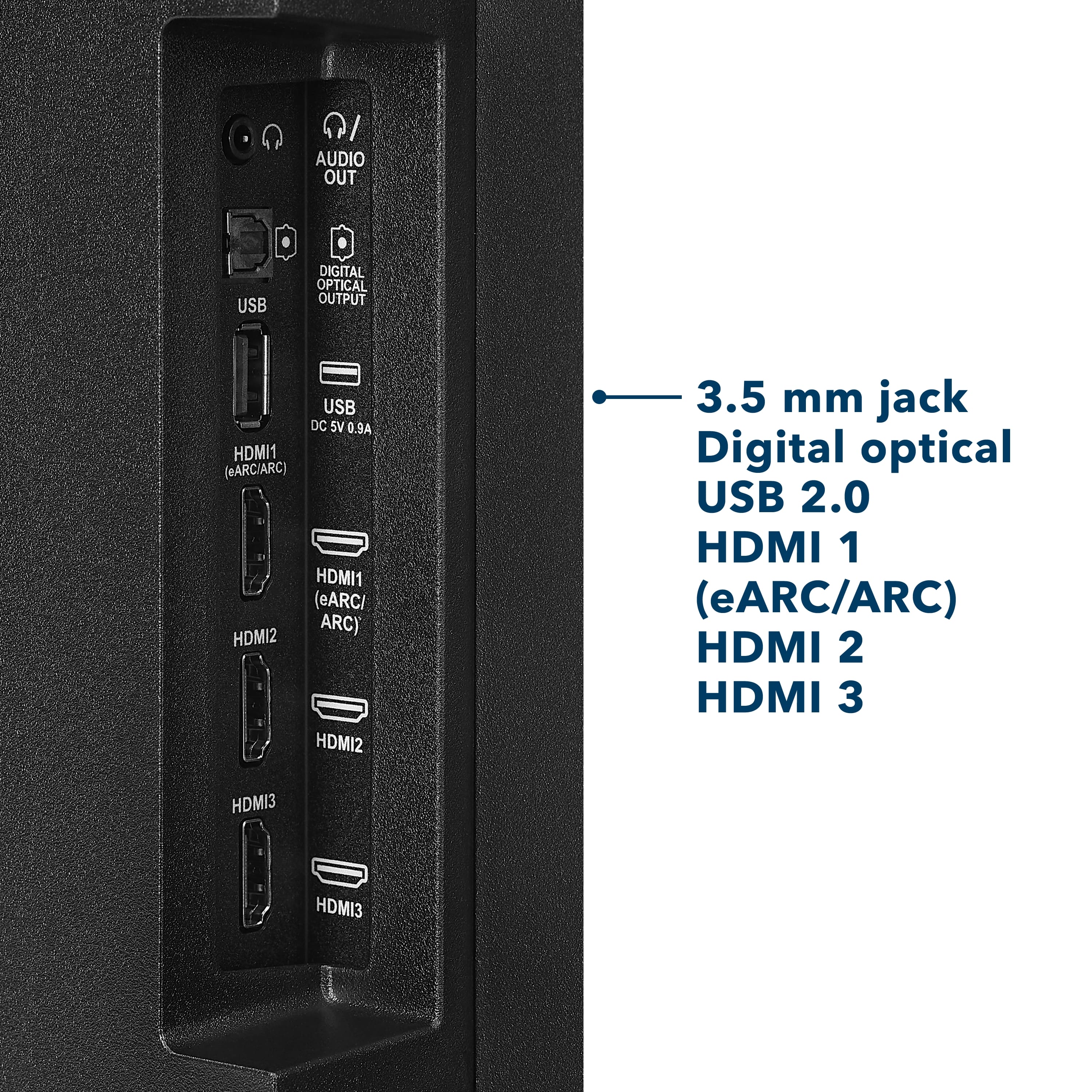
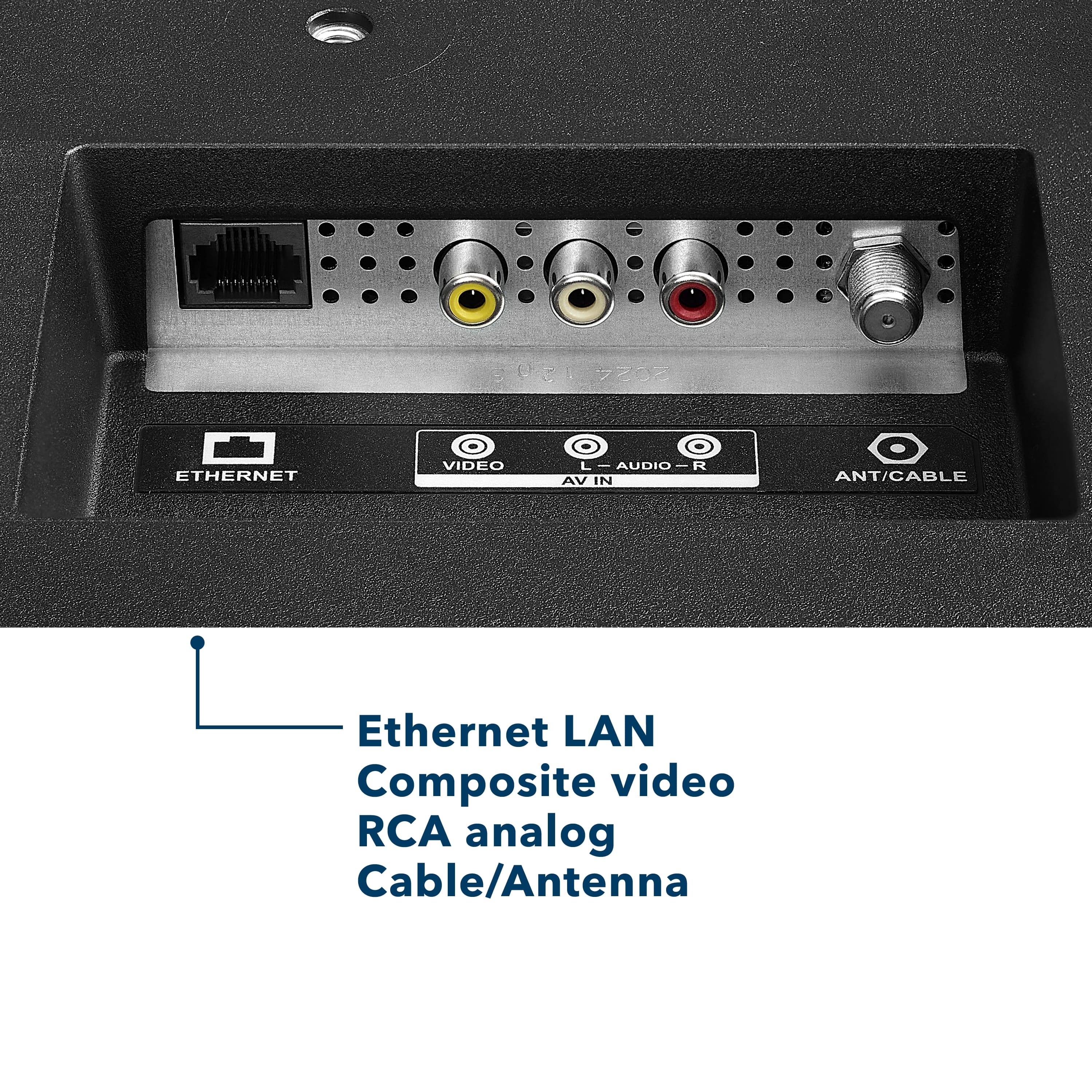
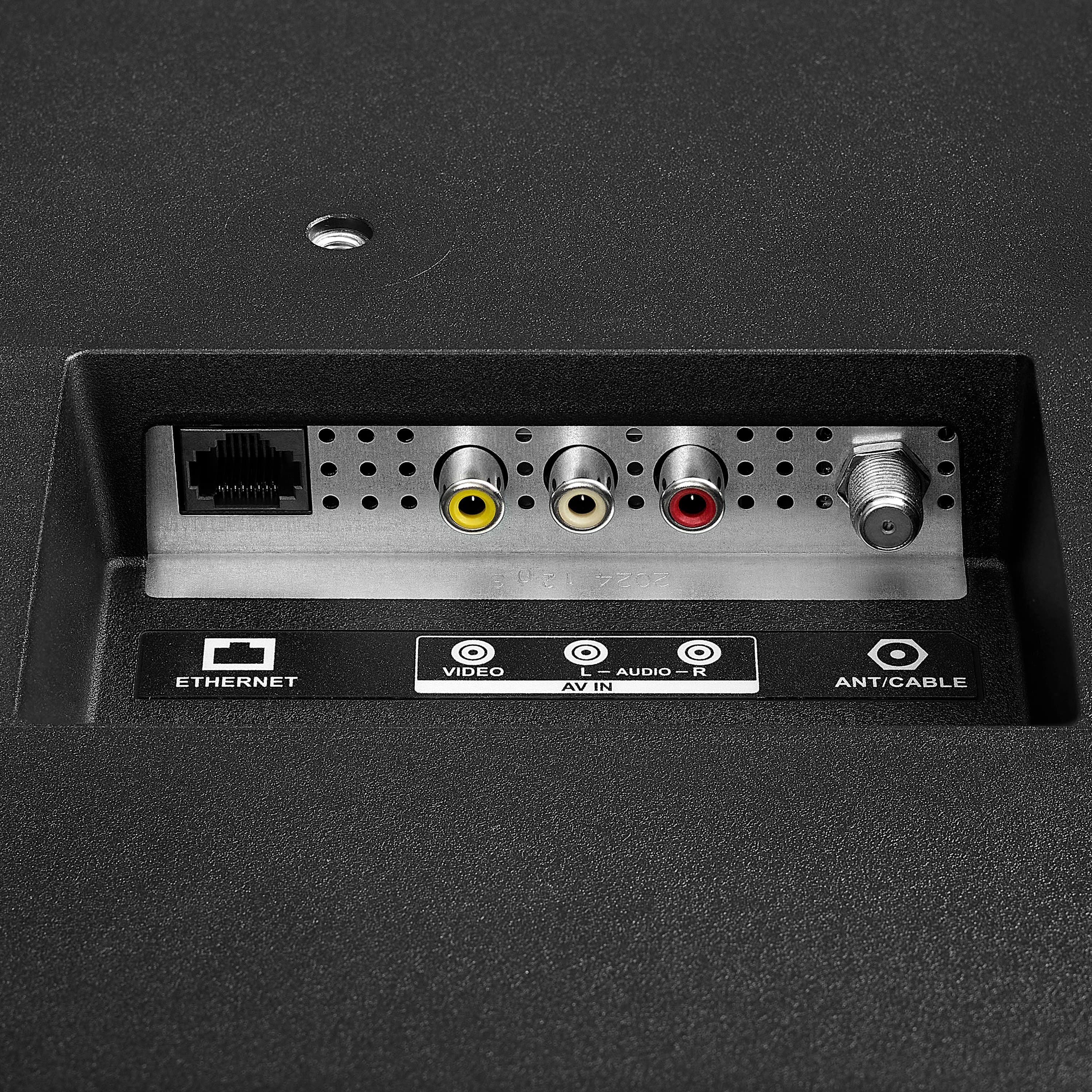
    • Answer Hi there! Great question. Yes, you can definitely use an indoor or outdoor antenna with your Insignia™ 50” Class F50 Series 4K UHD Smart Fire TV even without cable or Wi-Fi. Simply connect your antenna to the coaxial input on the back of the TV. Then, use the TV’s built-in tuner to scan for over-the-air (OTA) channels. This will allow you to watch local broadcast channels like ABC, CBS, NBC, FOX, and PBS, depending on your location and the strength of your antenna. Keep in mind that without a Wi-Fi connection, you won't be able to use streaming apps such as Netflix, Prime Video, or YouTube, nor will you have access to smart features or updates from Fire TV. So, if you're just planning to watch regular broadcast TV, your antenna setup will work perfectly! — Shiela | Insignia Support

      Answered by InsigniaCustomerSupport

  • QuestionCan this tv brightness be dimmed with the remote?

    Asked by adapter.

    • Answer Hi there! Yes, To adjust the brightness on your Insignia™ 50” Class F50 Series LED 4K UHD Smart Fire TV, follow these steps: Press the Home button on your remote to open the Fire TV interface. Navigate to "Settings" using the directional buttons. Select "Display & Sounds" from the menu. Choose "Picture Settings" or a similar option. Adjust the brightness using the slider or preset picture modes. If you need further assistance feel free to ask |Angelica| Insignia Products|

      Answered by InsigniaCustomerSupport

  • QuestionPlan to wall mount, high and outlet is near the floor. How long is the power cord?

    Asked by MUCC.

    • Answer Thank you for your inquiry! The power cord for the Insignia™ 50” Class F50 Series Fire TV is approximately 5 feet (1.5 meters) long. This length should be enough for most standard setups, but if you're planning to wall mount the TV high and your outlet is near the floor, you may need a power extension cord or a concealed cable management kit to reach comfortably and keep things tidy. Keith | Insignia Support

      Answered by InsigniaCustomerSupport

  • QuestionCan this tv be used in a open air porch with covered roof?

    Asked by Couchpotato.

    • Answer Hi there. Thank you for your interest in the Insignia™ 50” Class F50 Series LED 4K UHD Smart Fire TV. This model is designed specifically for indoor use and is not recommended for installation in outdoor environments, including open-air porches—even if they are covered. While a roof may offer some protection, the TV is not built to withstand humidity, temperature fluctuations, dust, or moisture, which are common in semi-outdoor spaces. Additionally, the screen may experience glare in bright natural light, which can affect your viewing experience. Using the TV in such conditions may also void your warranty, as it falls outside the intended usage environment. For outdoor setups, we recommend looking into weather-resistant TVs or protective enclosures designed for electronics in open-air settings. If you have any questions or need further assistance, please don't hesitate to reach out. Ivy | Insignia Support

      Answered by InsigniaCustomerSupport

  • QuestionDo I have to have an Amazon account to stream with this tv?

    Asked by Kay.

    • Answer Hi there. Yes, to use the Insignia™ - 50” Class F50 Series LED 4K UHD Smart Fire TV with the built-in Fire TV platform, you do need an Amazon account. This is required to access and manage apps, personalize content, and use features like Alexa voice control. If you have any questions or need further assistance, please don't hesitate to reach out. Ivy | Insignia Support

      Answered by InsigniaCustomerSupport

  • QuestionDoes this TV have local dimming?

    Asked by Rodney.

    • Answer No, the Insignia™ 50” Class F50 Series LED 4K UHD Smart Fire TV does not have local dimming. It uses a direct-lit LED panel, which provides decent brightness and uniformity. Patricia | Insignia Support

      Answered by InsigniaCustomerSupport

  • QuestionCan you connect Bluetooth for someone that has hearing issues?

    Asked by KK.

    • Answer Thank you for your inquiry! The Insignia™ 50” Class F50 Series LED 4K UHD Smart Fire TV includes Bluetooth support, which allows it to connect to Bluetooth-enabled audio devices. This can be especially helpful for individuals with hearing difficulties, as it enables them to pair the TV with Bluetooth headphones, earbuds, or hearing amplifiers for clearer and more personalized sound. However, while the TV can connect to general Bluetooth audio devices, it may not be directly compatible with all Bluetooth hearing aids, particularly those that require specialized protocols like Bluetooth Low Energy (LE Audio) or Made for iPhone (MFi) technology. In such cases, using a Bluetooth transmitter that supports the specific hearing aid protocol can help bridge the gap. For the best experience, it’s helpful to know the exact model of the hearing device to ensure compatibility or explore the most effective connection method. Keith | Insignia Support

      Answered by InsigniaCustomerSupport