Questions & Answers
- Model:
- NS-RMT8D21
- |
- SKU:
- 6495830
Q: QuestionI am trying to connect this remote to an Arcam AVR550 Receiver but am having no luck with the codes I have tried. Any tips?
Asked by NocturnalHorse.
- A:Answer Thank you for your inquiry! If you're having trouble connecting the Insignia™ 8-Device Backlit Universal Remote to your Arcam AVR550 Receiver, there are a few things you can try. First, since Arcam devices may not be directly listed in the remote’s code list, you might have better luck using codes for similar brands like Harman Kardon or Denon, which sometimes share infrared (IR) protocols with Arcam. If that doesn’t work, try using the auto code search feature on the remote, which cycles through all available codes until it finds one that works. Another helpful option is the learning mode, which allows the Insignia remote to learn commands directly from your original Arcam remote—ideal for high-end or less common devices. Keith | Insignia Support
Answered by InsigniaCustomerSupport

Q: QuestionWill this operate Marantz SR9600 AVR?
Asked by GolfDiscDave.
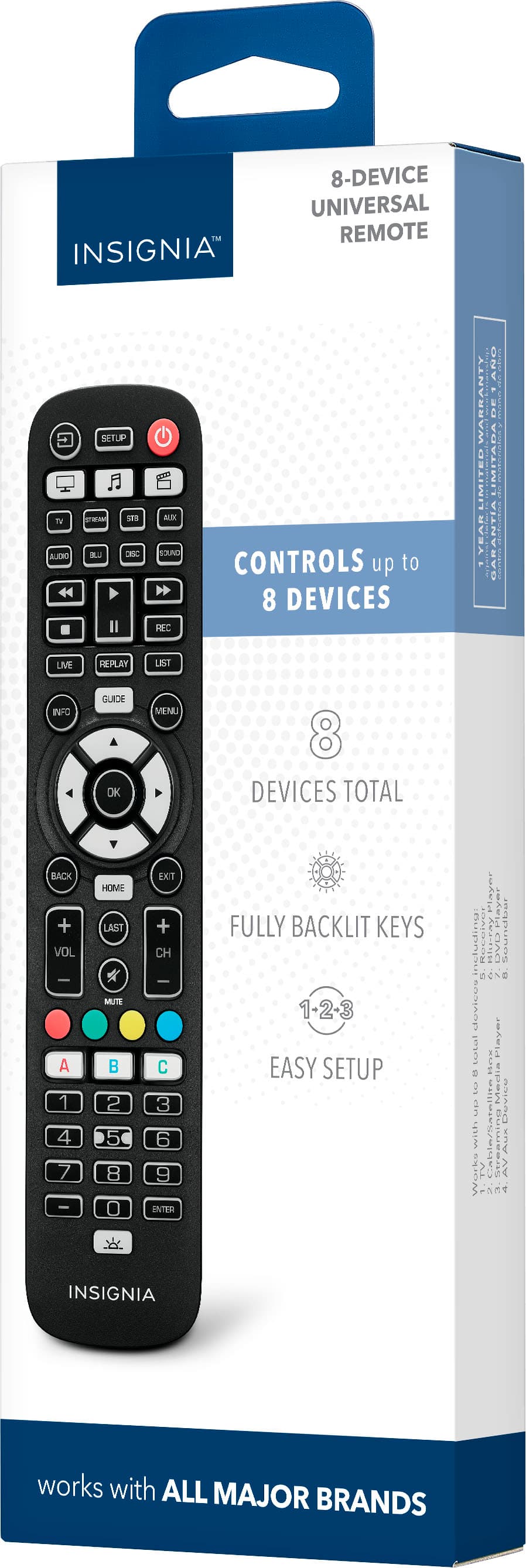
- A:Answer Thank you for your inquiry! Yes, the Insignia™ 8-Device Backlit Universal Remote can potentially operate the Marantz SR9600 AV Receiver, as it is designed to work with a wide range of audio and video devices, including AV receivers from major brands like Marantz.
Answered by InsigniaCustomerSupport

Q: Questionwill this remote work for my smonet hd projector
Asked by Anonymous.
- A:Answer The Insignia™ 8-Device Backlit Universal Remote (model NS-RMT8D21) is designed to work with a wide range of major brand devices, including TVs, Blu-ray players, soundbars, and streaming boxes .However, Smonet projectors are not explicitly listed among the pre-programmed brands, so compatibility isn't guaranteed out of the box. Patricia | Insignia Support
Answered by InsigniaCustomerSupport

Q: Questionis it compatible with Elseluck walking pad treadmill
Asked by pp678.
- A:Answer Hi pp678! No, the Insignia NS-RMT8D21 universal remote isn’t compatible with the Elseluck walking pad treadmill, as it’s designed for TVs and entertainment devices, not fitness equipment. Jeth | Insignia Support.
Answered by InsigniaCustomerSupport

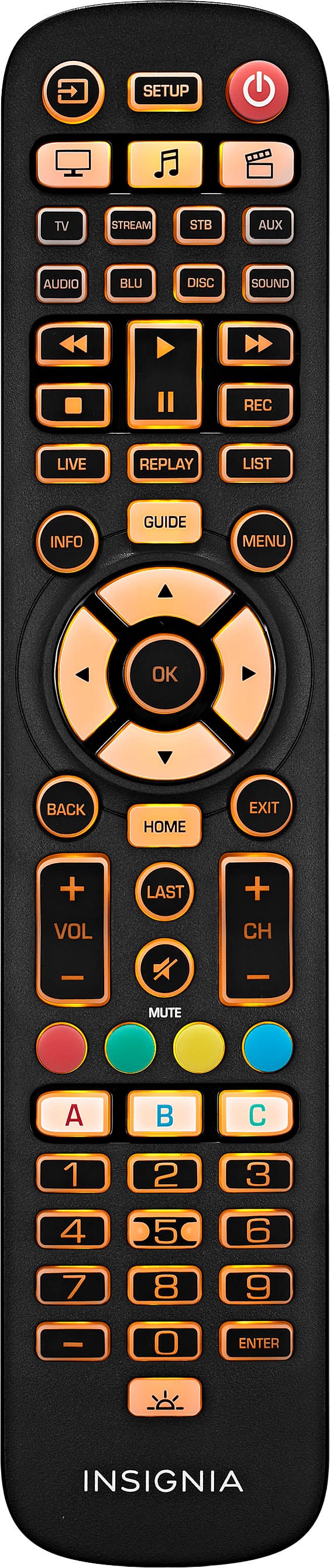
Q: QuestionAFTER SET UP TO MY SAMSUNG TV I FOUND THAT NONE OF THE NUMBERS WORK TO CHANGE CHANNELS. WHAT DO I NEED TO DO TO CORRECT THIS?
Asked by 02C5.
- A:Answer Hello! Thank you for reaching out. The number pads on the remote are primarily designed for use with set-top boxes. If you have a set-top box, please refer to the user manual for programming instructions. I hope this information is helpful. Please feel free to ask if you have any further questions.- Carl | Insignia Support
Answered by InsigniaCustomerSupport

Q: QuestionI recently purchased an LG tv along with the accompanying magic remote. The magic remote is struggling to control my TV, the samsung cable box & my Bose solo soundbar 2. Can this remote control my 2024 LG TV along with the other peripherals?
Asked by Hunter.
- A:Answer Thank you for reaching out and sharing your experience with the Insignia™ 8-Device Backlit Universal Remote. I'm sorry to hear about the difficulties you're having with your current remote setup. The Insignia™ 8-Device Backlit Universal Remote is designed to be compatible with a wide range of devices, including most major brands of TVs, cable boxes, and soundbars. It should be able to control your 2024 LG TV, Samsung cable box, and Bose Solo Soundbar 2. Here are a few steps to help you get started: 1. Programming the Remote: Follow the instructions in the quick setup guide to program the remote for each of your devices. This usually involves entering a code specific to each brand. 2. Learning Mode: If the pre-programmed codes don't work, you can use the learning mode to teach the remote functions from your original remotes. 3. Audio Lock Feature: This feature allows you to control the volume of your soundbar without switching devices. If you continue to experience issues, please don't hesitate to reach out for further assistance. We're here to help ensure you have a seamless experience with your Insignia products.
Answered by InsigniaCustomerSupport

Q: QuestionDoes this work with samsung tizen tv ?
Asked by MTcarol.
- A:Answer Hi MTcarol! Yes, the Insignia™ 8-Device Backlit Universal Remote is compatible with Samsung Tizen TVs. This universal remote is designed to work with nearly all major TV brands, including Samsung, and offers easy preprogramming for effortless pairing. If you have any other questions or need further assistance, feel free to ask! - Mae | Insignia Support | https://www.bestbuy.com/site/brands/best-buy-brands/pcmcat1596746025285.c?id=pcmcat1596746025285
Answered by InsigniaCustomerSupport

Q: QuestionDoes it have the talk to the remote feature
Asked by Germantown.
- A:Answer The Insignia™ 8-Device Backlit Universal Remote does not have a built-in voice control feature. It is designed to control up to eight devices, including your TV, streaming device, Blu-ray player, soundbar, and more, with easy pre-programming and a long range. Patricia | Insignia Support
Answered by InsigniaCustomerSupport

Q: Questionhow do you recharge this device?
Asked by Anonymous.
- A:Answer The Insignia™ - 8-Device Backlit Universal Remote is not rechargeable. It requires two AA batteries for operation. To replace the batteries, simply remove the battery compartment cover on the back of the remote, insert the new batteries, and ensure the + and - symbols on the batteries match the symbols inside the compartment. Patricia | Insignia Support
Answered by InsigniaCustomerSupport

Q: QuestionWill this work with Insignia TV NS-RCFNA series?
Asked by JenM.
- A:Answer Hi JenM! Yes, the Insignia™ - 8-Device Backlit Universal Remote (model NS-RMT8D21) is compatible with the Insignia TV NS-RCFNA series. This universal remote is designed to work with a wide range of devices, including various models of Insignia TVs. If you need further assistance, feel free to ask. |Angelica| Insignia Products |https://www.bestbuy.com/site/insignia-8-device-backlit-universal-remote-black/6495830.p?skuId=6495830
Answered by InsigniaCustomerSupport

Q: QuestionI have three devices that all support a mute function (TV, Cable Box and Audio). The Watch TV simply routes the command to the Audio box (I can see the AVR turn muting on and off). Is there a way for the macro to route the command to the TV?
Asked by Tony.
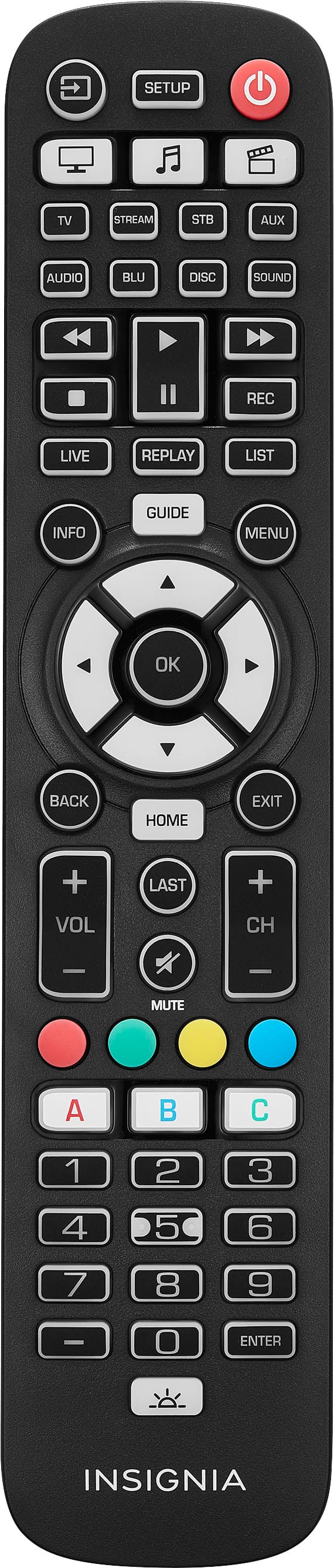
- A:Answer Hi Tony! Thank you for reaching out to us. If the pre-programmed codes don’t cover all functions, the Insignia remote has a learnability feature: hold down the device button (e.g., TV) and the MUTE button simultaneously. The remote will enter learning mode, allowing you to press the corresponding button on your original TV remote (e.g., the mute button). The Insignia remote will learn that function and store it for future use. JC | Insignia Support https://www.bestbuy.com/site/insignia-8-device-backlit-universal-remote-black/6495830.p?skuId=6495830
Answered by InsigniaCustomerSupport

Q: QuestionCan this control all functions with direct tv app?
Asked by Anonymous.
- A:Answer Hi, thank you for reaching out to us. 8-Device Backlit Universal Remote cannot directly control functions like the DirecTV app. Universal remotes are designed to control physical devices like TVs, cables boxes etc. You would need to use the remote that comes with your device. Thank you and have a great day! Gly | Insignia Support | https://www.bestbuy.com/site/insignia-8-device-backlit-universal-remote-black/6495830.p?skuId=6495830
Answered by InsigniaCustomerSupport

Q: QuestionHow can I pair this remote with a verizon cable box
Asked by Rich.
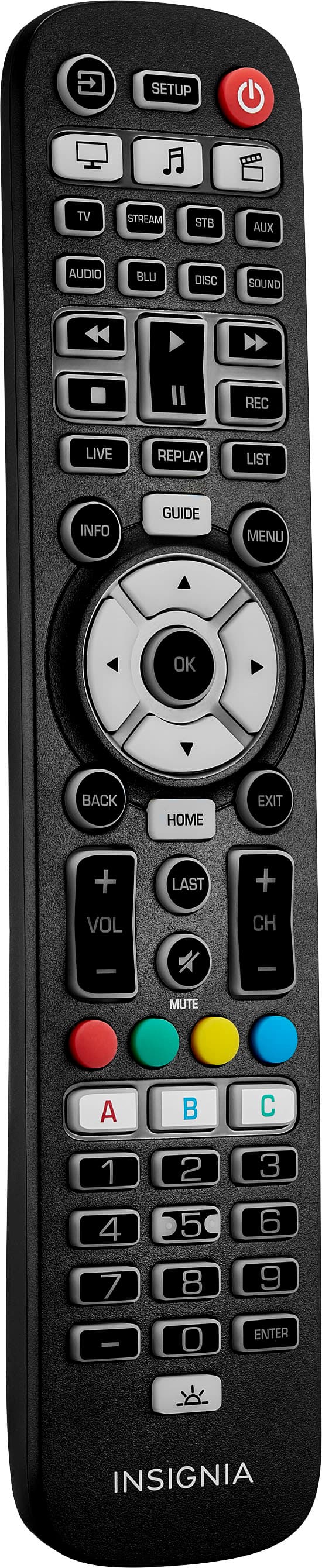
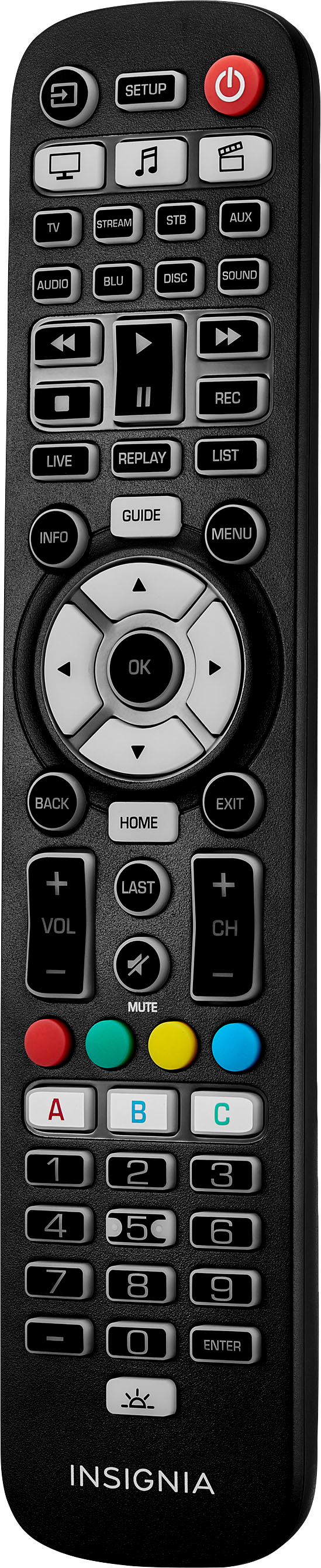
- A:Answer Hi Rich! Thank you for raising this concern to us. To connect your Insignia™ - 8-Device Backlit Universal Remote to your verizon cable box, please follow these instructions: 1. Turn on your TV and Verizon Cable Box and point your Insignia universal remote control at it. 2. Press the device button you want to set up (for example TV). 3. Press and hold the SETUP button until the LED on your remote button blinks twice. 4. Press and hold the number "0" button. Your remote will send the power signal every three seconds. 5. Release the button as soon as your device turns off. The LED blinks twice and your remote will now operate your device. For more detailed instructions, you can refer to the user guide by going to the link below, scroll down to Features and click User Manual at the bottom. If you need further assistance, you can contact us at 1-800-457-7777. Have a great day! James | Insignia Support | https://www.bestbuy.com/site/insignia-8-device-backlit-universal-remote-black/6495830.p?skuId=6495830
Answered by InsigniaCustomerSupport

Q: QuestionWill this remote work with all JVC TVs?
Asked by Tick.
- A:Answer Hello Tick, This universal remote control pairs quickly and easily with nearly all major brands without needing a code. For more questions and product support you may contact our customer service at 1-(877)-467-4289 Monday to Saturday 8am - 9pm CST. Chelsea Insignia Support Please give us a visit at: https://www.bestbuy.com/site/brands/best-buy-brands/pcmcat1596746025285.c?id=pcmcat1596746025285
Answered by InsigniaCustomerSupport

Q: QuestionI have this universal remote, but no longer have the box or instructions. Can you send alink on how to set up on my Emerson tv?
Asked by Vinny.
- A:Answer Look up the remote on the BB website. Click on features, and at the bottom of the list is the user manual with the instructions, and the product datasheet with the codes
Answered by Cudd
Q: QuestionCan this remote work with a smart TV about 6 years old, Brand Magnavox
Asked by Nikki8525.
- A:Answer Yes it will work.
Answered by isaac
Q: QuestionWill this work with a TiVo?
Asked by JVEK.
- A:Answer Unfortunately it does not work with TiVo
Answered by Maestroo7
Most-viewed items
- $14.99Your price for this item is $14.99
- $19.99Your price for this item is $19.99
- $39.99Your price for this item is $39.99
- $29.99Your price for this item is $29.99
- $279.99Your price for this item is $279.99$380.00The comparable value for this item is $380.00
- $49.99Your price for this item is $49.99
- $19.99Your price for this item is $19.99
- $24.99Your price for this item is $24.99
- $59.99Your price for this item is $59.99
- $12.99Your price for this item is $12.99
- $24.99Your price for this item is $24.99
- $11.99Your price for this item is $11.99$16.99The comparable value for this item is $16.99
- $13.49Your price for this item is $13.49$23.49The comparable value for this item is $23.49
- $29.99Your price for this item is $29.99
- $10.99Your price for this item is $10.99$15.99The comparable value for this item is $15.99
- $24.99Your price for this item is $24.99
- $34.99Your price for this item is $34.99