Early Black Friday DealsNew Doorbusters every Friday.Shop now

Main Content

Questions & Answers

Your price for this item is $74.99
Page Showing 61-80 of 234 questions
  • QuestionWhen I press the MEM button it just memorizes that present station and does not go to the station that I thought I MEM. I need to erase the many wrong stations and do it correctly.

    Asked by 1717.

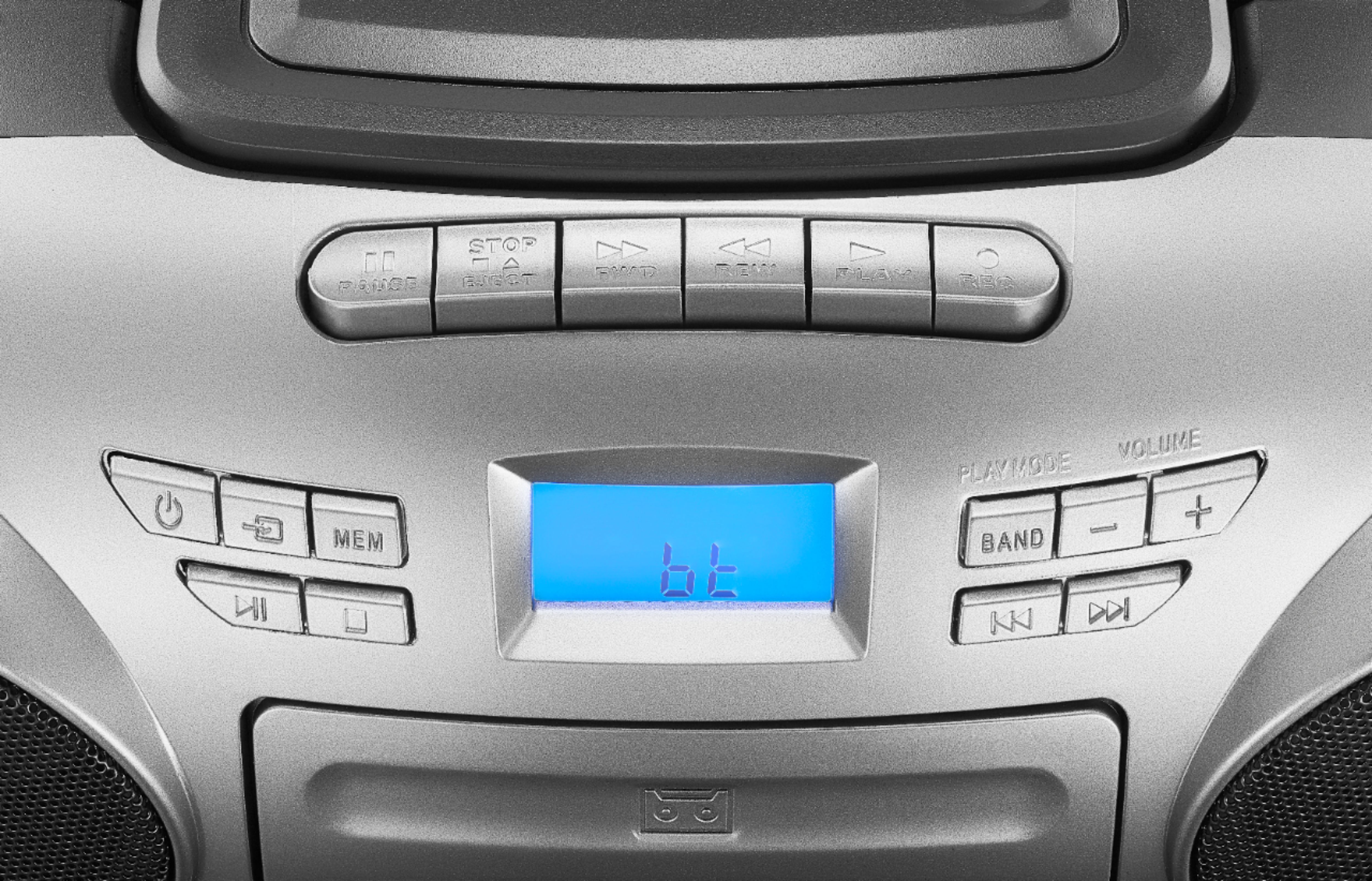
    • Answer I'm sorry to hear about the trouble you're having with your Insignia™ AM/FM Radio Portable CD Boombox. It sounds like the MEM button is not functioning as expected. Here are some steps to help you correctly memorize: 1. Press (Standby/ON) to turn on the boombox. 2. Press (source) repeatedly to select RADIO mode, then press BAND to select AM or FM. 3. Press (next) or (previous) to tune the radio to a higher or lower frequency. 4. Press and hold (next) or (previous) for two seconds to automatically tune to the next or previous station. 5. To save the station as a preset, press and hold the MEM button. “MEMORY” blinks on the display. 6. Press (next) or (previous) to select the preset number you want. 7. Press the MEM button again to confirm and store the preset. 8. Repeat Steps 3 to 7 to store up to 10 AM presets and 10 FM presets. 9. To select a preset station, press MEM repeatedly until you reach the station you want. If these steps don't resolve the issue, it might be helpful to refer to the user manual for more detailed instructions. If the problem persists, please contact Insignia customer support for further assistance. I hope this helps! Let me know if you have any other questions or need further assistance.

      Answered by InsigniaCustomerSupport

  • QuestionThe sound no longer works on all the three functions. Is there a mute button I pushed inadvertently?

    Asked by beachy.

    • Answer Thank you for your feedback. We're sorry to hear that you're experiencing sound issues with your Insignia™ AM/FM Radio Portable CD Boombox with Bluetooth. It's possible that the mute button was inadvertently pressed, which could be causing the problem. We take full responsibility for ensuring our products work correctly and want to help resolve this issue. Please check the mute button and ensure that headphones are not plugged in, as this can also mute the speakers. If the issue persists, please reach out to our customer support team for further assistance. Your satisfaction is important to us, and we appreciate you bringing this to our attention. We're here to help and ensure you have a positive experience with Insignia products. -Rolf | Insignia Support https://www.bestbuy.com/site/insignia-am-fm-radio-portable-cd-boombox-with-bluetooth-silver-black/6348060.p?skuId=6348060

      Answered by InsigniaCustomerSupport

  • QuestionMy cassette deck will make a CHEEP-CHEEP-CHEEP sound when i press play, fast forward or rewind at any time, with a cassette inside or nothing inside. The radio is an Insignia NS-BBBT20. Should i contact Customer Service?

    Asked by confused.

    • Answer The unsual sound you're hearing from your Insignia NS-BBBT20 cassette deck could be due to a few potential issues: 1. Mechanical Issues: The sound might be coming from the internal mechanisms, such as the motor or gears, which could be misaligned or in need of lubrication. 2. Belt Problems: The belts that drive the cassette deck might be worn out or slipping, causing the noise. 3. Debris or Dust: Dust or debris inside the cassette deck can also cause unusual sounds. Given that the issue occurs with or without a cassette inside, it seems to be related to the internal components rather than the cassette itself. I recommend contacting Insignia Customer Support for assistance. They can provide specific troubleshooting steps or arrange for a repair if necessary. You can reach them at (877) 467-4289. If you have any other questions or need further help, feel free to ask!

      Answered by InsigniaCustomerSupport

  • QuestionDoes it play mp3 CDs?

    Asked by JMK.

    • Answer Yes, the **Insignia™ AM/FM Radio Portable CD Boombox with Bluetooth** can play MP3 CDs. It supports CD-R, CD-RW, and MP3 CD formats, allowing you to enjoy a variety of music options If you have any other questions or need further assistance, feel free to ask! Ed | Insignia Support | https://www.bestbuy.com/site/brands/best-buy-brands/pcmcat1596746025285.c?id=pcmcat1596746025285

      Answered by InsigniaCustomerSupport

  • QuestionCan this boombox record?

    Asked by ForKeeps.

    • Answer The Insignia™ AM/FM Radio Portable CD Boombox with Bluetooth does not have built-in recording capabilities. It can play CDs, cassette tapes, and stream music via Bluetooth, but it lacks the functionality to record audio from these sources. If you have any other questions or need help finding a different model, feel free to ask! -Ed | Insignia Support | https://www.bestbuy.com/site/brands/best-buy-brands/pcmcat1596746025285.c?id=pcmcat1596746025285

      Answered by InsigniaCustomerSupport

  • QuestionCan I run it on batteries as well

    Asked by Lorenzo.

    • Answer Yes

      Answered by Tyger

  • Questionwhat is missing from this Open Box Insignia am/fm portage cd boombox unit?

    Asked by boomboxy.

    • Answer None

      Answered by Ashokdipu

  • QuestionDoes this record from the radio

    Asked by Dm.

    • Answer Yes. I've recorded the radio on to a cassette. Don't know if that's possible for to record from radio to CD. Great feature.

      Answered by Cutterwife

  • Questionsoftware seems to be corrupted. Is there a way to reboot/reset?

    Asked by patrickl.

    • Answer To reset your Insignia™ AM/FM Radio Portable CD Boombox with Bluetooth, you can try the following steps: 1. Power Cycle: Unplug the boombox from the power source, wait for about 30 seconds, and then plug it back in. This can sometimes resolve minor software issues. 2. Factory Reset: If a power cycle doesn’t work, look for a small reset button on the device. This is often a pinhole button that you can press with a paperclip. Hold it down for about 10 seconds to reset the device to its factory settings. If you have any questions or need further assistance, please don't hesitate to reach out. Thank you for choosing Insignia! - Emman | Insignia Support | https://www.bestbuy.com/site/brands/best-buy-brands/pcmcat1596746025285.c?id=pcmcat1596746025285

      Answered by InsigniaCustomerSupport

  • QuestionDoes it have a sleep mode.

    Asked by Micki.

    • Answer Hi Micki! The Insignia™ AM/FM Radio Portable CD Boombox with Bluetooth - Silver/Black does not have a sleep mode. However, it offers a variety of other features, including Bluetooth connectivity, an AM/FM digital tuner with presets, and compatibility with CD-RW, CD-R, and CD-DA playback formats. |Angelica| Insignia Products| https://www.bestbuy.com/site/insignia-am-fm-radio-portable-cd-boombox-with-bluetooth-silver-black/6348060.p?skuId=6348060

      Answered by InsigniaCustomerSupport

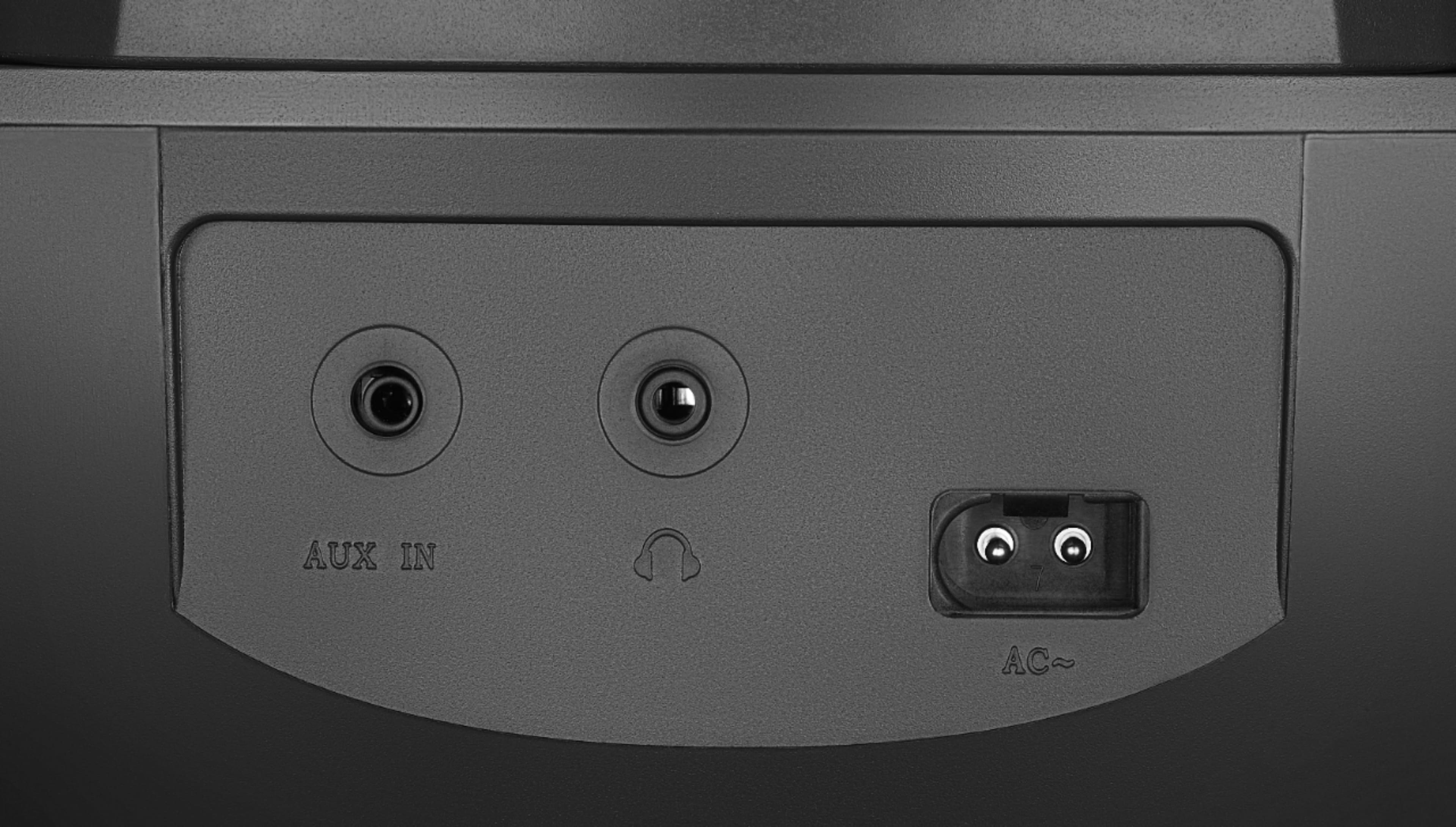
  • QuestionCan a microphone for recording be hooked up to this unit?

    Asked by Mike.

    • Answer Hi Mike! The Insignia™ AM/FM Radio Portable CD Boombox with Bluetooth does not have a dedicated microphone input for recording. For more information, please check the link below. |Angelica| Insignia Products| https://www.bestbuy.com/site/insignia-am-fm-radio-portable-cd-boombox-with-bluetooth-silver-black/6348060.p?skuId=6348060

      Answered by InsigniaCustomerSupport

  • QuestionCan this copy a cassette?

    Asked by Anonymous.

    • Answer The Insignia CD Boombox model NS-BBBT20 does not have the capability to copy or duplicate cassette tapes. It is primarily designed for playing CDs and cassettes and does not have a recording or duplicating function. -Ed | Insignia Support | https://www.bestbuy.com/site/brands/best-buy-brands/pcmcat1596746025285.c?id=pcmcat1596746025285

      Answered by InsigniaCustomerSupport

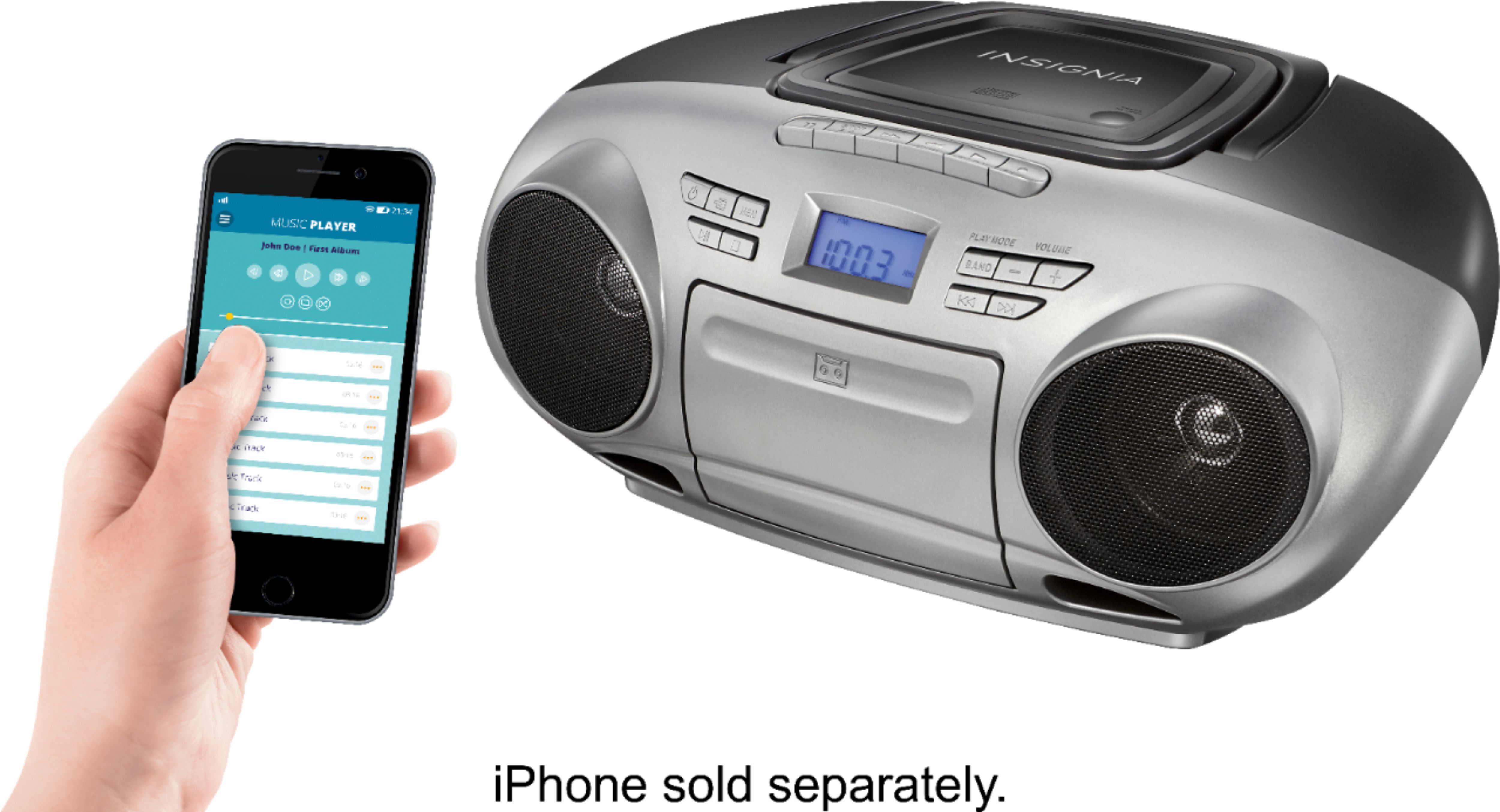
  • QuestionCan you play a bluetooth record player through it

    Asked by Cal.

    • Answer Hi Cal! Yes, you can play a Bluetooth record player through the Insignia™ AM/FM Radio Portable CD Boombox with Bluetooth. This boombox supports Bluetooth technology, allowing you to wirelessly stream audio from any Bluetooth-enabled device, including a Bluetooth record player. If you have any other questions or need further assistance, feel free to ask! |Angelica| Insignia Products| https://www.bestbuy.com/site/insignia-am-fm-radio-portable-cd-boombox-with-bluetooth-silver-black/6348060.p?skuId=6348060

      Answered by InsigniaCustomerSupport

  • QuestionHello. I have some cassettes and CDs I want to record to a flash drive. Can I do that with this machine?

    Asked by Swpp.

    • Answer Hi there! No, our portable CD Boombox does not have a USB port for you to plug in your flash drive. Therefore, you will not be able to record and store it on a flash drive. - Carl | Insignia Products

      Answered by InsigniaCustomerSupport

  • QuestionWill this boombox (Insignia model: NS-BBBT20) somehow allow me to connect a VERY OLD portable MP3 player that only has those red and white 'RCA' plugs like the ones on old DVD players??? I really need to know because I do not have any Bluetooth stuff...

    Asked by scrappy.

    • Answer Unfortunately this doesn't have PCA ports. If you wish to use your portable MP3 player thru RCA, you may want to look into our Insignia Sound bar selection as those work with Optical, RCA, 3.5mm audio jack aux and Bluetooth connections. -Ed | Insignia Support | https://www.bestbuy.com/site/brands/best-buy-brands/pcmcat1596746025285.c?id=pcmcat1596746025285

      Answered by InsigniaCustomerSupport

  • QuestionCan you tape cassette to cd?

    Asked by Anonymous.

    • Answer Hello there, thank you for your inquiry! No, the Insignia AM/FM Radio Portable CD Boombox with Bluetooth - Silver/Black (Model: NS-BBBT20) does not have the capability to transfer tape cassettes to CDs. It is designed to play CDs and has an AM/FM radio function but does not have a tape cassette player or the ability to record from tape cassette to CD. For more information about this product, you may click this link: https://www.bestbuy.com/site/insignia-am-fm-radio-portable-cd-boombox-with-bluetooth-silver-black/6348060.p?skuId=6348060. Carlo | Insignia Products

      Answered by InsigniaCustomerSupport

  • QuestionWhen playing a CD, does this player allow you to skip songs..and go to the next?

    Asked by KK.

    • Answer Hi KK, thank you for your inquiry! Insignia - AM/FM Radio Portable CD Boombox with Bluetooth - Silver/Black (Model: NS-BBBT20) will allow you to skip song or next track. This Insignia multifunction stereo boombox features soft-touch buttons and a backlit display for easy operation. For more information about this product, you may click this link: https://www.bestbuy.com/site/insignia-am-fm-radio-portable-cd-boombox-with-bluetooth-silver-black/6348060.p?skuId=6348060. Carlo | Insignia Products

      Answered by InsigniaCustomerSupport

  • QuestionCan this unit be paired with a JBL3 OR JBL2 SPEAKER

    Asked by Wilkat.

    • Answer Hi Wilkat! Yes, the Insignia Portable CD Boombox with Bluetooth can be paired with a JBL3 or JBL2 speaker as long as the speaker has Bluetooth connectivity. You can easily pair the boombox with the JBL speaker by following the Bluetooth pairing instructions for both devices. JC | Insignia Support https://www.bestbuy.com/site/insignia-am-fm-radio-portable-cd-boombox-with-bluetooth-silver-black/6348060.p?skuId=6348060

      Answered by InsigniaCustomerSupport

  • QuestionDoes it have a clock?

    Asked by forced.

    • Answer No clock

      Answered by CatherineA