“I can’t seem to get my Xbox series x to recognize it. Does it have a sync button that I’m missing? Need to run to the store for batteries so I can check if the batteries that came with it are just dead.”
Answer This Question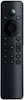
1-3 of 3 Answers
Honestly mine was recognized by the Xbox right away, might be the remote itself but for volume and other settings you will have to configure it in your Xbox settings
Sorry, there was a problem. Please try again later.Hello there, Please check below link.https://files.bbystatic.com/cRqCN3aPhgUA1gkw7nzOpw%3D%3D/Quick%2BStart%2BGuide Insignia Support Louise www.insigniaproducts.com/support
Sorry, there was a problem. Please try again later.From the manual: 1. Press the X navigation button (looks like a house) 2. Select Settings (navigate with the Dpad) 3. Select TV & OneGuide 4. Follow the prompts to setup pairing with the TV, Soundbar, and XBox. There is no sync button. Also, make sure nothing is blocking line of site to the XBox. This is an IR controller and will not work if the XBox cannot see the signal.
Sorry, there was a problem. Please try again later.