Questions & Answers
- Model:
- JUP2290C
- |
- SKU:
- 6500397
Q: QuestionIs this charger compatible with HP Envy laptop?
Asked by Bean.
- A:Answer I have a Dell computer and is compatible
Answered by LarrieH
Q: QuestionDoes this work with a Chromebook x360?
Asked by erob464.
- A:Answer all I know is that it works perfectly with my Chromebook computer.
Answered by HajaK
Q: QuestionIs this device compatible with lenovo ideapad 3 slim i7 core laptop
Asked by Corey49.
- A:Answer Yes, the 100W Super Charger is likely compatible with your Lenovo IdeaPad 3 Slim with Intel Core i7, as long as the laptop meets the following conditions. The laptop must have a USB-C port that supports Power Delivery (PD) input for charging. Look for a lightning bolt icon next to the USB-C port (often indicates charging capability). Or check Lenovo’s official specs or your laptop’s manual for “USB-C charging” or “Power Delivery.”
Answered by J5create Team
Q: QuestionDoes this charger connect to an iPhone 14?
Asked by Walt.
- A:Answer Yes, the 100W Super Charger can connect to and charge an iPhone 14. The iPhone 14 uses a Lightning cable, so to charge it. - Use a USB-C to Lightning cable with one of the USB-C ports, or - Use a USB-A to Lightning cable with one of the USB-A ports.
Answered by J5create Team
Q: QuestionDoes the j5creat 100w super charger works with dell latitude 7440?
Asked by Needacharger.
- A:Answer Yes, the 100W Super Charger is fully compatible with Dell laptops, including the Latitude 7440, as long as your laptop supports USB‑C Power Delivery (PD).
Answered by J5create Team
Q: QuestionCan it charge an HP ProBook 440 G11 45W
Asked by Anonymous.
- A:Answer Yes, the 100W Super Charger can charge an HP ProBook 440 G11 that requires 45W USB-C charging.
Answered by J5create Team
Q: QuestionIs this compatible with a Lenovo T16 gen 3 Thinkpad. It would have prongs where it inserts into thinkpad
Asked by Curious.
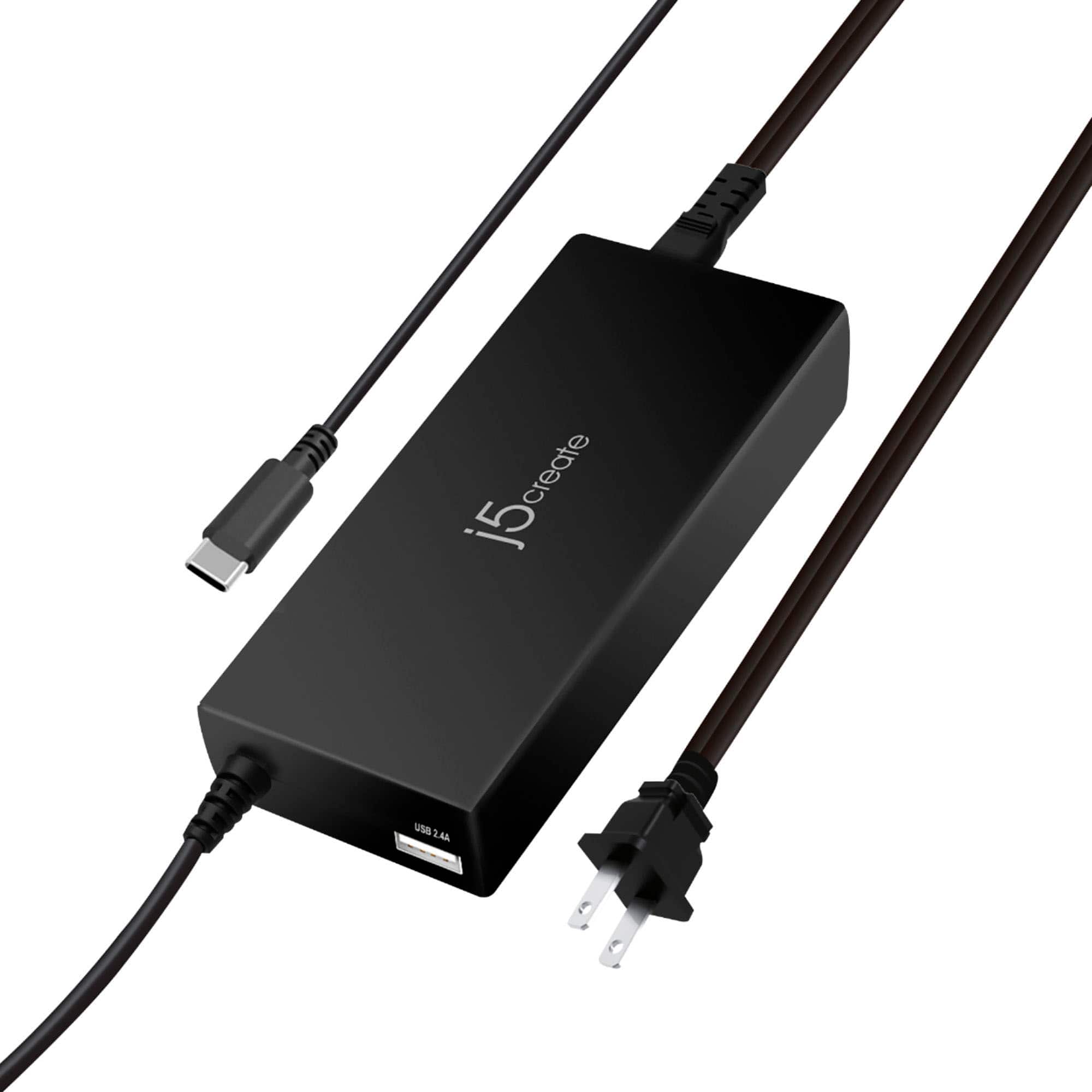
- A:Answer The 100W Super Charger is a USB-C charger, which means it can provide power to devices that support USB-C charging. For the Lenovo T16 Gen 3 ThinkPad, if the laptop has a USB-C charging port that supports Power Delivery (PD) and accepts up to 100W of power, then the j5create charger should be compatible. If the charger you are asking about uses prongs to insert into the ThinkPad (like the old-style barrel connector), it would not be compatible, as the j5create charger is a USB-C charger.
Answered by J5create Team
Q: QuestionWill this charger work for my Thinkpad T14 gen 3 laptop?
Asked by Jen.
- A:Answer Yes, your ThinkPad T14 Gen 3 supports USB-C charging via Power Delivery (PD), which aligns with the charging standard used by the JUP2290C.
Answered by J5create Team
Q: QuestionWill this work with a Lenovo Yoga 7i?
Asked by Lee.
- A:Answer Yes, the 100W Super Charger should work with a Lenovo Yoga 7i, provided that your computer supports charging via USB-C using the Power Delivery (PD) standard.
Answered by J5create Team
Q: QuestionWill this work for Hewitt packard laptop
Asked by Anonymous.
- A:Answer The 100W Super Charger is compatible with laptops that support USB-C Power Delivery (PD) charging. Confirm that your HP laptop supports charging via USB-C. This information can typically be found in your laptop's user manual or specifications.
Answered by J5create Team
Q: QuestionDoes this charger work with a Dell Inspiron 16 2-in-1 7635 laptop?
Asked by CW.
- A:Answer The 100W Super Charger should work with the Dell Inspiron 16 2-in-1 7635 laptop as long as the laptop is designed to accept up to 100W of power through its USB-C port.
Answered by J5create Team
Q: QuestionWork with Lenovo idea pad flex 5
Asked by Rexo.
- A:Answer A 100W Super Charger may work with the Lenovo IdeaPad Flex 5, provided that your model supports USB-C charging. Please refer to the manufacturer of your hardware for more information on your device.
Answered by J5create Team
Q: QuestionDoes it works with Dell Latitude 5530?
Asked by johany2k.
- A:Answer A 100W Super Charger should work with the Dell Latitude 5530 as long as the laptop supports charging via USB-C and requires up to 100W or less.
Answered by J5create Team
Q: QuestionWill this work with an Acer Chromebook Spin 713? Thank You
Asked by BigBob.
- A:Answer The Acer Chromebook Spin 713 will need to support USB-C charging, which means it can accept power from a USB-C charger that adheres to the PD standard. Please contact the Manufacture (Acer) for specification on your Chromebook. Thank you.
Answered by J5create Team
Q: QuestionWill this work with a Apple MacBook Pro M1 2020?
Asked by dummy.
- A:Answer If the MacBook Pro M1 2020 supports USB-C Power Delivery (PD), the 100W Super Charger will work fine.
Answered by J5create Team
Q: QuestionDoes the charger work with windows 11?
Asked by DanDan.
- A:Answer Yes, a USB-C 100W Super Charger should work with devices running Windows 11, as long as those devices support USB-C charging.
Answered by J5create Team
Q: QuestionCan this work on an input of 240V power ? I will use this in Philippines.
Asked by Powercharger.
- A:Answer The 100W Super Charger does support a 240V input. If you have any other questions please reach out to our j5create customer support team. Thank you.
Answered by J5create Team
Q: QuestionDoes this work with HP Envy 360?
Asked by Hp.
- A:Answer The USB-C port on the laptop must support Power Delivery in order for it to charge with the 100W Super Charger . I recommend reaching out to computer manufacturer to help determine if your laptop supports Power Delivery. If you have any other questions please reach out to our customer support by visiting the j5create website then click on the "SUPPORT" tab at the top right of the webpage. Thank you.
Answered by J5create Team
Q: QuestionDoes this work with the Asus rog ally?
Asked by Jay.
- A:Answer The 100W Super Charger requires that the USB-C port on the device supports Power Delivery. The Asus Rog Ally supports Power Delivery supports Power Delivery so the charger should work with the device. If you have any other questions please contact our customer support team by visiting the j5create website then click on the "SUPPORT" tab at the top right of the webpage. Thank you.
Answered by J5create Team
Most-viewed items
- $9.99Your price for this item is $9.99
- $19.00Your price for this item is $19.00
- $23.73Your price for this item is $23.73
- $11.99Your price for this item is $11.99
- $24.99Your price for this item is $24.99
- $14.99Your price for this item is $14.99
- $9.99Your price for this item is $9.99
- $11.99Your price for this item is $11.99
- $7.99Your price for this item is $7.99
- $9.99Your price for this item is $9.99
- $24.99Your price for this item is $24.99
- $19.99Your price for this item is $19.99
- $12.99Your price for this item is $12.99
- $24.49Your price for this item is $24.49$34.99The comparable value for this item is $34.99
- $9.99Your price for this item is $9.99
- $19.99Your price for this item is $19.99$29.99The comparable value for this item is $29.99
- $19.99Your price for this item is $19.99
- $14.49Your price for this item is $14.49$24.49The comparable value for this item is $24.49
- $39.99Your price for this item is $39.99
- $9.99Your price for this item is $9.99