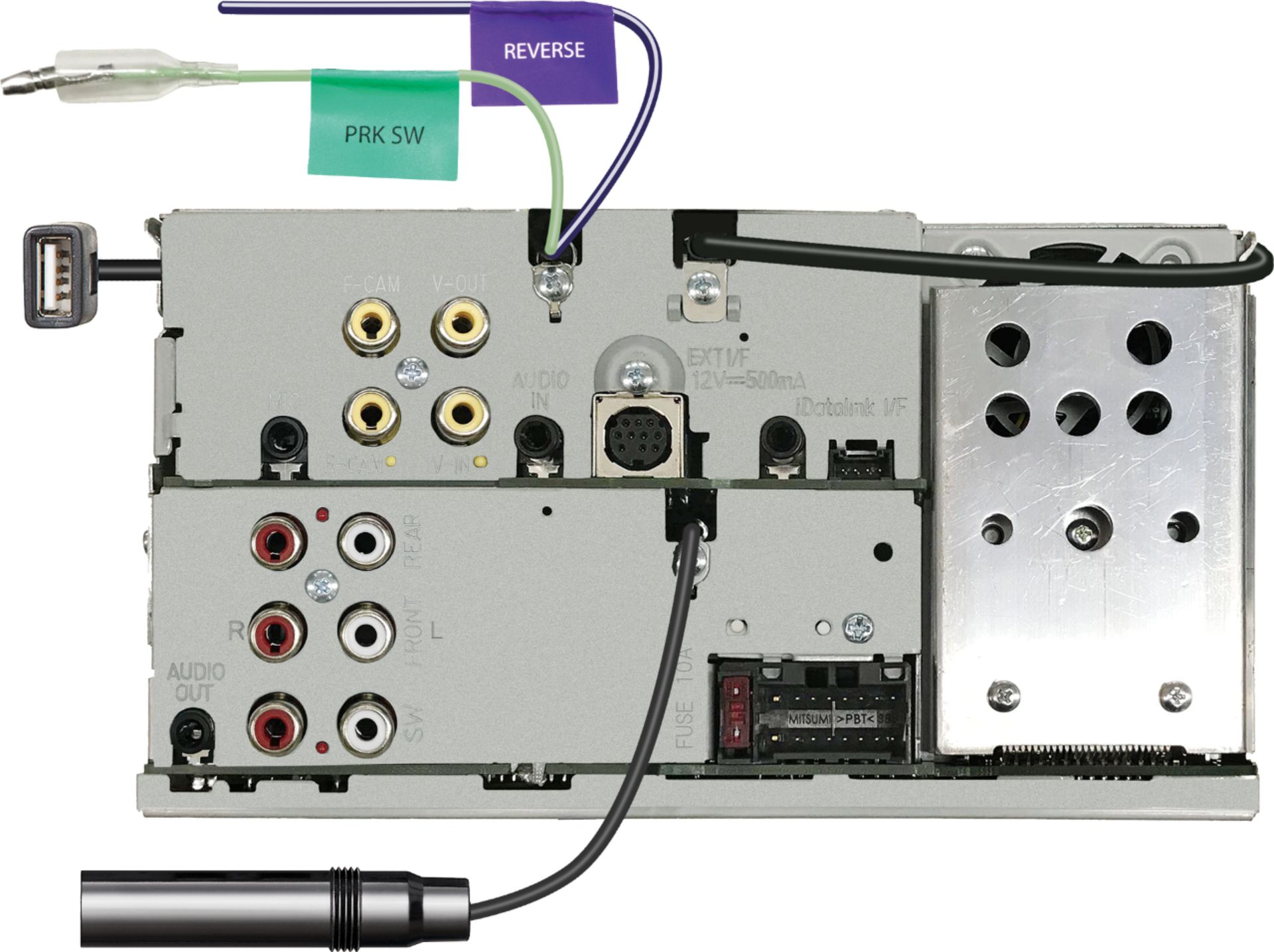
A:AnswerWhen connecting a back up camera the radio does have a setting and the reverse wire to allow this feature to work correctly. If all is installed properly the radio will display the back up camera when you are in reverse.
A:AnswerIf the microphone was properly connected the other caller should be able to hear you. If recently installed have the installer check this or please contact Kenwood Customer Service to help you troubleshoot.
A:AnswerThe DMX7706S radio itself does not have volume settings for apps or navigation. When connected via Carplay or Android you can see if the phone itself offers volume options.
A:AnswerTo see if your factory back up camera would be compatible please contact our Best Buy installation team by calling them directly. They will also let you know what steering wheel adapter will be needed for the installation.
A:AnswerThe DMX7706S does not come with a mounting sleeve. You can check with our Best Buy installation team by calling them direct to see what dash kit is recommended for your installation.
A:AnswerTo check on adapter that would integrate your onstar with the radio please contact our Best Buy installation direct by calling them to see what options would be available.
A:AnswerThe radio requires the speed sensor wire to be connected from the vehicle in order for Apple Car play to work. Please consult with our Best Buy installation team by calling them direct about this connection.
A:AnswerTo check into compatiblity with your Ram's Uconnection features, please consult with our Best Buy installation team by calling them directly to check into this for you.
A:AnswerIf installing the DMX7706S this will eliminate your factory radio/nav system. To check into compatibility on the factory camera, please consult with our Best Buy installation team by calling them directly.