A:AnswerHello there, Shaun. Thank you for reaching out to us. We understand your inquiry regarding the LG OLED48B5PUA's suitability for gaming. The OLED48B5PUA is an excellent choice for gaming, offering a 120Hz native refresh rate, VRR (Variable Refresh Rate) up to 120Hz, ALLM (Auto Low Latency Mode), and a response time of less than 0.1ms, all of which contribute to a smooth and responsive gaming experience.
https://www.bestbuy.com/product/lg-48-class-b5-series-oled-ai-4k-uhd-smart-webos-tv-2025/JJ8VPZTK9F
If you have any further questions, please send us a private message on Social Media @LGUSSupport, and our team will be more than happy to assist you. —Renzo
A:AnswerThe Response Time for the 48-inch Class LG OLED AI B5 4K Smart TV 2025, Model # OLED48B5PUA, and all other LG OLED TVs is typically less than 0.1 ms...^Ivan.
A:AnswerThe LG 48" Class B5 Series OLED AI 4K UHD Smart webOS TV (2025), Model # OLED48B5PUA, is designed for optimal performance in controlled lighting conditions, but it does not feature the advanced anti-glare technology found in higher-end models like the C5 and G5. series OLED TVs...^Ivan
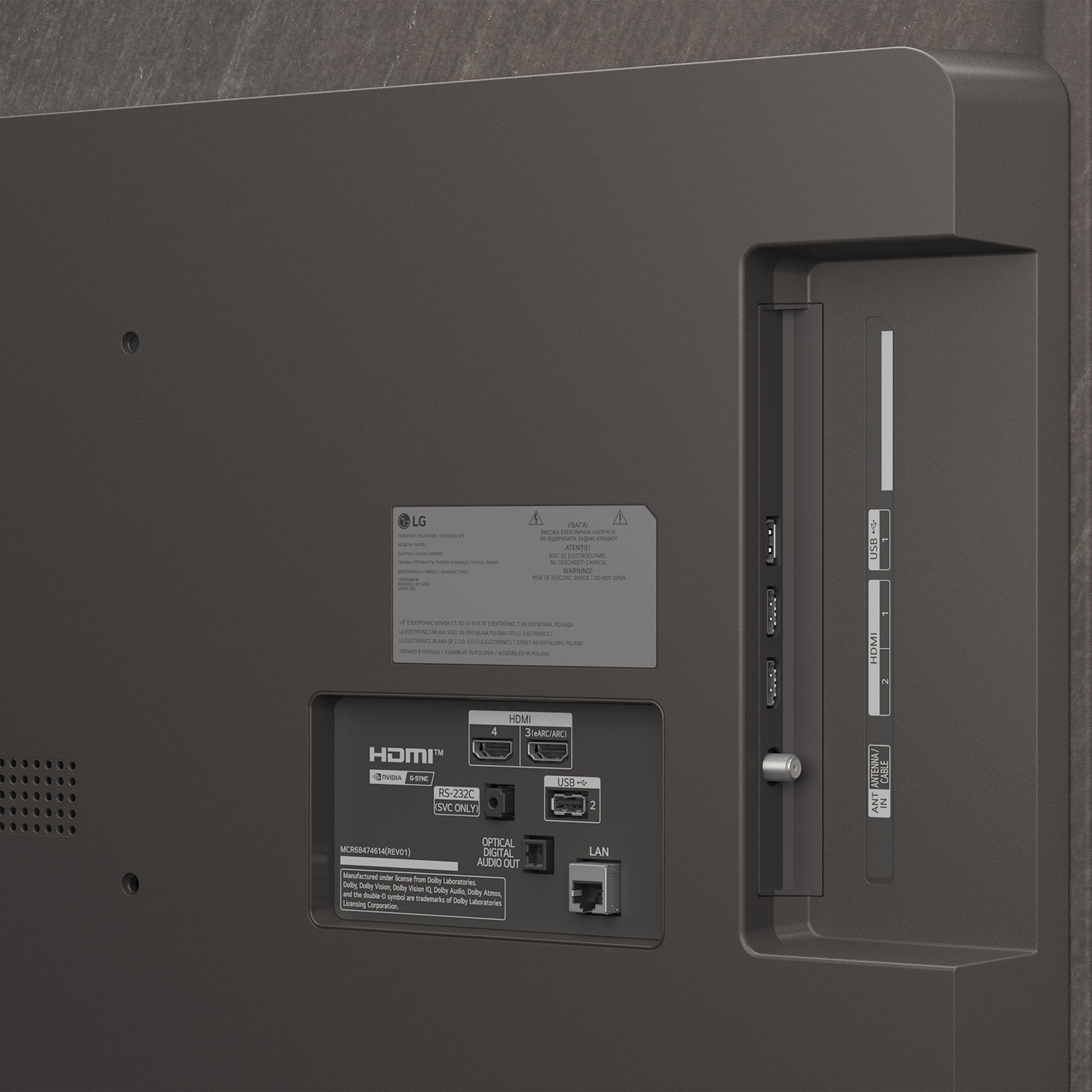
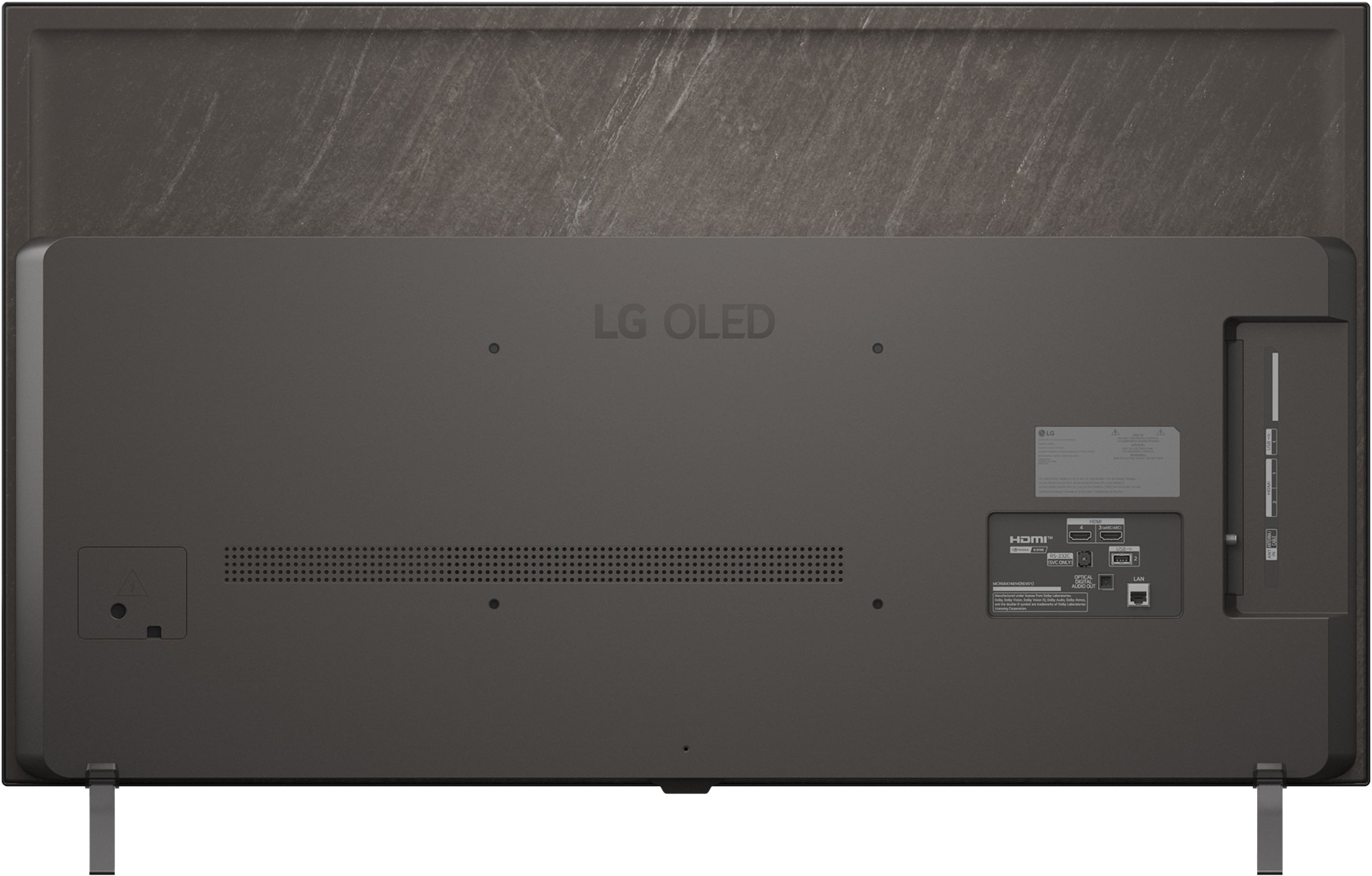
A:AnswerMounting brackets have varying depths that determine the length of the VESA standard screws that can be used to mount the 48-inch Class LG OLED AI B5 4K Smart TV 2025, Model # OLED48B5PUA. Specifications for the TV only list a metric width for the VESA standard screws that will fit into the mounting holes on the back of the TV which is M6 (or 6 mm) for this TV.
The TV has a 300 x 200 mm VESA Mount Pattern, so when you buy a third-party VESA-compliant Wall mount that supports the TV's VESA Mount Pattern, it will typically comes with two or three sets of screws with varying lengths and spacers that you can use if the screws are too long.
For example, the LG EZ Slim Wall Mount for LG TVs (VESA - 300 X 300 / 300 X 200 / 400 X 200), which is a full motion wall mount, comes with four M6 x L45, four M6 x L18 Guide Spacer screws and four Guide Spacer A and four Guide Spacer B..
If you have an existing mount that supports the TV's VESA Mount Pattern, it should have come with the necessary screws and spacers you can use with the TV. If you have lost them, you can check the mount's installation guide to see what length of screws were provided with the mount or contact the manufacturer...^Ivan.
A:AnswerThe Spectrum TV app is compatible with the webOS 25 TV Platform that the LG 48" Class B5 Series OLED AI 4K UHD Smart webOS TV (2025), Model # OLED48B5PUA, so it can be downloaded and installed on the TV through the LG Content Store (App Store) feature found on the TV's home screen...^Ivan.
A:AnswerRegardless of brand or manufacturer, Soundbars are universally compatible with almost any TV brand. As long as your TV and soundbar share a common connection method—such as HDMI ARC/eARC, optical audio, or Bluetooth—they will work together to deliver upgraded audio.
Connectivity for the LG 48" Class B5 Series OLED AI 4K UHD Smart webOS TV (2025), Model # OLED48B5PUA, includes pairing via Bluetooth, connection via its HDMI eARC port (HDMI 2), or via its Optical Digital Audio port.
Check what connectivity your SONOS ARK Ultra Soundbar has to determine how you can connect it to the TV.
HDMI eARC is the gold standard for audio quality. It transmits high-res formats like Dolby Atmos®, so if your soundbar features an HDMI eARC port, that will be the best connection to the TV. The HDMI eARC port can also be connected to the older HDMI ARC port, but to support high-res formats like Dolby Atmos®, both the soundbar and the TV must have HDMI eARC ports, since HDMI ARC does not support the high-res formats like Dolby Atmos®...^Ivan.
A:AnswerTo correct an incorrect shipping address for a Best Buy online order, you must act quickly, as the system generally cannot be edited online once the order is placed.
The number you would need to call immediately is at 1-888-237-8289.
Unfortunately, you would have had to do this within 30 minutes of placing the order, because requesting an address update from the agent is only possible if the item has not yet shipped.
If the item has already shipped, you will have to contact the carrier (e.g., UPS or FedEx) directly, and request a package reroute or a hold for pickup at a local facility. Note that carriers may charge a fee for this service.
If the item cannot be rerouted, allow the package to be "Returned to Sender" as undeliverable. Once Best Buy receives it, a refund will be issued. Place a new order with the correct shipping address...^Ivan.
A:AnswerHi there, Mike! Thank you for sharing your question to us
about the LG TV (OLED48B5PUA). Yes, AirPods can connect to this TV through Bluetooth. Here's a quick guide: • Open Settings. • Sound. • Sound Out. • Bluetooth and select your AirPods from the list. Make sure the AirPods are in pairing mode so the TV can detect them. You can explore the full feature list and support details here: https://www.bestbuy.com/product/lg-48-class-b5-series-oled-ai-4k-uhd-smart-webos-tv-2025/JJ8VPZTK9F.
If you need more help, feel free to email us at lgdigitalcare@lg.sprinklrsupport.com.
— Avril
A:AnswerHello there, Wanda! Thank you for sharing your question to us about the LG TV (OLED48B5PUA).
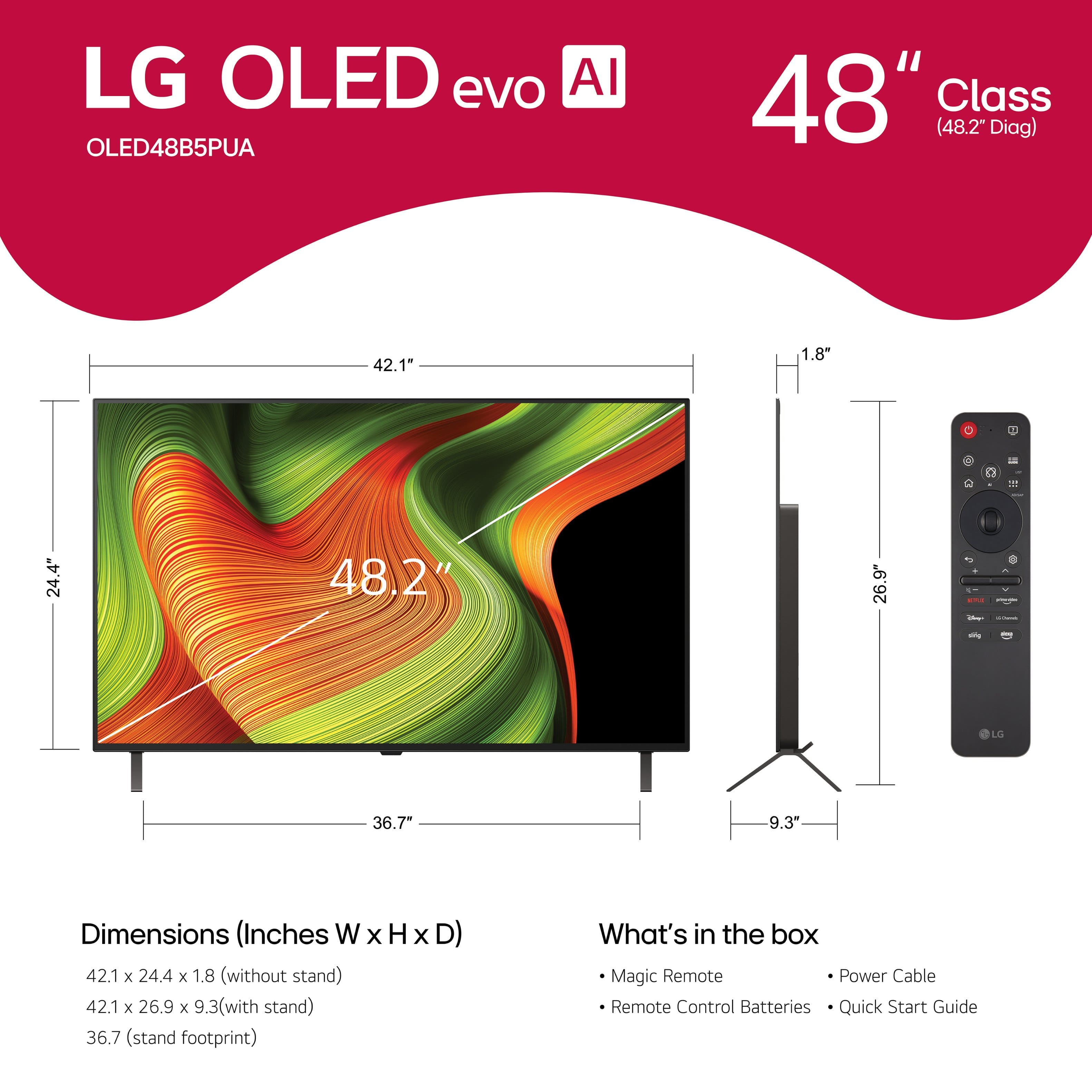
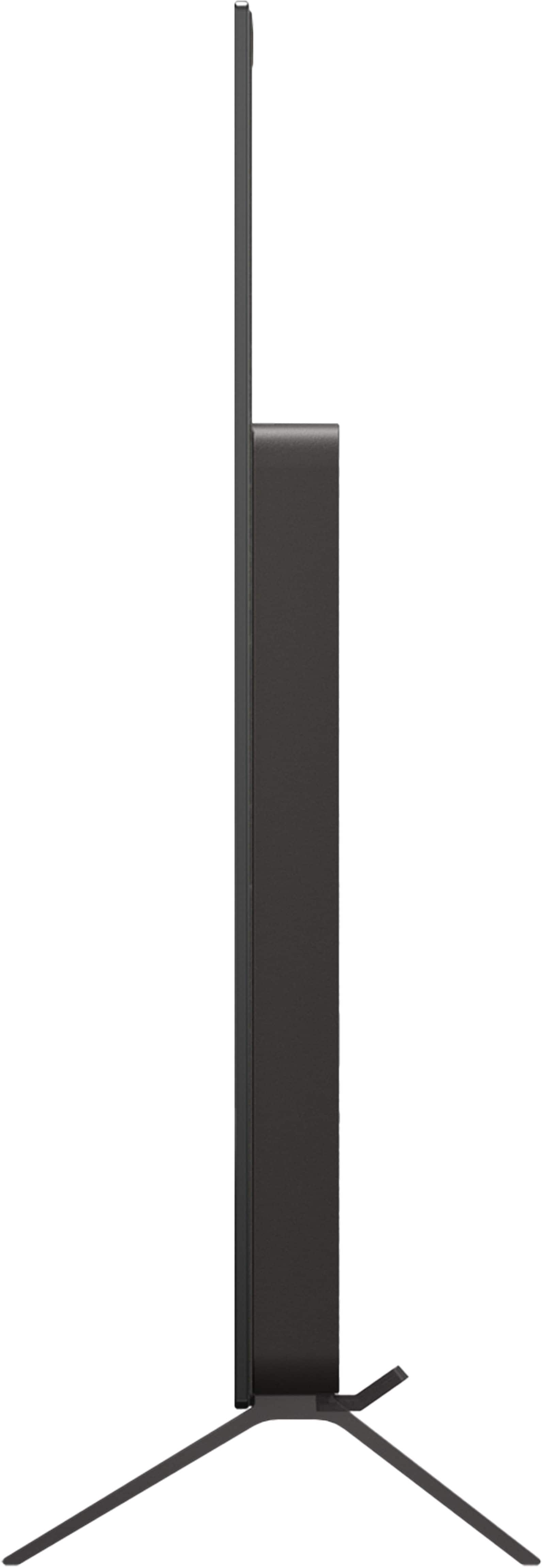
For this model, the TV has an approximate width of 42.2 inches, height of 24.4 inches, and depth of 1.8 inches without the stand. To ensure comfortable placement and ventilation, we recommend allowing extra space around the TV—typically a few inches on each side and at the top. You can explore the full feature list and support details here:
https://www.bestbuy.com/product/lg-48-class-b5-series-oled-ai-4k-uhd-smart-webos-tv-2025/JJ8VPZTK9F.
If you’d like help confirming the best fit for your specific cabinet, feel free to email us at lgdigitalcare@lg.sprinklrsupport.com for further assistance.
- Avril
A:AnswerThe MLB app is compatible with the webOS TV Platform (Operating System) that the LG 48" Class B5 Series OLED AI 4K UHD Smart webOS TV (2025), Model # OLED48B5PUA, runs on, so it can be downloaded and installed on the TV through the LG Content Store (App Store) feature, which can be found on the TV's home screen...^Ivan.
A:AnswerHi there, Ray! Thank you for sharing your question to us about the LG TV (OLED48B5PUA). The packaging dimensions for this model are 48.0\" x 28.9\" x 6.0\", which should give you a clear idea of the space needed for handling or delivery. You can explore the full feature list and support details here: https://www.bestbuy.com/product/lg-48-class-b5-series-oled-ai-4k-uhd-smart-webos-tv-2025/JJ8VPZTK9F. If you need further assistance, please send us an email at lgdigitalcare@lg.sprinklrsupport.com.
- Avril
A:AnswerHello, there! Thanks for reaching out with your question about the LG TV (OLED48B5PUA). This model is designed with a single VESA mounting pattern of 300 x 200, and it does not offer alternate VESA configurations.
You can explore the full feature list and support details here:
https://www.bestbuy.com/product/lg-48-class-b5-series-oled-ai-4k-uhd-smart-webos-tv-2025/JJ8VPZTK9F.
If you’d like help choosing a compatible mount or need further assistance, feel free to email us at lgdigitalcare@lg.sprinklrsupport.com.
- Avril
A:AnswerHello there, Roger! Thank you for sharing your question to us
about the LG TV (OLED48B5PUA). It's great to know that you’re planning to place the TV above your fireplace — that’s a popular setup! This screen itself doesn’t tilt forward on its own, but you can achieve that angle by using a tilting or full‑motion wall mount that supports the TV’s 300 × 200 VESA pattern. You can explore the full feature list and support details here: https://www.bestbuy.com/product/lg-48-class-b5-series-oled-ai-4k-uhd-smart-webos-tv-2025/JJ8VPZTK9F.
If you’d like help choosing a compatible mount or need anything else, feel free to email us at lgdigitalcare@lg.sprinklrsupport.com.
- Avril

. Independently Tested for Quality and Workmanship CheckPlus: 100 % Color Volume to DCI-P3 oi PSSEANE Intertek [www.IntertekCheck.com](http://www.IntertekCheck.com). 100% Color Fidelity and '100% Color Volume to DCI-P3' applies to 2025 OLED TVs. *LG OLED Display is verified by UL for Perfect Color measured to IDMS 11.5 Ring-light Reflection standards. *100% Color Volume is defined as the performance of display which is equal or greater than the size of DCI-P3 standard color volume as verified independently by Intertek. *The LG OLED Panel is certified by Intertek for 100% Color Fidelity, measured to IDMS 11.5 Ring-light Reflection standards.](https://pisces.bbystatic.com/image2/BestBuy_US/images/products/3661ed5e-8d92-47a9-baef-65aa6eb5dcb9.jpg)