






Main Content

Questions & Answers

$249.99
Save $140
The comparable value is $389.99
Page Showing 1-20 of 71 questions
  • QuestionCan I connect to the internet using Wi-Fi?

    • Answer Yes, this TV has wireless connectivity via Wi-Fi.
    This question and answer was generated by AI based on customer and product data.
  • QuestionDoes this TV have screen mirroring capabilities?

    • Answer Yes, this TV has screen mirroring capabilities using Apple AirPlay 2.
    This question and answer was generated by AI based on customer and product data.

  • QuestionDoes this TV support HDR content?

    • Answer Yes, this TV supports high dynamic range content.
    This question and answer was generated by AI based on customer and product data.

  • QuestionDoes this TV have built-in speakers?

    • Answer Yes, this TV has built-in speakers.
    This question and answer was generated by AI based on customer and product data.

  • QuestionWhat is the refresh rate of this TV?

    • Answer The refresh rate of this TV is 60Hz.
    This question and answer was generated by AI based on customer and product data.

  • QuestionHow many HDMI ports does this TV have?

    • Answer This TV has a total of three HDMI ports.
    This question and answer was generated by AI based on customer and product data.

  • QuestionIs this TV considered a smart TV?

    • Answer Yes, this TV is smart capable with webOS.
    This question and answer was generated by AI based on customer and product data.

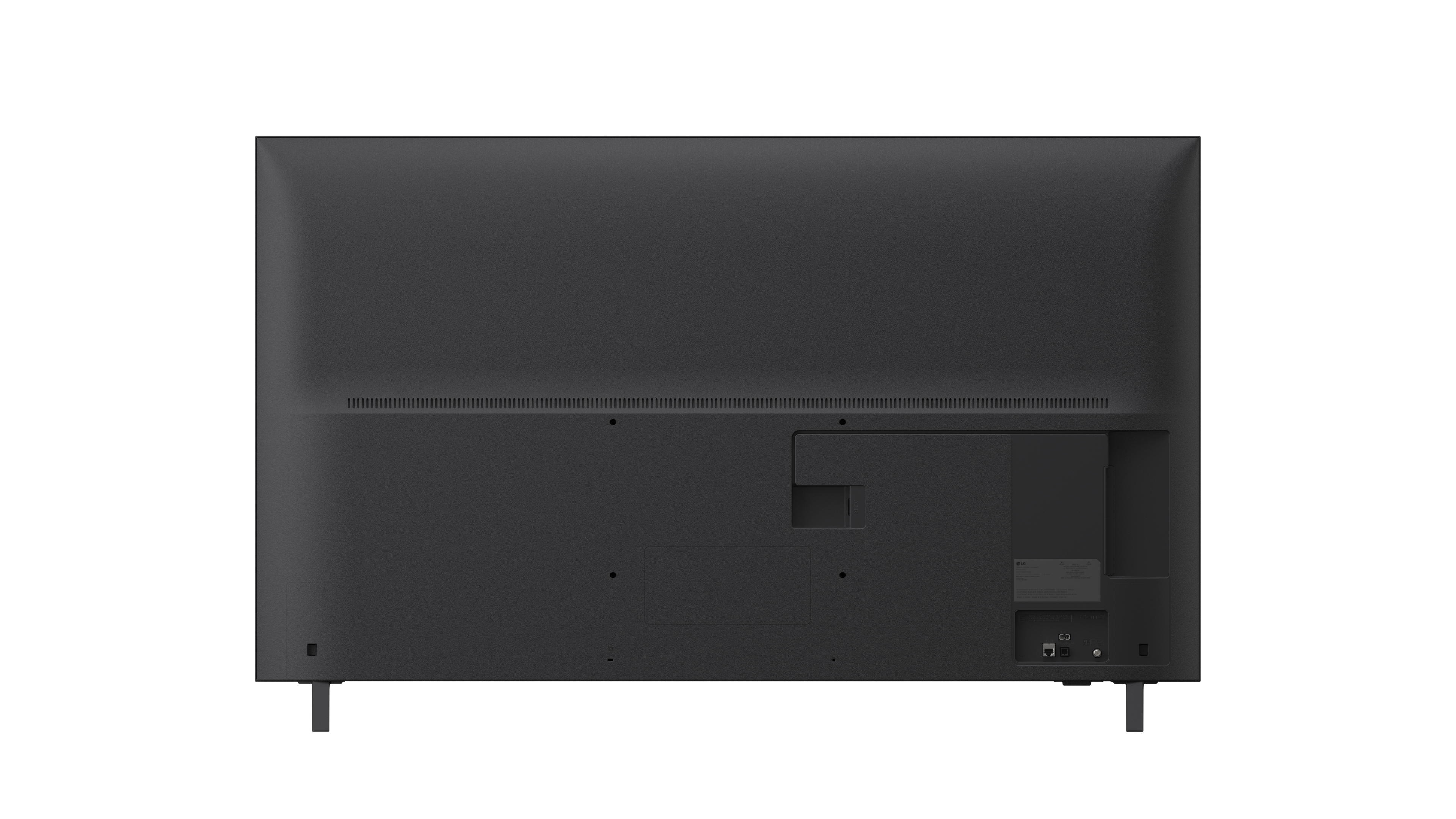
  • Questionwhere on the back of the tv do you plug in the poweree cord

    Asked by Anonymous.

    • Answer Hello there. Thank you for your inquiry regarding the 55UA7050PUB TV. We understand you are looking for the power cord connection. You can find the power port labeled "AC IN" on the back panel of the TV, typically located on the opposite side of the input ports (HDMI/USB) or near the bottom center. https://www.bestbuy.com/product/lg-55-class-ua7050-series-led-ai-4k-uhd-smart-webos-tv-2025/JJ8VPZKYK4 If you have any further questions about its features, please send us a private message on Social Media @LGUSSupport, and our team will be more than happy to assist you. —Renzo

      Answered by LG Digital Customer Care

  • QuestionWill you take away my old TV?

    Asked by Tony.

    • Answer Best Buy will take your old TV

      Answered by MaryS

  • QuestionIs there a sleep function on remote

    Asked by Anonymous.

    • Answer The remote control for the LG - 55” Class UA7050 Series LED AI 4K UHD Smart webOS TV (2025) Model # 55UA7050PUB does not have a Sleep Timer button. You will have to access the TV's settings menu to set the Sleep Timer...^Ivan.

      Answered by LG Digital Customer Care

  • QuestionDoes this TV have vertical display capability? Can it be used for menu boards, etc that require portrait mode display?

    Asked by PizzaMonkey.

    • Answer Hello there. Thank you for reaching out to us. We understand your inquiry regarding the display orientation of the 55UA7050PUB 4K UHD TV. This model is designed specifically for standard landscape viewing and does not support native vertical display or portrait mode for applications like menu boards. For that specific requirement, we typically recommend looking into LG's Commercial Digital Signage displays which are built to handle portrait orientation. https://www.bestbuy.com/product/lg-55-class-ua7050-series-led-ai-4k-uhd-smart-webos-tv-2025/JJ8VPZKYK4 If you have any further questions about its features, please contact us on [email protected], and our team will be more than happy to assist you. —Renzo

      Answered by LG Digital Customer Care

  • QuestionDoes it has a media player with bookmark capabilities for USB thumb drive MP4 playback?

    Asked by CBn3D.

    • Answer Hi there. Thank you for reaching out to us. We understand your inquiry regarding the media player features on the 55UA7050PUB. Yes, this model operates on webOS 25, which includes a built-in Media Player capable of playing video files from a USB drive. Generally, the Media Player supports a resume function that allows you to continue playback from where you stopped. https://www.bestbuy.com/product/lg-55-class-ua7050-series-led-ai-4k-uhd-smart-webos-tv-2025/JJ8VPZKYK4 If you have any further questions about its features, please contact us on [email protected], and our team will be more than happy to assist you. —Renzo

      Answered by LG Digital Customer Care

  • QuestionDoes it have an audio out jack? I can't see the ports in the product images

    Asked by tv4me.

    • Answer Hello there. We understand your inquiry about the audio output ports on the 55UA7050PUB TV. Based on the specifications, this unit does not have a traditional analog "audio out jack" (such as a 3.5mm headphone jack). However, it does have several options for connecting external audio: SPDIF (Optical Digital Audio Out): 1 port for connecting to soundbars or receivers. HDMI Audio Return Channel (eARC): Supported on one of the HDMI ports (HDMI 2), which allows audio to be sent back to a compatible sound system. Bluetooth® Support: Version 5.0 for wireless connection to external speakers or headphones. https://www.bestbuy.com/product/lg-55-class-ua7050-series-led-ai-4k-uhd-smart-webos-tv-2025/JJ8VPZKYK4 If you have any further questions about connecting your specific external audio device, please send us a private message on Social Media @LGUSSupport, and our team will be more than happy to assist you. —Renzo

      Answered by LG Digital Customer Care

  • QuestionWhere is hdmiarc located

    Asked by Nelly.

    • Answer Hi there, Nelly. Thanks for reaching out about your LG TV (55UA7050PUB). The HDMI ARC port on this model is located on the back panel of the TV and is labeled “HDMI ARC” or “HDMI (ARC/eARC)” depending on the revision. It will be one of the HDMI inputs grouped together on the rear connection panel. You can also review the full port layout in the product support section here, also images are displayed on website: https://www.bestbuy.com/product/lg-55-class-ua7050-series-led-ai-4k-uhd-smart-webos-tv-2025/JJ8VPZKYK4. If you’d like help identifying the exact port on your unit, feel free to email us at [email protected] for further assistance. - Avril

      Answered by LG Digital Customer Care

  • QuestionDoes this TV need an HDMI cable to work?

    Asked by Anonymous.

    • Answer Hello! Thanks for reaching out about your LG TV (55UA7050PUB). This TV can power on and access built‑in apps without an HDMI cable, but you’ll need one if you plan to connect external devices such as a cable box, gaming console, or Blu‑ray player. You can also explore more details on the product page here: https://www.bestbuy.com/product/lg-55-class-ua7050-series-led-ai-4k-uhd-smart-webos-tv-2025/JJ8VPZKYK4. If you need additional help choosing the right setup, feel free to email us at [email protected] for further assistance. - Avril

      Answered by LG Digital Customer Care

  • QuestionDoes this TV have an optical input for external center speaker?

    Asked by Ronald.

    • Answer Nearly all modern LG TVs including 75" models include a Digital Optical Audio Out (TOSLINK) port. Its usually labeled "Optical Digital Audio Out" or shown with a small red-light icon

      Answered by JugbehF

  • QuestionDoes it have the MLB app?

    Asked by Anonymous.

    • Answer LG models from 2021 and newer do support the MLB app.

      Answered by JugbehF

  • QuestionDoes this tv has voice command

    Asked by Red.

    • Answer Yes these models have voice command: LG 75" UA7700 Series LG 75UM7570PUD (Alexa built in) LG 75" UN6970 Series LG 75" Nano 9 Series LG 75" NU85 Series LG 75" QNED 82A Series

      Answered by JugbehF

  • QuestionCan this tv be hooked up to Direct TV?

    Asked by Irka.

    • Answer Hi there, Irka. Thank you for sharing your question with us. We understand your inquiry regarding the compatibility of the 55UA7050PUB with DIRECTV services. The 55UA7050PUB is fully capable of being hooked up to DIRECTV. This model features three HDMI inputs, which are the standard connection points for DIRECTV satellite boxes or Genie receivers. By simply connecting an HDMI cable from your DIRECTV box to any of the HDMI ports on the back or side of the 55UA7050PUB, you can enjoy your favorite live channels and recorded content in high definition. Furthermore, because this unit operates on the webOS 25 platform, you also have the option to access the DIRECTV app directly through the built-in App Store, which allows for a streamlined streaming experience if you prefer not to use a physical set-top box. https://www.bestbuy.com/product/lg-55-class-ua7050-series-led-ai-4k-uhd-smart-webos-tv-2025/JJ8VPZKYK4 If you have any further questions about its features or need assistance with the setup, please contact us on [email protected], and our team will be more than happy to assist you further. —Renzo

      Answered by LG Digital Customer Care

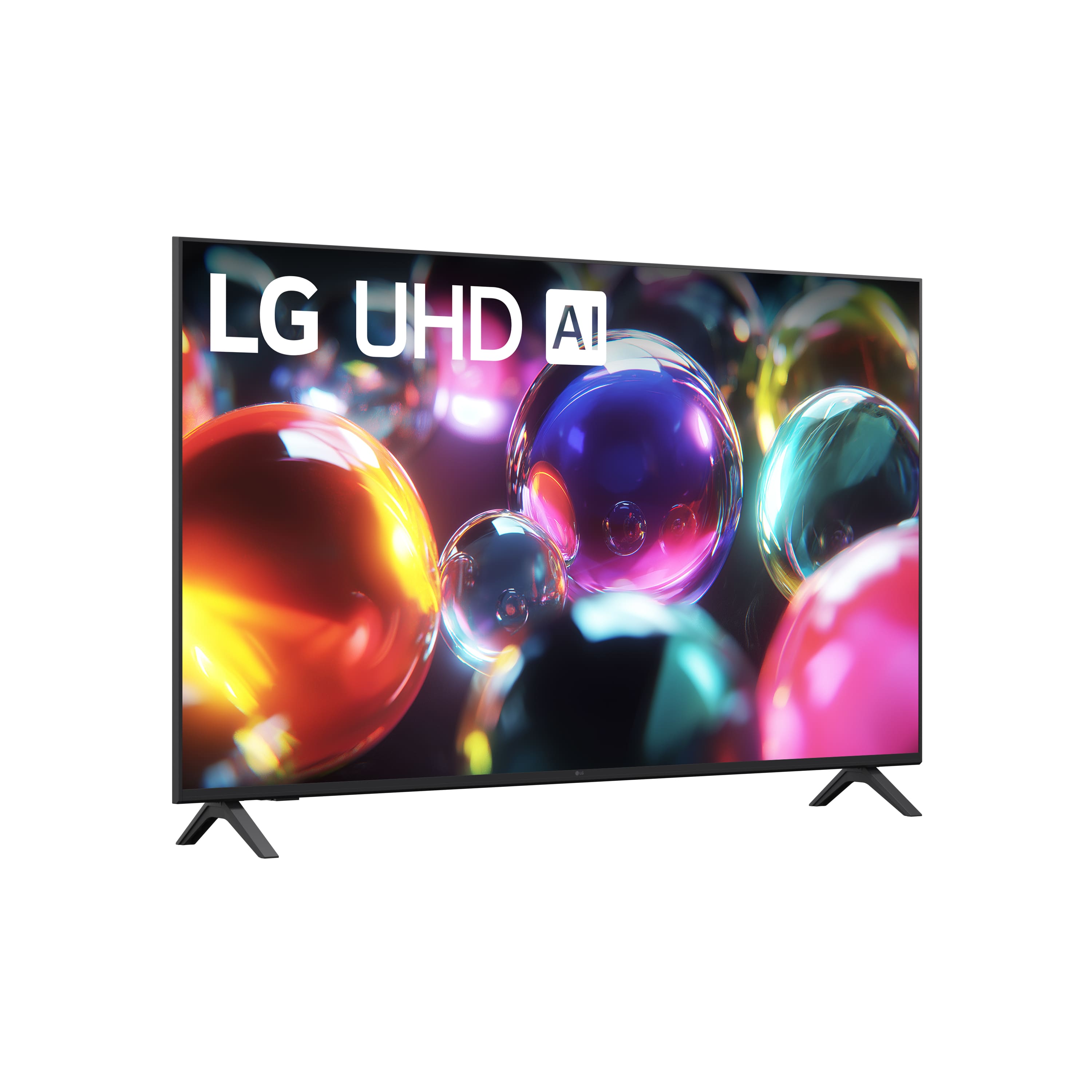
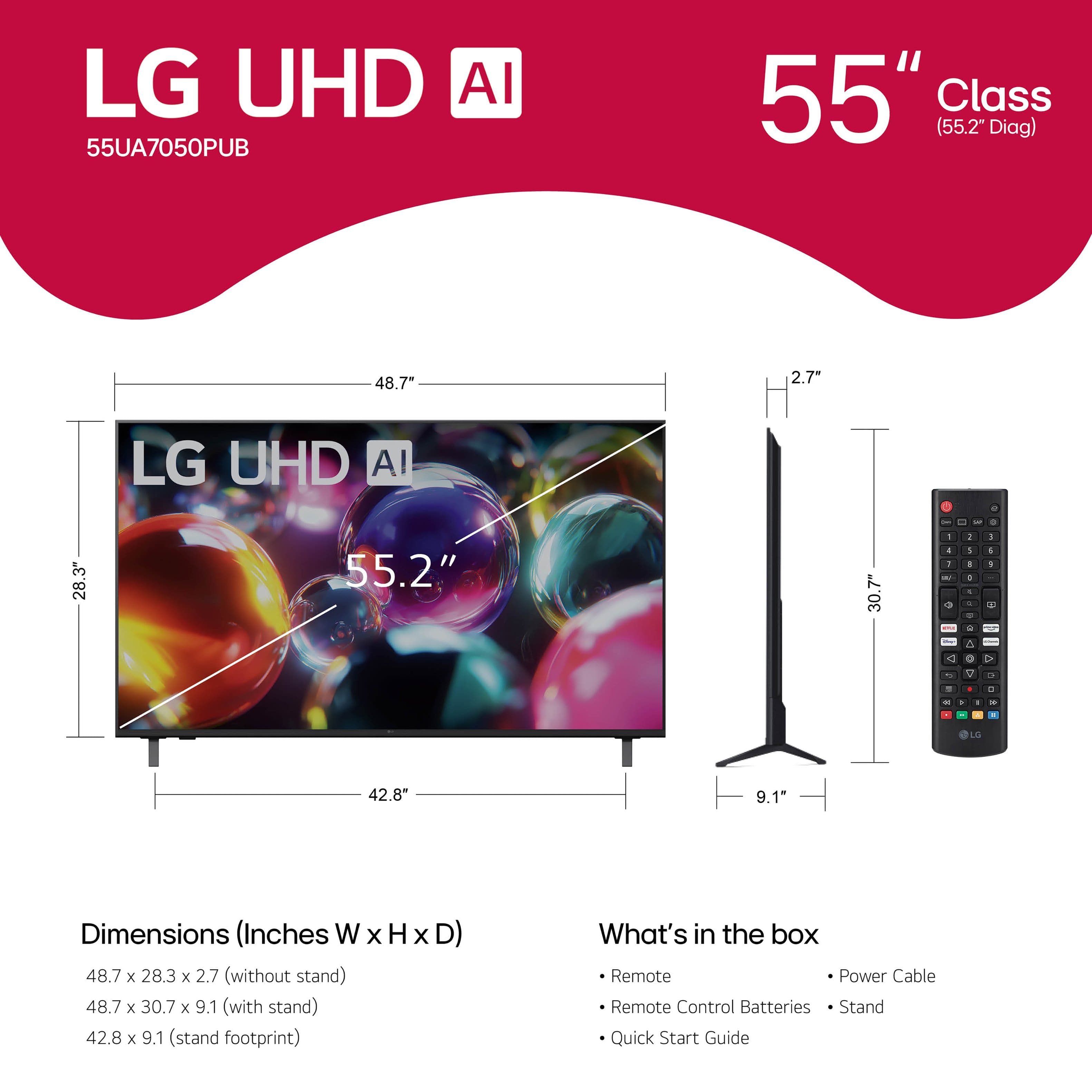
  • QuestionCan the legs be moved closer together?

    Asked by Anonymous.

    • Answer No

      Answered by JohnH