“Does the lively flip 2 model come with call waiting? & If it don't have call waiting feature, what happens when someone tries to call? Does it ring or does it go straight to Voicemail?”
Answer This Question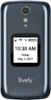
1-2 of 2 Answers
Hello, thank for your question. The Call Waiting feature is available on your Flip2 phone. Once enabled, while on a call, when a new call comes in, it will show on the screen. To answer, press Ok, to ignore the call, press the down arrow to highlight Ignore and then press Ok. To check it the feature is enable on your phone, please call our Customer Service.
Sorry, there was a problem. Please try again later.I do not have call waiting and it will ring when i receive a call
Sorry, there was a problem. Please try again later.